Changelog

Released

VS Code extension0.36.0Latest

Follow a Spec Kit run from inside Claude Code, and meet the moss mascot.

Changes27 changes

Spec viewer

  • New
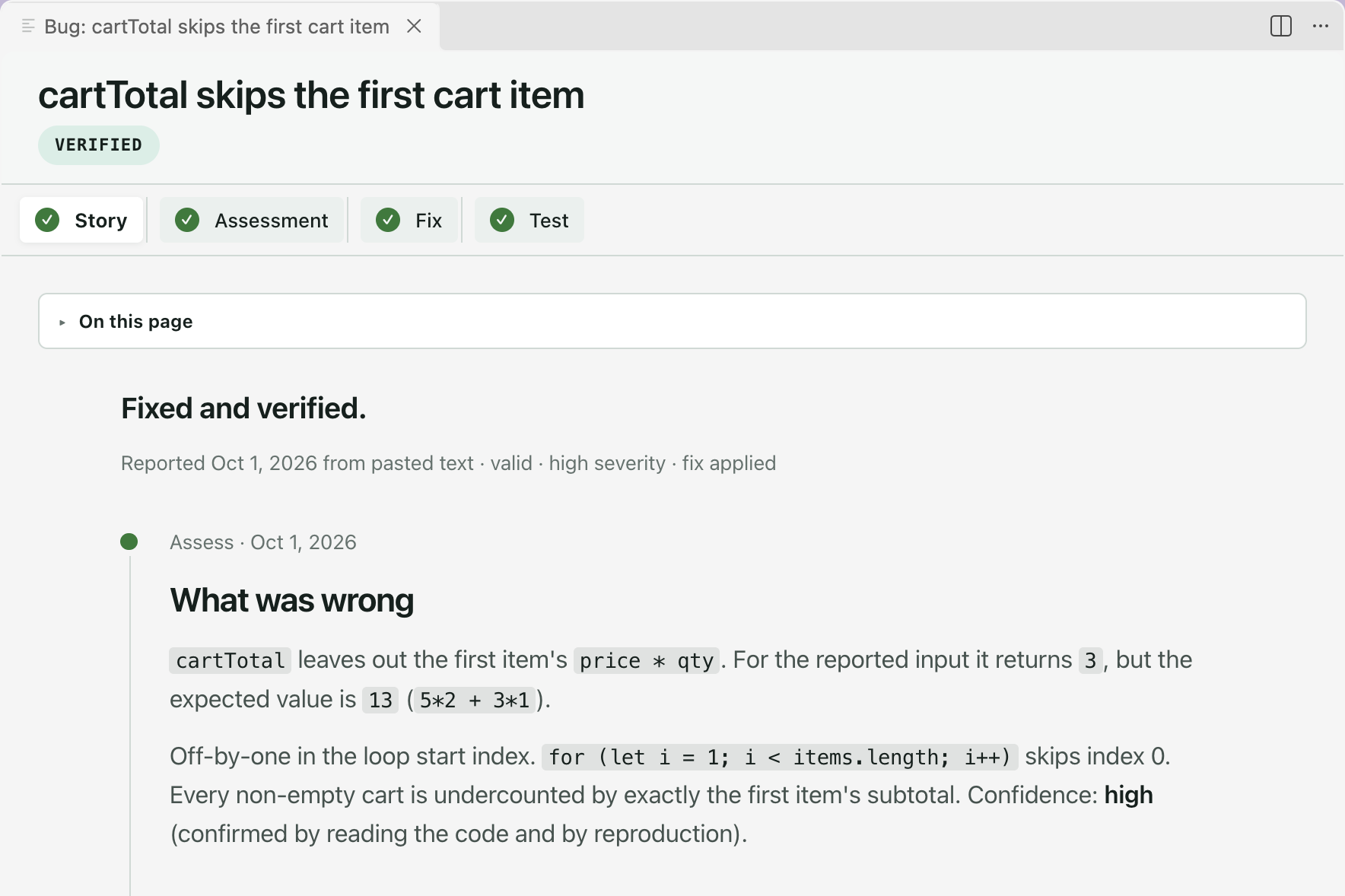
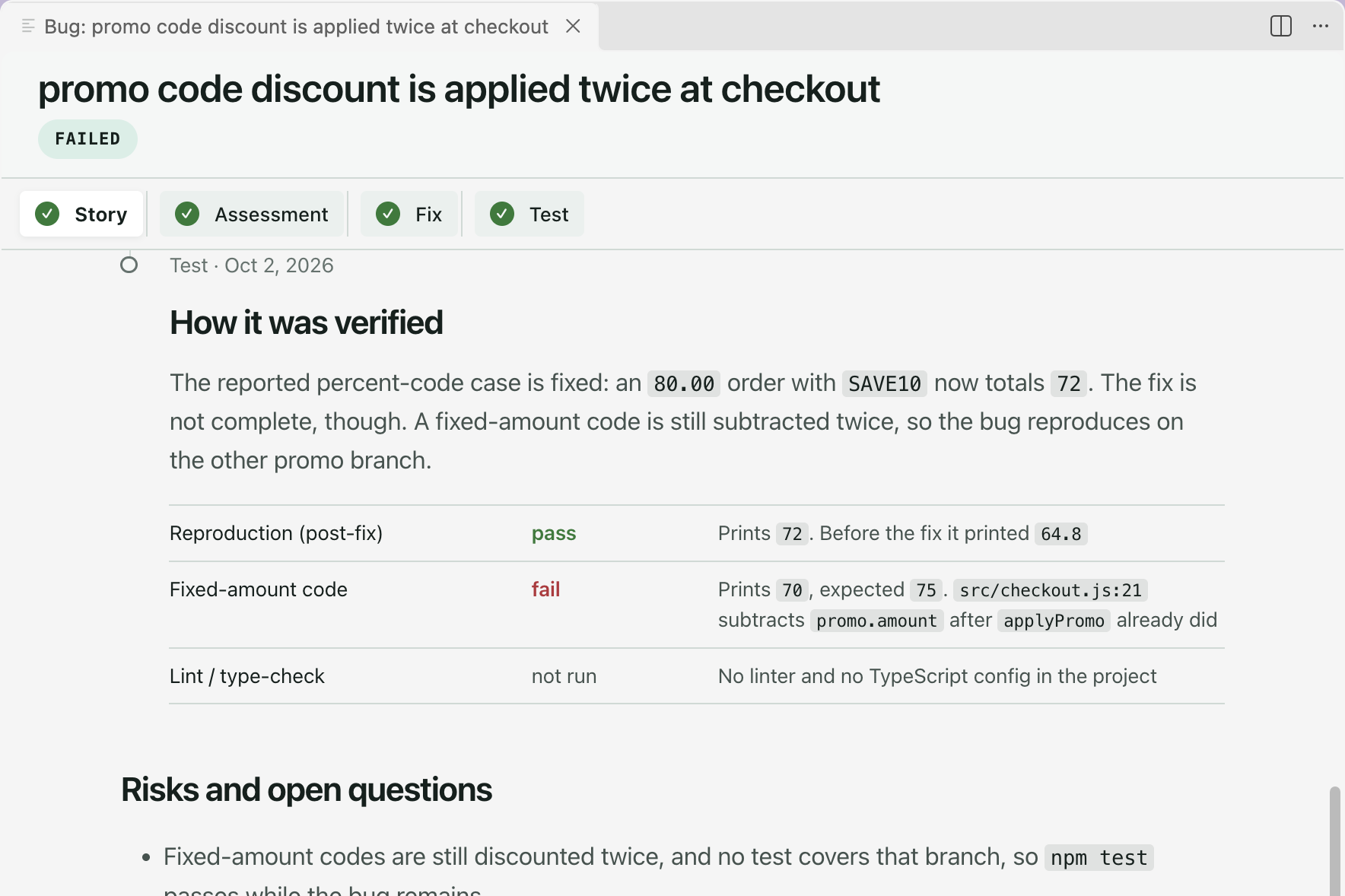
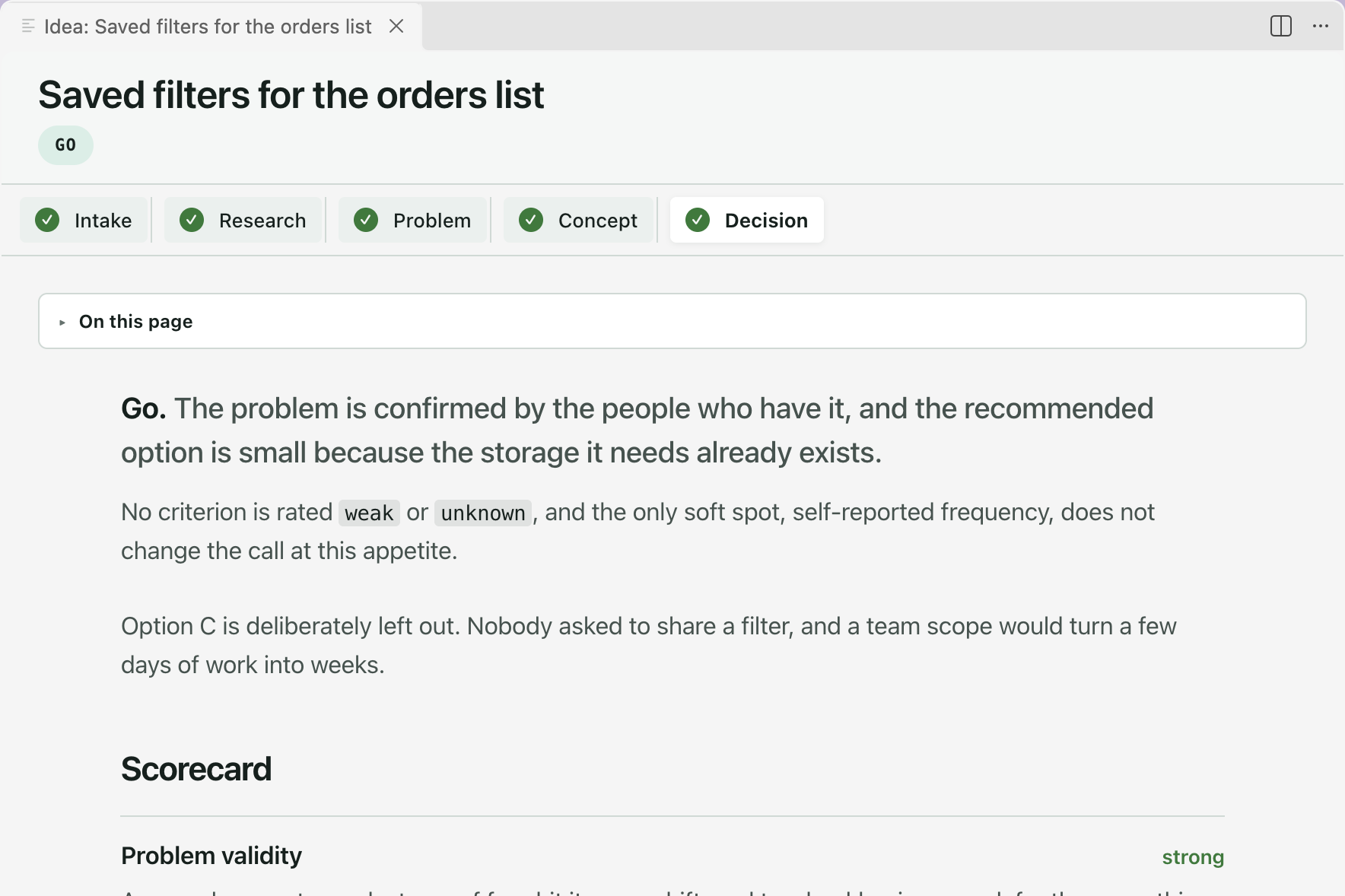
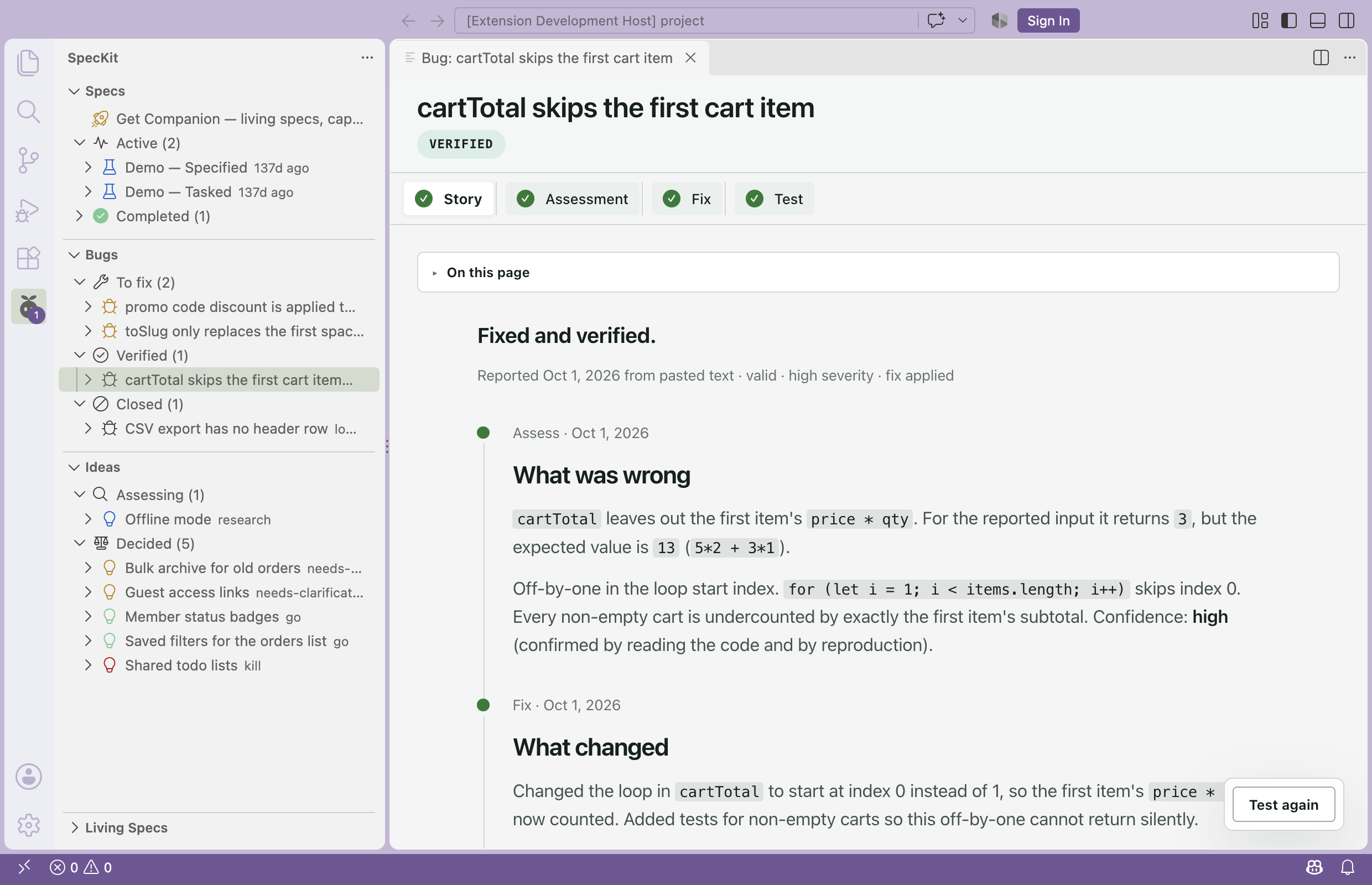
    A bug reads as a story, and a decided idea as a decision. A bug opens on a Story tab: where it stands, then what broke, what changed and how it was verified. A decided idea shows its verdict, the rationale, a scorecard and a closing section that fits the verdict.#847
  • New
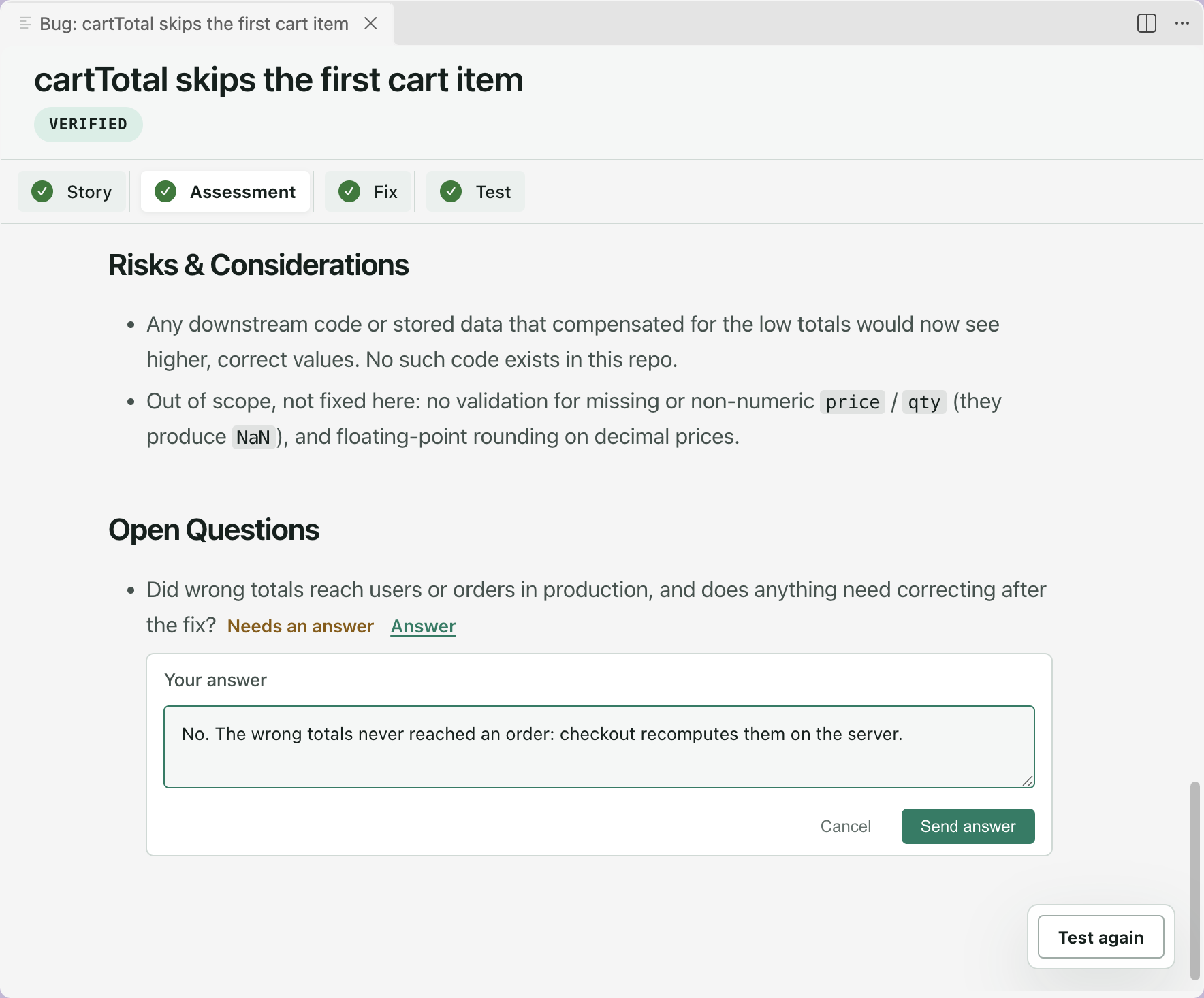
    Answer an open question from the report. Every open question on a bug report or idea stage has an Answer button. Type your reply and the report comes back settled: your assistant reruns the command that wrote it with your answer.#850
  • New
    Run Converge from Companion. A spec whose build is done has a Converge button in the viewer footer and on its sidebar row menu. It sends Spec Kit’s /speckit.converge for that spec and leaves the timing to Spec Kit’s own hooks.#845
  • New
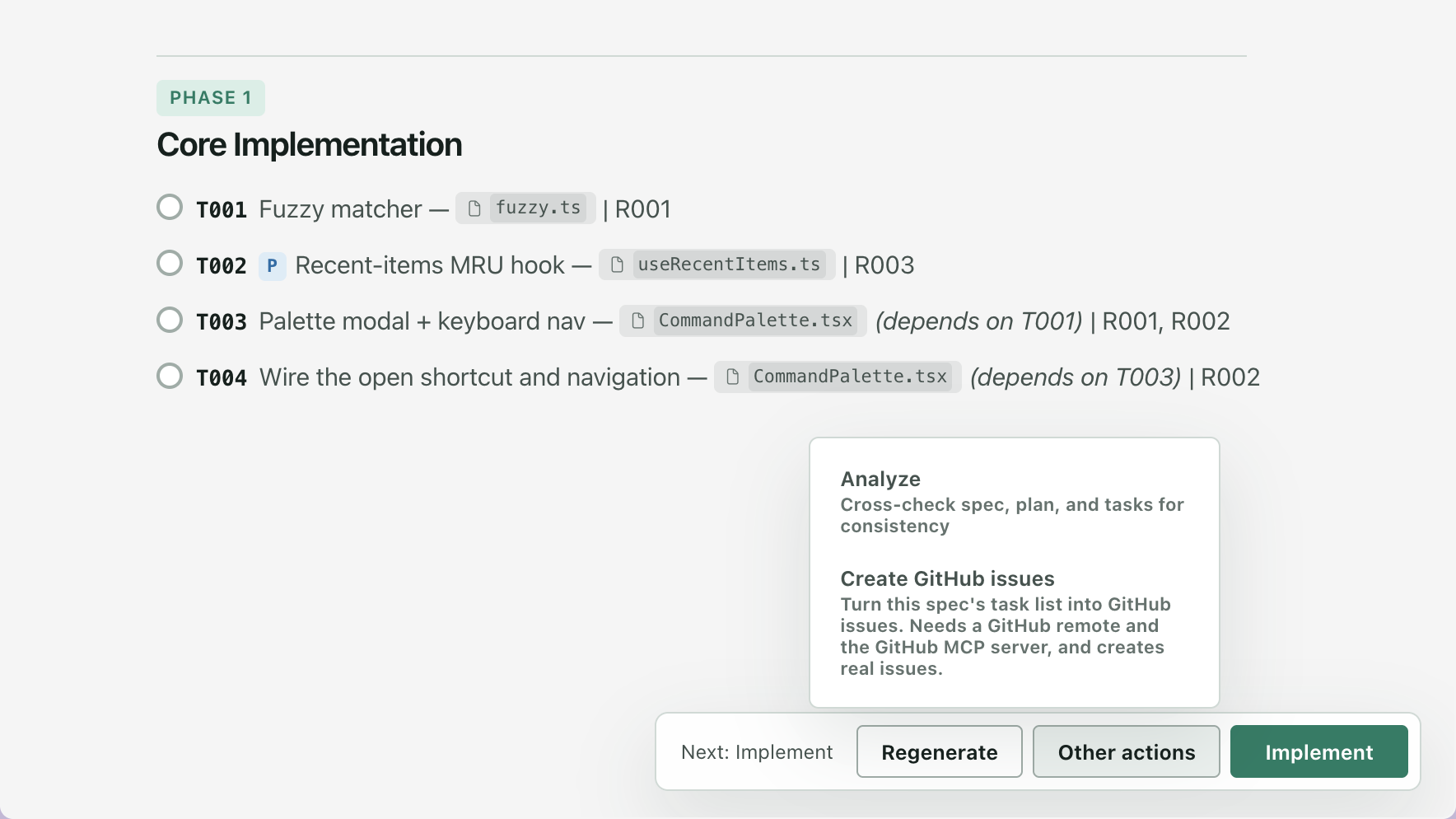
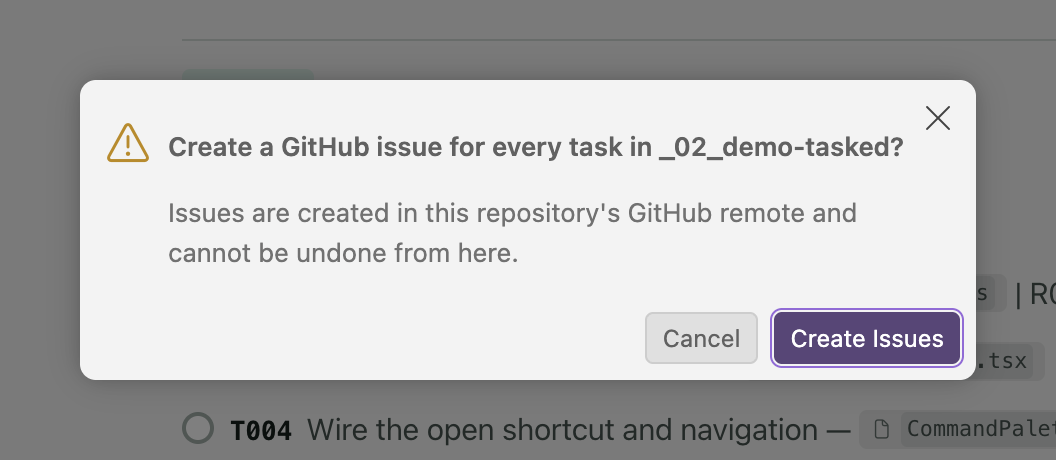
    Create GitHub issues from the task list. Other actions on the Tasks tab gains Create GitHub issues: one issue per task, sent as Spec Kit’s /speckit.taskstoissues. Companion asks first since the issues are real, and it needs a GitHub remote and the GitHub MCP server.#844
  • Security
    A crafted spec cannot inject markup attributes. A link written across an image stays inert, and a code fence keeps only its language name.#874
  • Changed
    A report’s facts read as one line. Assessment, Fix, Test and idea stage tabs open with one quiet line instead of a bullet list of fields.#850
  • Fixed
    Other actions keeps its text inside the menu. Each item’s description wraps to fit instead of running off the window.#858
  • Fixed
    No blank band above a short document. In a narrow viewer, a short document starts right under the outline box, not halfway down the page.#850
  • Fixed
    Wrapped paragraphs stay whole. A paragraph split across lines in the file is one paragraph, one comment button.#846
  • Fixed
    Inline code renders in highlighted lines. Purpose, Note and Checkpoint lines show code as code, not raw backticks.#841

Sidebar

  • New
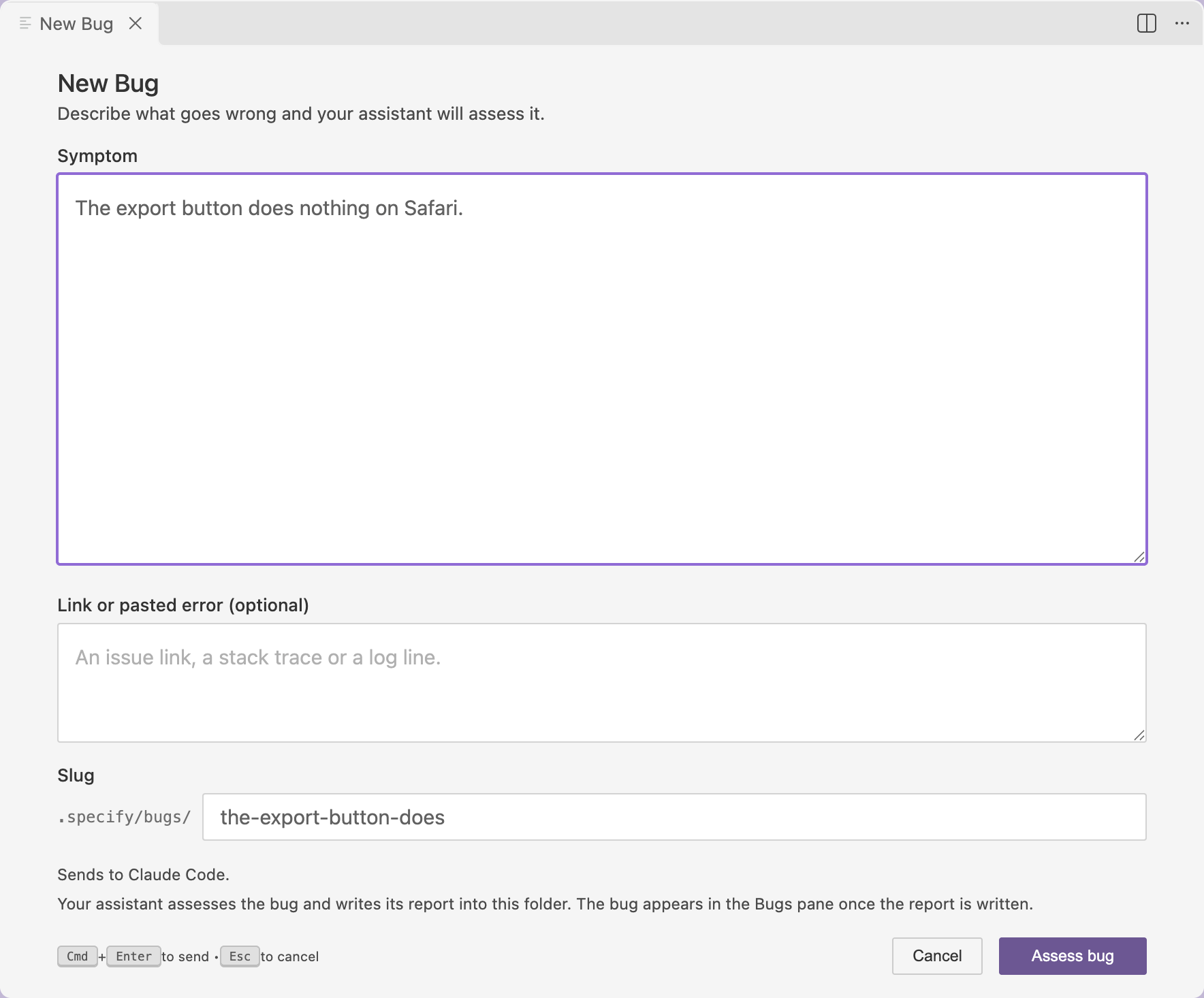
    Bugs and ideas have their own panes, and start without a command. The sidebar gains a Bugs pane and an Ideas pane under Specs, grouped by where each stands. Press + to describe a new one and send it to your assistant, then follow the next-step button on its page.#842#843
  • Added
    Multi-root workspaces find the Spec Kit folder. Companion picks your Spec Kit folder, not always the first one, or the one you name in speckit.projectFolder.#840

Copilot app

  • New
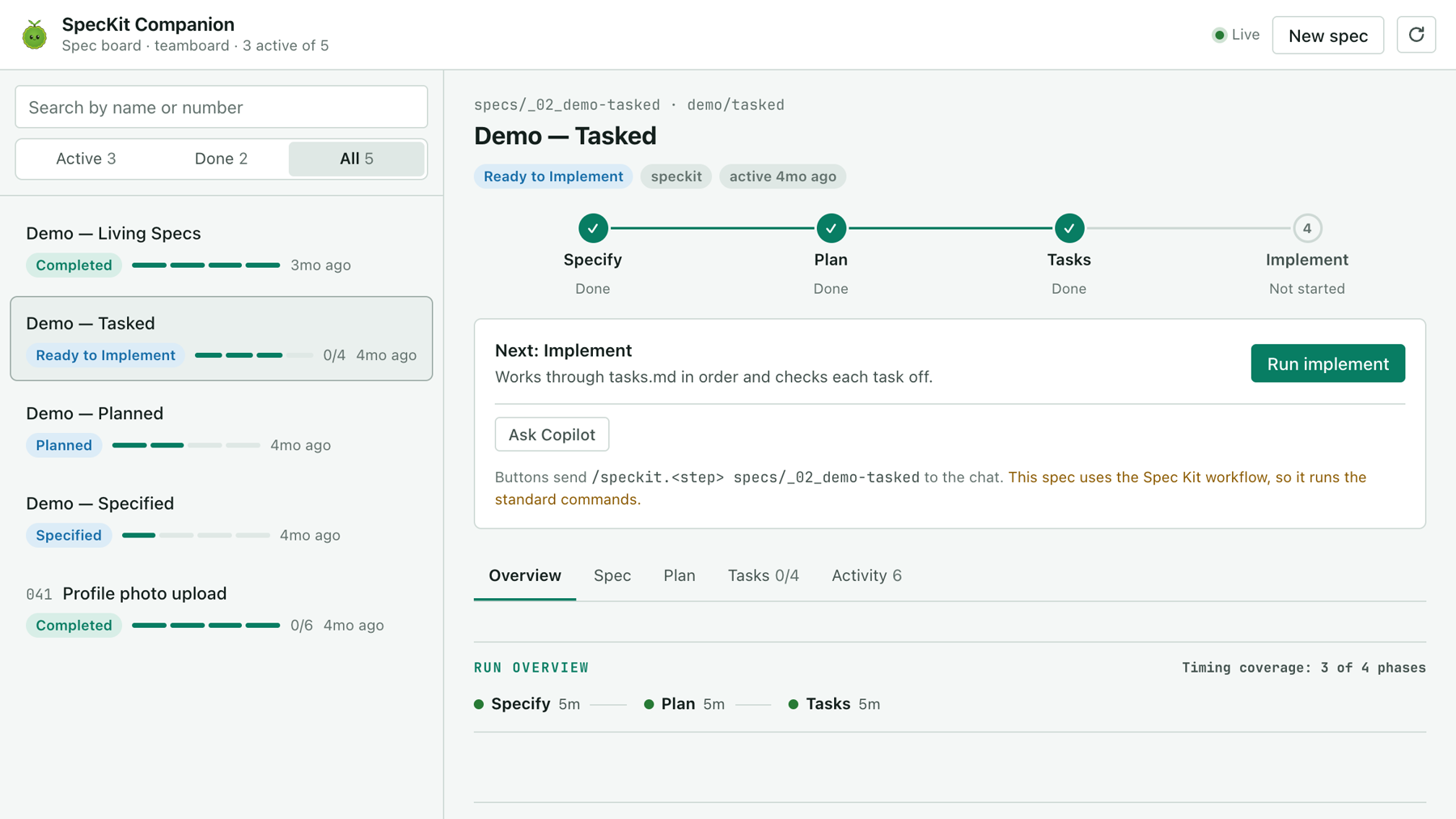
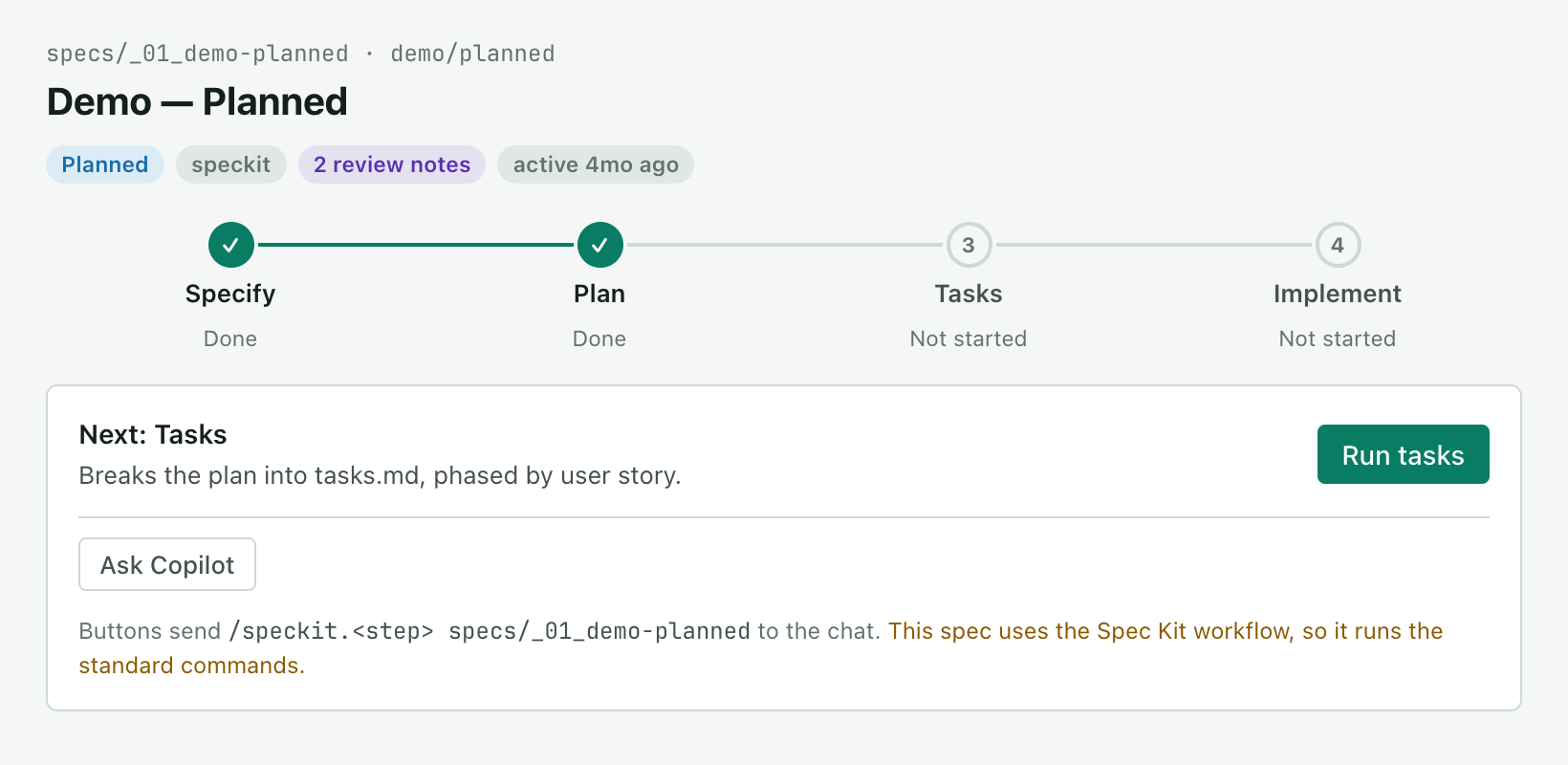
    The Copilot app board works with any Spec Kit project. The board reads each step from your files, so it follows a stock Spec Kit run without Companion installed. Its buttons send the command your project registers, and each step shows as running until the chat turn ends.#854#869
  • Added
    The Copilot board helps you install Companion. In a project without Companion, Install it shows the command to copy and Ask Copilot to install it runs it for you.#854
  • Changed
    The Copilot app board sends a short message. The chat gets the command and one sentence; the full run instructions wait in a file under .speckit-companion/prompts/, out of git.#854
  • Fixed
    Stock runs get no Companion-only instructions. The board sends the command alone where Companion’s script is missing, so nothing tells the agent to hold a document back.#869
  • Fixed
    The board sends the command your project registers. A project whose commands are skills gets /speckit-plan, and the card and Show prompt show that spelling.#869
  • Fixed
    A sent step shows as running. It stays Running until the chat turn ends, and a stock run’s Overview times only the steps the board watched.#869
  • Fixed
    The Copilot board shows your first spec. In a project with no specs/ folder, the first spec shows up without a refresh.#854
  • Fixed
    The sent prompt stays out of the way. On the Copilot board, sending a step shows a short note that fades, with the full prompt behind Show prompt and Copy.#827
  • Fixed
    New spec on the Copilot board numbers itself. The message names the next number, one past the highest spec folder, so numbers are never reused.#837
  • Fixed
    The Copilot agent answers from the board. Ask about specs and it uses the board’s list and focus actions, and moves the board whenever you name a spec.#837

Assistants & terminals

  • New
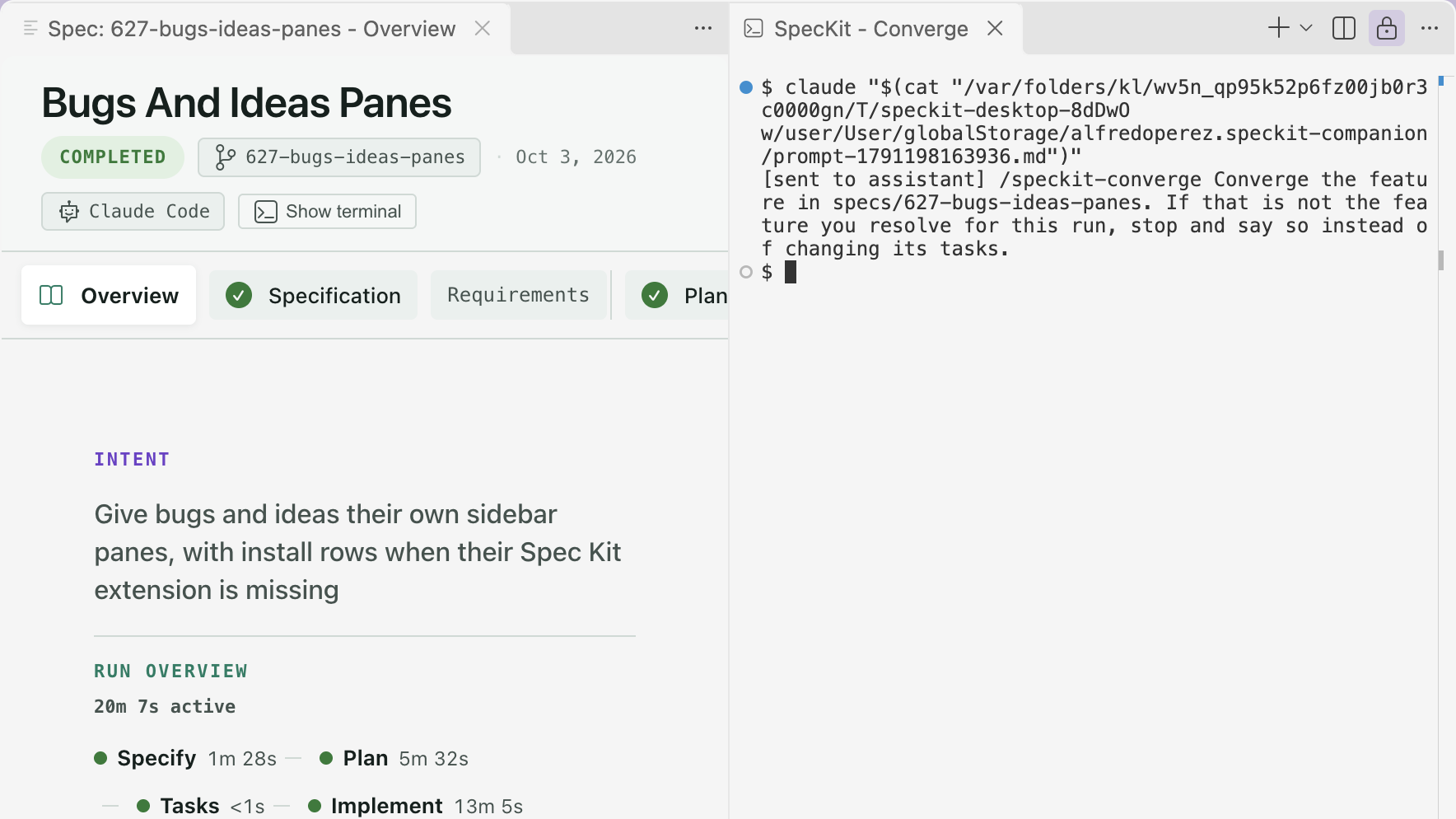
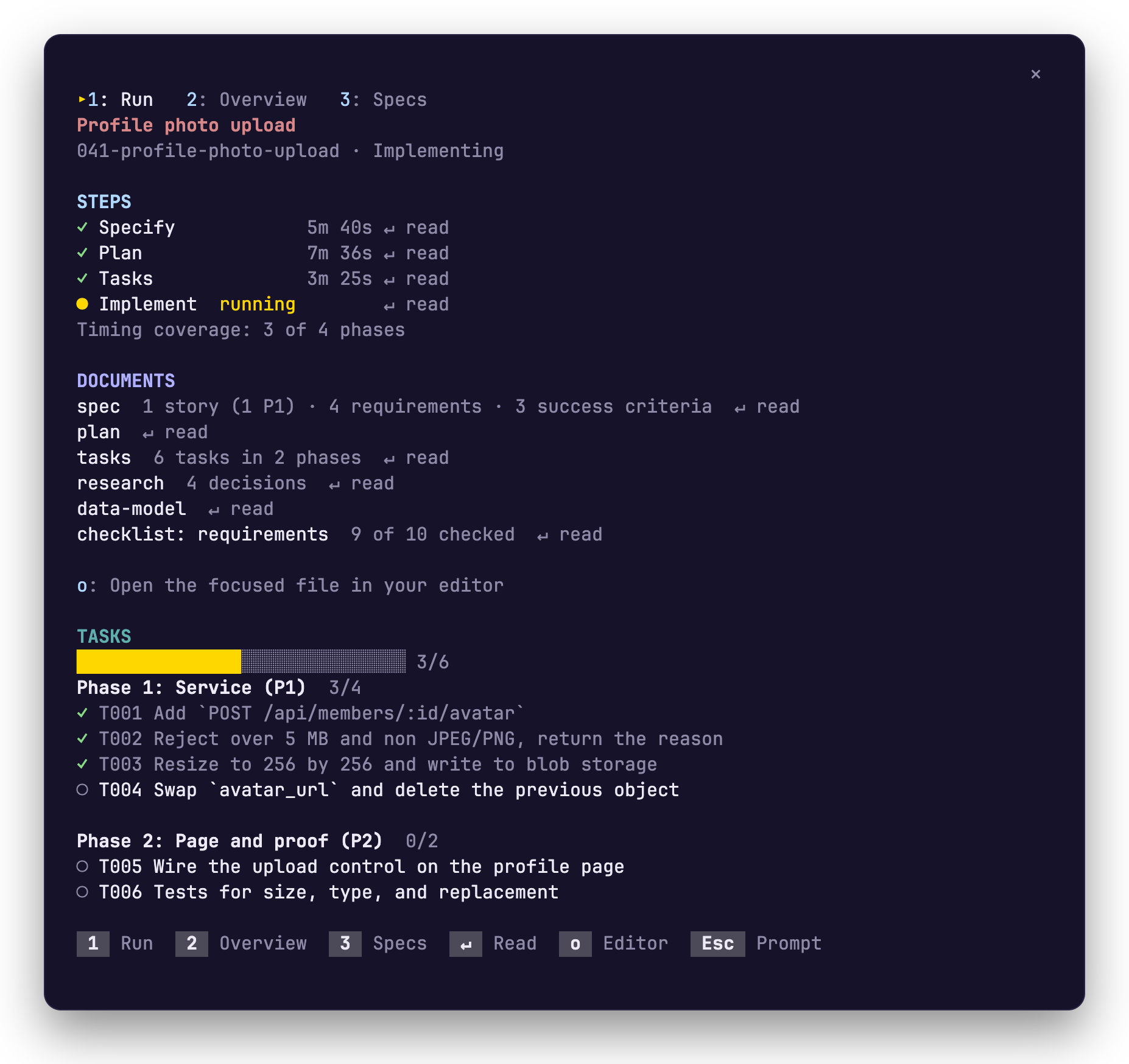
    Follow a Spec Kit run from inside Claude Code. A new Claude Code mod pins your spec above the prompt and ticks off steps and tasks beside the transcript. Press Enter on a step to read its document, or o to open it in your editor.#832#852#866
  • Added
    Read a step’s document inside Claude Code. Press a step to read its spec, plan or tasks, a new Overview tab sums up the run, and /speckit-tracker joins /spec.#852
  • Added
    Oh My Pi is a provider. Set speckit.aiProvider to omp and spec commands run in an omp terminal; the Steering view lists its agents, skills and hooks.#819
  • Added
    See which assistant has a spec. Its sidebar row and viewer header name the assistant, and Show Terminal jumps to its terminal while it is open.#839

Other

  • Changed
    The moss mascot is the new logo. The small moss character replaces the seedling in the activity bar and the double chevron on the Copilot app board.#831

Claude Code mod0.2.0Latest

A useful pane without a run record.

Changes16 changes

Spec viewer

  • Added
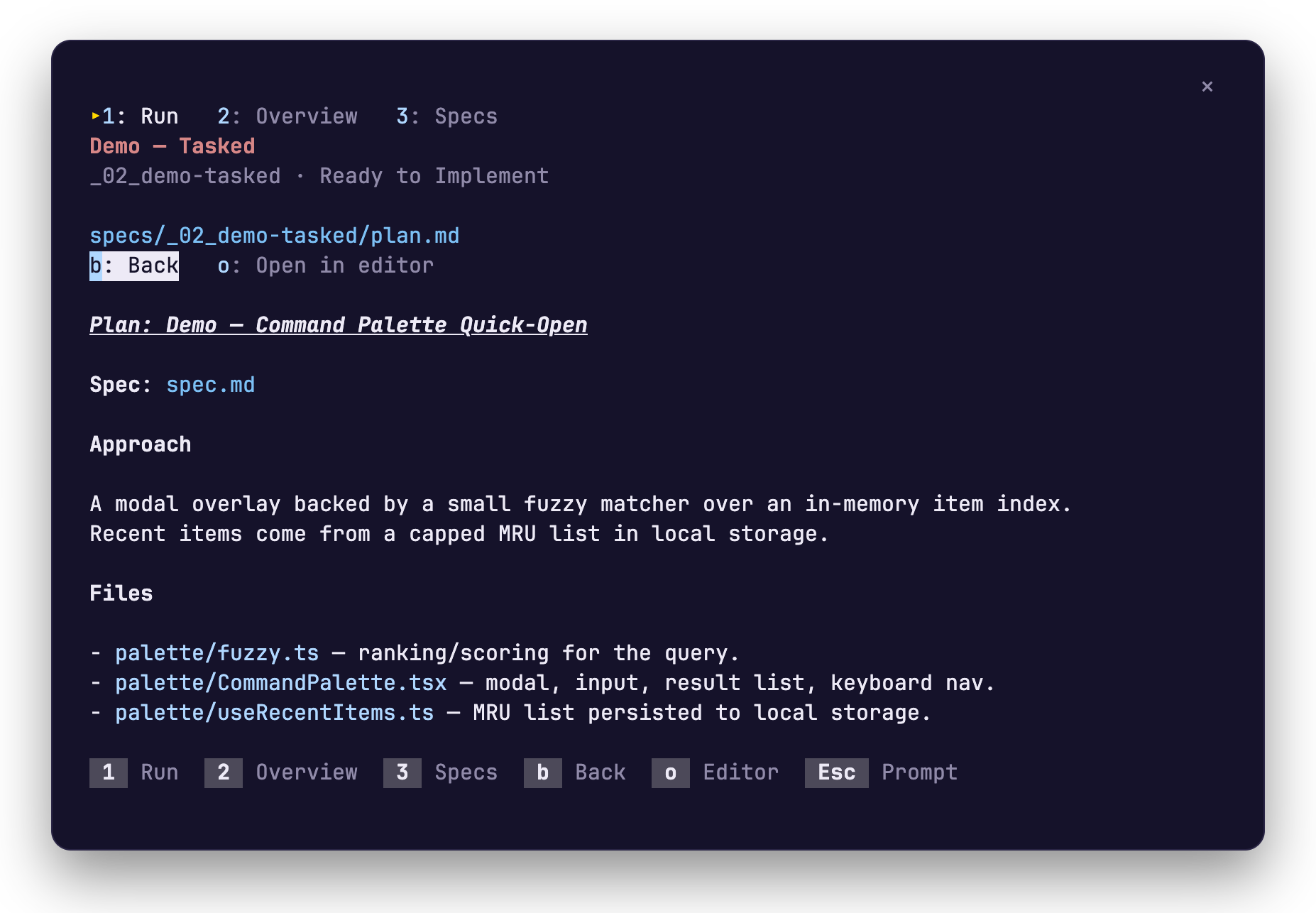
    Open a step’s document. On the Run tab, press a step to read its spec, plan or tasks inside the pane, and b to go back.
  • Added
    Open a file in your editor. Press o on a step or document to open its file in your editor, and each readable row says ↵ read.
  • Changed
    Colour, used sparingly. The running step takes your theme’s warning colour, finished is green, failed is red, and the spec’s title stays atop every tab.
  • Fixed
    Back keeps the focus. After b closes a document, focus lands on the step you opened, so Enter and the arrow keys carry on from there.

Overview

  • Added
    An Overview tab. Read the run’s intent, approach, decisions, checks and open concerns on tab 2: Overview, between 1: Run and 3: Specs.

Create spec

  • Fixed
    A spec created during the session is followed. The band and pane pick up a new spec folder as soon as your agent creates it.

Companion pipeline

  • Changed
    The command is /speckit-tracker. It takes the same arguments, and /spec still works as a shorter name.
  • Changed
    Steps done alongside Specify say with Specify. Plan and Tasks say where their time went instead of showing an empty time, and the run shows its total.
  • Fixed
    The activity line stops when the turn does. After a turn ends the pane reads Plan written · Tasks next or Implement stopped at 9 of 10 · T010 left, never Writing the plan.

Run record

  • Added
    A useful pane without a run record. Stock Spec Kit projects get a pane from the spec’s files: step times, ticked tasks, a Documents list and the next command.
  • Fixed
    A record behind the files follows the files. Without Companion’s recorder, a written document finishes its step even when the run record stopped earlier.

Assistants & terminals

  • Fixed
    The pane opens for a session’s first spec. When the first spec appears, the pane opens by itself, once, if the terminal is wide enough to hold it.

Install & updates

  • Changed
    Install from the SpecKit Companion site. Add the mod with claude plugin marketplace add https://speckit-companion.dev/plugins/marketplace.json; an existing install keeps working.
  • Fixed
    The mod starts in a session already open. After installing and running /reload-plugins, the band, pane and /spec start on first use, no restart of Claude Code needed.

Other

  • Changed
    A colourful pane and band. Coloured section headings, a task progress bar, a state dot in the band, and key hints at the pane’s foot.
  • Fixed
    A copied template is not a finished step. An empty file, an untouched Spec Kit template or a task list with no task leaves its step open.

VS Code extension0.35.0

Rearrange your pipeline from the Pipeline Builder, read step times you can trust, and stop losing commands to a shell that is still starting.

Changes20 changes

Spec viewer

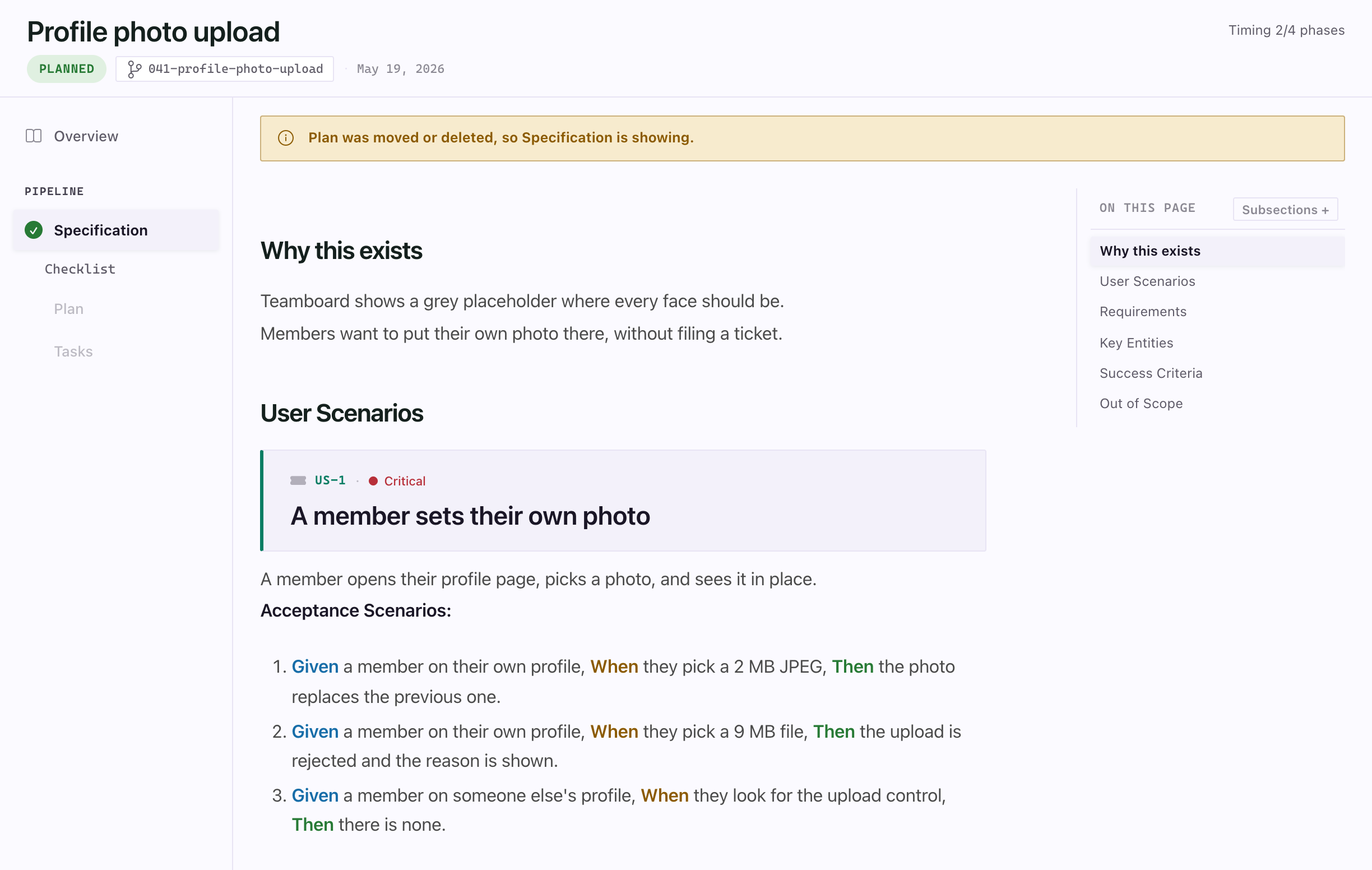
The spec viewer showing the Specification under a notice that reads Plan was moved or deleted, so Specification is showing.
A removed document is named, not skipped over in silence.
  • New
    The viewer shows Spec Kit's converge step. When you run /speckit.converge after implement, the Tasks entry in the viewer’s rail shows it running, with its timer, and the Overview lists Converge after Implement with how long it took.#813
    More

    Converge never changes a spec’s status, so a spec that ran it still offers Mark Completed and Archive, and the viewer has no button to start it.

  • New
    Links between documents work, and the viewer says what it shows. Clicking a link to another document of the spec opens it and scrolls to the heading the link names, a link to another spec opens that spec in the viewer, and a source file opens in the one group beside the viewer instead of adding a group on every click.#796#802#800
    More

    When the document you are reading is moved or deleted, a line now says so until you navigate, instead of the viewer jumping to the Specification without a word.

  • Fixed
    A fresh checkout no longer says Tasks may be stale.#800
    More

    Files written together, as when a spec is cloned or copied, are treated as one generation, so the stale banner only appears once a document is edited more than a second after the one below it.

  • Fixed
    A spec with nothing recorded no longer has a tab titled Overview. The tab now names the document the pane is showing, and switches to Overview once the run has recorded something.#796

Workflow Builder

  • New
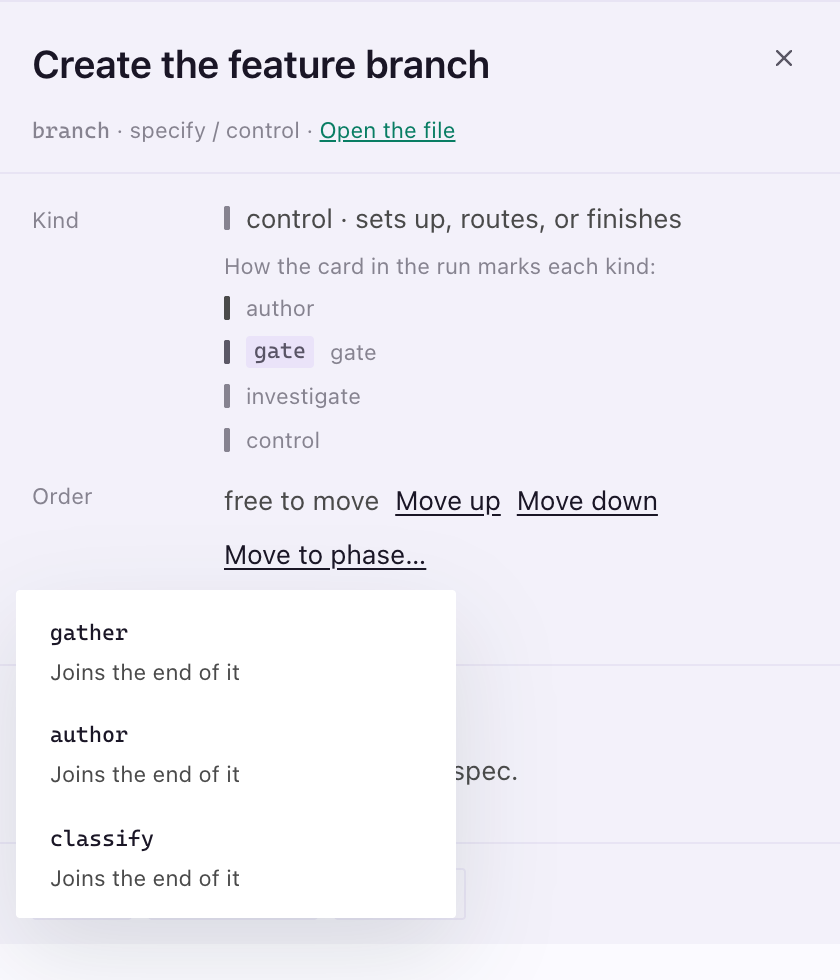
    Move a node to another phase. A free node’s panel now has Move to phase… beside Move up and Move down.#797
    More

    It lists the phases the node is not in and puts it at the edge of the one you pick, nearest where it was, so you no longer have to drag it or remove and re-add it. Docked in a side panel, the Pipeline Builder now stacks its steps one under the next at the panel’s width instead of clipping them behind a sideways scroll.

  • New
    Drag a hook to move it. Drop one of your hooks before or after another node, on a phase, or above or below another hook, and the new order is written to companion.yml in one step, keeping the rest of the file as you wrote it.#818
    More

    From the keyboard, the hook’s form has Move up and Move down. Hooks from an installed extension, and a move to somewhere the step has no place for, are refused with the reason.

  • Fixed
    Move to phase… works in a narrow Pipeline Builder.#805
    More

    In a side panel the node’s panel now scrolls, so the button is always reachable, and its list opens inside the panel on the side with room, showing every phase instead of being cut off at the edge.

  • Fixed
    Move to phase… opens in the right place with reduced motion on. With the system’s reduce-motion setting turned on, the list of phases opened far from its button, off the top of the panel; it now opens right under it.#806
  • Fixed
    A fresh project no longer warns the Pipeline Builder is out of date. The header said the configuration changed since the last build before anything had been configured.#800

Run record

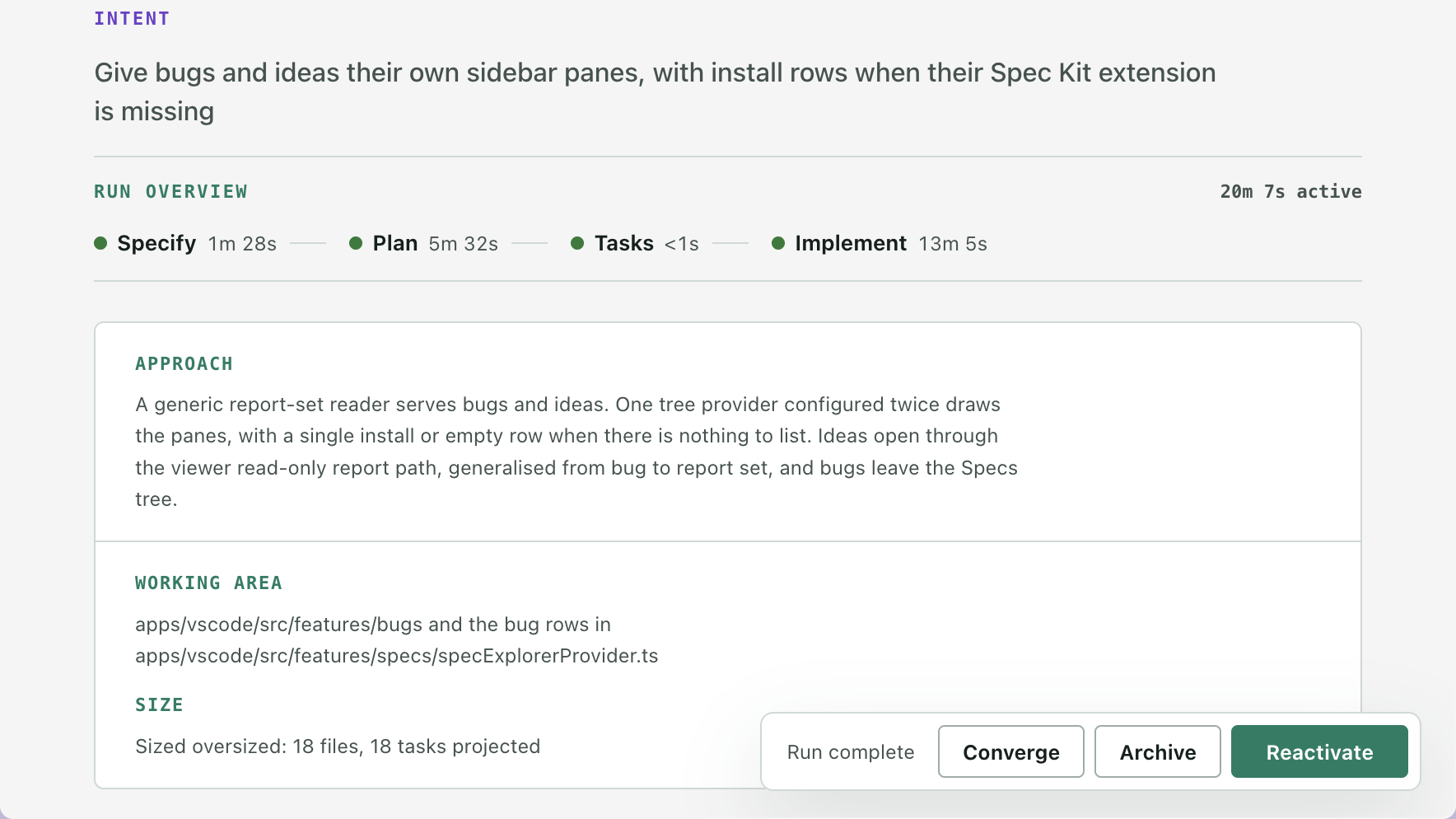
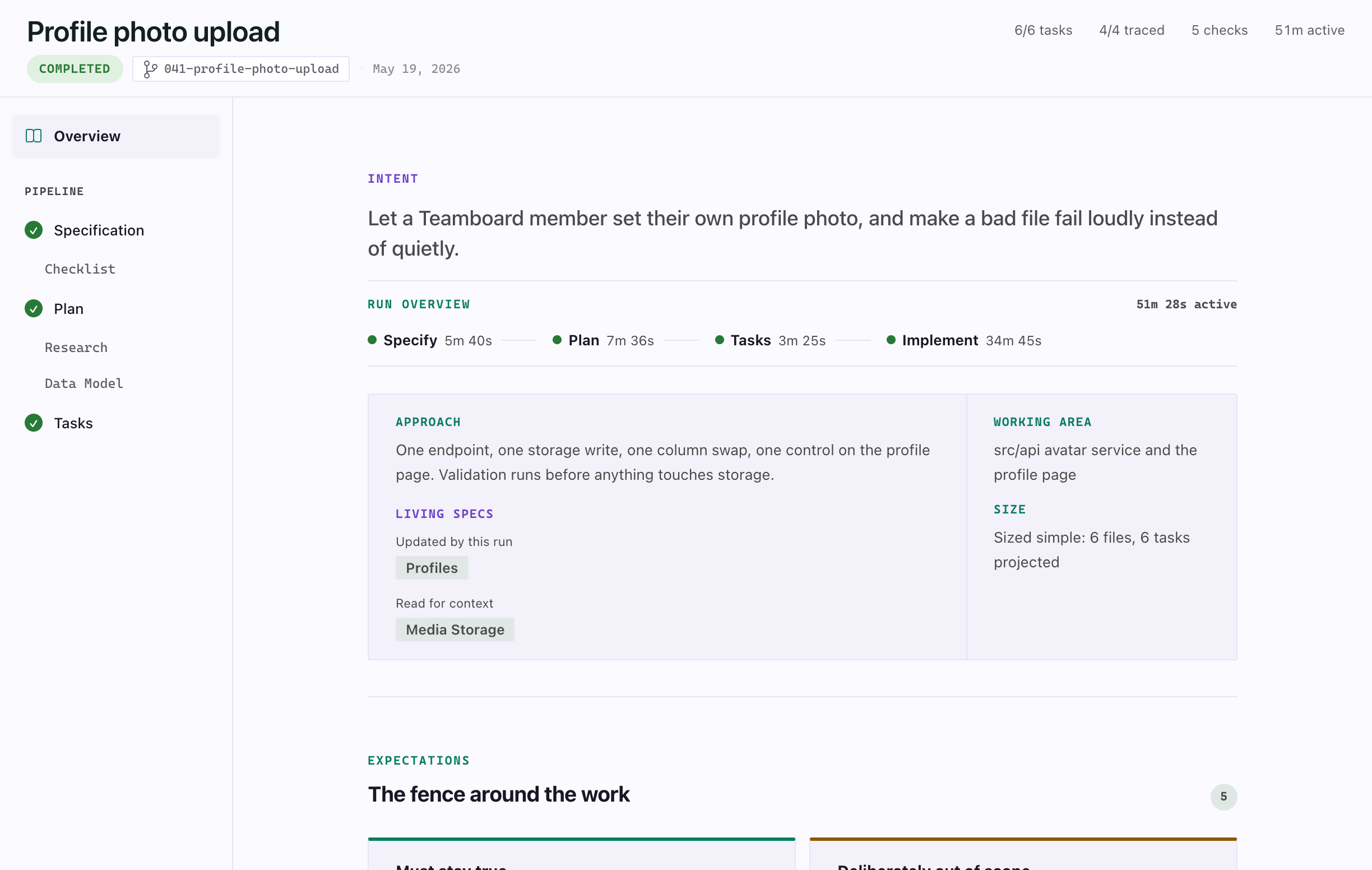
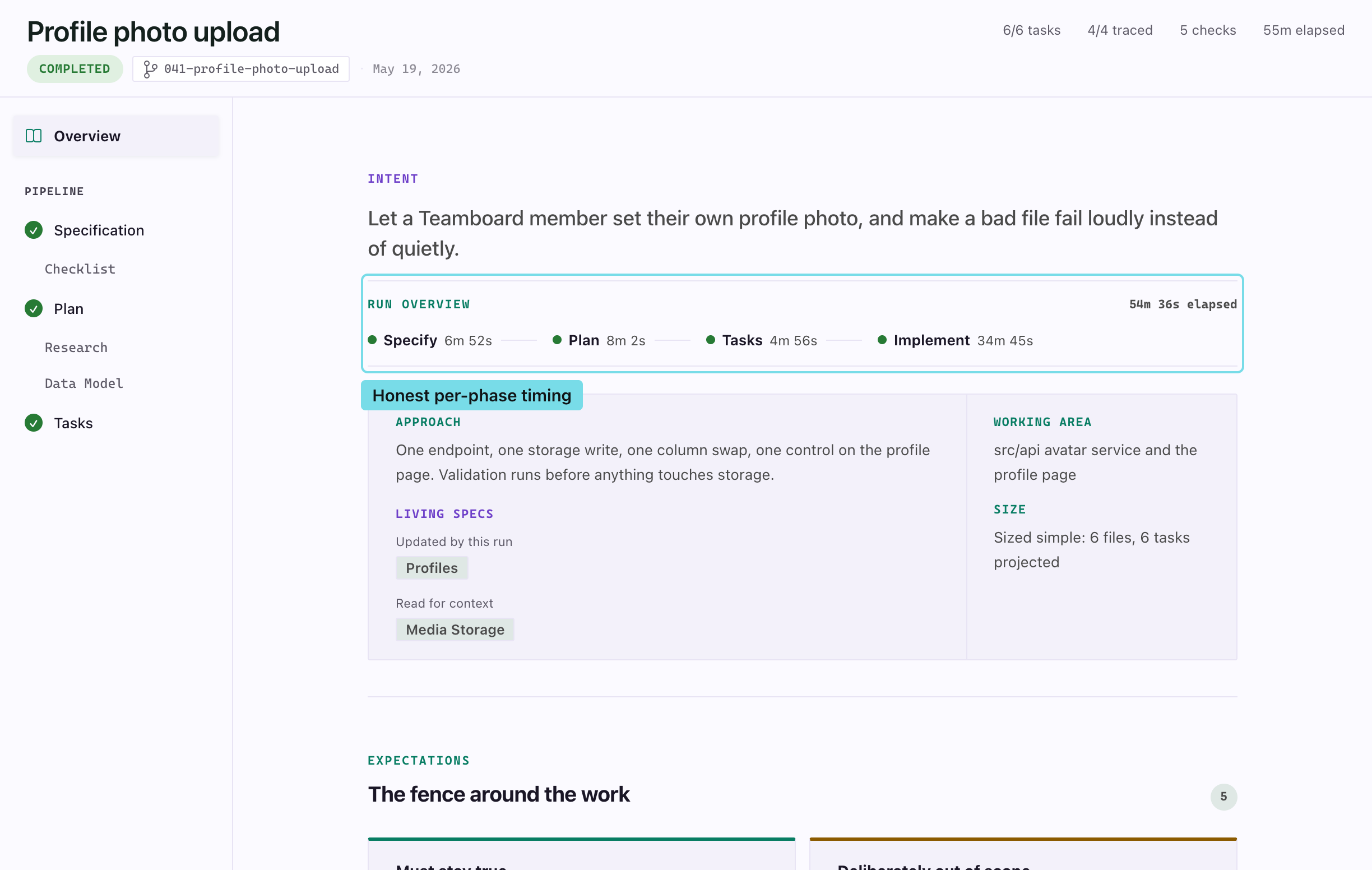
The Overview of a completed spec, with the run overview row reading Specify 5m 40s, Plan 7m 36s, Tasks 3m 25s and Implement 34m 45s, and 51m 28s active.
Each step is timed to its own finish, and the total is active time.
  • New
    Step times you can trust. A step’s time on the Overview now stops when that step finishes: a spec specified in 22 seconds used to read “Specify 35m 56s” once Plan was clicked half an hour later.#804
    More

    The wait between steps counts toward no step and not toward the run’s total, which now reads as active time, and a step you start from the viewer and the assistant finishes now shows its time too. The Copilot board times steps with the same rule, so both read Specify 22s.

  • Fixed
    Phase-complete notifications name the spec on Windows. The toast read “completed in unknown” instead of the feature folder, because Windows paths use backslashes.#792

Overview

  • Fixed
    No more empty Intent heading on the Overview. A spec that recorded phase times but no intent showed an Intent title with nothing under it; now only the run overview shows.#800
  • Fixed
    Review comments alone no longer give a spec an Overview.#802
    More

    A spec whose run recorded nothing, but which still had a status and a review comment, opened on an Overview holding only an empty run log under a tab titled Overview. It now opens on its document, and the tab says which from the first paint.

Sidebar

  • New
    Bug reports show up in the sidebar. When you use Spec Kit’s bug extension, the Specs view lists each bug in a Bugs group, named by its title, with the reports it has and the latest outcome, like assess · fix · test · verified.#815
    More

    Click one to read its assessment, fix and test reports in the viewer. Bug reports are read-only: the viewer offers no actions on them and changes nothing on disk.

Copilot app

  • Fixed
    The Copilot board no longer turns a Spec Kit spec into a Companion one. Its run buttons sent Companion commands to every spec once the extension was installed, which flipped a stock spec’s workflow; a spec recorded as Spec Kit now runs the standard commands.#800

Assistants & terminals

  • New
    Commands wait for the shell. A shell that asked something at startup, such as oh-my-zsh’s “Would you like to update?”, took the first letter of a step’s command as its answer, so claude ran as laude and the step sat on “Step running” forever.#808#810
    More

    Every command now waits until the shell is at its prompt, however long you take to answer, and a notice saying the terminal is waiting has a Run button to send it yourself. A step whose command exits with an error before it records anything goes back to where it was and tells you which terminal to look at.

  • Added
    SpecKit Companion suggests the assistant your project was set up for.#799
    More

    Spec Kit records which assistant a project was set up for. When that is not the assistant your AI provider setting names, SpecKit Companion now says so when it starts and offers to switch, or to keep your current one. It never switches on its own, and once you keep your choice it does not ask again for that project. A project set up for an assistant SpecKit Companion has no provider for shows nothing.

Install & updates

  • Fixed
    A pulled spec-kit extension release no longer leaves you out of date.#793
    More

    If a release was published and then retracted, every project kept being told its spec-kit commands were behind a version that no longer exists and could not be installed. The daily update check now confirms the newest version it remembers is still a published release, and drops it when it is not. A release that has only scrolled off the releases page, or a check that cannot reach GitHub, leaves the remembered version alone.

  • Fixed
    Upgrade Project and Upgrade All use Spec Kit’s current init flag.#794
    More

    They still passed the agent with --ai, which newer Spec Kit no longer accepts, so the upgrade failed in the terminal. They now use --integration, and Upgrade Project falls back to --ai for an older Spec Kit that only knows the old flag.

  • Fixed
    Initialize Workspace sets up the assistant you already chose.#812
    More

    It used to start Spec Kit’s own picker, so the project could end up set up for a different assistant than your AI provider setting. It now names your assistant, with the flag your Spec Kit version understands. IDE Chat on Windsurf, which current Spec Kit no longer lists, gets Spec Kit’s picker instead of a command that fails.

Spec Kit extension0.24.0Latest

Spec Kit's converge step now lands in the run record, and a hook moves in one write.

Changes3 changes

Workflow Builder

  • Added
    A hook moves in one write.#818
    More

    The configuration writer can now move a hook to another place, or up and down among the hooks at one place, as a single change. The hook keeps the text it was written with, every other line of the file stays as it was, and a move to a node or phase the step does not have is refused with nothing written. Before this a move was a removal and then an addition, so an addition that was refused left the hook gone.

Run record

  • New
    Spec Kit's converge step is recorded. Running /speckit.converge used to leave no trace in the run record, because converge was not a step it knew.#813
    More

    Two new hooks now record when converge starts and finishes, so its time shows beside the other steps. Converge never changes the spec’s status, a spec that ran it can still be marked complete, and the status command points at the next task when converge added some.

  • Fixed
    The capture and quality evals time a step to its own finish.#804
    More

    They measured a step up to the next step’s start, so a spec left idle for an hour between specify and plan reported the wait as specify’s time. The step timing line now lists each step’s own duration, or says it was not measured, and a finish recorded more than once counts only the first trusted one. A step the editor started and the assistant finished through the recorder now counts as measured.

VS Code extension0.34.0

SpecKit Companion comes to the GitHub Copilot app as a live spec board, and reviewing a living spec takes one pass.

Show changes29 changes

Copilot app

  • New
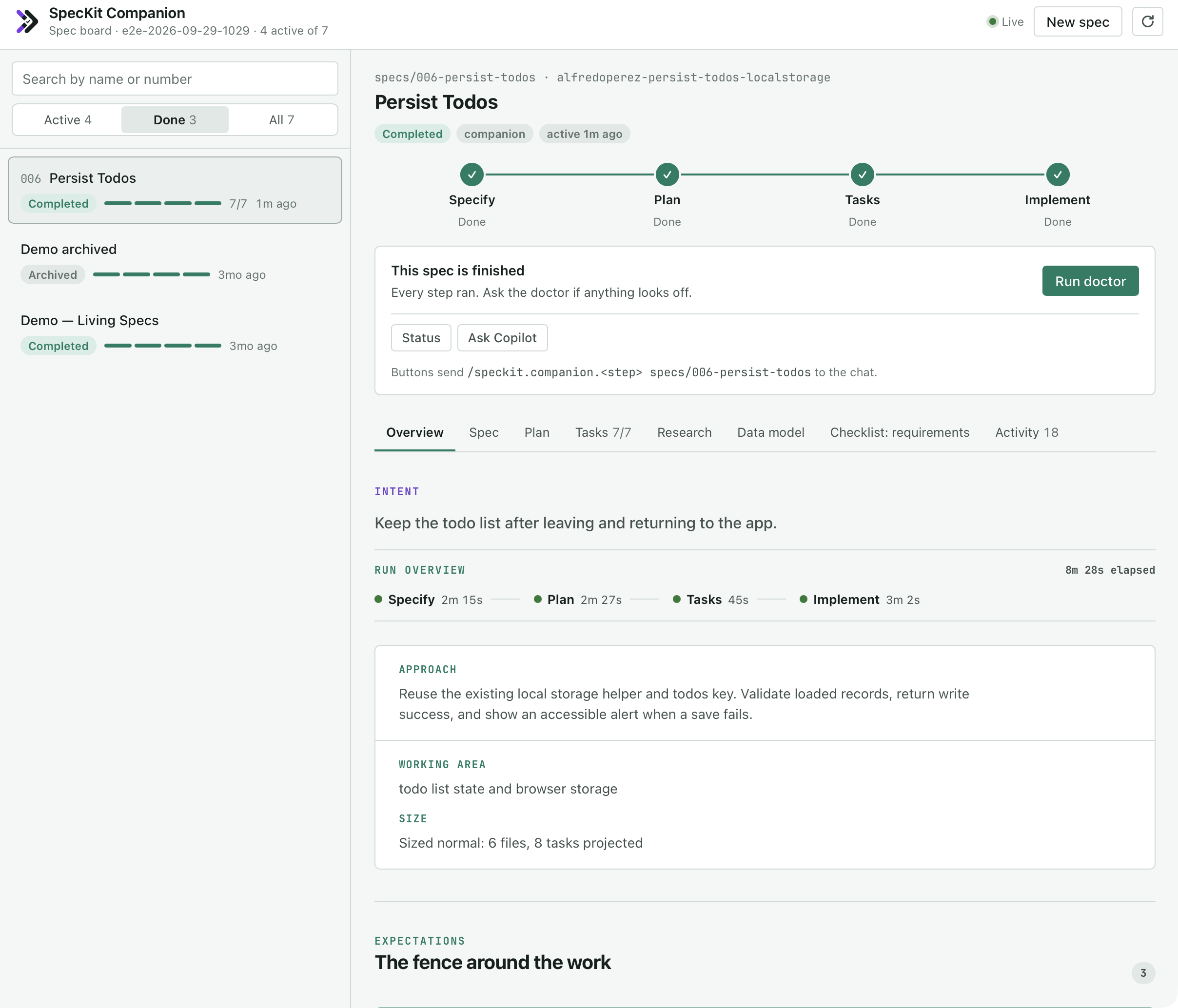
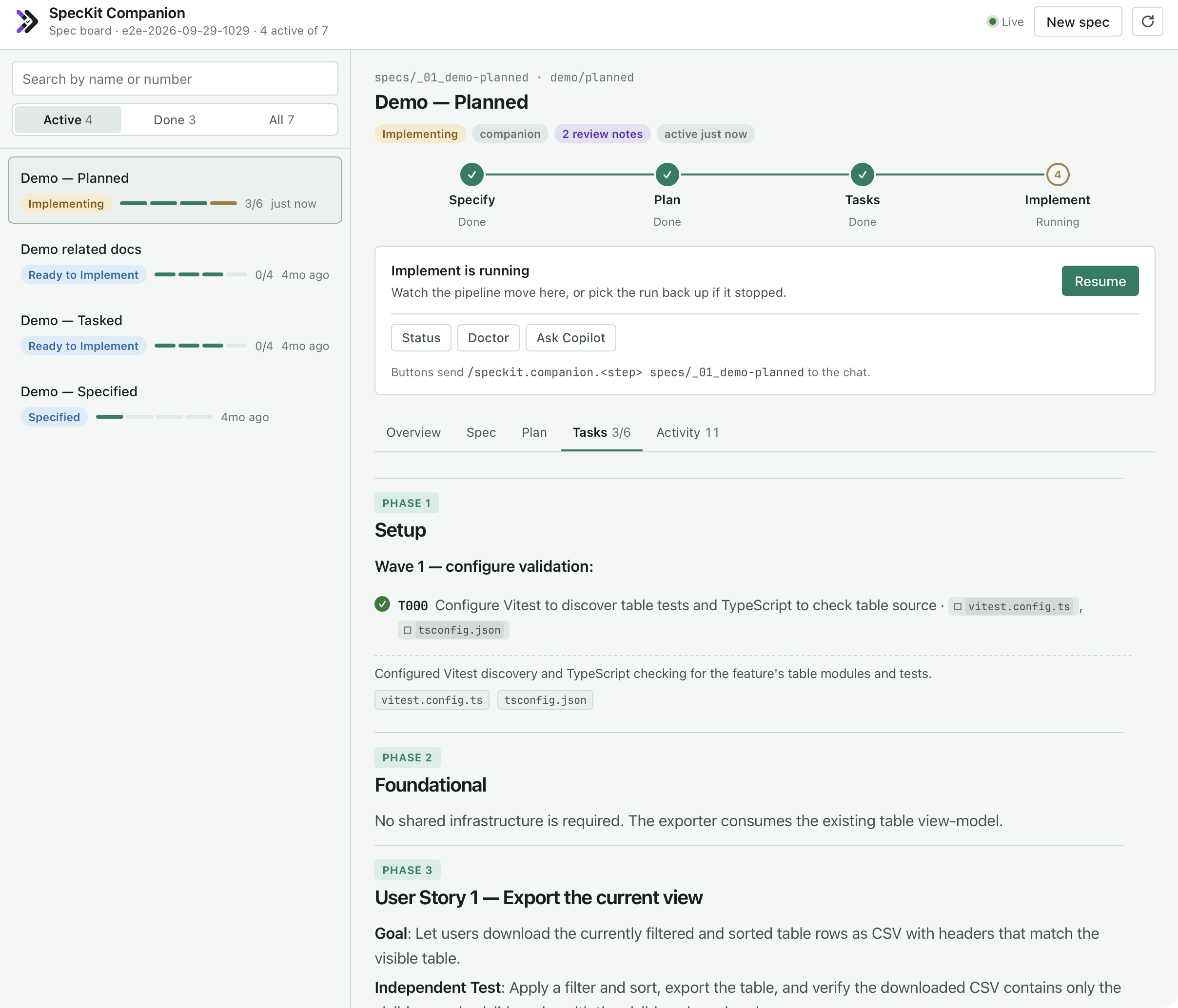
    A spec board for the GitHub Copilot app. Open the SpecKit Companion canvas beside the chat to see every spec with its pipeline, task progress and the same Overview the VS Code viewer shows, updating live as the agent works.#787
    More

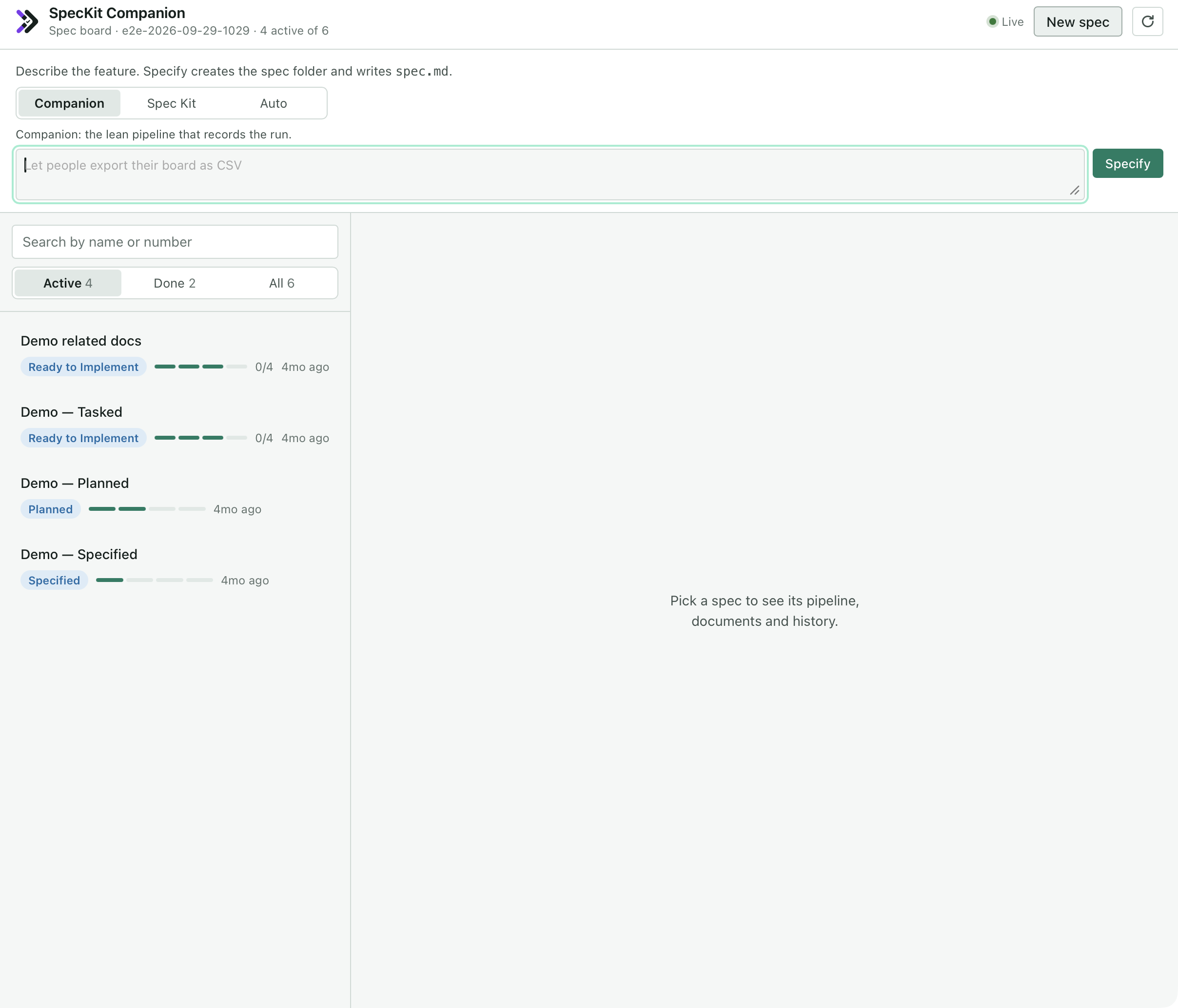
    Buttons run the next step, New spec asks for a workflow (Companion, Spec Kit or Auto) the way VS Code does and records the run from its first step, and opening the board tells the agent to wait for your next instruction instead of starting work. It installs separately from the VS Code extension; the Copilot app guide shows how.

Spec viewer

  • Fixed
    A spec folder that is renamed or deleted while its tab is open now says so.#787
    More

    The old tab stayed open with an empty body and a header without its branch. It now reads “moved or deleted” and points you to the sidebar, which already opens the renamed spec.

  • Fixed
    A link in a spec can no longer run code in the viewer.#779
    More

    A link whose target carried a quote could break out and attach its own behaviour to the page, and a link pointing at a script scheme ran when clicked. Both are now inert, and images in a spec render as images for the first time instead of as a link with a stray exclamation mark.

Overview

  • Fixed
    Clicking Plan or Specification from the Overview now opens that document.#787
    More

    The tab title changed but the Overview stayed on screen, because the viewer never recorded that you had picked a document. The tab is also titled Overview while the Overview shows, instead of keeping the last document’s name.

  • Changed
    The Overview says what a run did to each living spec. Capabilities sit under Updated by this run and Read for context, by readable name, in place of a FOLDED BACK stamp on each chip.#752

Sidebar

  • Fixed
    A spec directory pattern like apps/*/specs lists the specs inside it.#759
    More

    In a monorepo, a wildcard pattern that points at each project’s specs folder used to show one empty row per project named Specs, and none of the specs inside. Each project’s specs now appear, the same way the default specs entry lists its children. Patterns that end in a wildcard, like apps/*/specs/* or openspec/changes/*, work as before. A pattern that ends in a plain name and pointed at spec folders one by one now lists their children instead: add /* to keep the old meaning.

Living specs

  • New
    Review a living spec in one pass. The bar at the bottom of a living spec offers Approve all with the number still adopted, and for 5 seconds after approving, or after removing a requirement, Undo puts the file back exactly as it was.#746
    More

    On a feature branch, a requirement the branch added gets a green edge and a New pill, and each card lists what it leans on and what leans on it, one click from that requirement.

  • Added
    The editor flags requirements that are hard to hold.#765
    More

    A living spec or a spec’s delta now gets a warning on a requirement that bundles more than four rules under one heading, or takes more than 120 words to state its rule, so it can be split or cut before it becomes context for every later run.

  • Added
    SpecKit: Open Living Spec. Pick a capability, then a requirement or Open at the top, and the viewer opens right there.#746
  • Fixed
    Living specs now fold correctly when only the VS Code extension is installed. The capability resolver ships inside the extension.#768
  • Fixed
    The Living Specs view finds a central spec at its current path.#761
    More

    A capability with no spec: path in the registry pointed the sidebar at capabilities/<name>/spec.md, the name from before the rename, so a spec at capabilities/<name>/<name>.spec.md showed as missing. The view now looks for the current name first and still finds the old one.

  • Fixed
    Approve works on a draft with nothing left to approve.#752
    More

    A living spec that still carried its draft banner but had no adopted requirements could never lose the DRAFT badge. The bar now offers Approve spec on any draft, and approving the whole spec always clears the banner.

  • Fixed
    DRAFT shows once. A spec that drift acceptance had stamped showed a grey Template Instructions bar and the draft banner under the badge. Both are gone.#752
  • Fixed
    A living spec’s header counts its requirements, scenarios and coverage.#757
    More

    Specs that name each requirement by its heading and write scenarios as #### Scenario:, which is how every living spec is written, showed no requirement count, no scenario count and no covered figure. The header and the Living Specs row now count them, and the covered figure matches the number of cards that show a test count.

  • Fixed
    A slow refresh no longer repaints old facts. When two refreshes of the same living spec overlapped, the older result could land last and replace the newer coverage, drift and new marks. Only the latest now shows.#757
  • Fixed
    Requirement cards show how many tests cover them.#754
    More

    A living spec’s cards were built to show a count beside the state pill, such as 3/4 tests, but the running viewer never received the numbers, so every card was blank and read as untested. A requirement whose coverage file names tests now shows how many of them exist. A requirement with none shows nothing, and a capability with no coverage file looks exactly as before.

  • Fixed
    The coverage table shows the tests a run recorded.#746
    More

    Requirements whose tests were captured in one end-of-step write read as “No test linked”, because the names were stored as one line of text and the table only read a list. The names were in the file the whole time; every spec already on disk now renders them.

  • Changed
    The Living Specs tree groups by folder and reads as words.#752
    More

    A folder holding several specs is its own group, and rows inside it drop the words they all share, so Companion Commands holds Assembly, Capture, Nodes and so on. A healthy capability has no icon, so an icon always means “look here”.

  • Changed
    The “On this page” rail marks only what needs attention. A dot appears on adopted, drifted and new requirements. Confirmed rows are plain, without the left border.#752
  • Changed
    Approve and Remove on a requirement card have room. Remove is neutral until you point at it.#752
  • Changed
    Remove is remembered.#746
    More

    A requirement you remove and do not undo is recorded next to the spec as removed on purpose, so validation stops reporting a change that names it as missing. Remove now only refuses while a requirement in another spec still leans on the one you are removing.

Run record

  • Fixed
    Creating a spec with the stock Spec Kit command now finishes its specify step.#787
    More

    The instructions sent with the command named no folder, so the agent closed the step against the previous spec and the new one stayed on Specifying. Every call now names the folder the command created.

Install & updates

  • Security
    A folder name can no longer run commands through Initialize or Upgrade.#766
    More

    Initialize SpecKit, Upgrade Project and Upgrade All pasted the workspace path into the terminal command, so a folder name containing shell syntax would have run it. The terminal now opens in the folder instead, the way installing the companion extension already did.

  • Added
    Update from the new-version notification.#760
    More

    When a newer SpecKit Companion is out, the notification now offers Update first. It installs the newest version your editor’s Marketplace serves, keeps automatic updates on, and offers to reload the window. If the install fails, it opens the extension’s page instead of doing nothing.

  • Fixed
    The extension package is smaller. The installed extension no longer carries the webview’s source files or its test files, taking the download from about 2.1 MB to 1.75 MB.#787

Docs

  • Fixed
    The Get Started walkthrough shows the real thing.#787
    More

    Its two illustration panels, the spec viewer and the Overview, were placeholders that said a screenshot belonged there. They now show the viewer with a finished spec open and the Overview of a completed run.

  • Fixed
    The docs are shorter and show more.#790
    More

    The intro, install, getting-started, viewer, sidebar, Overview, guides and reference pages were rewritten around a picture and a short tour, cutting roughly 40 to 55 percent of the words and adding screenshots to every page that names a feature. Two duplicate guide pages are gone.

  • Fixed
    The docs match what ships.#790
    More

    The configuration reference now lists speckit.aiProvider and the two view-visibility settings, the permission-mode flags are right for Claude in VS Code and Wibey, the providers table has a Skills row and the right display names, the custom-commands guide covers the skill hook type, and the telemetry page names the Spec Kit version sent at activation and PostHog as the destination.

  • Fixed
    The docs no longer claim the spec viewer works fully offline. Syntax highlighting and diagrams load from a CDN; without a connection code blocks show as plain text and a diagram stays as its source.#779

Spec Kit extension0.23.0

A run that never read the living specs now says so.

Show changes27 changes

Companion pipeline

  • Changed
    An auto run now hands work to parallel workers.#758
    More

    Implement used to build every story inline whenever the whole pipeline ran in one session, which is every auto run. It now sends each story with five or more files to its own worker, the same as a step run on its own. Plan no longer decides for itself whether to send workers: a script prints one reader brief per code area and one writer brief per design document, and plan sends them as printed. Each worker checks in, and the doctor warns when a finished plan had briefs and nobody checked in.

  • Changed
    Implement’s closing record is its own step. Recording what was verified, decided and left open now runs as a separate node after the work and its checks. Hooks attached after the work still run after the checks, as before.#758
  • Fixed
    write-context.py refuses an unscoped specify write against a finished spec.#787
    More

    With no --feature-dir, the writer follows .specify/feature.json, which still points at the previous spec until the stock command creates the new folder. It printed “not regressing” and exited 0, so a transcript read as success while the new spec was never closed. It now exits 2 and names the flag to pass.

  • Fixed
    Auto no longer re-runs plan and tasks that specify already folded.#787
    More

    On a simple verdict specify writes the lean plan.md and tasks.md and records both steps, but auto and the workflow’s simple route dispatched plan and tasks anyway, overwriting the lean files and spending minutes on steps the fold had finished in seconds. Both now read the verdict and go straight to implement.

Living specs

  • Added
    A run that never read the living specs now says so.#781
    More

    Loading them never fails by design, so a skipped load looked exactly like a project with nothing to load, and the run carried on without the context every other run gets. The health check reports it as a problem.

  • Changed
    Adoption checks its own output before it reports. A drafted spec that fails the project’s own shape check is not a draft, and the check was only ever run afterwards, by hand, if at all.#781
  • Changed
    An area with only conventions no longer becomes a capability. It had no requirements, so every run loaded it to learn nothing, and it existed only to give the conventions a second home.#781
  • Changed
    Adopting an area writes one spec, not a spec and a rules file.#781
    More

    The conventions a rules file held are already in CLAUDE.md and in the linters that enforce them, and a second copy is one that can disagree with the first. A rules file an earlier run wrote is still read.

  • Changed
    Every adopted requirement keeps a scenario. Trimming for brevity was cutting the one part a reader can check against the code, and the part that maps a requirement to a test.#781
  • Changed
    Adoption looks for what the code guards against, not only what it does.#779
    More

    A test named for a defect, a Fixed changelog entry, a guard with no obvious caller: each is a past bug the code alone cannot explain, and each now becomes a requirement rather than being read straight past.

  • Changed
    A requirement says what a person gets, not what the product looks up. “A reader sees the site in the language they chose” instead of a resolution order over a settings key.#779
  • Changed
    A rule that binds every capability gets a capability of its own. Escaping what a person typed before it reaches a screen belongs to no single area, so every draft used to drop it and it ended up written nowhere.#779
  • Changed
    Deferrals are checked before the run ends. When one draft says another capability owns something, adoption now opens that spec and confirms it, instead of leaving the behaviour written nowhere.#779
  • Changed
    Living specs stay short on purpose.#779
    More

    Adopting a code area now tests each requirement with one question, would someone planning a change here need this, and lists what it left out as found, not proposed so you can pull any of it back. At the end of a run, a new file no spec claims no longer forces a new capability: supporting code gets no requirement, and only something a person can now do gets one.

  • Changed
    Living-spec validation and coverage checks run in about a tenth of the time.
  • Changed
    Living-spec changes are reviewed before they land.#765
    More

    A living spec is context every later run loads, so what folds into it is now read by someone other than its author. Before the fold, implement hands the new and changed requirements to one reviewer with a short rubric: every requirement names behaviour someone relies on, one rule per requirement, a heading someone could check, behaviour rather than how it is built, and no filler. The reviewer edits them in place, and the doctor warns when a run folded without it.

  • Changed
    living-validate flags requirements that are hard to hold.
    More

    It now warns when one requirement bundles more than four rules, when it takes more than 120 words to state its rule, and when a spec drafted from the code still carries its draft banner. A spec is now too large by its length alone, past 160 lines: it no longer warns past eight requirements, since splitting bundled rules raises the count without making the spec harder to read.

  • Fixed
    A folded requirement lands under Requirements.#763
    More

    When a feature added a requirement to a living spec that ends with another section, such as Uncovered, the fold put it after that section, where the requirement tools do not read it. It now goes at the end of the Requirements section.

  • Fixed
    Coverage records a list of names, whichever way it was written.#746
    More

    A requirement’s tasks and tests given as one comma-separated line are stored as separate names, the same as when they are passed one flag at a time. Written as a single line, they read back as no coverage at all.

  • Fixed
    A requirement removed on purpose is not reported missing. When the viewer records a removal beside a living spec, /speckit.companion.living-validate no longer warns that a change names a heading the spec does not have.#746
  • Added
    Ask what leans on a requirement. resolve-spec-paths.py --leaned-on-by <capability>#<heading> lists every requirement whose aligns link names that heading, in any capability, with its files and body. Plain output prints one capability#heading per line.#746

Run record

  • Changed
    A step’s internal timings are recorded as they happen. Stamping them together at the end read as zero seconds each, which cost a write and measured nothing.#781
  • Changed
    A large shared foundation is built by several workers.#762
    More

    Implement used to build the whole Foundational phase itself. Each Foundational wave of four or more independent tasks now goes to up to four workers at once, and the next wave starts only when they have all returned. Smaller waves, Setup and Polish still run in the main agent. The doctor warns when a finished implement skipped those workers, and it no longer faults a small fast-path run for plan readers it never had.

  • Fixed
    The doctor stops warning about steps a Companion run closes itself.#764
    More

    Plan, tasks and implement closed by the assistant are how a Companion run works, including older specs on the turbo profile, so they are no longer reported as closed by the wrong writer.

  • Fixed
    The doctor no longer blames a run for an older failure.#757
    More

    A failed capture call from before a run’s window used to be reported as a problem for that run. It is now a note saying failures from other runs sit in the shared log.

  • Fixed
    The doctor finds a spec file named after the feature. A step that declares it writes <short-name>.spec.md was reported as closing without it, because the check looked for that literal file name. It now matches the file the run actually named.#757

Other

  • Fixed
    A dispatch time given in another time zone is stored in UTC. A step start passed with an offset or without milliseconds could sort out of order against every other stamp.#764

Copilot app0.1.0Latest

First version.

Show changes1 change

Copilot app

  • New
    A spec board for the GitHub Copilot app. Open the SpecKit Companion canvas beside the chat to see every spec with its pipeline, task progress and the same Overview the VS Code viewer shows, updating live as the agent works.#787
    More

    Buttons run the next step, and New spec asks for a workflow (Companion, Spec Kit or Auto) the way VS Code does. Opening the board tells the agent to wait for your next instruction instead of starting work.

VS Code extension0.33.0

A new panel, opened from the circuit icon at the top of the Specs sidebar or from the palette, shows the pipeline your project actually runs: every step, the phases and nodes inside it, the hooks attached to either, where the classifier's verdict routes, and which files each step produces. A chip in the header says whether anything differs from the pipeline as it ships and expands to list what, so a project that has changed nothing sees exactly what ships.

Show changes108 changes

Workflow Builder

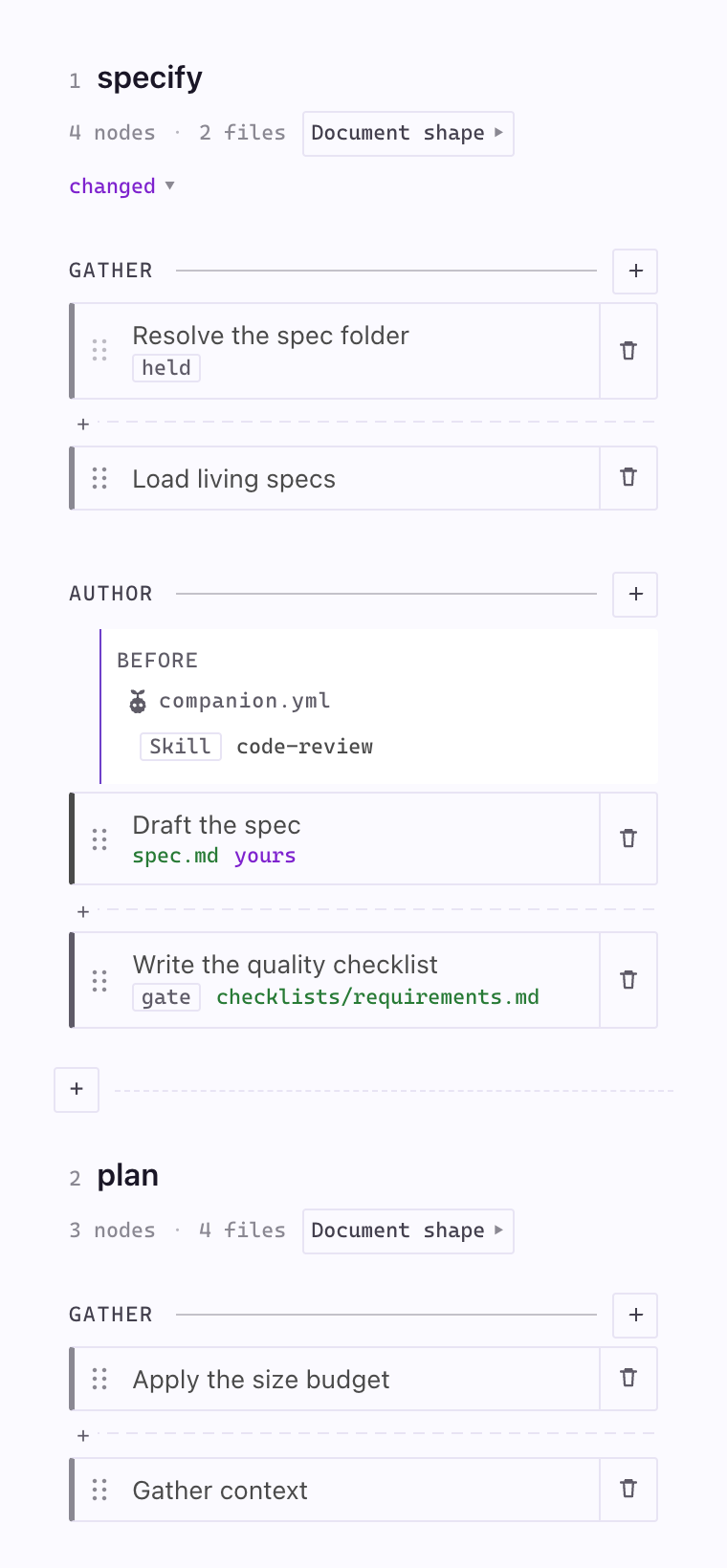
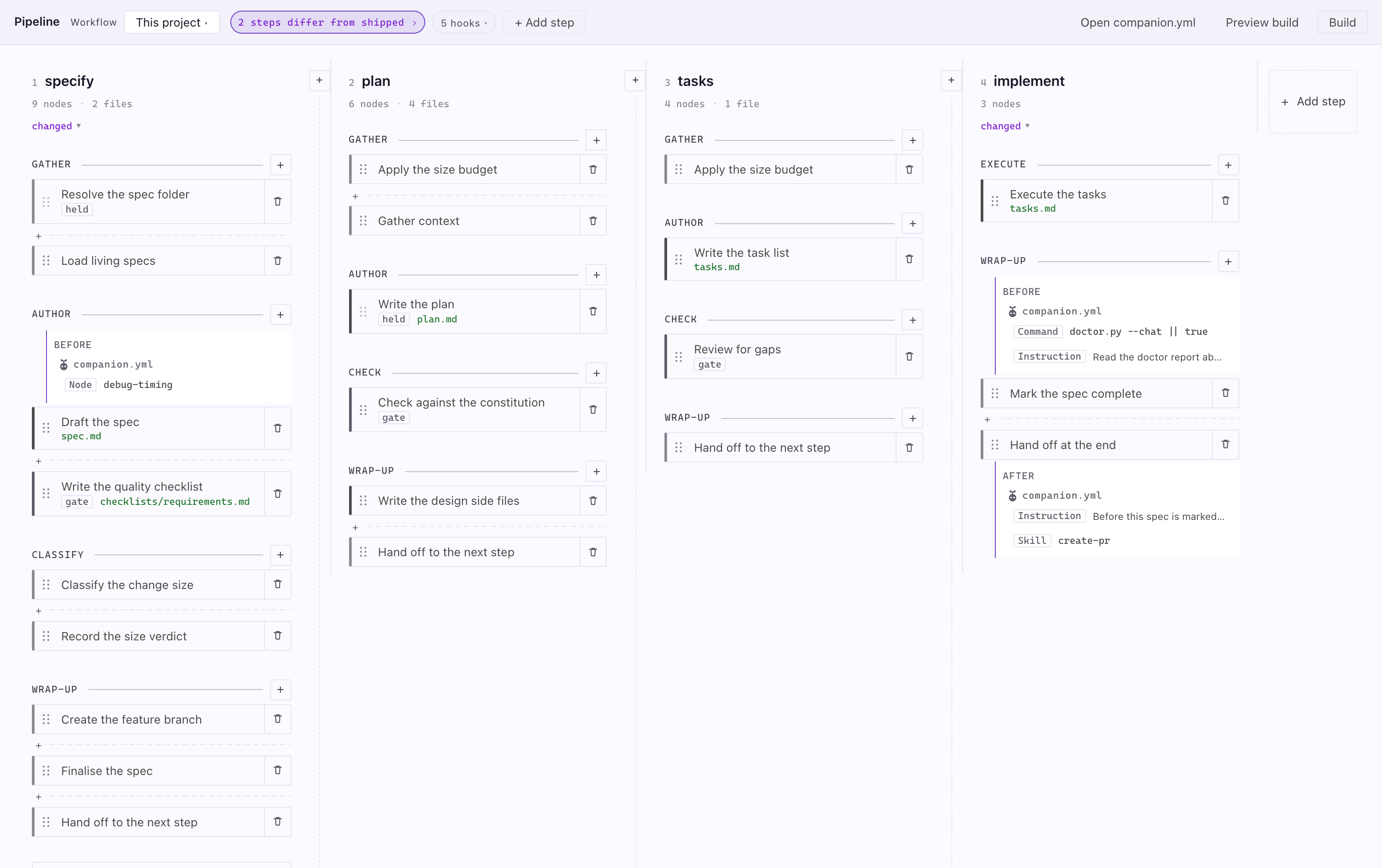
The Pipeline Builder panel, showing the specify and plan steps as columns of phases and nodes with an attached hook.
The pipeline your project actually runs, step by step.
  • New
    The Pipeline Builder. A new panel, opened from the circuit icon at the top of the Specs sidebar or from the palette, shows the pipeline your project actually runs: every step, the phases and nodes inside it, the hooks attached to either, where the classifier’s verdict routes, and which files each step produces.#634
    More

    A chip in the header says whether anything differs from the pipeline as it ships and expands to list what, so a project that has changed nothing sees exactly what ships.

  • Fixed
    Swapping a node keeps the work attached to it.#634
    More

    A node’s name is where a hook attaches, so replacing the node renamed it and every hook on it was warned about and skipped — the work stopped running while the panel still drew it. Hooks now follow the swap, the same way they already followed a renamed phase.

  • Fixed
    Replace works from the panel.#634
    More

    Swapping a node for one of its alternatives sent the grouping and the order as two writes, and each is checked against the other as it stands — so whichever went first was refused for disagreeing with the half that had not moved yet. It never worked outside the tests, which sent both together. Putting a dropped node back and handing a step to your own document had the same shape and the same fix.

  • Fixed
    A refused edit can no longer empty companion.yml.#634
    More

    A hook index that was not there — a panel drawn before someone edited the file by hand — printed “there is no hook 6” and left the file at zero bytes, taking every order, phase and hook the project had written. Six writes had that shape; all of them now compute the whole file before touching it, and publish it in one move.

  • Added
    You can run the pipeline as it ships, and see exactly what that parks.#653
    More

    Selecting As shipped in the Pipeline Builder’s Workflow dropdown switched every hook in your .specify/companion.yml off, and nothing anywhere said so — the board drew the same pipeline it draws for a project that never configured anything, and there was no way back except editing the file by hand. Now the header says which of the two is running and how much of yours is parked, and the board draws your hooks where they would attach, dashed and struck through and labelled parked, so you can see what you would get back. Nothing is deleted either way: the file is left exactly as it was, and Use this project’s pipeline in the header — or This project in the same dropdown, which is new — puts it back in one click. Switching there and back is a round trip; your comments and formatting survive it.

  • Changed
    A hook row in the Pipeline Builder says where it came from and what it does.#670
    More

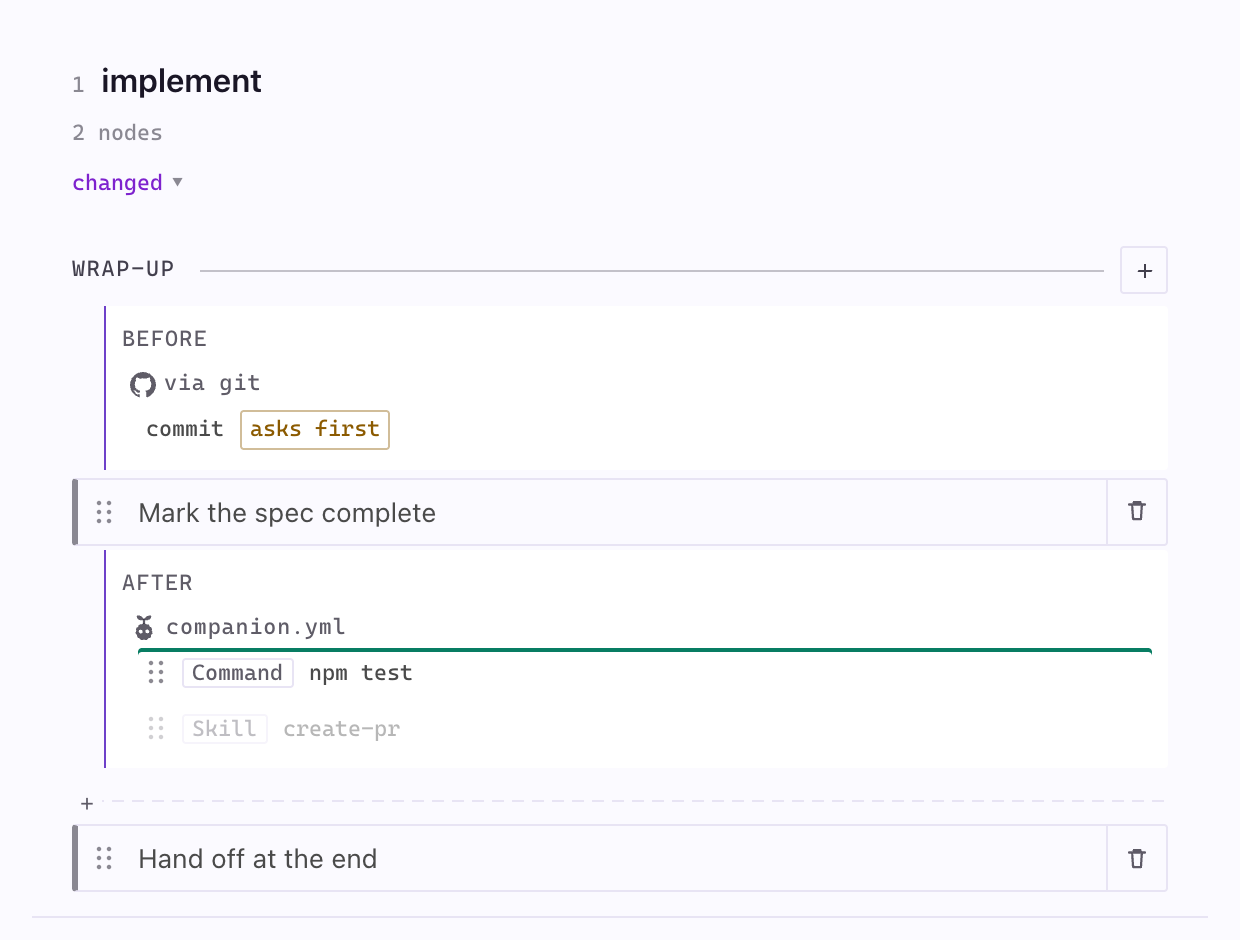
    A row read Command spe… with git at the far end of the line: the name was cut on the speckit. prefix every one of them shares, the leading word named the mechanism rather than the work, and whose hook it was came last. Hooks are now grouped by whoever registered them, each group led by that source’s mark — your own under the Companion mascot and the file they live in, an installed extension’s under via <extension>. Only spec-kit’s own git carries the GitHub mark; another publisher’s extension gets a neutral one rather than somebody else’s logo. Each row is left to name the work, so speckit.git.commit reads as commit. A block also reads top to bottom in the order it actually runs, which it did not before: an extension’s before-hooks fire ahead of anything you attached and its after-hooks behind, so the two halves swap sides between before and after. Which hooks you can edit here is unchanged, and asks first still sits on the row it belongs to.

  • Added
    Every phase says what it can do, without being hovered.#634
    More

    A + sits on every phase rule and opens the lot: add a hook, add a node, rename the phase, split it, merge it into its neighbour. All of that used to be invisible until the pointer arrived, so a board full of things you could change showed nothing that could change anything, and a touch screen reached none of it. A row that cannot run here is shown greyed with the reason — “one node here, so there is nothing to split off” — because a control you never needed still teaches you it exists.

  • Added
    Every write says what it did.#634
    More

    A line at the foot of the panel names the change, offers Undo where there is one, and says what it means next: a change is not in the pipeline until Build writes it. Before this, a hook attached at the bottom of a lane you had scrolled past changed nothing anybody could see, and only refusals spoke.

  • Added
    The first thing a new project sees is what the board is. Nothing said that a change here writes a file, so a dismissible line now says it: this is the pipeline as it ships, and Build writes what you change to companion.yml.#634
  • Added
    The header says which dropdown is which.#634
    More

    Two menus stood side by side with nothing to say which was which. The first is labelled Workflow and names the configuration you are on; the second is a chip reading No changes or 2 steps differ from shipped, and clicking it takes you to the first lane that does. Beside them, a chip counting the hooks opens onto what the pipeline holds — how many steps, phases and nodes, and whose hooks these are — which was a native tooltip nobody could reach from a keyboard or a touchscreen.

  • Added
    A node can be moved, removed and given back from its own panel.#634
    More

    Move up and Move down sit on the row that says the node can move; More holds what costs something — Remove from the run (which keeps the file, so it stays on offer under Add node) and Use the shipped node. Reordering used to be drag-only, there was no way at all to stop running a node, and handing one back was a hover control that deleted your copy with no notice and no way back.

  • Added
    A node card says what kind of node it is.#634
    More

    A mark down its left edge separates a node that writes a deliverable from one that only reads context or sets things up, and a node that can stop the run carries the word gate, as one that cannot be reordered carries held. The legend for the marks sits in the node’s own panel.

  • Added
    The words on the board are words.#634
    More

    The bare § is a template chip, the unexplained dot is the word changed, and the green pill is a file count. Three of the marks that meant nothing without hovering now say what they are.

  • Added
    Add a step of your own.#634
    More

    Add step at the end of the board gives the run a turn it did not have — a review pass after implement, an audit you launch when you want it. Name it, say where it goes and what it writes, and the panel writes a step that already runs and opens the one node there is to edit. It gets its own command, its own place in the run, and every other thing a step has: nodes you can add and replace, phases you can name, hooks you can attach.

  • Added
    Pick a different node.#634
    More

    A node that has alternatives shows Replace in the panel: draft the spec as a delta against what exists, or as a fix contract; run the quality checklist as a gate that stops and asks instead of one that records and moves on; put each feature on a branch of its own. Picking one is the same write a drag makes, so the node stays editable and one click from the shipped one.

  • Added
    Add a node a step ships but does not run — an adversarial gap review after tasks, a click-through checklist a person actually runs before a spec counts as done.#634
    More

    They appear in the same picker that puts a dropped node back, each with a line saying which it is.

  • Added
    Phases can be split and merged from the panel, not only renamed.#634
    More

    Merging a phase folds its nodes into its neighbour rather than dropping work, and splitting one hands its last node to the new phase, because a phase with nothing in it cannot be saved. Moving a whole phase is deliberately not offered: across every step the pipeline ships, not one such move survives the dependencies between its nodes, so the arrows that used to sit there could only ever be refused.

  • Added
    A node the recipe dropped can be put back, into a phase you pick.#634
    More

    The order and the grouping are written together.

  • Added
    A step’s own instructions are readable.#634
    More

    Click the step’s name. _frame.md — the preamble every node sits under — was the one piece of a step’s text nothing could reach, and it can be replaced like any other node.

  • Added
    Phases are yours to name and group.#634
    More

    The middle band was the one part of the pipeline you could see and not touch — the nodes were reorderable and replaceable, hooks attached anywhere, and the group they sat in belonged to the extension. Rename a phase in place in the panel, or drag a node from one phase into another; both write the whole grouping to companion.yml. A grouping that leaves a node homeless, names a phase twice, or breaks a reads: dependency is refused with the reason.

  • Added
    A step says what it produces at the top, as a count you can hover for the filenames, next to the template it uses.#634
    More

    It used to be a line at the bottom of the lane, below every node.

  • Added
    The steps are a board. Lanes keep a readable width and scroll sideways instead of squeezing to fit, and a lane is a column between hairlines rather than a card.#634
  • Added
    One colour means “yours”. Hooks, nodes you rewrote and template sections you replaced all carry the same mark, and nothing else in the panel does, so what your project changed is answerable at a glance.#634
  • Added
    A node opens in the panel.#634
    More

    Its instructions render beside the canvas, along with what it writes, what it needs, and whether it can be moved. “Open the file” is still there for when the editor is what you wanted.

  • Added
    A node says why it cannot be dragged.#634
    More

    Nodes free to move show a grip; ones held in place show a lock that names what holds them — and says the lock is only about order, since you can still rewrite the node, attach work to it, or drop it entirely. In the shipped pipeline that is two nodes out of twenty-four: everything else is free to move, including into another phase.

  • Added
    Several saved workflows.#634
    More

    A workflow is a whole named configuration in .specify/companion/workflows/; switch between them from the panel’s header. Switching swaps everything at once — order, hooks, templates, routing — so a one-line fix and a client deliverable can run different pipelines from the same repository. “As it ships” is always offered as the thing to compare against.

  • Added
    Clicking a node opens the node.#634
    More

    It used to open the whole assembled command and scroll to roughly the right place, which is the text the assistant reads but not the text anyone can edit. Now it opens the node file itself — your project’s copy where you have one, otherwise the shipped source.

  • Added
    Drag a node to reorder its step.#634
    More

    The new order is saved to companion.yml with everything else in the file untouched, and an order the pipeline cannot honour — a node moved across a phase boundary, or before something it reads — is refused with the reason, leaving the file as it was.

  • Added
    Attach work at any boundary from the panel.#634
    More

    Add hook asks where it runs first, then what it is: a skill the project already has, an instruction, a shell command, or one of your own nodes. Pointing at a skill is the one to reach for — the instructions stay in the skill instead of being copied into the pipeline.

  • Added
    Rewrite a node in your own words.#634
    More

    Edit in a node’s panel opens its instructions; saving is what writes your copy into .specify/companion/nodes/, so making it yours and doing the thing you came to do are one action. The node is marked yours until Use the shipped node hands it back. Rewriting how a step is written used to mean forking the extension.

  • Added
    Build your pipeline from the editor. “Build Pipeline from companion.yml” applies your configuration; “Preview Pipeline Build” shows what would change and writes nothing. The output channel keeps the whole log.#634
  • Added
    A stale pipeline says so.#634
    More

    When companion.yml is newer than the commands built from it, the two disagree — the file says one thing and the command your assistant is handed says another, with nothing about a run looking wrong. The panel’s header states it whenever the two are out of step, with Build a click away.

Spec viewer

  • Fixed
    A click that names no document now says so. It used to return quietly and leave the previous document on screen, so a failed click looked like a click that opened the wrong thing.#725
  • Fixed
    Clicking a document in a subfolder opens it.#725
    More

    Requirements, contracts and anything else nested under a spec did nothing when clicked: the viewer stored them under their folder and the click looked them up without it, found nothing, and left whatever was already on screen. It read as though the click had opened the Specification.

  • Fixed
    The Refine and Add Comment buttons are readable again.#666
    More

    Both were drawn with white text on the accent fill — about 1.5:1 against the dark theme’s mint, so ✨ Refine (2) and the comment editor’s submit all but vanished. Refine now uses the same surface treatment as the other secondary actions beside it, and Add Comment takes the ink colour the accent fill is meant to carry. Both read clearly in the light and dark viewer themes.

  • Fixed
    A changed document section is followed, not just written.#634
    More

    Pointing a section at a different shape resolved a template correctly into a file the assistant had no reason to open, because Companion’s nodes carry their shape in their own instructions. A step you reshaped now tells the assistant to follow the resolved file; a step you left alone is unchanged.

  • Fixed
    Editing a document template marks the build out of date. The panel watched a directory nothing writes, so reshaping a step’s document left the header saying current and the board never redrew.#634
  • Fixed
    A step you add to the pipeline now appears in the spec viewer.#648
    More

    A step a project added built, got a real agent command and recorded its runs, but the viewer never drew it: the rail showed the four shipped steps and the step had no tab of its own. The rail, the sidebar, the forward button and the run’s timing now all read the pipeline the project actually runs, so the step appears where its after: puts it, its document opens from the rail, the forward button dispatches it, and it counts toward the run’s phase coverage. Nothing is written to your settings to make it visible.

  • Added
    A whole step can be handed to one document of your own.#634
    More

    Replace the whole step, on the step’s own instructions, writes a node holding everything that step currently tells the assistant — the frame and every node’s instructions, frontmatter and fences stripped — and points the step at it. It says what it costs before you pick it. Replacing what a step does used to mean rewriting each of the nodes it happens to be made of.

Overview

  • Changed
    The Overview tells a check apart from a claim.#735
    More

    Every row under “What was checked” used to carry a green tick, including the ones that were only the run saying it had done something — the command beside them was text it typed, not proof anything ran. Checks the pipeline runs now show the exit code and how long they took; anything the run merely reported sits below them, quieter, and still readable. The count says how many of each.

  • Fixed
    Clicking a spec’s name opens its Overview again.#734
    More

    Once a panel had been used to read any document, it answered with that document for the rest of its life: every later click on the spec name was overruled by what you had opened first. Clicking a document, step or artifact still opens what it names.

Sidebar

  • Fixed
    A finished constitution stops being asked to configure itself.
    More

    Writing a constitution leaves a summary at the top of the file listing every placeholder it filled in, and the sidebar was reading that summary as the placeholders still being there. Any project whose constitution was written by the assistant saw Configure Constitution forever.

  • Fixed
    Clicking a document in the Specs tree opens that document.#655
    More

    Every document row — Research, Data Model, Requirements — opened the Overview instead, on any spec that had been run at least once. The deepest, most specific rows in the tree were the ones that did the least. Clicking the spec itself still lands where it did, and getting back to the Overview is still one click from inside the viewer.

  • Changed
    Expanding the spec tree is one click.#655
    More

    The Specs title bar had a … menu whose only everyday entry was Collapse All, so opening the tree cost two clicks and a menu you had to read. It is a normal icon now, showing whichever action the tree’s state calls for, and the view no longer has an overflow menu of its own — the sidebar had two … buttons a few pixels apart with nothing to tell them apart. Install Companion Extension and Upgrade… moved to the Command Palette. Specs also gains the Refresh its two sibling views already had.

Create spec

  • Fixed
    The empty grey bar under the workflow picker is gone.#687
    More

    Create New Spec used to leave a blank filled strip between the workflow picker and the Feature Brief whenever there was nothing to say about the selected workflow. The space now closes up, and the workflow blurb still appears when there is one.

  • Fixed
    The Create Spec buttons stay on one line at any panel width. Docked narrow, “Create Spec” broke across two lines, the three buttons ended up three sizes and two heights, and Cancel overlapped the Attach image control above it.#655

Companion pipeline

  • Fixed
    A hook is drawn once on the pipeline board, even when its anchor name means two things.#608
    More

    A name can be a phase and a node at the same time — the auto step ships one, orchestrate — and the board tested the two independently, so a hook that runs once got two chips and the header’s tally counted it twice. It is now drawn on the single boundary the built command actually places it at, and the count agrees with what you are looking at. Parked hooks follow the same rule.

  • Fixed
    A task is a line with an id on it.#634
    More

    Progress, the phase-complete notice and the check that implement has finished all count checkboxes in tasks.md, and they counted every checkbox — including the verification notes and prose checklists that sit among the tasks. The spec-kit half never counted those, so the two could disagree about whether a run was done. Both sides now require a task id (T001), which both task templates emit, and a shared set of cases holds them to it. A hand-written tasks.md whose items carry no id will read as no tasks; give them ids to have them counted.

  • Fixed
    Removing a hook no longer removes another step’s.#634
    More

    handoff is a node in every step, so specify and plan both have one as a hook anchor. Removing the last hook under one of them deleted the first block of that name in the file — another step’s, hooks and all — and left the emptied one behind.

  • Fixed
    Moving a hook to another boundary is one change, not two.#634
    More

    It travelled as a removal and an addition sent separately, so both rewrote companion.yml at the same time and whichever finished last won — and if the addition was refused the hook was simply gone. It moves in one write now, and a refusal leaves it where it was.

  • Fixed
    A step you added records when it started. Its finish was journaled and its start was refused, so the spec’s history ended in a completion that never began and the run never left implement.#634
  • Added
    Attaching work to the pipeline is a choice, not a command name you have to know.#683
    More

    The Pipeline Builder could draw every hook your project runs, including the ones installed extensions registered, but adding one was a free-text box: to attach the automatic commit you had to already know it is spelled speckit.git.commit, and nothing in the panel told you. Choosing a kind now offers what this project actually has for that kind, each entry saying in plain words what it does, who registered it, and where it usually goes. The list is derived from your own registries, so an extension you install tomorrow appears without anything changing here, and a project without the git extension is offered none of its hooks. Typing a name by hand still works, beside the list rather than instead of it.

  • Added
    It tells you when your spec-kit commands are behind.#663
    More

    The VS Code extension updates itself from the Marketplace; the spec-kit extension it pairs with is installed per project and never does, so the two drifted with nothing to say so. Now a SpecKit commands out of date item appears in the status bar the moment the commands installed in your project are older than the ones this release expects, the install banner in Create Spec and the Activity panel names both versions with a single Update button, and a notification tells you once per version with Skip this version to silence it. Every one of them runs the same one-click specify extension add update and disappears as soon as the versions match. The comparison is local, so it works offline and never guesses when a version can’t be read. A project without the spec-kit extension keeps the existing install prompt.

  • Changed
    Choosing a workflow is a dropdown, not a stack of cards.#655
    More

    The Create New Spec form spent about 230px on a single either/or and pushed the Feature Brief below the fold, so the box you came to type in was off screen. What Companion offers, whether it needs installing, and the offer to try it for one spec all moved into a banner under the picker.

  • Added
    Build and Preview answer in the panel.#634
    More

    A build used to take the editor to tell you it had worked. It reports in the header now — “Built 14:02 · 5 commands written”, or which commands a preview would change — with the whole log one click away and the output channel keeping it either way.

  • Added
    Start a workflow from something rather than nothing.#634
    More

    New workflow… now asks what to start from: what this project runs today, the pipeline as it ships, or one of two whole configurations Companion ships. Classic spec-kit puts the stock document shapes back — prioritized P1/P2/P3 user stories, the full Technical Context block. Brownfield is for changing a system that already exists: the spec says only what changes, the task list is attacked before it runs, and a person opens the thing before it counts as done. Picking one copies it in; everything in it is yours to change from there.

  • Added
    plan says it writes four files, not one.#634
    More

    research.md, data-model.md and contracts/ were produced by a node that declared none of them, so the manifest, the builder and the verifier all had plan down for a single document. A node can now declare what it may write as well as what it always writes — the size budget is allowed to fold those away at simple, and a run that does is working, not failing.

  • Added
    A hook can be changed or taken out.#634
    More

    Every hook could be added and none could be touched again; getting one wrong meant opening companion.yml. Click any hook to edit it in place, or remove it — and the anchor it was the last hook on goes with it.

  • Added
    A hook is picked, not remembered.#634
    More

    The skill and node fields offer what this project actually has — 35 skills and 9 node files in this repository — rather than a blank box where a typo produces a hook that invokes nothing.

  • Added
    Hooks read as a list under what they attach to — the words before and after, then one line per hook beneath each — instead of repeating the side and the anchor on every chip.#634
    More

    A hook another spec-kit extension registers sits in the same place and the same shape, marked ext.

  • Added
    Every hook, not just ours.#634
    More

    The panel showed the hooks you wrote in companion.yml and nothing else — but a Companion run also fires the hooks your installed spec-kit extensions register in .specify/extensions.yml. This repository’s own panel said 9 when the answer was 21. Both are shown now, the extension ones listed under the step they fire on, marked with which extension registered them and whether they ask first.

  • Added
    The panel does its own asking.#634
    More

    Attaching work and naming a new workflow used editor pop-ups that covered the thing you were pointing at; both are forms in the panel now, and a refusal comes back as a line in the panel rather than a toast. Nothing about the view depends on being inside VS Code any more.

  • Added
    The pipeline reads left to right.#634
    More

    The steps are columns in run order — specify, plan, tasks, implement as shipped — instead of one tall stack sorted alphabetically. auto sits in the tail of the row under Outside the run and says what it is: the command that runs the others, not a step of its own. Narrow the panel and it folds to two columns, then one.

  • Removed
    Seven command-palette entries that did nothing have been removed.#634
    More

    The workflow-editor commands (edit source, refine section, remove section, add user story, approve and continue, regenerate, navigate to phase) were left over from an editor that no longer exists — running any of them wrote a line to an output channel and nothing else. Their right-click menu entries are gone with them.

Living specs

  • Added
    A living spec reads as a list of requirement cards.#737
    More

    Opening a capability lands straight on its requirements, with no Overview and no tab strip; the Rules and Coverage files still open from the tree. Each requirement is a card in the same shape as a user story in the specify step, and its left edge tells you its state: the accent colour when confirmed, purple when adopted and not yet confirmed, amber when the code it describes has changed. A pill above the title names the state and says in one line what it means; the files the requirement touches, and the file an adopted one came from, sit under the title as chips. Approve and Remove sit at the card’s foot. The header counts them, the outline repeats each colour as a dot, and the bar at the bottom says whether the capability is in sync and offers Adopt an area, Validate, and Sync. A requirement names how many files it touches in one quiet link, and a capability with no spec yet opens straight to Adopt this area, which adopts the folders it already covers without asking. Validate checks only the capability you have open.

  • Added
    Adopted requirements can be approved.
    More

    Each requirement an adoption transcribed carries an Approve control beside its badge, and the header has Approve spec for the whole file. Approving removes the marker that says a requirement is unconfirmed, and once the last one goes the draft banner goes with it; nothing is written into the spec, only taken out.

  • Fixed
    A requirement can be removed from the viewer. Remove at a card’s foot deletes that requirement and its scenarios after a confirm, and refuses while another living spec still aligns to it.#737
  • Fixed
    A capability that shares a folder with its siblings no longer drags them into drift.#737
    More

    When a requirement in one living spec names the file that changed, the other specs claiming the same folder through a broad pattern stay in sync. Before, one change to a shared folder flagged every capability in it.

  • Fixed
    Each row in the Living Specs view reads as words and says what it is about. commands-living-load shows as Commands Living Load, and hovering a capability opens with the first sentence of its purpose.#737
  • Fixed
    Adopted requirements show as adopted in the viewer. The marker that says a requirement came from adoption was being shown as a “Template Instructions” block instead of marking the requirement.#737
  • Fixed
    Refine works on a living spec.
    More

    Inline comments on a living spec could be added but Refine did nothing, because comments are stored in the feature spec’s context file and a living spec has none. Refine now sends the comments in the open viewer straight to the AI as the same in-place edit a feature spec gets.

  • Fixed
    A draft living spec says so once. The header badge, an injected notice, and the raw banner line all said DRAFT; the badge is the one that stays.
  • Fixed
    Living Specs explains itself on a project that has never used it.
    More

    The panel used to disappear entirely when the Companion spec-kit extension was missing, so there was nothing to discover and nothing to click. It now stays put and shows what to do next: install the extension when it is absent, or set living specs up when it is there. Setting up asks one question — whether specs live next to the code or all under one folder — writes the registry itself, and offers to adopt a first code area. Nobody hand-writes that file any more.

  • Fixed
    Adopt Code Area asks which area.
    More

    The wand in the Living Specs title bar used to start adopting the moment it was clicked, with no way to say what to adopt. It now offers the directories in your project, takes a typed path for anything not on the list, and passes your answer through, so adoption works on the part you meant.

  • Fixed
    Adopt takes several areas, or the whole project, in one pass.
    More

    The prompt lets you tick more than one directory, or pick the whole project, and adoption brings the full proposal to one review before writing anything. For a whole-project adopt it says how many capabilities and spec files that comes to, and offers a coarser and a finer cut with the count for each, so the size of the result is a choice rather than a surprise.

  • Fixed
    Living specs can be moved without a terminal.
    More

    Right-click a capability and pick Move Living Spec… to send it next to its code or into the central folder. Invoked from the command palette it moves every spec at once. The layout you pick at set-up is no longer a decision you are stuck with.

  • Fixed
    An adopted requirement says where it came from, until something proves it.
    More

    Adoption reads your project’s own conventions and writes down what it finds, and nothing has checked that what it wrote is true. Each of those requirements now carries an adopted from badge in the viewer naming the file it was transcribed from. The badge goes on its own the first time a real feature change updates that requirement, because building against a rule is what confirms it.

  • Fixed
    The Living Specs panel points at your first adoption.
    More

    Once living specs are on and nothing is adopted yet, the panel offers to adopt a code area, rather than a row saying there is nothing here and leaving the wand icon to be discovered.

  • Fixed
    Adopt an area from inside a living spec.
    More

    The bar at the bottom of every living spec now carries an Adopt an area button, so the moment a spec makes you want another one you can ask for it without going back to the sidebar. It asks which area, the same way the sidebar’s wand does.

  • Changed
    A capability’s second file is called Rules, not Architecture. It holds the conventions for writing code in that area, and the old name promised structure and diagrams. Projects with the old filename keep working and the viewer still opens it.
  • Changed
    Where specs live is asked once.
    More

    The answer is stored when living specs are set up, and adoption reads it, so a project set up as central no longer gets colocated specs because a second prompt was answered differently.

  • Changed
    A capability covering several folders is stored centrally, even in a colocated project. Its shallowest common parent is a folder full of other capabilities’ code, so a spec placed there sat next to nothing it described.
  • Fixed
    The Living Specs panel shows its buttons on a project that has never used it.
    More

    It was drawing a row that said there were no living specs, and a row is enough to make the panel look occupied, so the Install and Set up buttons behind it never appeared. The panel now steps out of the way and lets them show.

  • Fixed
    A capability with no coverage file says so.
    More

    It used to render exactly like a fully covered one — both showed nothing — so “we have no number for this” read as “nothing to report”. The three states now look like three states.

  • Fixed
    A living spec that matches its code no longer offers drift actions.
    More

    Every living spec used to show “In step with the code” beside Update all drifted and Check for drift, even when there was nothing to update. The drift notice and its actions now appear only once drift has been found.

  • Fixed
    A living spec keeps its file markers after a formatter has been near it.
    More

    A requirement says which files it describes on the line below its heading, and a markdown formatter puts a blank line there. That blank line used to erase the marker as far as the extension was concerned, so a run quietly read whole specs while reporting that it was reading only the parts it needed. Any project whose pre-commit hooks format markdown had this.

  • Changed
    A feature spec is named for its feature.#696
    More

    Companion now writes specs/012-offline-queue/offline-queue.spec.md instead of spec.md, so three open specs read as three features in the tab bar rather than spec.md three times. The Specs tree, the viewer, step completion, and the living-spec checks find either name, so specs written before this and specs a stock /speckit.specify writes next to them keep working unchanged.

  • Fixed
    The Living Specs panel stops telling you to flip a switch that isn’t there.
    More

    A project with no living-specs registry — which is every project straight after specify init — was told to set enabled: true in a file that does not exist. It now offers to set living specs up instead.

  • Fixed
    A living spec stored in a capability folder is shown as centrally stored again. Specs named for their capability were being grouped as if they sat next to the code.#696
  • Fixed
    The Living Specs fix for drift is on the row.#655
    More

    A drifted capability said drift and stopped there; the action that repairs it existed only in the right-click menu, so hovering the row showed nothing. It is now a button on the row itself.

  • Fixed
    The living spec header always has something to do.#655
    More

    It carried an action only once drift had been found, so it was emptiest in the state you are in most of the time. It offers a drift re-check otherwise, states where the spec lives once instead of twice in two near-identical forms, and the adopted-from note no longer outweighs the spec’s own content.

  • Added
    The file you are editing tells you which living specs describe it.#672
    More

    Living specs answered “which rules apply to this change?” only from inside a run; sitting in a source file there was no way to ask, short of reading the registry by hand. The status bar now reads 2 living specs for whatever file is open, and clicking it lists the capabilities that claim the file with the requirements that describe it underneath, so one more click opens the spec on that requirement. Nothing appears for a file no capability claims, and the whole lookup happens inside the editor, so there is nothing to wait for.

  • Added
    A broken spec shows up while you are typing it, not weeks later.#681
    More

    Saving any *.spec.md now checks its shape and puts what is wrong in the Problems panel, on the line it is about: a requirement stating a rule with no scenario, a scenario with a condition and no outcome, two requirements sharing a heading, a delta pointing at a heading the target does not have. The problem clears when you fix it. Nothing is checked for a file that is not a spec, or for a project that has not turned living specs on.

  • Added
    A living spec’s outline lists its requirements.#676
    More

    A 400-line capability meant scrolling to find anything, and the outline beside the document showed only its three section headings unless you went looking for the Subsections toggle. It now lists every requirement by default, each with a dot for whether its test coverage is known and a count of the paths it claims. Click a row to jump to it.

  • Changed
    Living Specs buttons say what they do.#655
    More

    Refresh and Sync were both circular arrows, so the instant local redraw looked identical to the button that starts an AI run and rewrites your spec files. The two that run the AI now carry a different glyph, and a drifted capability is marked by a different icon rather than the same icon in another colour.

  • Added
    Change what a step writes, section by section.#634
    More

    The template chip on a step opens its document’s shape — one row per section, each offering the alternatives written for it and “As shipped”, with a line saying what each one gives you. Swap prioritized user stories for observable outcomes or numbered WHEN/THEN/SHALL requirements, put the stock spec-kit shapes back, or add a constraint block to the task list.

Assistants & terminals

  • Fixed
    Claude gets command names it recognises.
    More

    Claude Code registers Companion’s commands with dashes, and several of the buttons dispatched them with dots instead, which resolves to nothing at all. Every command the extension sends now carries the spelling the assistant actually registered. Cursor and Antigravity had a narrower version of the same bug, where only the first dot was converted.

  • Fixed
    The editor and the terminal always queue on the same write lock.#684
    More

    Both halves worked out where the lock lives from the temporary directory their own process was given, so they agreed only when their environments did. A terminal started somewhere the editor’s environment does not reach — over SSH, from a wrapper, inside a container — would take no lock the editor could see, and a write could be lost with nothing to say it happened. Both now use one fixed place.

  • Fixed
    A run’s record survives the editor and the terminal writing at the same moment.#629
    More

    Two programs keep a spec’s run record: the editor, and the commands you run in a terminal. Each one used to guard only against itself, so a write from one that landed while the other was mid-update was thrown away without a word — a finished step could quietly read as unfinished again, in a file that looked perfectly fine. Both now take turns on the same lock. A writer that crashes mid-update is noticed and its turn taken over straight away, a writer that is still working is waited for rather than talked over, and nothing waits forever. Reading a spec was never blocked and still isn’t.

  • Fixed
    Build now reaches your assistant.#634
    More

    Every customisation the panel made — a hook, a reordered step, a swapped node, a rewritten one — was written into the extension’s own copy of the commands, and your assistant reads a separate copy the installer rendered once at install time. So Build reported five commands and changed nothing that would ever run. It refreshes those copies now, and says how many and where.

  • Fixed
    A step you added is one your assistant can run.#634
    More

    Its command was built into a file nothing could dispatch: the installer only knows the commands Companion ships, so no reinstall could ever register a step you wrote. The build now gives it a real agent command, in the same format the ones beside it use.

  • Added
    A shell hook reads as its command. python3 .specify/extensions/companion/scripts/doctor.py --chat wrapped over three lines with the identifying part at the end; it shows as doctor.py --chat, with the path on hover.#634

Install & updates

  • Fixed
    You are told when this project’s spec-kit extension is behind.#720
    More

    The update banner only ever compared against the copy bundled in the editor extension, so a project running an old spec-kit extension stayed quiet until the editor extension itself updated. It now measures against what has actually been published, and remembers it between sessions, so the warning still appears on the ordinary starts where the daily update check is skipped. What a check learns is only ever newer than what is already remembered, so a check that happens to find nothing cannot erase it.

  • Fixed
    The install is 1.7 MB, not 494 MB.#660
    More

    The extension package had been carrying every video render behind the README GIFs and the landing page, which nothing in the extension ever reads. They stay out of it now, so the download and the install are the size of the extension itself.

  • Changed
    Fewer install prompts, and dismissing one now means something.#655
    More

    A fresh workspace without the spec-kit extension asked five times in the first minute, and three of those asks ignored every “don’t show again” there was. Two remain: the activity-bar badge and the pinned row in the Specs tree, both ambient and neither interrupting anything. The prompt when you create a spec is answered once and then remembered, and the warning about falling back to standard SpecKit is said once per session instead of once per pipeline step.

  • Added
    A Get Started walkthrough, so a fresh install tells you what to do.
    More

    VS Code opens a Get Started with SpecKit Companion page after install, and Help → Get Started reopens it any time. Six steps with their own buttons: open a project, read the bundled sample spec, install the Spec Kit CLI, set up the project, write your first spec, and read the Overview the run leaves behind. It appears even in a workspace with no specs and no setup, which the sidebar’s empty states never reach, and the CLI steps tick themselves off once the CLI and the project are actually detected. Two of the steps ship a clearly marked “illustration under construction” panel until the real screenshots are shot.

Other

  • Fixed
    A settings migration that hits a file it cannot write no longer skips the rest.#632
    More

    The one-time cleanup that turns retired and legacy settings into their current shape gave up on everything still to migrate as soon as one write was rejected — a settings file with a syntax error, for instance. Each write now stands on its own, so the rest still land, and the reason for the one that failed is written to the SpecKit Companion output.

  • Added
    The mark on a changed step says what changed rather than being an unexplained dot.#634

Spec Kit extension0.22.0

Drift no longer flags every capability that shares a folder.

Show changes99 changes

Spec viewer

  • Added
    The pipeline now builds the smallest thing that works, and writes the shortest document that helps.#696
    More

    Specify, plan, tasks and implement share one rule: check whether the thing needs to exist at all, then whether the codebase, the standard library, the platform or an existing dependency already does it, before writing anything new. The same test applies to the documents a run produces — a section nobody acts on is removed rather than filled in, a requirement is not written for what a type or a test already enforces, and a third acceptance scenario has to cover a failure the first two miss. A corner cut on purpose is named in the code and recorded as a concern, so it can be found later. Adapted from Ponytail.

  • Fixed
    A step that closed without the file it promised is named.#674
    More

    Each step in the pipeline already declares what it writes, and nothing ever compared that against what ended up on disk — so a step that quietly stopped producing its document finished looking exactly like one that produced it. The report now names the missing file and the part of the step that was supposed to write it. It is a warning, not a failure: a document the size budget is allowed to fold away is not counted, and a spec built by an older or different pipeline reports no record rather than a fault.

  • Added
    A document’s shape can be swapped a section at a time.#634
    More

    Seven fragments ship — observable outcomes or numbered WHEN/THEN/SHALL requirements instead of prioritized user stories, the stock spec-kit shapes for projects that want them back, and three constraint blocks for the task list. A fragment you write with the same name as a shipped one replaces it.

  • Added
    Whole configurations to start from.#634
    More

    Two ship: Classic spec-kit, which puts stock spec-kit’s document shapes back, and Brownfield, for changing a system that already exists — the spec written as a delta, the folder numbered against every branch, the task list reviewed for gaps, and a manual click-through before the work counts as done. A project starts from one and changes it from there; nothing about it is fixed afterwards.

Overview

  • Fixed
    Asking where a spec stands now shows the decisions your run actually made.#606
    More

    The status report said “Decisions: (none recorded)” on every real run, even with a dozen decisions sitting in the spec’s record — it only ever recognized decisions typed in by hand, which is why the sample specs looked fine while live ones silently lost the most useful thing they had captured. Every recorded decision now appears, in the order it was made, alongside any hand-written ones. A single malformed entry is skipped on its own instead of blanking the whole section.

Sidebar

  • Added
    A step can offer blocks it does not run by default.#634
    More

    _order.yml takes an optional: list and a variants: map, so Companion can ship alternatives without running them: the spec as a delta for a change to something that already exists, the spec as a fix contract (defect, expected, and what must not change), a quality checklist that loops and then stops and asks, a feature branch of its own, and a manual click-through gate for the person who has to open the app. The adversarial gap review that has been in the tree since it was written is offerable now too.

Workflow Builder

  • Changed
    The pipeline stops doing work nobody asked for.#694
    More

    Closing a task was two calls to the same script, one to record it and one to make it visible; it is now one, and the script had shipped that one-call form for months with nothing using it. Specify’s wrap-up was about eleven separate writes of the same file and is now a single one. Every step re-read the workflow definition to learn which step came next, which is a constant, so each step now names its successor outright. Companion’s own lifecycle hooks fired on Companion runs and rewrote what the step had just written; they still serve stock runs and are skipped on a Companion one. And completion was written three ways at the end of implement — the step’s own final node is the only one that writes it now. Nothing about what gets recorded changes, only how many times the run stops to record it.

  • Added
    Going back to your own configuration is a supported move.#678
    More

    workflow: shipped in .specify/companion.yml selects no configuration at all, and there was no way to write the selection back off again — once a project was on the shipped pipeline it stayed there unless someone edited the file by hand. An empty workflow name now takes the line back out. Switching to the shipped pipeline and back is an exact round trip: the file you get is the file you had, comments and blank lines included. The pipeline a panel draws also carries the hooks the shipped selection is bypassing, marked as parked, so a project’s own configuration can be shown rather than silently dropped.

  • Fixed
    An anchor rename covers a node, not only a phase.#634
    More

    rename_anchor was reached only by a phase rename, so swapping a node for one of its variants left every hook pointing at the old id — warned about at build time and skipped.

  • Fixed
    Emptying an anchor removes that anchor, not the first of its name. A node id is not unique across steps, so removing plan’s last handoff hook took specify’s block and its hooks with it.#634
  • Added
    A project can add a step of its own.#634
    More

    A directory of nodes under .specify/companion/nodes/<step>/ becomes a real step: it assembles into a command, and a run of it is recorded like any other. Steps are no longer a fixed five, so “review the change before it counts as done” can be a step rather than something hidden inside implement. Where it runs is one key in its own order file — after: implement puts it in the sequence, and leaving it out makes it something you launch when you want it.

  • Added
    A project can build its own pipeline.#634
    More

    build-pipeline.py turns .specify/companion.yml into the commands the assistant reads: it resolves which nodes each step runs, splices in the hooks the project declared, resolves any template it reshaped, and writes the bodies with a manifest beside them. Until now the configuration could describe a different pipeline and the shipped one ran regardless — the recipe and the hooks were resolved and then discarded. Preview first with --dry-run, which diffs against what is currently built and writes nothing. A build that cannot finish — a recipe naming a node that does not exist, one that drops a node another still needs, a configuration outside the readable subset — says which, and leaves the working pipeline exactly as it was.

  • Added
    A recipe may name a node the project wrote.#634
    More

    commands.<step>.nodes was limited to nodes that ship, so replacing what a step does meant rewriting each of its nodes in place rather than handing the step to one document. A name that is neither shipped nor written is still refused, by name.

  • Added
    A step’s preamble is replaceable. _frame.md now resolves through the same seam as a node, so .specify/companion/nodes/<command>/_frame.md replaces it.#634
  • Added
    A project can name and group its own phases.#634
    More

    commands.<step>.phases replaces the shipped grouping with a list of {name, nodes}. Phases are hook anchors, so this is a real edit rather than a relabelling — and the build refuses a grouping that puts a node in two phases, names two phases the same, leaves a node without one, or orders nodes against their reads:.

  • Added
    A reorder inside a phase is honoured.#634
    More

    A recipe that swapped two nodes in the same phase produced a byte-identical body while the build printed “reordered” — the phase grouping kept the shipped order regardless of what was asked for. The recipe’s order now decides. Because a phase is one contiguous run of the command, an order that interleaves two phases cannot be built: that is now refused by name instead of quietly rewritten to the nearest thing that fits.

  • Added
    A project can rewrite a node in its own words.#634
    More

    Drop a file at .specify/companion/nodes/<step>/<node>.md and it replaces the shipped node of that name — the recipe could already drop, add and reorder nodes, and hooks could add text around one, but the words inside a node belonged to the extension alone, which left “we write specs differently here” with nowhere to go except a fork. A build says which nodes came from the project, and the shipped sources are never touched, so an upgrade neither overwrites your version nor quietly reverts it.

  • Added
    Phases: the middle block.#634
    More

    Each step’s nodes are now grouped into named phases (gather, author, check, wrap-up). A hook can attach to a whole phase instead of naming a single node, and the step is still one dispatched command, so nothing about the instruction budget changes.

  • Added
    Every node’s contribution is marked in the assembled command, so a hook or a replacement can name an exact point instead of matching the prose around it.#634
    More

    The markers are HTML comments: invisible when the body renders, and the instructions are unchanged — the build proves it by stripping them and comparing to the frozen bodies.

  • Added
    Every build says what a run will produce, attributed to the node that promised each file, and --verify reports anything a run did not leave on disk.#634
    More

    That declaration had sat in the node files for a long time with nothing reading it.

  • Fixed
    A node can declare that it has to run last, and the handoff does.#634
    More

    Every step ends by handing off to the next one, and nothing expressed that — the dependency vocabulary could only say “after that particular node”, which stops being true the moment the middle is reordered. So the handoff was free to be moved anywhere, and a real project ended up running it before the node that records the step finished: planning was told to start while specify was still officially in progress. An order that moves it is now refused, and says which node would have run too late.

Companion pipeline

  • Changed
    Implement now runs the checks it records instead of describing them.#735
    More

    A suite, build or lint is captured by running it and keeping the exit code, so the Overview can show what actually happened rather than what the run says happened. Judgements that cannot be run — a manual pass, a warning you looked at and accepted — are still recorded, and are now marked as your account rather than as evidence.

  • Changed
    Implementing a feature no longer hands every piece of work to its own agent.#728
    More

    A small phase costs more to hand out than to build, so only the substantial ones are, and the run says which it did which way. On a feature with small phases this halves the cost and changes nothing else; on one with large phases the parallel work still saves you minutes.

  • Changed
    Every command names the pipeline’s own commands the way you would say them, without a leading slash.#720
    More

    A slash in front of a dotted name is a name that resolves to nothing on an assistant that registered the dashed spelling, and worked examples throughout the shipped commands were quietly outvoting the rule that says to use the spelling your project installed. The status and resume commands were the sharp end of it: they printed a dotted name as the next thing to run, and resume dispatched it, so on Claude Code the pipeline told you to type something that resolves to nothing. Both now carry the spelling rule themselves.

  • Changed
    The commands say the same things in plainer words.
    More

    Every pipeline command carried the reasoning behind its own rules: the measurements that justified them, the runs that went wrong before them, the case for why they exist. That was written for whoever maintains them, and it was shipped to every run. The rules are unchanged and none was dropped. What went is the argument for them.

  • Fixed
    The rule about how to name a command reaches the commands again. It was added to every step earlier today and shipped as an empty section, so nothing that reads a command ever saw it.
  • Fixed
    A run stops handing work to helpers that would only re-read what it already has.
    More

    Implement dispatches a worker per user story so the files each story needs are read once, in the worker, and never carried by the main run. At the end of an auto run that saving is already gone: specify, plan and tasks opened the code in the same session, so a helper would read it a second time for nothing. The rule now says which case it is in, and a run that keeps a story to itself says so in its summary. A run invoked as its own step still hands off every story, as it always did.

  • Added
    A run can now record the moment it was dispatched, not the moment the script noticed.#696
    More

    Where an editor or a harness starts a step and tells the command when it did so, that timestamp is what the step’s start carries. Only a start accepts one; every other boundary is still stamped as it happens.

  • Fixed
    An empty pipeline config is treated as no config. A project that ran specify init and declared no hooks yet has a zero-byte file, which was neither absent nor malformed; it now means what it says.#696
  • Fixed
    Two steps of the specify command were both numbered six.#696
  • Changed
    Implement hands each user story to its own worker.#696
    More

    Where your host has subagents, every user-story phase now goes to one and the checks at each join go to another; the main agent keeps setup, the foundational phase and polish, and folds each result as it returns. To make that safe the tasks step gives every file exactly one owner phase and opens each story phase with the files it owns, so two workers can never land on the same file. A host without subagents builds the phases in order exactly as before. On one measured run the main agent carried half the tokens it had the round before, for the same feature and the same passing suite.

  • Fixed
    The pipeline structure resolves each hook to one boundary.#686
    More

    A hook’s anchor could match the step’s own name, a phase name, and a node id, and the structure a panel draws from tested all three independently — so a hook attached to a name that means two things at once was emitted twice for something that runs once. Which boundary wins is now defined in one place, beside the splice that already implemented it, and the structure reads the same definition. A phase and a node may still share a name, which the shipped auto step does.

  • Fixed
    A review gate names the command that continues the run. It said “approve to move to plan” and left you to work out what to type. It reads the next step out of the workflow and names it.#650
  • Fixed
    Plan reads what specify already wrote down.#650
    More

    Specify records the areas it read and what it found there; plan re-read the same code from scratch, which was the single longest stretch of a measured run. It starts from that record now.

  • Fixed
    The two halves count a finished task the same way.#634
    More

    The GUI counted every checkbox in tasks.md while this half counted only lines carrying a task id, so a spec whose task list also held verification notes could look finished to one and unfinished to the other. Both now require the id (T001) that every task template emits, and a shared set of cases holds them to it.

  • Fixed
    A command with no emission gets one.#634
    More

    extension.yml lists the commands the extension ships and is what the installer reads, so a step a project added could never appear there — its built body sat where nothing could dispatch it. The build writes that emission itself, modelled on a sibling the installer really produced rather than on a guess at seven agent formats, one of which is TOML. An area with no sibling is skipped, and an emission that already exists is never overwritten by creation.

  • Fixed
    A first edit to a new workflow no longer breaks it.#634
    More

    A freshly created workflow writes its step as an empty mapping, and adding an order, a grouping or a hook to one wrote the new keys underneath that value instead of inside it. The result was a configuration the reader refused — from the panel’s own first write.

  • Fixed
    Switching to a workflow that is not there is refused.#634
    More

    The selection was written first and only failed on the next build, so the panel said “now running ‘bugfx’” and from then on every build and every draw of the board failed on a name that pointed at nothing.

  • Fixed
    A refused write leaves the file it refused alone.#634
    More

    Six writes were shaped open(path, "w") and then computed what to put in it, so anything that raised — a stale hook index, a section a template does not have, an order the phases cannot express — truncated the configuration to nothing first. They compute in full and publish through a rename now, so a crash cannot leave half a file either.

  • Added
    Work can attach to a step’s edges — before everything it does, or after all of it.#634
    More

    The outermost anchor was a phase, so a hook meant for the whole step had to name whichever phase happened to be first, and moved when that changed.

  • Added
    Several named workflows in one project.#634
    More

    .specify/companion/workflows/<name>.yml holds a whole configuration, and workflow: <name> in companion.yml selects it. The selected file replaces companion.yml rather than merging with it — switching is meant to swap the whole pipeline, and a merge would produce a third one nobody wrote. The reserved name shipped selects nothing at all. Nodes and fragments are shared: a node you write once is available to every workflow.

  • Added
    A hook can point at a skill.#634
    More

    { type: skill, ref: verify-code-review } renders as an instruction to invoke that skill at that boundary. A project that has written a skill has already written the instructions; the other hook types would have meant copying them in, and a copy forks the first time the skill is edited.

  • Added
    Hooks reach the command body.#634
    More

    A hook declared in companion.yml is now rendered where it attaches: a command becomes a runnable block, a prompt becomes an instruction, and a node hook splices another node’s text in whole. Each lands outside the block it attaches to, so it never edits that block’s own instructions.

  • Added
    The directive count per command is printed on every build, own instructions separated from the parts shared with every other command.#634
  • Fixed
    The implement step now runs the project’s own tests and build before calling the work done, and a spec is not marked complete over a failing suite the run introduced.#630
    More

    It used to satisfy “validate against the spec” by reading the code — so a run could write tests, never execute them, and finish looking green. Where the checks genuinely cannot be run, that is recorded as a concern rather than written up as a verification that happened.

  • Fixed
    A companion configuration the reader cannot handle now says so, instead of quietly dropping half your hooks.#609
    More

    Reaching for an ordinary YAML convenience — naming a block with an anchor and reusing it elsewhere with an alias — used to parse without complaint while everything from the anchor onward was silently discarded, so review and pull-request hooks looked configured and simply never ran. Indenting with tabs and writing a value as a multi-line block scalar failed the same invisible way. Any of these now produces the same single warning naming the line, and the shipped defaults are used — as does anything else the reader cannot read to the end of the file, so a partly-applied configuration is no longer possible. Configurations that work today are untouched: shell commands, redirects, and quoted globs all keep parsing exactly as before.

  • Fixed
    The specify step now spells out how to record which spec it just created, so the size verdict actually gets saved.#634
    More

    It said to point the project’s active-spec pointer at the new folder without saying what to write in it, and the calls that later look the spec up through that pointer — the ones that record whether the change is small enough to fast-track — are deliberately best-effort, so an unrecognised pointer made them skip in silence. The result was a run that looked complete while the routing decision it had just made was nowhere on record.

  • Fixed
    The implement command’s steps are numbered correctly again. The final mark-complete step read as a second step 5 after step 6; it is now step 7.#604

Living specs

  • Fixed
    Drift no longer flags every capability that shares a folder. When a requirement in one living spec names the changed file, sibling capabilities that only claim that folder through a broad pattern are not reported as drifted for it.#737
  • Added
    /speckit.companion.living-validate can check one capability.#737
    More

    Name a capability and only its spec is checked; with no name it checks every living spec and active feature spec as before. An unknown name is reported as skipped, never as a clean result.

  • Changed
    The drift report can be asked about one branch: living-drift --since main names only the capabilities your own work touched without saying anything about them.#732
    More

    Measured across a whole project, drift is only ever read once it has piled up, and by then it is on nearly everything and tells you nothing. A capability whose spec you also wrote reports nothing, because that is the loop closing.

  • Changed
    A living spec that is still correct can now say so.
    More

    Drift is measured from the moment a spec was last written, so a spec nobody needed to change drifted further every week and there was no way to record that someone had read it and found it right. living-drift --accept <capability> writes down the version it was checked against. Nothing records that for you: reviewing is a claim you make.

  • Changed
    Planning now reads a rule that governs your change but lives somewhere you are not editing.#726
    More

    A requirement can point at a rule under another capability, and until now nothing asked for that link to be followed, so it was written down and never read. Adoption also proposes those links while it reads an area, since that is the one moment anyone can see them.

  • Changed
    Adoption names the code a behaviour is actually implemented in, rather than the screen you found it through.#726
    More

    A capability whose pattern points at the wrong place claims none of the files a change to it edits, so the run is told about no capability at all and proceeds as if nothing had been written down. Validation now reports that case.

  • Changed
    Plan reads the living specs for the area it is about to touch before it sends anyone to investigate the code, and each investigator now carries its own slice.#714
    More

    It was the other way round, so a worker relearned from source what a requirement already stated, and the two could disagree with nothing to reconcile them.

  • Removed
    Nothing loads a capability’s .rules.md any more.#714
    More

    Plan pulled it on larger changes and implement handed it to each worker, and neither could be shown to change what got built. The files are untouched; only the instructions to read them are gone, until there is a reason to put them back.

  • Added
    A new optional implement step hands the requirements and the diff to a worker that was told nothing about how the work was done, and asks which are met, missing, or at risk of being undone by other code in the same change.
    More

    Off by default while it is measured; turn it on from the pipeline builder.

  • Fixed
    Moving a capability to the shared folder now puts it where adoption would. living-move wrote the older capabilities/<name>/spec.md while its own documentation promised capabilities/<capability>/<name>.spec.md, so a spec moved centrally landed somewhere the docs said it would not be.
  • Fixed
    A requirement’s file marker survives a markdown formatter.
    More

    The marker is read from the first line under the heading that is not blank, rather than strictly the next line, so a formatter’s blank line no longer unmarks every requirement in a spec and sends every load back to reading the file whole.

  • Changed
    An adopted spec says what the area does, and the coding rules move next door.
    More

    Adoption was writing import direction, file naming and path helpers as the requirements of a capability, which is a style guide rather than a specification: someone opening a spec to learn what a screen shows found a linting policy. What the area does now goes in the spec, and the conventions go in the architecture file beside it, which only an architecture-significant plan ever reads. Both are written from one adoption run.

  • Changed
    Capabilities are named for what a person can do, not for directories.
    More

    Adoption proposed one capability per folder, which on a nine-folder area produced ten capabilities, nine of them saying only that the folder had no rules of its own. It now reads the area, works out what someone can actually do there, and brings that list to you with a rough size for each and a coarser and finer option, before anything is written. A slice with nothing of its own is not registered at all: the capability that covers it already answers for its files.

  • Fixed
    A finished feature no longer loses requirements that have nowhere to go.
    More

    A run that introduced behaviour no capability owned yet wrote the requirement, reported a successful fold, and dropped it without a word. The fold now names the missing capability and the command that creates it, and folding again picks it up without disturbing what already landed.

  • Fixed
    Central living specs are described the same way everywhere.
    More

    Half the commands and docs still called the central path capabilities/<name>/spec.md while living-move wrote and documented capabilities/<capability>/<name>.spec.md, so the first thing a new reader learned about central layout was a filename the tooling no longer writes. The registry’s own default has moved to the current shape too. A project written before the rename keeps working: a capability that declares no path is pointed at whichever of the two files is actually on disk.

  • Added
    Adoption marks what it has not checked, and using it is what clears the mark.
    More

    Every requirement adoption transcribes now records the file and line it came from. Nothing has verified those requirements, and the mark says so. The first time a completed feature folds a change onto one of them, the fold removes the mark, because a run that built against a rule has confirmed it. Nobody reviews a queue and nobody presses accept. When the last mark in a spec goes, the spec’s draft banner is reported as stale so it can be removed too. This is the answer to the objection that specs written from existing code go stale: the parts nobody has checked are visible, and they clear themselves as the code is worked on.

  • Added
    Adoption cuts a capability where a reader would look for it, and stops before the pieces get too small.#696
    More

    A spec past eight requirements or a hundred and sixty lines is split; one that comes out under three requirements while siblings sit beside it is called out as a paragraph with its own file and merged back. Re-adopting an area that already has a spec now works from that spec rather than from the code, moving each requirement across untouched, and one call can name the entry it supersedes so the registry never points at a file that is gone.

  • Added
    A living spec that has outgrown one file says so.#696
    More

    Past eight requirements or a hundred and sixty lines, living-validate reports the spec as too large and names where its siblings go. Adoption splits a capability into a folder of granular specs at that point rather than writing one long one, and it now cuts a codebase where that codebase’s own rules live — by layer in a layered project — because a capability drawn around a business noun has nowhere to record a rule that sits between layers.

  • Added
    Spec files are named for what they describe. Adoption writes capabilities/<capability>/<concern>.spec.md, so a file called spec.md is never created and six open tabs stay tellable apart. Projects that already have spec.md keep working, and living-move renames them.#696
  • Changed
    The spec file is named for the feature.#696
    More

    /speckit.companion.specify now writes <name>.spec.md — specs/012-offline-queue/offline-queue.spec.md — instead of spec.md, so a tab bar with several specs open says which is which. Every later step, the status and doctor reports, and the living-spec fold read whichever name a spec was written with, so a stock /speckit.plan run on the same project and specs written before this change keep working as they are.

  • Added
    You can read one rule without opening the file.#688
    More

    A capability’s spec runs to hundreds of lines and almost every question about one is about a single requirement, so the only way to answer it was to open the file and scroll. /speckit.companion.living-show prints the slice: a capability’s requirement headings, one requirement with its scenarios, or the rules that describe a file you name. It uses the same parser a run uses, so what it prints is what a run reads. Every answer comes back cleanly, including the awkward ones — a capability that is not registered lists the ones that are, a heading that matches nothing lists the headings that exist, and a name that matches two requirements lists both rather than picking one.

  • Added
    A house rule can be written once instead of retyped every run.#688
    More

    Conventions about how your specs and plans should read lived in whatever people remembered to paste into chat, so they were applied unevenly and invisible to anyone reading the repository. A rules: block in living-specs.yml now carries a short list of one-line rules for the spec step and another for the plan step, and each step sees only its own. They cost no extra work in a run, and a run records the guidance it was given. A project without the block behaves exactly as before, and a block that will not parse is skipped with a warning rather than stopping the step.

  • Added
    Your specs get checked before anything is folded into them.#681
    More

    A living spec is only worth keeping if what lands in it is trustworthy, and nothing checked. A requirement stating a rule with no scenario, a scenario with a WHEN and no THEN, two requirements sharing the heading that fold-back and coverage both join on, a delta marked for a capability that does not exist, a delta naming a heading the target does not have, a file marker matching nothing on disk, a code fence opened and never closed — all of it landed silently and was found weeks later by whoever next read the file. /speckit.companion.living-validate now reports every one of them with the file, the line, and a one-line fix, and never fails the shell it runs in. The fold runs the same checks before it writes, per capability, and refuses to apply a delta that would damage the record, naming what it refused on. A capability with a sound delta still lands even when a sibling is refused.

  • Added
    A spec cannot be emptied by accident.#681
    More

    A fold that would leave a capability with no requirements at all is refused, and the refusal names the capability. A stale spec is recoverable; an emptied one has lost the thing that made it worth keeping. Retiring a capability is deliberate, so it is declared as one: retire: true on that capability in living-specs.yml. Absent reads as false, so nothing changes for a capability that never mentions it.

  • Added
    A big living spec no longer costs a whole run.#676
    More

    Starting a feature used to read every line of every capability it touched — on the largest one here, 509 lines to describe a change to a single file. A requirement can now name the files it describes, and a run reads the capability’s purpose plus the requirements about the files being changed: 73 lines instead of 509 on that same capability. Adopting a code area and syncing from your changes write those file names for you, so nothing new is yours to maintain. A requirement that names no files is read by every run, so a spec you have only partly adopted simply narrows less — it can never leave a run under-briefed.

  • Fixed
    A living spec you deliberately skipped no longer reads as drift you missed. Skipping one requires writing down why, and the drift check never read that, so a recorded decision looked exactly like an oversight. Those now report as declared, with your reason shown.#650
  • Fixed
    The health check’s drift audit decides more carefully whether a run claimed its living specs were in sync.#628
    More

    It reads the check’s name and its outcome as separate things instead of searching the whole entry, so an unrelated note can no longer supply the verdict, and it understands negation — “no drift found” reads as clean, “not in sync” does not. It deliberately stays quiet on a bare “clean”, because nothing distinguishes a clean project from a clean note about tooling, and wrongly accusing a run of dishonesty costs more than missing one.

  • Fixed
    A capability relocation that fails partway now rolls itself back.#604
    More

    Previously, when one of several file moves failed (a read-only target, a removed source), the moves already made stayed in place while the registry still pointed at the old paths — the two silently disagreed with no way back. Now every applied move is undone — including the folders the failed move had already created — and the project is exactly as it was before the run.

  • Fixed
    A crash mid-write can no longer truncate your configuration.#604
    More

    Registering a capability rewrote both the living-specs registry and your companion configuration in place, so an interrupted write could leave either one empty or half-written — taking your other companion settings with it. Both now go through a temporary file that is flushed to disk and then renamed into place, so what is on disk is always the previous or the new state — through a crash, a kill signal, or power loss. A write that fails cleans up after itself instead of leaving a stray file next to the real one, two runs at once can no longer leave a torn half-written file behind, and a file’s permissions survive the rewrite.

Run record

  • Fixed
    A capture no longer overwrites what the editor just recorded.#677
    More

    Capture already took turns with other captures, but the editor writes the same run record too, and the two could not see each other — so a capture that started before an editor write finished would publish the copy it had read and quietly undo it. Both now take turns on the same lock, held for the whole of a capture’s run rather than dropped between its first write and its last. A capture that crashed is recognised as gone and its turn taken over at once, so it can never wedge a later run; one still working is waited for instead of overwritten.

  • Fixed
    A step closes itself, so a run cannot stall silently.#650
    More

    A step’s completion was written only by its after-hook, and a hook is a block of text asking a runtime to dispatch a command — in a terminal session that runtime is the same assistant that just printed it, so “running the hook” and “printing the word Executing” look identical. One run sat with its next step unreachable for eight and a half minutes because of it, and that wait is now permanently part of that step’s recorded duration. Every step now closes itself as the last thing it does. The write is idempotent, so when the hook did fire nothing changes.

  • Fixed
    The end-of-step capture is one call instead of a dozen.#650
    More

    Recording what was verified, decided, and covered issued one command per item, each rewriting the whole context file — on one measured run that was 617KB written to carry 7KB. It is a single batched call now, in specify, plan, tasks and implement alike.

  • Fixed
    The design boundary closes after the last design file, not the first. Plan’s design phase was being marked finished before contracts/ was written, so its recorded time was about a third of the real work.#650
  • Fixed
    A run that could not write its trace at all still reports what it lost.#654
    More

    When the spec directory cannot be written to, some captures still land but the trace file recording them never gets created — and the check read the missing trace first and reported “nothing captured yet”. It now reads the unrecorded-calls marker before deciding, so the one failure that leaves no trace at all is the one it can finally name.

  • Fixed
    A step that closed having run nothing is named.#654
    More

    Running your project’s own checks was an instruction with nothing watching it, so a run could write code, tick off a task called “add a test”, and finish with nothing ever executed. The report now names an implement step that recorded no check it actually ran. A spec that never reached implement reports no record, not a problem.

  • Fixed
    A step’s recorded time contains the work it claims.#654
    More

    The clock started partway into each step, so the extension hooks and the first slice of work sat outside the window the step later reported — on one measured run half the elapsed time belonged to no step at all. Every step now stamps its start before anything runs on its behalf.

  • Fixed
    A step that goes quiet is named instead of assumed to be running.#650
    More

    The check waited a flat thirty minutes before calling a step stuck, so an eight-minute stall reported clean. It now judges a step against its own recorded pace: one that was logging every minute and has said nothing for eight is named.

  • Fixed
    A step that recorded almost nothing about itself is reported. A step logging one boundary for fifteen minutes, where its siblings logged four, is labelled rather than measured. The check says so.#650
  • Fixed
    A step this project added is one whose start can be recorded.#634
    More

    The step-name guard was resolved before the feature directory, so the bare hook form of a start — which carries no --feature-dir — consulted only the steps that ship. A misspelling is still refused, by name.

  • Fixed
    Two captures landing at the same moment no longer erase each other’s work.#626
    More

    Every capture reads the spec’s record, changes its part, and writes the whole thing back — so two arriving at once each started from the same copy, and whichever published second silently discarded the other’s work: twelve simultaneous saves left four recorded, with no warning and a perfectly valid-looking document at the end. Writers now take turns, each holding a short-lived lock across its whole read-modify-write, so every save lands. Reading is untouched — the health check and status reports never wait on a writer, and a writer never waits on them.

  • Fixed
    The doctor no longer turns an unreadable record into an accusation.#606
    More

    Its drift check reads what a run recorded to see whether an earlier claim contradicts the recomputation. An entry with nothing readable in it was stringified into a claim anyway, so a malformed record could be reported as a run asserting something it never said. Such an entry is now skipped.

Assistants & terminals

  • Added
    Every command names its siblings the way your assistant registered them.
    More

    Commands carry dotted names as their canonical id, but several assistants install them with dashes, and a step that told you to run a dotted name on one of those hosts named something that does not exist. Each pipeline command now checks how the commands are installed in the project before naming one.

  • Fixed
    A build says which agent it could not reach.#634
    More

    A Gemini command wraps the same instructions in a TOML string, and writing a plain markdown body over one produced a file Gemini could not dispatch. That file is left alone now — and named, rather than passed over silently while the build reported five commands written.

  • Added
    Routing is a declaration.#634
    More

    Where the classifier’s verdict sends a run — fold toward implement, or run everything — was written in three places and expressible in none. It is data now, and a project can move it; the build states the routing it resolved and tells the assistant when the project changed it.

Install & updates

  • Added
    The pipeline a panel draws now carries what it could attach.#683
    More

    Every hook command your registries hold travels with the structure, each with its description, the extension that registered it, and the lifecycle step it usually attaches at. A command registered at several steps is carried once and names none of them, because a stock install registers the automatic commit at nine and naming the first one read would present one truth out of nine.

  • Fixed
    A build carries its work out to the agents.#634
    More

    It wrote .specify/extensions/companion/commands/, which is the extension’s copy and which nothing dispatches; what an assistant loads is the file the installer rendered into its own directory when the extension was added. So a build was real and reached nothing. Every emission is refreshed from the freshly built body now — the agent’s own frontmatter and any provenance banner left exactly as the installer wrote them, and a pointer file with no body left alone. A command with no emission anywhere, which is what a step you added is until the installer sees it, is named rather than counted.

  • Added
    The configuration reader understands two more shapes of ordinary YAML, which it needed to read spec-kit’s own files: a list written at the same indent as its key, and a long value wrapped onto the next line.#634
    More

    Both are what emitters produce, and both used to make a file “malformed” — which is why a project’s installed-extension hooks were invisible to the pipeline panel. null now reads as nothing rather than the word.

  • Added
    A step’s template can be reshaped.#634
    More

    A project can replace a named section of a template — addressed by its heading, which is what a template already has — with a fragment of its own. The specimen case is a project that wants its specs written around outcomes instead of user stories, which previously existed only as a hardcoded branch nobody could ask for. The stock template is never edited in place; the resolved copy is written beside the built commands, so an upgrade cannot quietly discard the change.

Other

  • Fixed
    A scenario written without bold keywords is a scenario.#691
    More

    The shape check only recognised a WHEN or a THEN when it was wrapped in asterisks, so - WHEN a user picks a date was reported as “this scenario has no condition” — and because that finding stops a fold, an author who did not bold the keyword silently lost the write-back their run had prepared. The emphasis is now optional in both the checker and the editor’s diagnostics. A word that merely starts with a keyword still is not one, and a scenario genuinely missing a half is still an error.

  • Fixed
    A fragment is named, not addressed. --fragment ../something was joined onto the fragments directory unchecked, so a name could reach a file outside the project and be spliced into the resolved template.#634
  • Fixed
    Re-deriving a spec’s state no longer duplicates its history.#604
    More

    Running the derive fallback twice while a spec sat at the same step appended a second start entry to the durable record; it now records the step’s start once, matching every other writer.

VS Code extension0.32.0

A live sample spec you can open before writing anything.

Show changes6 changes

Sidebar

  • Added
    A live sample spec you can open before writing anything.#597
    More

    The Specs view’s empty state now offers Open a live sample beside Create your first spec. It copies a small, finished-looking example spec into your workspace and opens it in the viewer, so a first run shows the actual reading surface — pipeline, phases, timing — instead of an empty tree. It is an ordinary spec after that: yours to read, edit, or delete, and clicking again reopens it rather than making a second copy.

  • Changed
    One welcome in the empty Specs view instead of two stacked boxes.#598
    More

    A workspace with no specs used to show the welcome message and the Companion install prompt as two separate blocks. They are now a single welcome: one value line, both actions, and the install offer folded in when the companion extension is missing.

Create spec

  • Added
    Try the Companion pipeline on one spec without changing your default.#598
    More

    When your default workflow is stock SpecKit, the Companion option in Create New Spec now offers Try Companion for this spec. It applies to that one spec only; your configured default is untouched.

  • Changed
    The workflow choice in Create New Spec explains itself.#598
    More

    The bare dropdown is now a set of cards, each showing what its workflow is for — with the Companion pipeline carrying its measured result, specs 60 to 68% leaner with the same correctness — so the choice can be made without leaving the form. A workflow that needs the companion extension shows as Install to enable rather than being hidden, and custom workflows are now validated and filtered the same way here as everywhere else, so no surface offers a workflow another one hides.

Install & updates

  • Changed
    The anonymous usage counts now cover the whole path from install to a finished spec.#597
    More

    Three moments were previously unmeasured or undercounted: installing the extension, opening the Specs panel, and finishing a spec — the last one only counted when you finished from the sidebar, missing both the viewer’s own action and the Companion pipeline’s final step. All three are counted now, each exactly once, and a spec created from the terminal is no longer invisible. Everything stays anonymous and both opt-out switches still stop every event; the telemetry disclosure lists each addition.

Other

  • Changed
    Anonymous usage telemetry moved to PostHog.#589
    More

    The Azure subscription behind the old analytics backend lapsed and took the pipeline with it, so every usage event had been silently discarded for months. Events now go to PostHog with the same event catalog and the same privacy contract: only enum-like values, versions, and counts, never prompt content, file paths, or spec names. Both opt-out switches keep their promise — turning off speckit.telemetry or VS Code’s global telemetry setting stops all events immediately, mid-session, no restart needed. The retired backend’s client library and its credential are removed from the shipped extension.

Spec Kit extension0.21.0

A new /speckit.companion.doctor command tells you what actually happened in a run.

Show changes9 changes

Workflow Builder

  • Added
    debug: true in .specify/companion.yml re-renders the pipeline commands with per-step timing instrumentation while you are investigating where a run’s time goes.#600
    More

    Turn it off and the instrumentation is gone from the commands entirely — not sitting there switched off. It takes effect on the next command dispatched, not one already running.

Living specs

  • Added
    Drift warnings you can actually judge.#600
    More

    The doctor re-runs the drift computation itself and shows its work — which capability, which files, which commits. Each flag is labelled: real drift, a false alarm caused by the companion’s own bookkeeping writes, a false alarm caused by comparing against the wrong commit, or genuinely unknown because the baseline could not be reached. And if a run recorded that everything was in sync while a fresh computation disagrees, that contradiction is reported as a false claim rather than quietly believed.

  • Added
    Runs now record themselves, for free.#600
    More

    Every capture and drift call writes one line about itself, including the ones that fail and the reason they failed — the failures that used to disappear into stderr and leave a hole in the record with no explanation. It costs no extra call, adds nothing to any command, and the file is local, size-capped, ignores itself, and is read by nothing but the doctor.

  • Added
    A check for steps doing each other’s work.#600
    More

    Specifying that drifts into planning, planning that turns into a task list, a task list that turns into code: each one looks fine on its own and costs you twice. The doctor names it — plan content in the spec, a task checklist in the plan, implementation code in the task list, the same task list living in two documents, source committed before implementation started, and a step before implement that ran longer than implement did.

  • Changed
    The extension now describes itself accurately in the community catalog.#587
    More

    Its tags were spec-driven-development, tracking, companion — one of them the extension’s own name, none of them mentioning living specs, drift, or the composable command model that arrived since. They are now vscode, progress, living-specs, drift, hooks. The catalog listing itself had drifted to a different set of six, so the two now come from one place.

Run record

  • Added
    A new /speckit.companion.doctor command tells you what actually happened in a run.#600
    More

    Until now, when a spec looked wrong there was no way to tell whether the records were wrong, the display was wrong, or the assistant’s claim about what it did was wrong. The doctor recomputes rather than believing: it reports steps that started and never finished, tasks ticked off with no journal entry behind them, task finishes written in one burst at the end (so their durations mean nothing), and steps closed by the wrong author. For the familiar “the status says specified but the Plan button isn’t there” symptom, it gives one of exactly two answers — the records disagree with each other, or the records are fine and the display is at fault. It is read-only, never blocks anything, and works on specs created long before it existed. Add --chat on Claude to read back the session and explain why something failed; --json for tooling.

  • Added
    Why a spec would not complete.#600
    More

    When marking a spec complete does not take, the doctor states which of four things happened: the write was refused and why, it reported success but never arrived, it landed and the display disagrees, or it was never attempted at all.

  • Changed
    Two fewer calls per task, and one instead of six at the end of a step.#600
    More

    Closing an implement task took two separate calls; there is now a single one for the common case (parallel workers keep the split they need). The end-of-step bookkeeping volley — what was verified, what was decided, what is left over — can now go in one call instead of six. Both record exactly what they recorded before.

Other

  • Added
    A check that the task list kept its shape. Task lists are generated with user-story phases containing waves; a later step that renames or flattens those sections breaks progress tracking. That is now reported, with the offending headings named.#600

VS Code extension0.31.4

The marketplace listing now shows the product instead of describing it.

Show changes12 changes

Spec viewer

  • Fixed
    The viewer’s on-screen copy drops its em dashes.
    More

    The Overview’s sizing line now reads “Sized simple: 6 files projected”, the verified-checks heading reads “What was checked, and what happened”, and the footer’s running and archived labels read “Step running, actions unlock when it settles” and “Archived, read-only”. Small strings, but they render for every user on every spec.

Workflow Builder

  • Fixed
    A node is edited where you clicked it.
    More

    Changing what a step tells the assistant meant pressing “Make it mine” first, which copied the node into your project and opened the raw .md in the editor — frontmatter, empty fences and all. Now clicking a node opens it in the panel and you edit it there; saving is what writes your copy, so the step you had to do first and the thing you came to do are the same action. The metadata the build depends on is carried across for you, and the markers showing where shared blocks get stitched in stay in the text so they cannot be deleted by accident. The shipped node is untouched and one click away.

  • Fixed
    A pipeline the panel cannot read is no longer a dead end.
    More

    The error screen offered one button — open companion.yml — which is the panel handing you the file it exists to replace, at the moment you are least equipped to read it. It now offers the ways out as actions, worked out from what your configuration actually contains: take out the empty phase, give one step back its shipped grouping or order, or reset every step. Each says what it will cost before you click, narrowest first, and your hooks are never among what a recovery drops. The file is still one click away when the panel cannot help.

  • Fixed
    The panel scrolls in the right place.
    More

    The whole page grew instead of the parts inside it, so reading a long node meant scrolling past all of it to reach the buttons at the bottom. The board and the node’s text scroll now; the actions stay where they are.

  • Fixed
    Phases no longer offer a reorder that cannot happen.
    More

    The up and down arrows moved a phase’s nodes with it, which breaks the order the steps depend on — across every step this ships with, not one such move was possible. They fired, the write was refused, and the panel redrew unchanged, which reads as a button that does nothing. They are gone; splitting a phase, merging it into its neighbour, renaming it, and dragging a node between phases all still work, and now say which they are.

  • Fixed
    “How do I add a node here?” has an answer on screen.
    More

    The control for putting a node back only appeared when a step had one to put back, so in most steps there was nothing to find and nothing explaining why. It is always there now, and says the three ways a node gets into a phase when it has none to offer.

  • Fixed
    Every place a hook can attach is on the board.
    More

    Only the hooks a project had already written were drawn, so the places work could go were invisible unless you happened to hover them. Each empty anchor is a dotted slot now, named and clickable to attach something there.

  • Fixed
    Hooks from your other spec-kit extensions run in the lane, not beneath it.
    More

    They were an unlabelled list at the foot of each step, with nothing saying what they were or why they could not be edited — a fair thing to be puzzled by. They now appear as ordinary hook chips at the point in the step where they actually fire, marked with the extension that registered them and left plainly uneditable here.

  • Fixed
    The handoff can no longer be dragged off the end of a step.
    More

    It is the node that starts the next step, so anything ordered after it runs once the step has already moved on — a real project ended up with a specify that handed off to planning before it recorded that it had finished, and nothing in the panel objected. It is now held in place in every step, with the reason on the lock, and an order that moves it is refused rather than saved.

Companion pipeline

  • Fixed
    Editing a second hook no longer saves it over the first.
    More

    The hook form filled its fields once when it opened, so clicking another hook left the previous one’s values on screen — while the hook it would save to had already changed underneath. Saving then wrote one hook’s contents over another’s. The form now starts fresh on each hook.

Install & updates

  • Changed
    The marketplace listing now shows the product instead of describing it.
    More

    Both READMEs were rewritten for scannability: an animated tour of the Overview page leads the listing as its hero, every screenshot is captured from Storybook by a single regenerable command so the images cannot drift from the real UI, the spec-kit extension’s page gets a new text-free hero image, and cross-install banners point each half of the project at the other. The depth that used to live in the README moved into docs/.

Other

  • Fixed
    One set of buttons, in one order.
    More

    The panel had two near-identical button styles depending on which pane you were in, and the actions came in a different order in each. They are one style now, always in the same order: the forward action, then anything else, then the destructive one, with cancelling or leaving at the far end.

VS Code extension0.31.3

"View Changelog" on the update notification now opens the version it just offered you.

Show changes1 change

Other

  • Fixed
    “View Changelog” on the update notification now opens the version it just offered you.#585
    More

    Both this extension and its spec-kit companion publish their releases into one shared list, so the link — which asked GitHub for whichever release was newest — could land on the spec-kit extension’s notes instead: a different product, a different version number, and changes that had nothing to do with the update you were being offered. The link now points straight at the offered version’s own release. Which version you’re told about was always correct; only the link was wrong.

VS Code extension0.31.2

A spec you just wrote now offers Plan next, instead of jumping straight to Tasks.

Show changes3 changes

Sidebar

  • Fixed
    Creating a global CLAUDE.md now always lands in your home directory, so the Steering view actually shows it.#580
    More

    The create action worked out the home directory from the HOME environment variable, and when that variable wasn’t set — which is common on Windows — the file was written to a .claude folder relative to whatever directory the editor started in. The extension watches and reads your real home directory, so the new file simply never appeared. Home directory resolution is now the same everywhere the extension looks, writes, and watches.

Companion pipeline

  • Fixed
    A spec you just wrote now offers Plan next, instead of jumping straight to Tasks.#582
    More

    On a freshly specified SpecKit Companion spec the viewer footer said “Next: Tasks” while the step strip correctly showed Plan as still pending — and clicking the button ran task generation against a spec that had never been planned. Two things were going wrong at once: the SpecKit Companion pipeline was being mistaken for a workflow you wrote yourself, which switched on a fallback that guesses progress from whatever files are on disk; and that guess then counted the specification’s own quality checklist as if planning had already produced something. The footer and the step strip now always name the same next step. Workflows you define yourself keep guessing progress from their files exactly as before.

Assistants & terminals

  • Fixed
    File watching no longer eats your system’s watch budget.#578
    More

    The two watchers that keep an eye on your global Claude settings and CLAUDE.md were pointed at your home directory in a way VS Code reads as “watch everything underneath, recursively” — so every window recursively watched your entire home folder. On Linux that meant roughly 454,000 inotify watches against a 524,288 limit, which exhausted the budget and broke file watching everywhere, including source-control auto-refresh. Both watchers now look only inside ~/.claude. Measured on Linux with four windows open, total watches dropped from 456,300 to 27,116. Thanks to @amgsk for the report and the fix.

Spec Kit extension0.20.2

Status and resume now speak Companion on a Companion spec.

Show changes2 changes

Run record

  • Fixed
    Status and resume now speak Companion on a Companion spec.#583
    More

    Asking a Companion run where it stood reported the stock next command — “Next: Plan the feature → /speckit.plan” instead of the Companion one — and resuming from that point dispatched the stock pipeline, quietly dropping the Companion behavior for the rest of the run. The check that picks the command family was still keyed to a per-spec field retired when the workflow choice was simplified, so nothing ever set it and the Companion commands were unreachable. It now reads the workflow the spec actually recorded. Specs written before that change still resume on Companion, and stock specs are unaffected.

Install & updates

  • Fixed
    The minimum spec-kit version check no longer carries a stale .dev0 pin.#577
    More

    The floor was pinned to >=0.9.5.dev0 to admit spec-kit’s own git-HEAD dev builds back when spec-kit’s main was still on the 0.9.5 line — that line shipped stable long ago (spec-kit’s main now builds 0.15.x), so the pin had become dead weight and the only catalog entry not using a bare floor. Floor is now >=0.9.5, matching every other catalog entry’s convention. No install behavior changes for anyone on a real release.

VS Code extension0.31.1

Open a spec-kit project without the Companion extension and you'll now get a one-time prompt to install it — whatever AI provider you use.

Show changes4 changes

Spec viewer

  • Fixed
    The viewer’s step strip no longer overlaps itself when the pane is narrow.
    More

    In the folded layout each step now sits inline with its file chips and the strip scrolls sideways instead of colliding; empty coverage is hidden rather than shown as a bare header, and spec names render acronyms correctly instead of title-casing them.

Run record

  • Fixed
    Every finished spec shows real timing now, even one you ran entirely from the CLI.
    More

    A spec driven start-to-finish in the terminal used to report “Timing coverage: 0 of 4 phases” despite the hooks recording real per-step timestamps; a coherent CLI run now derives its full per-phase timing and total elapsed.

Install & updates

  • Changed
    Open a spec-kit project without the Companion extension and you’ll now get a one-time prompt to install it — whatever AI provider you use.#576
    More

    The old install reminder only appeared for terminal-based providers, and only after you dispatched a command through the extension’s buttons — so anyone running /speckit.* by hand, or using an in-editor chat provider, never saw it. Installing the extension is a terminal command that works the same for every provider, so the prompt is now provider-agnostic and fires when you open a project that already uses spec-kit. It’s a single quiet Install notification with a Don’t show again that shares one dismissal with the in-editor nudges, respects the speckit.companion.installPrompt setting, and never blocks activation.

  • Changed
    Companion becomes the default workflow once its spec-kit extension is installed.
    More

    If you haven’t explicitly chosen a workflow, Create New Spec and per-feature resolution now pre-select SpecKit Companion whenever the companion spec-kit extension is present. An explicit speckit.defaultWorkflow setting at any scope still wins, and without the extension the default stays stock SpecKit.

Spec Kit extension0.20.1

Your test suites no longer run twice at the end of a spec.

Show changes3 changes

Companion pipeline

  • Changed
    Your test suites no longer run twice at the end of a spec.#558
    More

    If you attach your own consolidated validation run as a post-implement hook and mark it owns: validation, the tasks command’s final Polish phase now defers its “validate against Success Criteria” task to that hook instead of generating a second suite run — your suites run in exactly one place. The marker is required so that review, PR, and deploy hooks (which share the same post-implement slot) don’t accidentally suppress validation. Projects without a marked hook are unchanged: Polish still generates and owns the validation run.

  • Fixed
    A spec you start on the Companion workflow stays on Companion.#549
    More

    When a spec was built through the pipeline and you later advanced it from the viewer footer (clicking Plan, Tasks, or Implement), it could silently switch to the stock workflow — because the run recorded the wrong workflow name. Companion specify now records that the spec runs the Companion workflow, so every later step dispatches the Companion command instead of the stock one. Specs already in flight keep whatever they recorded; new runs get the correct pin.

Living specs

  • Fixed
    Finishing a feature can no longer quietly skip a living spec it should have updated.#539
    More

    The write-back loop had two places where it depended on the assistant’s judgement and could silently do nothing. Before drafting, whether an area’s living specs applied was decided by eyeball — a wrong “not configured” call recorded nothing, so completion had nothing to fold. And at completion, writing zero updates was allowed (“skip the ones you merely read”), so a feature that loaded three capabilities could finish having updated none, looking exactly like a feature that correctly had nothing to update. Now which living specs apply is worked out and recorded automatically from the files you touched, and completion has to account for every one it loaded — either a real update or a one-line note saying why it was left alone (--living-spec-skip "<name>: <reason>"). A loaded capability that gets neither is called out with a loud, actionable message instead of passing silently, and the command-quality eval warns when a finished feature leaves one unaccounted. “Correctly nothing” is now a visible record, not an assumption. Still off by default and never fails your run.

VS Code extension0.31.0

The path to SpecKit Companion is now visible where you actually look.

Show changes8 changes

Spec viewer

  • Changed
    A step’s artifact files now nest directly under it in the spec viewer’s side rail.#504
    More

    The rail used to list the workflow steps under a Pipeline heading and then repeat each step’s files in separate “Plan files” / “Specification files” groups below — so a file was visually decoupled from the step it came from. Now Data Model, Living Components, and Research sit indented under Plan, Requirements sits under Specification, and so on, so “where does this file come from” is answered in place. Every file is still one click away, the Overview stays at the top, and a file whose step isn’t shown in the rail keeps a labeled fallback group so nothing goes missing.

Create spec

  • Added
    The path to SpecKit Companion is now visible where you actually look.#543
    More

    When the Companion spec-kit extension isn’t installed, the sidebar surfaces a one-click upgrade instead of hiding it: a dot on the SpecKit activity-bar icon, a pinned Get Companion row atop the Specs tree, a dismissable Install SpecKit Companion button in the empty Specs view, and SpecKit Companion always offered in Create New Spec — picking it shows the benefits and installs in one click first, then falls back to standard SpecKit if you decline. Every nudge disappears the moment the extension is installed, with no reload, and the old buried “Not installed” badge in the Steering view is retired.

Companion pipeline

  • Fixed
    Fast-path folded phases now read “folded into Specify” instead of a misleading “<1s”.#523
    More

    A small change run through the fast path does its planning and task work inside the specify run, so the Plan and Tasks phases have no duration of their own — but the Overview’s run timing strip showed them as Plan <1s / Tasks <1s, which looked like a bug. Those phases now carry a “folded into Specify” note and a hollow dot instead of a duration; genuinely measured phases, coverage counts, and the run’s elapsed total are unchanged.

Run record

  • Fixed
    A phase no longer flips to “untrusted timing” at random when a spec advances.#527
    More

    Advancing a step fired two context updates at once, and if they overlapped, the later one could overwrite the step’s start marker — which is what made a phase’s duration occasionally read as untrusted. Updates to a single spec’s context now happen one at a time, so both always land and the start marker is never lost. Updates to different specs still run in parallel, so nothing gets slower.

Assistants & terminals

  • Added
    Antigravity joins the provider list.#546
    More

    You can now pick Antigravity — Google’s agentic coding agent — under Settings > speckit.aiProvider, and SpecKit commands run in its agy command-line tool inside an integrated terminal, opened interactively so you can approve edits as they happen. If agy isn’t installed yet, the extension offers its one-line install command.

Other

  • Fixed
    Older releases (0.30.0 and earlier) are archived in apps/website/src/data/changelog-archive.md, and the full history reads at speckit-companion.dev/changelog.
  • Fixed

    Changelog archive

  • Fixed
    This holds SpecKit Companion release notes for 0.30.0 and earlier, moved out of the root CHANGELOG.md to keep that file to recent history; current entries (0.31.0 onward, plus Unreleased) live there.

VS Code extension0.30.0

Telemetry now sees the engagement the extension can actually observe — spec opens, living-spec runs, steering opens.

Show changes18 changes

Spec viewer

  • Changed
    The spec viewer’s side rail now lists only documents.#500
    More

    Implement and Mark Complete used to sit in the rail as entries that opened nothing readable; they’re gone from the rail (the same goes for any custom workflow step that produces no document). Their actions were always in the footer, which keeps working unchanged, and while implementation runs the live task percent now shows on the Tasks tab.

Companion pipeline

  • Changed
    The SpecKit Companion workflow is now available to everyone — no beta setting to turn on.#498
    More

    The workflow picker in Create New Spec and the Continue/Resume button on active specs used to appear only after you enabled a beta toggle. That toggle and its “Beta Features” heading are gone. Both now show out of the box whenever the companion spec-kit extension is installed. Bench results showed the Companion pipeline matches stock SpecKit on correctness while producing specs 60–68% leaner, so it graduates from beta. If you’d turned the old beta setting on, nothing changes for you; the retired setting is quietly removed from your settings on upgrade.

  • Fixed
    Post-implement checkpoints in a multi-folder workspace now use the right branch.#485
    More

    The branch name handed to a checkpoint was always taken from the first repository in the window, so in a workspace holding more than one repository a checkpoint could stamp a commit message with a branch from a completely different project. It now uses the repository the spec actually lives in. Single-repository workspaces are unaffected.

Living specs

  • Added
    Telemetry now sees the engagement the extension can actually observe — spec opens, living-spec runs, steering opens.#531
    More

    Specs created in the terminal never fire a “spec created” signal, so five new anonymous events measure what happens inside the extension instead: opening a spec in the viewer, opening a living/capability spec, running a living-spec drift report, running a living-spec sync, and opening a steering doc. Every one is a bare event — no spec name, path, or capability name is ever attached — and spec/living-spec opens are counted once per session so re-renders don’t inflate them. All still gated on speckit.telemetry. The README’s Telemetry section adds the new signals, sample Azure queries, and a pointer to a ready-to-paste workbook (docs/telemetry-workbook.json).

  • Added
    Sync living specs from my changes — one click in the Living Specs view.#512
    More

    A new title-bar action dispatches /speckit.companion.living-sync to your AI assistant: it groups your current working-tree changes — uncommitted and untracked files included — by capability and updates every affected living spec in one pass, leaving the spec edits uncommitted so they ship in the same commit as the code. It sits next to the existing Adopt Code Area… action and appears only when the companion spec-kit extension is installed.

  • Added
    The Living Specs sidebar is now a directory tree, not a flat list.#496
    More

    Capabilities are grouped by where their specs actually live, so the view’s shape mirrors your codebase — capabilities in the same area sit together under their folder path instead of scrolling past as one long list with a grey central/colocated word on each row. The tree conveys location now, so that word is gone.

  • Added
    Living Specs rows have the standard right-click file actions.#496
    More

    A capability, its Architecture/Coverage tiers, and orphan specs now offer Copy Name, Copy Path, Copy Relative Path, Reveal in VS Code Explorer, Reveal in File Manager, and Delete — the same set the Specs tree has. Delete removes only the spec file (with a confirmation), never the surrounding code folder.

  • Added
    Update a drifted living spec in one click.#496
    More

    When a capability has drifted, a new Update to Match Code action — in the sidebar right-click menu and next to the drift marker in the spec viewer’s header — asks your AI assistant to fold the changed code back into the spec. It updates rather than regenerates, so every clarification, requirement, and scenario you already wrote is preserved and only what the code changed gets revised.

  • Fixed
    The run log’s Living specs section is a scannable list again, not a wall of text.#495
    More

    Opening a finished run used to reprint the entire text of every living spec it loaded — the purpose and every requirement, in full — so the useful signal (which specs were loaded) drowned in content you can already read in the Living Specs viewer. It now shows one compact chip per capability, right under the phase timeline, and clicking a chip opens that capability in the Living Specs viewer.

  • Fixed
    A broken living-specs.yml no longer looks like an empty one.#484
    More

    If your capability registry had a typo in it, the Living Specs sidebar showed Living Specs are off and suggested you set enabled: true — advice that couldn’t help, because the file already said that and simply wasn’t parsing. The sidebar now shows Can't read living-specs.yml with the parse error in the tooltip, so you go fix the file instead of hunting for a setting.

  • Changed
    Opening a living spec now tells you something about it.#484
    More

    The header for an adopted capability used to show a name and a badge and nothing else. It now shows how many requirements and scenarios the capability declares, how many of them have a mapped test, a drift marker when the code has moved on since the spec was last committed, the file patterns the capability claims, and where its spec file lives. The claimed patterns are the point: you can finally answer “why did this spec load for this change?” without opening the capability registry by hand. Coverage and drift are the same numbers the Living Specs sidebar shows — one computation feeds both, so they cannot disagree.

  • Fixed
    The Living Specs sidebar now lists unregistered central specs too.#486
    More

    Its Orphans group only ever showed specs kept next to the code they describe. A spec kept centrally, under capabilities/<name>/, was invisible — so one you never registered simply didn’t appear anywhere in the view, and an empty Orphans group looked like everything was accounted for when it wasn’t. Both layouts now show up. A repository inside your repository that keeps its own registry is still treated as a separate project and stays out of the list.

  • Fixed
    Your capability registrations survive routine cleanup.#484
    More

    The Living Specs view now reads your capabilities from living-specs.yml at the root of your project instead of from inside .specify/, so the ordinary housekeeping that re-creates that folder — a local install, a hard reset after a merge — can no longer wipe them without saying a word. Registrations you already have keep working from where they are, and move across on their own the next time you register or relocate a capability. The sidebar refreshes as soon as you edit the new file, and a repository inside your repository that keeps its own registry is still treated as a separate project.

  • Fixed
    A living spec’s title is the one its author wrote.#469
    More

    The viewer was building the title from the folder name, so a document headed “SpecKit Extension Capture — Living Spec” appeared as “Speckit-Extension-Capture”. It now reads the document’s own heading and only falls back to the folder name when there isn’t one. Product names keep their capitalization.

  • Fixed
    DRAFT is no longer said three times.#469
    More

    A draft capability announced itself in the badge, in a banner in the body, and a third time in a tooltip that repeated the badge word for word and covered the title while it was showing. The tooltip is gone; the badge and the banner stay.

  • Fixed
    The Living Specs view’s Orphans group now stops at nested projects.#484
    More

    If your repo contains sample apps, fixtures, or sandboxes that carry their own capability registry, they are separate projects and their spec files no longer show up as strays in the parent repo’s sidebar.

Run record

  • Fixed
    A finished SpecKit Companion spec now shows its full timing, instead of being stuck one phase short.#518
    More

    The run overview counted the final Mark Complete step as a timing phase, but that step only marks the spec done — it has no duration to measure. So even a perfectly-captured run maxed out at “4 of 5 phases” and never showed the total elapsed time. Mark Complete is no longer counted, so a completed Companion run reads “4 of 4” and shows its Started / Elapsed / Ended summary like it should. Stock SpecKit specs are unchanged.

Install & updates

  • Added
    Telemetry now measures the spec-kit extension install rate and whether the install banner converts.#506
    More

    Each activation reports whether the companion spec-kit extension is installed, and the install banner reports when it’s shown and when its Install button is clicked (per surface — Create New Spec vs. the spec viewer). Together they answer “how many installs have the extension, and does the prompt work?” without any new personal data — the fields are booleans and fixed labels only, still gated on speckit.telemetry. The README’s Telemetry section lists the new signals and a sample query.

Spec Kit extension0.20.0

The commands themselves are now under test, not just what they capture.

Show changes29 changes

Companion pipeline

  • Added
    Every command is now listed in one place.#467
    More

    The README carries a full command table grouped into four families — the pipeline, the run-state commands, the living-specs commands, and the four that run themselves on a lifecycle event and should never be typed by hand, each labelled with the event that fires it. The detailed reference, which described six of the seventeen commands, now covers all of them. /speckit.companion.living-move was missing from the listing entirely and is now documented.

  • Added
    A rename can no longer leave a stale command behind unnoticed.#467
    More

    A new build check holds the extension’s own command list against everything downstream of it: the command files installed for each AI tool, the project’s install records, and both documents. If a command is renamed or removed and an old copy survives, or a new one never gets installed, recorded, or documented, the build fails and names the command and the exact path. Adding a command without documenting it now fails too. The AI tool directories it knows about are discovered rather than assumed, so a newly supported tool is reported instead of quietly going unchecked.

  • Fixed
    The panel now advances task by task while implement runs, instead of freezing and then jumping.#511
    More

    Each finished task is folded into the tracked progress the moment it lands — the checkbox flips and the count ticks up right away. Previously finishes accumulated invisibly and were folded once per wave, so a 12-task run could sit at 0, jump to 9, and jump again to done. Parallel task work is unaffected: workers still record their own finishes without touching the shared files, and the one main agent folds each result as it arrives.

  • Changed
    Eight commands renamed so their names say what they belong to.
    More

    The living-specs commands now carry the family: /speckit.companion.adopt → living-adopt, drift → living-drift, coverage → living-coverage, relocate → living-move. The four hook commands are now named after the lifecycle event they handle rather than the generic “capture”: capture → after-specify, capture-plan → after-plan, capture-tasks → after-tasks, capture-implement → after-implement. The hooks still auto-run, so nothing changes unless you invoked one of the four living-specs commands by hand. The other nine (specify, plan, tasks, implement, auto, classify, mark-complete, status, resume) keep their names — they mirror stock Spec Kit, and that parallel is the point.

    Entries below this one predate the rename and use the names as they were at the time. Upgrading requires specify extension remove companion before reinstalling — nothing prunes emitted commands, so a plain reinstall leaves the old names live alongside the new ones (see #461).

Living specs

  • Added
    One command now syncs your living specs from whatever you just changed — uncommitted work included.#512
    More

    If you code directly instead of running the Companion pipeline, keeping living specs current used to take three steps with a blind spot: run the drift report, read it, update each drifted capability by hand — and none of it could see work you hadn’t committed yet. /speckit.companion.living-sync does it in one pass: it collects your current changes (uncommitted edits, deletions, and brand-new untracked files, plus anything committed since each spec’s last update), groups them by capability, and updates every affected living spec — no hand-picking. Updates preserve what you wrote: requirements, clarifications, and scenarios the change doesn’t invalidate survive verbatim. The run ends with a report of what was synced and what was skipped (a spec that was never committed is left to /speckit.companion.living-adopt), and the spec edits are deliberately left uncommitted so they land in the same commit as the code that caused them. Off by default like the rest of living specs, and it never fails your run.

  • Added
    The drift report can now see your working tree.#512
    More

    /speckit.companion.living-drift --working counts uncommitted edits, deletions, and untracked files as drift alongside committed history — the read-only preview of what a sync would touch. Without the flag the report reads committed history only, exactly as before, and the always-succeeds contract and checked/skipped counts are unchanged in both modes.

  • Added
    Finishing a feature now keeps every living spec it touched current — automatically.#507
    More

    When you mark a feature complete, the assistant writes a short “what changed” note for each capability the feature loaded and actually changed, and those notes fold into each capability’s living spec. You no longer have to remember to hand-write a delta section for the record to update. A feature that changed several capabilities updates all of them, and each capability’s spec gets only its own requirements — a change to checkout never leaks into billing. The notes are written into the feature’s own spec, so they show up in the pull request and get reviewed alongside the code. Turn living specs off and nothing folds, as before.

  • Fixed
    Finishing a feature now actually updates your living specs, instead of quietly doing nothing.#533
    More

    When a completed feature added a brand-new requirement to a living spec, the fold-back could silently drop it and report “already up to date” — so the living spec never changed and you had no idea it was skipped. Now a new requirement lands in the living spec whichever way it was written up, and the fold’s summary is honest: if something couldn’t be applied, it says so instead of claiming success. A genuinely-redundant update still does nothing quietly.

  • Fixed
    A fast-tracked spec now fills its Overview like a full run — the Approach card and living-spec chips are no longer blank.#525
    More

    Two things a small change used to drop: the one-line approach it writes into the spec never made it onto the spec’s tracked context, so the Overview’s Approach card read empty; and even in an area with living specs, whether they got recorded was left to the assistant’s judgement, which sometimes decided “not configured” and recorded nothing — so no chips appeared and finishing the feature had nothing to fold back. Now the approach is captured on every fast-tracked run, and which living specs apply is worked out and recorded automatically from the files the change touched, so it can’t be skipped by a wrong judgement call. Living specs off, or a change in an area with none, still records nothing — and none of this can slow or fail your run.

  • Fixed
    A small change now shows real timing, and still gets its living-spec context.#517
    More

    When a change is small enough to fast-track, the plan and tasks phases are folded into the spec step instead of run separately — and that fold used to leave the finished spec with “Timing coverage: 0 of N” and no living-spec context at all. Now a fast-tracked run measures every phase with a real duration, exactly like a full run, and it loads the living specs for the area it touches — so the Overview shows the living-spec chips and finishing the feature folds its changes back into those specs. Specs that were fast-tracked before this fix keep their old timing untouched; only new runs get the corrected behavior.

  • Fixed
    Step durations are now trustworthy for all four phases, not just one.#511
    More

    The plan and tasks steps used to get their “started” timestamp written after their own completion (the hook that stamped it fired last), so the timing panel rejected those spans as dishonest and a finished spec showed “Timing coverage: 1 of 4”. Every pipeline step now records its start the moment its work begins and its completion right when it ends, both with real script-stamped clocks, on every way of running the pipeline — the GUI, the skill chain, /speckit.companion.auto, the workflow engine, and the stock-named /speckit.plan · /speckit.tasks commands in a project with Companion installed. A finished spec now shows a real duration for specify, plan, tasks, and implement. Old specs recorded under the previous order are left as they are — their untrustworthy spans stay marked untrusted rather than being retroactively believed.

  • Fixed
    Finishing a feature no longer folds back into the living spec in silence.#497
    More

    When you mark a feature complete and nothing gets written to the capability spec, the run now states the one reason that applied — living specs off, no capability resolved, no delta section in the feature spec, or already up to date — instead of printing all four as a single guess-for-yourself line. And if the feature loaded capability specs at the start but wrote no delta section (which the normal specify → plan → tasks flow always does), completion now names those capabilities and tells you there’s nothing to fold yet, pointing you at adding a delta section or running the drift check — so the write half of living specs can’t quietly never run.

  • Fixed
    Turning off every drift exemption now sticks.#484
    More

    Writing exempt: [] in living-specs.yml means “check every file, exempt nothing” — but the next command that rewrote the file dropped the empty list, and the built-in defaults (*.config.*, *.test.*, **/migrations/**) silently came back. Drift checks would quietly stop reporting files you had deliberately asked them to watch. An explicit empty list is now written back as one and keeps meaning what it says; leaving the key out still gives you the defaults.

  • Fixed
    A spec you never registered is now reported no matter where it lives.#486
    More

    The orphan report only looked at specs sitting next to the code they describe. A spec kept centrally, under capabilities/<name>/, was skipped entirely — so an unregistered one produced no warning and no error, and the report still came back clean. A clean report was supposed to mean everything on disk is accounted for; it only meant the colocated half was. Both layouts are now scanned, and the --all listing sees exactly the same set the orphan report does, so the two can’t disagree. This bites hardest during adoption: a capability whose match patterns span several directories has nowhere to colocate into, so the specs most likely to go missing were the ones the tool itself chose to keep centrally. A repository inside your repository that keeps its own registry is still a separate project and is still skipped, and installed dependencies under node_modules are skipped too — a spec shipped inside a package you depend on was never yours to register, and it no longer shows up as one.

  • Fixed
    Your capability registrations can no longer be wiped by a routine cleanup.#484
    More

    Living-spec capabilities used to be stored in .specify/companion.yml, and the standard housekeeping step in a lot of projects — git restore package.json package-lock.json .specify/ after a local install, or a git reset --hard after a merge — threw the whole folder away and took every registration with it. Silently: no error, no warning, just living specs quietly not working any more, with the spec files still sitting on disk belonging to nothing. It bit hardest during first-time adoption, exactly when you have the most unsaved registrations and the least sense of what should be there.

    Capabilities now live in living-specs.yml at the root of your project, where no cleanup step can reach them. Commit it alongside the specs it registers. Turning living specs on is now a matter of creating that one file:

    enabled: true
    capabilities:
      - name: checkout
        match: ["src/checkout/**"]

    Nothing you already registered is lost. Capabilities still sitting in .specify/companion.yml keep working exactly as they do now, and the next time you register or move one, the whole set is carried across to the new file for you and you are told it happened. Your pipeline hooks and recipes stay where they are — only the capabilities move. If you would rather move them by hand, copying the old block into the new file works too; both shapes are accepted. If you end up with both files carrying capabilities, living-specs.yml is the one that counts and the old block is left untouched rather than deleted — the Living Specs view and the command output both tell you it is being ignored, so you can move anything still worth keeping before you delete it yourself.

  • Fixed
    The drift check no longer passes itself on a CI runner that lacks the history to check.#468
    More

    Most CI providers clone only the most recent slice of git history. On a one-commit checkout the drift check used to print a clean all-clear having compared against nothing; with a few commits it reported drift against whatever commit happened to be the oldest one available, so the list of changed files was wrong. Both outputs looked perfectly healthy. Drift now recognizes that its baseline is out of reach, skips those capabilities with spec history unreachable (shallow clone), and tells you to fetch the full history (for example actions/checkout with fetch-depth: 0). A capability whose spec was committed inside the available slice is still checked as usual, a full clone is unaffected, and the exit code stays 0 — the check is advisory and never fails a build.

  • Fixed
    A partly-skipped drift run no longer leads with a checkmark that speaks for capabilities it never looked at.#468
    More

    With two of nine capabilities checked, the report used to say ✓ All 2 checked capabilities in sync with the seven skips as a footnote underneath. It now says ✓ 2 of 9 capabilities in sync; 7 not checked — <reason> on one line. A run where everything was checked keeps its original wording.

  • Fixed
    A repository whose history can’t be read now says that, instead of blaming a missing file.#468
    More

    The drift check reported every capability as spec.md not yet committed, which sent you looking for a file that was there all along. It now reports spec history unreadable. A repository that simply has no commits yet still reports spec.md not yet committed, which is what is actually true of it.

  • Fixed
    Folding the same spec changes twice no longer duplicates sections.#470
    More

    Folding a finished feature’s requirement changes into a living spec is meant to be repeatable — run it again and nothing should move. It wasn’t, whenever one fold both added a section and renamed or edited that same section. Add-and-rename was the damaging one: every fold appended another copy of the requirement, without limit, so five folds left five copies in a document the team treats as durable. Add-and-edit was milder but noisier — the section’s body flipped between two versions on every fold, and it made the eval harness report a repeatability failure for input that was perfectly legitimate, which teaches everyone to ignore that check. Every combination of change verbs is now repeatable, and a re-fold is a genuine no-op.

  • Fixed
    Recording a decision and a verification in one go no longer loses the verification.#470
    More

    Passing --decision and --verified together recorded the decision, reported “Recorded 1 decision(s)”, dropped the verification, and exited successfully — so nothing downstream could tell that half the data had vanished. Every capture flag in a single call now takes effect, and each one is reported. --set, --concern, --expectation, --context, --coverage-req, --step-summary, --living-specs, --fold-living-spec, and --classification are all in this group. The lifecycle flags still take second place to a capture flag in the same call, but they no longer do it silently: --mark-complete --set x=y now says on stderr that the completion was skipped, instead of setting the field and exiting successfully as though the spec had shipped. Run the two as separate calls.

  • Fixed
    The drift check no longer reports “all in sync” after checking nothing.#463
    More

    Right after you adopt a batch of capabilities, none of their specs are committed yet, so every one is skipped — drift needs a committed baseline to diff against. The run used to end on a green all-clear anyway, which read as a clean bill of health for a check that never ran. It now ends on 0 checked, 9 skipped (spec.md not yet committed), and the ✓ All N checked capabilities in sync. line is reserved for a run that genuinely examined at least one capability and found it clean. A partly-skipped run states both numbers. The --json output gained a checked count so a script can tell “clean” from “did not run”, and the exit code stays 0 throughout — a skip is correct behavior, not a failure.

  • Fixed
    Folding a spec back into a living spec now reports what it applied, not what it attempted.#463
    More

    A change block naming a requirement heading the living spec doesn’t have is skipped, but the summary still counted it, so ~3 modified printed when all three had quietly matched nothing. The counts now reflect what actually landed, and dropped changes are called out.

  • Fixed
    Living-spec discovery now stops at nested projects.#462
    More

    If your repo contains sample apps, fixtures, or sandboxes that carry their own .specify/companion.yml, they are separate projects: their spec files no longer show up as orphans in the parent repo, and they are no longer invented into capabilities of it. A nested project that has living specs turned off is left alone entirely, so opting a sandbox out finally means nothing happens to it.

  • Fixed
    The full listing and the orphan listing can no longer disagree — they read one scan, so a file is never reported as both a known capability and an unaccounted-for stray.#462
  • Fixed
    Two discovered specs in like-named folders no longer collapse onto one name, and a discovered spec never takes over the name of a capability you configured.#462
  • Changed
    The script that records a spec’s progress is now six focused files instead of one 1,800-line one.#470
    More

    Nothing you run changes — every flag behaves identically, and no command, hook, or setting needed editing. The size was the problem: it hid the fold bug above and it caused the dropped-flag bug above. Delta parsing, the living-spec fold, task syncing, and capture each have their own file now, so the next bug is findable by name.

Run record

  • Added
    The commands themselves are now under test, not just what they capture.#513
    More

    A new command-quality eval scores a finished spec on three things a human used to judge by eyeball: did the run write too much (each of spec, plan, and tasks is measured against a size budget with a warn band and a hard fail band), did it waste time (a step whose start/finish wasn’t reliably stamped is called out as untrusted, a step far out of line with the others is flagged, and the old everything-finished-in-the-same-second task-journaling bug shape fails outright), and does each command prompt correctly (the commands that must never stop to ask — the lifecycle hooks, the living-spec reports and sync, mark-complete, status, resume, classify — are scanned for ask-the-user instructions, while the clarify step is required to ask). It runs on every pull request against two real completed specs and the shipped command sources, so a command that regresses into verbosity, burst journaling, or a wrong prompt now fails the build instead of shipping quietly.

  • Fixed
    A spec now records the branch of the repository it actually lives in.#485
    More

    When a spec folder sat outside the directory a command was run from — a sandbox or temp spec, a benchmark fixture, or anything driven by a script that changed directory first — the spec’s tracked branch was taken from wherever you happened to be standing rather than from the spec itself, so it recorded the wrong branch. The step-by-step lifecycle writes were affected, along with task progress, the final completed state, free-form fields, and the repair path that rebuilds a spec’s tracking from the files on disk. Normal runs were already correct and are unchanged; a spec folder that isn’t in a repository at all still falls back as before.

Install & updates

  • Fixed
    This project’s own install records were pointing at commands that no longer exist.#467
    More

    After the recent rename, the four automatic capture steps were still registered under their old names, and the stored command list carried eight retired names and none of their replacements. Anything reading those records — including a later clean uninstall — was working from a picture that was a release out of date. The records now match the commands that actually ship.

    This is the drift the new check exists to catch, and it is worth knowing why it happened: reinstalling an extension adds to the command list it already had and never removes from it, and it will not overwrite a command file that is already there. That behavior lives in the Spec Kit CLI rather than here, so upgrading across a rename still needs specify extension remove companion before reinstalling. What changed is that a stale name is no longer invisible.

VS Code extension0.29.0

Instead of an activity feed, the Overview leads with what a future session needs: why the spec exists, the constraints and deliberately-excluded work, what was verified with the evidence command, the decisions with their rejected alternatives, and a requirement-to-test traceability table. The run log and task records stay one click away, collapsed at the bottom.

Show changes38 changes

Overview

The spec viewer Overview, annotated: intent, expectations, verified checks, decisions and coverage.
What a future session needs, in the order it needs it.
  • New
    The Overview is a durable-context dossier. Instead of an activity feed, the Overview leads with what a future session needs: why the spec exists, the constraints and deliberately-excluded work, what was verified with the evidence command, the decisions with their rejected alternatives, and a requirement-to-test traceability table.#431
    More

    The run log and task records stay one click away, collapsed at the bottom.

  • Changed
    The Overview is a place on the rail, not a toggle.#431
    More

    It sits at the top of the document rail as the first destination, and it only appears when the spec actually has a recorded run — a spec created outside the Companion pipeline is simply its documents, with no empty Overview to explain. A spec whose run notes are just a work log opens on its documents too.

  • Changed
    One header, not two.#431
    More

    The spec’s identity (name, status, branch, date) and its run facts (phase, tasks, traceability) now share a single header band instead of stacking as two full-width rows, and the status is stated exactly once. The facts only say what nothing else already says: no repeated status, and no phase either (a completed spec announcing “implement” tells you nothing, and a running one is already named by the badge and the spinning step). As the pane narrows they step aside — the checks and elapsed time first, then all of them in a split editor — while the title and status never yield. There’s no “Run details” link, because the Overview is an entry on the rail at every width.

  • Fixed
    You can open a document from the Overview again.#431
    More

    Clicking Specification, Plan, or Tasks while the Overview was showing did nothing: those clicks rebuilt the whole panel, which reset the view and landed you right back on the Overview. Navigation is now a true single-page swap, so every rail entry is reachable from every other one.

Spec viewer

  • Changed
    Review comments annotate a line instead of interrupting it.#439
    More

    Every saved comment used to plant a full-width strip in the middle of the document, complete with a delete × that never went away — five comments meant five permanent interruptions that shouted louder than the lines they were about. A comment now rests as one quiet line: a glyph, the comment truncated to a single line, and its state. Open it (click it, or press Enter when it has focus) to read it in full and act on it — Refine hands that document’s pending comments to the AI, Edit reopens the composer with the text already in it, Delete removes it. A document under review stays a document you can read.

  • Changed
    Pending and applied comments now look different.#439
    More

    A comment awaiting refinement reads as live; one the AI has already been asked to act on carries a check and stays on its line as a record of what was asked — quiet, and never counted in the Refine badge. Comments you already refined come back on reopen too, instead of disappearing.

  • Changed
    You can revise a comment instead of deleting and retyping it. Editing keeps the same comment — its place in the document and when you left it are preserved.#439
  • Changed
    Commenting a line no longer needs a mouse. The + control on a line now appears when it takes keyboard focus, so a line can be commented from the keyboard alone.#439
  • Changed
    Expanding a finished spec shows something.#437
    More

    A completed or archived spec’s documents used to render as an iconless list; they now carry their own status — a green check for a completed step, a blue dot for the current one, a hollow circle for the rest. A document that doesn’t exist yet says not created and offers no action that would fail.

  • Changed
    Tooltips say what they mean.#437
    More

    A spec’s tooltip now reads as a short card (name, friendly status, last activity) instead of a run-on line with a raw internal status key in it, and a document’s tooltip shows its real path rather than one reconstructed from its label.

  • Changed
    The spec viewer got its redesign.#431
    More

    The viewer now runs the design that won the multi-provider redesign investigation: a spec with recorded activity opens on its Overview, documents live on a left rail where the highlight shows what you’re reading and separate marks show how far the run is, and the footer becomes a floating action pill led by a context line naming the next step, with workflow-provided commands under Other actions.

  • Changed
    A stale-document warning now sits over the document it’s about.#431
    More

    It used to stretch across the whole window, behind the navigation rail, even though it describes one file and its Regenerate button acts on that one file. It’s now a notice inside the reading column, and it names the document (“Plan may be stale”).

  • Changed
    The table of contents moved to the right, so the rail and the outline stop crowding the same edge and the document sits between them.#431
    More

    It also reads like an index again rather than a second column of prose: smaller type, long headings clipped to two lines (full text on hover), and subsections hung off a guide rule so they’re clearly children of their section instead of look-alike peers. And it only takes a column when the pane can spare one — below roughly 920px it becomes a collapsible “On this page” list above the document instead of squeezing the text you’re reading. That threshold is set for laptops: a 13” MacBook with the sidebar open keeps its outline column, while a split editor correctly falls back to the list. The ambiguous + button now says what it does (“Subsections”), and repeated entries like the five “Implementation” headings announce which section they belong to.

  • Changed
    A theme you can actually read, in both modes.#431
    More

    The viewer now ships its own tested light and dark palette (statuses, surfaces, syntax) instead of inheriting whatever the editor theme happens to define — every text/surface pair clears WCAG AA in both modes, and code blocks render on a dark surface that stays readable even in light themes. Typography follows your editor font.

  • Changed
    Narrow panes now collapse by pane width, not window width. The layout responds to the viewer’s own pane (the rail folds to a horizontal strip around 900px), so a VS Code split behaves correctly even in a wide window.#431
  • Fixed
    A completed run no longer suggests a next step. The footer used to read “Next: Reactivate” on a finished spec; reactivating is a deliberate reversal, not forward motion. It now simply says the run is complete.#431

Sidebar

  • Fixed
    Codex and Wibey users see their own skills in the sidebar. The Skills group listed Claude’s skills no matter which assistant you had selected, and it watched a folder that didn’t exist, so editing a skill never refreshed the tree.
  • Changed
    More Actions opens a proper menu.
    More

    The … button in the Specs toolbar used to throw a picker to the top of the window, away from the button you clicked. It now opens a normal menu right under it.

  • Changed
    The sidebar reads as one product now.#437
    More

    Four views, one icon language, and a toolbar you can take in at a glance. Nothing about how specs behave changed — the same commands, lifecycle, filter, sort, multi-select, and Resume rules — but the sidebar stopped looking like four features that grew separately.

  • Changed
    The sidebar opens calm instead of flooded.#437
    More

    Individual spec rows now start collapsed, so a project with two hundred finished specs shows you a short, readable list rather than every document of every spec. Active stays expanded, Completed and Archived stay collapsed, and Expand All still opens everything when you want it.

  • Changed
    Hover and right-click finally agree.#437
    More

    A spec row offers Resume (when eligible) and More Actions on hover; both that menu and the right-click menu present the same items in the same order — Set Status…, the lifecycle action, Copy Spec Name / Path, both Reveal actions — with Delete alone in its own danger group at the bottom.

  • Changed
    One icon language.#437
    More

    The detailed illustration-style icons are gone from the tree; every functional and status concept uses VS Code’s own themed icons, so the sidebar stays legible in light, dark, and high-contrast themes. The only custom artwork left is the product mark and the official provider logos, and no status depends on color alone.

  • Changed
    The Steering tree has an obvious shape.#437
    More

    It’s built in one explicit order (Companion, your provider, Steering Docs, SpecKit Project Files, References), and the “create a rule file” actions moved out of the root and into the Project or User group they belong to — naming your provider’s real filename instead of always saying CLAUDE.md.

Create spec

  • Changed
    The Specs toolbar shows at most four buttons: Filter…, Sort…, More Actions…, and New Spec.#437
    More

    The filter box opens prefilled with your current query and clears when you submit it empty, so the separate clear icon is gone. Collapse/Expand All, Install Companion Extension, and Upgrade… moved into More Actions — and every one of them is still in the Command Palette.

Workflow Builder

  • Changed
    Companion → Configuration opens the configuration. Clicking it opens .specify/companion.yml directly; expanding it still lists the setting groups underneath.#437

Companion pipeline

  • Fixed
    A finished spec no longer spins forever.
    More

    A completed spec kept showing its Implement step as if it were still running, stuck a few percent short of done. The progress number was counting the example checkbox in the task file’s own formatting legend as an unfinished task, so it could never reach 100% — and the spinner never checked whether the spec had actually finished. Task progress now counts only real tasks, ignoring examples inside code blocks, and a finished step stops moving. Phase-completion notifications were miscounting the same way and now fire correctly.

  • Changed
    Task lines read as tasks, not as bracket soup.#431
    More

    The task id and the [P] / [US1] markers are labels about a task, so they now sit ahead of the description as small chips instead of raw brackets in the middle of the sentence. File paths and inline code inside a task quieted down too — a path is a reference, so it no longer shouts louder than the task it belongs to, and it picks up the accent only when you hover it.

  • Added
    Action-only workflow steps now show on the rail.#431
    More

    A step with no output file of its own — stock Implement, or a custom workflow’s Discuss / Execute / Verify — renders in its true position in the pipeline, marked as an action and showing done/current/running state, instead of silently disappearing. Selecting one opens the document it actually runs from (Implement opens Tasks), so no rail entry is a dead click. Custom commands scoped to such a step surface in the footer while the workflow sits at that step.

  • Fixed
    A finished spec no longer nags about being out of date.#431
    More

    The “Plan was generated before the current specification — consider regenerating” banner (and the matching warning mark on the step) kept showing on completed and archived specs, where there is no regenerating left to do. Staleness now goes quiet once a spec settles.

  • Fixed
    “Continue Run” now dispatches the step it says it will.#431
    More

    In a custom workflow with action steps between documents, the forward button could say one step (e.g. “Execute”) but run another (the workflow’s first action step). The button’s label and its dispatch now derive from the same next-step walk, so they can never disagree.

  • Fixed
    The spec editor and workflow editor got their host theming back.#431
    More

    The redesign’s owned palette had leaked into the shared token file and repainted both editors; the palette is now scoped to the spec viewer only, and the other webviews follow your VS Code theme again.

Living specs

  • Changed
    Clicking a spec’s name opens the spec.#438
    More

    It used to do nothing but expand the row — to see a spec you had to guess a document, open it, and then find the Overview. Now the name opens the viewer on that spec’s Overview: why it exists, what constrained it, what was verified, the decisions, and how its requirements map to tests. A spec with no recorded run has no Overview, so it opens on its first document instead. The click still expands the row, and the chevron still expands it without opening the viewer when you only want to browse.

  • Changed
    Views are named for what they hold. Spec Explorer is now Living Specs (it was too easy to confuse with Specs), and Settings is now Settings & Feedback, which is what it actually contains.#437
  • Changed
    Reveal works everywhere it should, and nowhere it shouldn’t.#437
    More

    Every file-backed row in Living Specs and Steering — including orphan living specs — offers Reveal in VS Code Explorer and Reveal in File Manager. Rows with no file behind them offer neither.

  • Changed
    The run facts became a strip.#431
    More

    The permanent run-facts column is replaced by a one-line strip above the content (phase, tasks, traced requirements, checks, active time, PR link). The status isn’t repeated there — the header badge already carries it.

  • Changed
    Custom workflows, living specs, inline review comments, and every lifecycle state behave exactly as before — the redesign changes how the viewer looks and lands, not what it does.#431

Assistants & terminals

  • Fixed
    The Companion commands now actually reach Codex.
    More

    Picking Codex as your assistant and running a Companion step quietly did nothing useful — the extension piped raw text the CLI couldn’t act on, with no error to tell you. It was looking for the commands in a location spec-kit no longer writes to, and it couldn’t read a namespaced command name in the first place. Codex now runs the whole Companion pipeline like every other assistant.

  • Changed
    Your provider’s logo is the right one.#437
    More

    The provider row’s name and its mark are now resolved together, so the host editor’s built-in chat in an unrecognized editor shows a neutral chat icon instead of a competitor’s branding. Wibey gets an intentional, documented neutral mark rather than an accidental fallback.

Spec Kit extension0.19.0

/speckit.companion.adopt, /speckit.companion.drift, and /speckit.companion.coverage now actually run.

Show changes3 changes

Living specs

  • Fixed
    /speckit.companion.adopt, /speckit.companion.drift, and /speckit.companion.coverage now actually run.#436
    More

    If you installed the extension from a release, these three commands could never work: the helpers they call were left out of the published package, so each one stopped partway and reported a missing file. Everything they need now ships with the extension. The same gap was quietly degrading /speckit.companion.specify and /speckit.companion.plan, which silently skipped loading your project’s living specs instead of reading them into context — they now pick that context up as intended.

Install & updates

  • Fixed
    Installing from a git-built spec-kit works again.#431
    More

    The extension’s spec-kit version floor rejected dev builds (0.9.5.dev0 sorts below 0.9.5 under PEP 440), so anyone running spec-kit installed from GitHub — the setup the README itself recommends — was blocked with a compatibility error. The floor now admits dev builds of the same engine line.

  • Changed
    The release package is now assembled from a checked list rather than a hand-written one.#436
    More

    What goes into a release used to be typed out by hand in two separate documents, and nothing verified it against what the commands actually call — which is how the three commands above shipped broken. The package is now built from a single list that is checked on every change: if a command needs something the package doesn’t carry, the build fails and says which file is missing, so a release can’t go out incomplete again.

VS Code extension0.28.1

Wibey CLI: "Invalid command format" error on macOS.

Show changes4 changes

Assistants & terminals

  • Fixed
    Wibey CLI: “Invalid command format” error on macOS.
    More

    The previous dispatch used wibey -p "$(cat "path")", which breaks when the temp-file path contains spaces (macOS stores VS Code extension storage under ~/Library/Application Support/…). Switched to interactive TUI mode: SpecKit now starts wibey in an interactive session, waits for the TUI to initialise, then sends the command as typed text — no shell expansion, no quoting issues.

  • Fixed
    Wibey CLI: new terminal opened on every dispatch.
    More

    Each SpecKit action was creating a fresh terminal instead of reusing an existing Wibey session. The provider now scans vscode.window.terminals for a live “SpecKit - Wibey” terminal and reuses it; a new one is created only when none is found.

  • Fixed
    Wibey CLI: TUI closed after each task.
    More

    Running wibey -f/-p in headless mode caused Wibey to exit once the task finished. The interactive approach keeps Wibey running after each task so the developer can continue working in the same session.

  • Fixed
    Wibey (VS Code): provider appeared to do nothing.
    More

    The URI-handler dispatch path (vscode.env.openExternal with a vscode:// scheme) returns true even when the target extension has no registered URI handler, silently swallowing the dispatch. This blocked the clipboard fallback (the only path that works today) from running. The URI-handler path is now disabled until genaica/wibey-vscode-extension#442 ships.

VS Code extension0.28.0

Hands-off runs now finish on their own.

Show changes9 changes

Sidebar

  • Added
    Reveal and reach files from more places.
    More

    “Reveal in File Explorer” and “Reveal in Explorer View” now work from the Spec Explorer and Steering trees, not just the Specs list. Each spec row also gets a single ”…” menu that gathers status, lifecycle, copy, reveal, and delete instead of a crowded row of icons.

  • Changed
    The Specs toolbar is easier to scan. Install sits on the far left, the view controls (filter, sort, collapse) group in the middle, and the “new spec” plus button moves to the far right.

Companion pipeline

  • Added
    Hands-off runs now finish on their own.
    More

    Auto mode used to run everything and then stop at the very end, waiting for you to click “Mark Completed.” Since an auto run is unattended by definition, it now carries the spec all the way to completed with no clicks. Manual, step-at-a-time runs are unchanged and still keep that final confirmation for you.

  • Fixed
    A slash in a custom step command no longer breaks it. Writing a step command as /to-spec used to turn into //to-spec and fail. A leading slash is now handled cleanly, so both forms behave the same.

Living specs

  • Changed
    Plainer wording in the Spec Explorer. A capability that lives next to its code now shows its folder instead of the word “colocated,” with the full detail moved to the tooltip.

Assistants & terminals

  • Added
    Pick a model and effort per step.
    More

    A custom workflow step can now say which Claude Code model and reasoning effort to use, so an easy step can run cheap and fast while a hard one gets the heavier model. Set it on the step in your settings; it applies only when Claude Code is your assistant.

Install & updates

  • Fixed
    The “Install spec-kit Extension” button works again. It was passing a --force flag the current spec-kit CLI does not accept, so the install failed. That flag is gone.

Docs

  • Added
    Reference docs that are not specs finally have a home.
    More

    A workflow can now point at folders it reads for context (for example a planning or codebase folder) as “reference” sources. Those show up under the Steering view instead of cluttering the Specs list, and they no longer get mistaken for an un-started spec with a phantom progress bar.

Other

  • Added
    A gentle nudge when a run goes quiet.
    More

    If a step looks like it is running but nothing has changed on disk for a while, the spec view shows a small “still running?” strip with Resume and Set status buttons. It never changes anything on its own, it just gives you a quick way to pick things back up.

VS Code extension0.27.0

Wibey joins the AI provider list (CLI + VS Code panel).

Show changes11 changes

Sidebar

  • Fixed
    A related-docs step reads as created in the sidebar.
    More

    The Specs tree showed “not created” next to a step whose output isn’t a fixed filename (GSD’s plan phase writes 01-01-PLAN.md), even while that document hung right beneath it. The row now reflects that the step is created, and stays expandable to its documents.

Companion pipeline

  • Added
    Custom workflows start from their own first step.
    More

    The Create Spec dialog assumed every workflow begins with specify and quietly dispatched the stock command for workflows that don’t. A workflow shaped discuss → plan → execute → verify now dispatches its own first command from the dialog.

  • Fixed
    Custom workflows are recognized even when a step reuses a built-in name.
    More

    A workflow whose only navigable step happens to be called plan (like GSD: discuss → plan → execute → verify, where discuss/execute/verify are action-only) was misread as a built-in workflow, so its progression never ran and the next-step button never appeared. Custom detection now considers every step, including action-only ones, so these workflows advance correctly.

  • Fixed
    Custom workflows advance on related-doc output too.
    More

    A step that produces numbered or free-named files instead of a fixed one (GSD’s plan phase writes 01-01-PLAN.md, not plan.md) was never seen as “done,” so the forward button to the next step never appeared. When a step is marked to include related docs, Companion now counts any spec-folder document it produced as its output — the Execute step surfaces once the plan is written.

  • Fixed
    Custom workflows keep advancing after the extension’s own bookkeeping.
    More

    The file-driven progression now compares the files on disk against the recorded position instead of bailing whenever any history exists — so clicking the forward button once no longer freezes the workflow at its previous step.

  • Fixed
    The forward button now works for your own workflows too.
    More

    Bring-your-own workflows wired through speckit.customWorkflows (Matt Pocock’s skills, GSD, anything that runs commands and writes markdown) never advanced in the viewer: after the first step, the button to run the next one simply never appeared, and the spec sat stuck at “specify.” The reason was that a custom workflow’s commands don’t emit the capture context the built-in pipeline relies on, so the extension couldn’t tell the run had progressed. Companion now reconstructs a custom workflow’s position from the step output files on disk — the spec it wrote, the tickets folder it filled — so the forward button lights up and dispatches the right next command, step after step, exactly like the built-in flow. Built-in and context-emitting workflows are unaffected.

Living specs

  • Added
    Living specs open in the rendered viewer.
    More

    Clicking a capability in the Spec Explorer used to dump you into raw markdown, lint squiggles and all. It now opens the same rendered reading experience as feature specs — minus the workflow stepper and footer, because a living spec has no phases — with the capability’s tiers (Spec, Architecture, Coverage) as tabs when they exist.

  • Fixed
    Colocated living specs render their content.
    More

    The living viewer anchored tier lookup on spec.md in the file’s directory, which only exists in the centralized layout — a colocated spec like src/lib/storage.spec.md opened to a header with an empty body. The viewer now anchors on the file that was actually clicked, so both layouts render, and two colocated capabilities sharing a folder each open their own family of tiers.

  • Docs
    Added runnable demo projects under examples/ for custom and mixed workflows (Matt Pocock skills, GSD × Superpowers) and for living specs in both the default folder and colocated next to the code, each on a full spec-kit + constitution + Companion base.

Run record

  • Fixed
    No fake timestamps in the activity summary.
    More

    A custom workflow whose progression is reconstructed from files on disk has no real run clock, but the Phases summary was rendering the placeholder start as a literal date (“Started Dec 31, 07:00 PM · 1s active”). The wall-clock summary now appears only when a step carries an extension-stamped time; otherwise the phase names show without invented timing.

Assistants & terminals

  • Added
    Wibey joins the AI provider list (CLI + VS Code panel).
    More

    You can now pick Wibey — Walmart’s built-in AI coding assistant — as your provider, in two shapes: the wibey command line (dispatches SpecKit commands to a terminal) and the Wibey VS Code chat panel. The panel doesn’t wait on any pending Wibey feature: it tries the in-editor send command first, then a deep link, then falls back to copying the command onto your clipboard, so it works today and gets smoother as Wibey adds support.

VS Code extension0.26.1

The Implement button comes back after an interrupted run.

Show changes1 change

Sidebar

  • Fixed
    The Implement button comes back after an interrupted run (#414): if the AI died partway through implementation (a network drop, a closed terminal), the dead run’s leftover “started” record permanently hid the Implement button — forcing the status back with the sidebar gear looked like it did nothing, and the only workaround was deleting .spec-context.json and losing the spec’s history.#417
    More

    Forcing an earlier status now genuinely rewinds the workflow position: the forward button (Implement, or Tasks when rolling back to planned) reappears, the interrupted step stops falsely showing as completed, and the aborted attempt stays visible in the spec’s history. No files to delete, recovery in two clicks.

VS Code extension0.26.0

Activity panel polish from a design review.

Show changes14 changes

Sidebar

  • Added
    Support the project from inside the editor (#388): if SpecKit Companion saves you time, there’s now an easy way to chip in.#390
    More

    A “Sponsor” button appears on the Marketplace listing and the extension details view, the Specs sidebar welcome screen has a “Support this project” link, and there’s a “Sponsor SpecKit Companion” command in the Command Palette. All of them open the project’s GitHub Sponsors page. Nothing changes if you’d rather not — it’s entirely optional.

  • Added
    Recover a stranded spec with “Set status…” (#347): an out-of-order or double click could leave a spec in a state where the lifecycle buttons wouldn’t let you continue, and the only fix was hand-editing a JSON file.#371
    More

    Every spec in the sidebar now has a Set status… action — on the right-click menu and as a hover gear — that lets you force the spec to any lifecycle status (specifying through completed) after a "Force status to X?" confirm. The override is recorded just like any other lifecycle change and the sidebar updates immediately, so a mis-click is no longer a dead end.

  • Fixed
    The sidebar Resume button no longer clicks into the void without the spec-kit extension (#407): with the SpecKit Companion Workflow enabled but the companion spec-kit extension not installed, Resume used to stay visible and a click silently sent a command your AI CLI couldn’t resolve — nothing happened, no explanation.#409
    More

    The button now hides when the extension is missing, and if the command runs anyway you get the standard warning with an Install spec-kit Extension action instead of a dead dispatch.

Workflow Builder

  • Changed
    A colorful sidebar (#389): the Steering view now uses full-color icons instead of flat monochrome glyphs — steering docs, the constitution, and section headers each get a recognizable icon, and the provider node shows your AI provider’s actual brand logo (Claude, Gemini, GitHub Copilot, Codex, Qwen, OpenCode, Cursor, or Windsurf).#391
    More

    The spec list keeps its familiar color-tinted beakers (blue in progress, yellow implemented, green done), and the Active/Completed/Archived group headers are now colorful too. Repeated leaf icons (every script, template, agent, and skill row) and the dimmed file paths on SpecKit Files rows were dropped to cut visual noise. Icons come from the open-source Fluent Emoji and Lobe Icons sets.

  • Changed
    Companion commands now open, and the Companion node moved up (#389): in the Steering view, the entries under Companion → Commands used to do nothing when clicked — each now opens the command’s prompt body.#391
    More

    The Companion node also moves to the second spot in the Steering view so it’s easier to find.

  • Added
    Companion templates in the Steering view (#389): the Companion node now has a Templates group listing the prompt templates the Companion preset ships (the per-step command bodies it layers over stock SpecKit), the same way SpecKit Files lists its templates.#391
    More

    Click one to open it. It appears only when the installed Companion extension actually carries templates.

Living specs

  • Changed
    Activity panel polish from a design review (#405): the active tab no longer draws a broken-looking box after a mouse click (keyboard users still get a clear focus ring), each number appears exactly once (one coverage donut in the hero, no counts repeated in section headings), and the Proof/Notes tabs badge only what needs attention — uncovered requirements and open concerns, warning-tinted — instead of summing unrelated things.#406
    More

    Checks render as compact pills that pack like tags rather than a grid with holes, section headings read in Title Case so the hierarchy is visible again, coverage rows drop their doubled bullet markers, the tiny metadata labels are more legible on every theme, and the viewer header shows the spec name in Title Case instead of a lowercase slug.

  • Added
    The living specs a feature touches are now readable inside the viewer (#394): the Activity panel’s Notes tab used to list only the names of the capability specs a feature loaded or folded back into — reading their content meant opening raw files.#411
    More

    Each capability now renders inline: its one-line purpose, its requirements as readable rows, and — for completed specs that folded changes back — the change counts (added/modified/removed). Old specs and workspaces where the content can’t be found keep the simple name list with a quiet “content unavailable” note. A new committed demo spec (specs/_03_demo-living) lets you see the card without configuring living specs.

  • Added
    The Activity panel now shows the reasoning, not just the timeline (#397): open a spec and the panel leads with a Goal card — what the spec is for and what it deliberately isn’t — followed by richer Decisions (each choice with its why and the rejected alternative; a regression that hid newly-captured decisions entirely is fixed), a Verified card (the checks that proved the work, including warnings that were seen and dismissed), and a Coverage card answering “is this requirement tested?” per requirement with a covered/total rollup.#398
    More

    The Approach card also shows how the pipeline sized the change. Old specs without the new data render exactly as before.

    The Decisions tab: each choice with its why and the rejected alternative The road not taken: every decision with its WHY and the alternative it REJECTED.
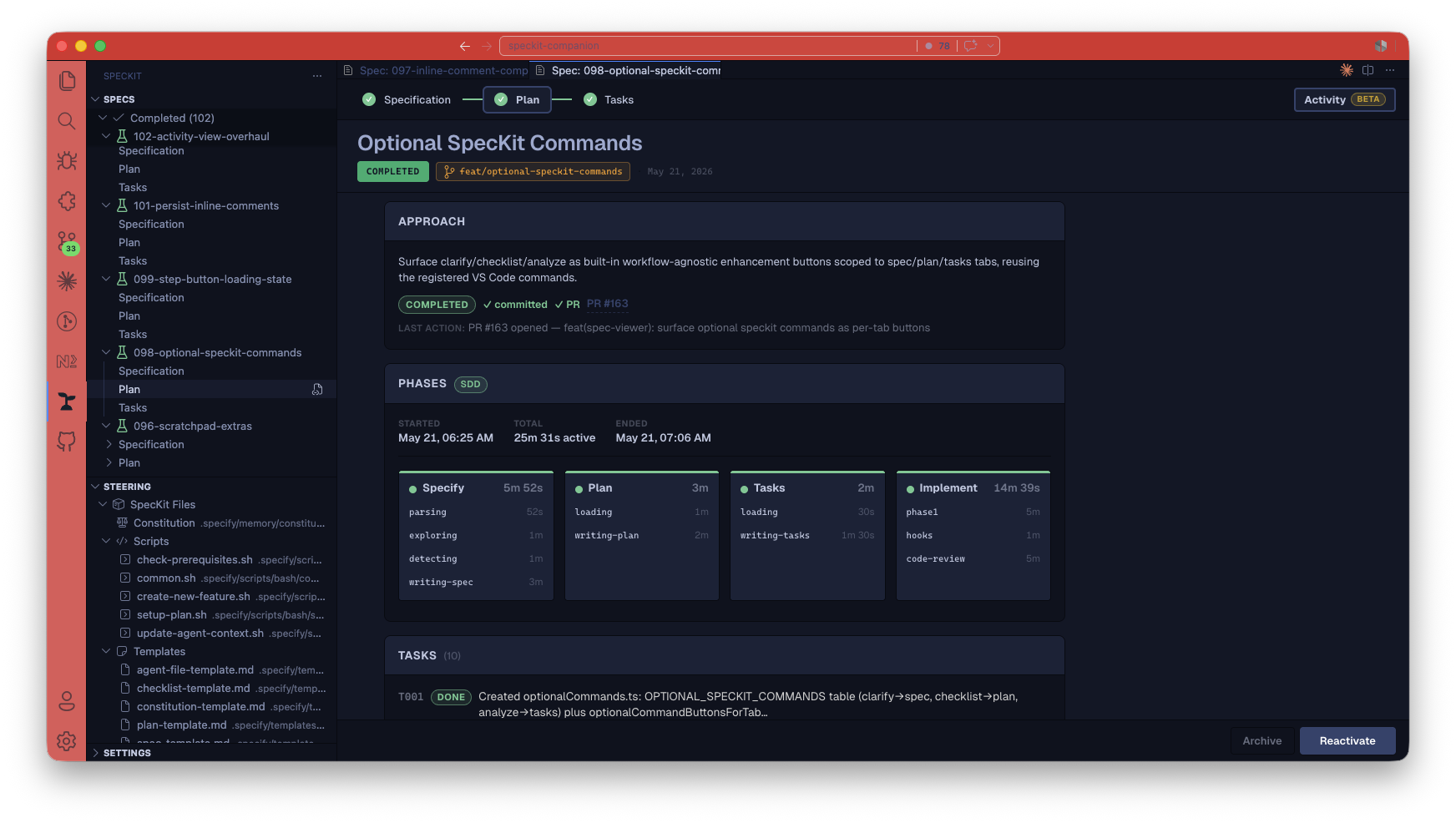
  • Added
    The Activity panel became a brief, not a scroll (#400): it now opens with a hero strip — status, sizing, honestly-measured active time, and stat chips (tasks, coverage with a donut, checks, concerns) that jump to their detail — followed by an always-visible plan block showing the spec’s goal, the context it worked from, its out-of-scope fence, and the approach.#402
    More

    Everything else moved into four keyboard-navigable tabs (Decisions, Work, Proof, Notes) with count badges; when requirements are uncovered or concerns are open, Proof opens first. Verifications render as green/amber pills, requirement chips are tinted by covered state, decisions are numbered, and the phase timeline gained duration bars for genuinely measured spans. Older specs render gracefully with only what they have.

    The Activity panel brief: hero stats and the Plan section The brief: status, honest active time, and stat chips up top; the Plan states the intent, the context the run worked from, and what was out of scope.
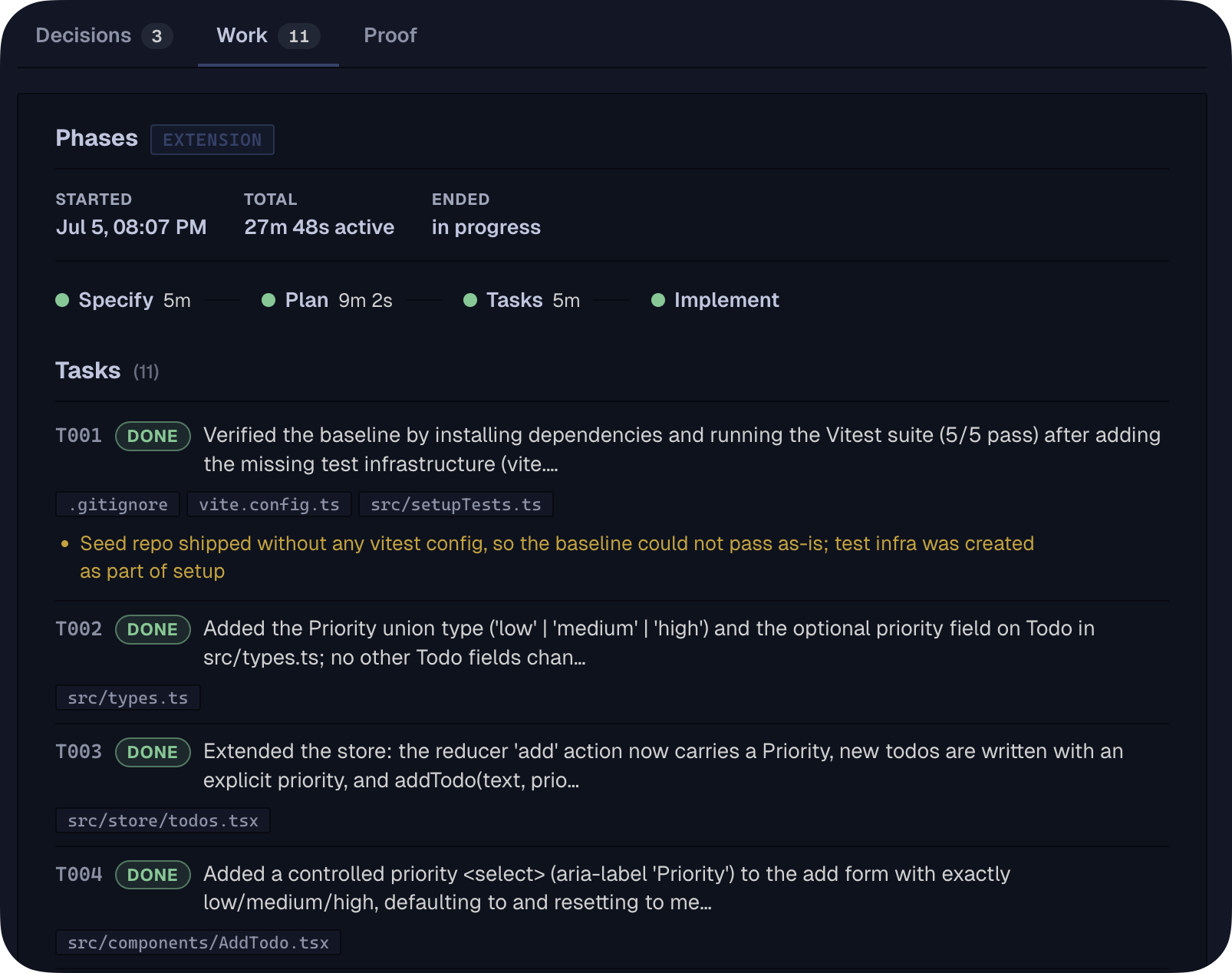
  • Added
    The Spec Explorer can now act, not just list (#393): right-click a capability in the Spec Explorer to run a drift check or a requirement-coverage check — each is sent to your AI assistant scoped to that capability, the same way every other Companion command dispatches.#396
    More

    The view’s title bar gains an Adopt Code Area action (the brownfield wizard, handy from the empty state) and a Refresh button. Capability rows also show their health at a glance: a 3/5 covered count when a coverage file exists, and a ● drift marker (with a warning-colored icon) when code has changed since the living spec was last committed. Health is computed quietly by the extension itself and simply stays absent when it can’t be determined — the tree never errors or stalls.

Run record

  • Changed
    Step timers only show durations that were actually measured (#392): some timestamps in a spec’s history are journaled by the AI after the fact — they put events in the right order but say nothing about how long the work really took.#395
    More

    The viewer’s derived timing now distinguishes measured spans from journaled ones, so elapsed-time displays can stop presenting bookkeeping as effort. Alongside this, the spec context schema now declares the new reasoning-trail fields the spec-kit extension records (the goal, out-of-scope list, decisions, verifications, and requirement coverage), so the viewer can read them.

    The Work tab: phases strip with measured durations and journaled tasks What happened, with receipts: the phases strip shows only genuinely measured durations, and every task is journaled as it finished with the files it touched.
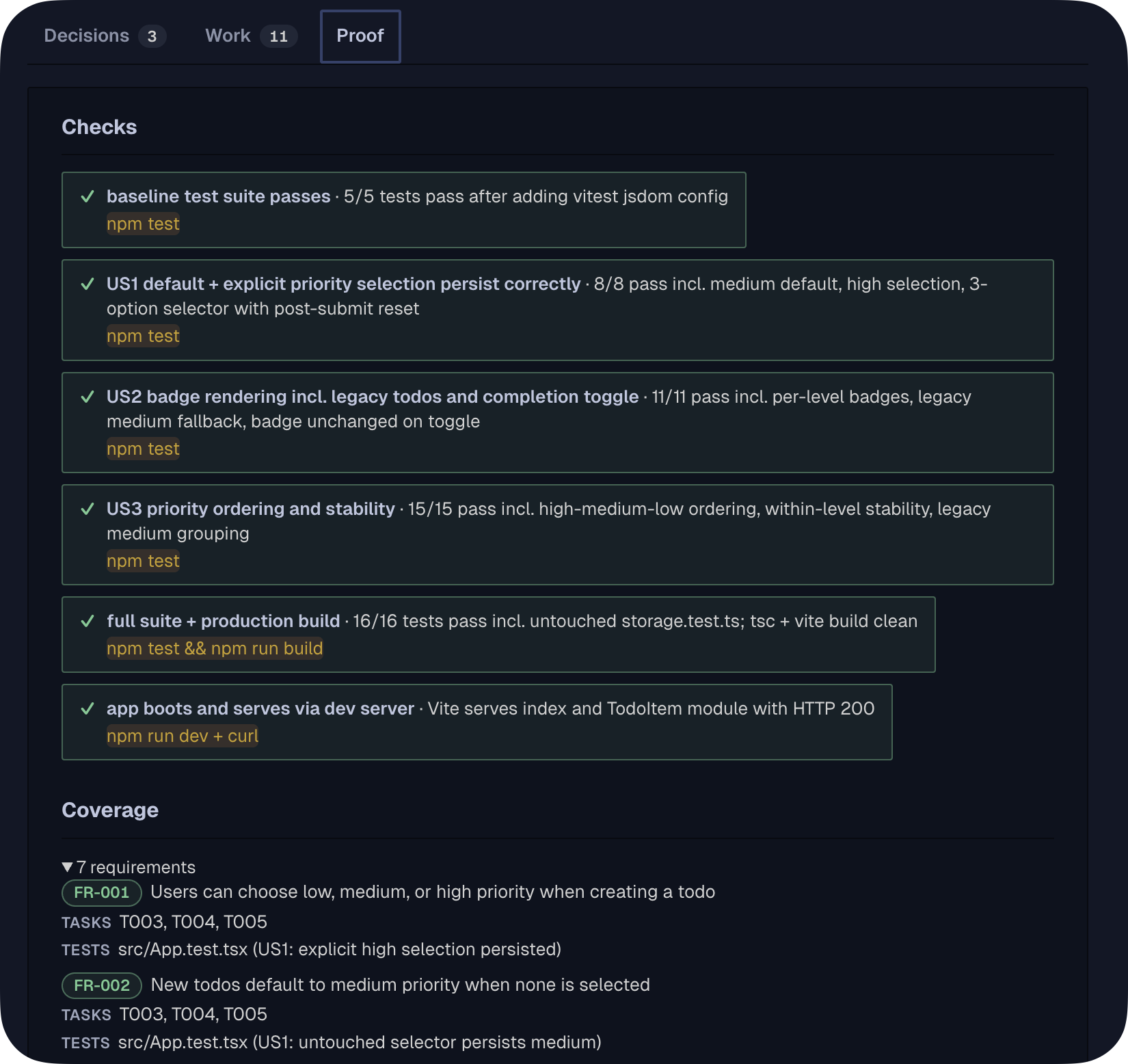
Install & updates

  • Fixed
    Stock-workflow specs no longer get stuck, and their Activity panel fills up (#408): when you dispatch a standard SpecKit command from the GUI without the companion spec-kit extension installed, the instructions the extension sends along used to reference a helper that didn’t exist in your workspace — so progress recording silently failed and specs could freeze at “specifying” forever.#410
    More

    The helper now ships inside the editor extension itself, so it always exists. And stock runs now record the same reasoning trail the Companion pipeline does — the goal and out-of-scope fences, working context, decisions, checks, and per-requirement coverage — so the Activity panel is a real brief on stock workflows too, not just a bare timeline. Verified end-to-end by a new committed sandbox eval that replays the exact GUI-dispatched instructions against a real model in a companion-free workspace.

    The Proof tab: verified checks with their commands and a requirement coverage map Proof, not self-report — captured on a plain stock spec-kit run: six checks with the exact command each ran, and every requirement mapped to the tasks and tests that satisfy it.

  • Fixed
    The “Install spec-kit extension” banner no longer hides behind the beta setting (#369): the prompt that offers to install the companion spec-kit extension used to appear only after you’d turned on the SpecKit Companion Workflow beta — which meant the people most likely to want the extension never saw the nudge to get it.#370
    More

    The banner now shows on its own merits: whenever the extension is missing and you haven’t dismissed it or turned its setting off, no matter how the workflow toggle is set. Installing the extension, dismissing the banner, and turning off its speckit.companion.installPrompt setting all still hide it exactly as before.

Spec Kit extension0.18.0

The living-specs story now has names for its levels.

Show changes13 changes

Living specs

  • Added
    The living-specs story now has names for its levels.
    More

    The README describes the maturity ladder the feature moves you along: spec-first (a spec that dies at ship), spec-anchored (a durable spec per capability that deltas fold back into, with drift detection - what living specs deliver), and spec-as-source (the machine-validated direction the drift check points at). Docs only, no behavior change.

  • Added
    Specs now remember the reasoning, not just the timeline.#395
    More

    A run used to leave behind what step you were on but not what you were trying to do, what you decided, or what you checked — all of that evaporated with the session. Each step now records its part of the reasoning trail into .spec-context.json as it finishes: the goal and the explicit out-of-scope list at specify, the approach and the decisions (with the rejected alternatives) at plan, which tasks cover each requirement at tasks, and what was verified — tests run, results, even warnings seen and dismissed — plus any friction hit, at implement. Everything is additive and repeat-safe (recording the same thing twice never duplicates it), and a skipped path (say, living specs not configured) now leaves a one-line note so an audit can tell “correctly did nothing” from “capture broke”. Resume, handoff, and review can finally answer “why is it built this way?” and “is FR-4 tested?” straight from the file.

  • Added
    The ICE picture is complete: specs now record their context.#401
    More

    A spec’s context file already carried its goal (intent) and its non-goals (expectations); it now also records what the run worked from — the living specs it loaded, the areas of the codebase it investigated, and the constraints it honored — written when the spec is created. Requirements also move earlier: each one is logged with its readable text the moment it’s written, not later when the task list is generated, so a spec is fully described and queryable from its very first step.

  • Added
    Requirements are captured as readable text, not just ids.#398
    More

    The requirement-coverage capture now carries each requirement’s one-line text alongside its id, recorded when the task list is generated — so a resume, a review, or the GUI’s coverage view can say “FR-3 — capability rows show their health” instead of a bare FR-3. Additive and repeat-safe like the rest of the trail.

  • Added
    Living specs — keep a durable spec per capability (opt-in).#372
    More

    You can now declare the capabilities in your codebase — checkout, auth, billing, todos — and say which files belong to each and where its long-lived spec lives, either in a central folder or right next to the code. Given a set of changed files, Companion resolves which capabilities they touch (most-specific first), and can list every capability plus any stray spec file no capability claims. It’s off by default: with no livingSpecs block in .specify/companion.yml (or enabled: false), nothing changes and every command behaves exactly as before. This first release ships the resolver and the config; later releases fold change deltas back into the living specs as you work. See the new “Living specs” section in the README.

  • Added
    Living specs now load themselves into your spec and plan.#373
    More

    When living specs are on, starting a feature no longer means re-describing the codebase. Companion sees which files the change touches, finds the matching capabilities, and reads their living specs into the assistant’s context before it drafts — most-specific first, so the closest capability leads and a broader one frames it. The spec step remembers which capabilities it loaded, and the plan step reuses that instead of working it out again. Still opt-in and never a blocker: with the feature off, or with a capability whose spec isn’t written yet, specify and plan behave exactly as before and never touch a living spec.

  • Added
    Finishing a feature now folds its changes back into the living spec.
    More

    If your feature spec describes how it changes a capability — what it adds, modifies, removes, or renames, written as ## ADDED / MODIFIED / REMOVED / RENAMED Requirements sections — those changes fold into the capability’s durable living spec the moment you mark the spec complete. The feature spec was the proposal; the living spec becomes the lasting record. When several capabilities are in scope it updates only the closest one, unless a section names a different target with a <!-- capability: <name> --> marker. If a capability’s living spec doesn’t exist yet, its first folded change creates a well-formed one — a titled spec with a requirements section — so the record is born complete from its first feature rather than as a headerless fragment. It stays opt-in and safe: with living specs off there’s no fold, a feature spec with no delta section leaves the living spec untouched, and re-running completion folds nothing already there. See the new “Folding feature deltas back” section in the README.

  • Added
    Adopt an existing code area into a living spec with one command.#376
    More

    Starting living specs on a codebase you didn’t grow this way no longer means hand-writing a spec per area. Point the new /speckit.companion.adopt command at a single code area and it reads that area’s surface, proposes capabilities for just that area, and drafts a living spec for each from what the code already exposes. Every draft wears its limits openly — the whole spec is marked [DRAFT], each requirement is tagged observed or inferred, uncertain items carry an inline [NEEDS CLARIFICATION: …], and any file it couldn’t read is listed under ## Uncovered — so a quick draft is never mistaken for a verified spec. You review and confirm, and the capability is registered into your livingSpecs block so the resolver recognizes it right away. It’s opt-in and incremental: you run it deliberately, it appends one area at a time (never a whole-repo bootstrap), re-running it for an already-adopted area is a safe no-op, and it changes no other command’s behavior. See the new “Adopting an existing code area” section in the README.

  • Added
    See where a living spec has fallen out of date with /speckit.companion.drift.#377
    More

    A living spec only stays honest if changes to its area flow back into it — and in practice code keeps moving while the spec sits still. The new drift command shows, for each capability, the source files that changed since its spec was last committed, and tells you how each one slipped: tracked (it went through the pipeline but was never folded back) or unspeced (it changed entirely outside the pipeline). It’s a read-only report that never fails the build — it always exits success, so a surrounding workflow or CI can decide whether to treat findings as a gate. You can exempt files you don’t want tracked (generated code, tests, migrations) with a livingSpecs.exempt glob list; sensible defaults cover the usual suspects. When every capability is in sync it prints a single all-clear line, and with living specs off it reports nothing. See the new “Spotting drift” section in the README.

  • Added
    Living specs now reach beyond requirements — architecture and test coverage.#379
    More

    A living spec can carry two more files next to its requirements: an architecture file for how the area is built, and a coverage file that maps each requirement to the test that proves it. Both were reserved before this release; now Companion uses them. When you plan a change, it pulls the area’s architecture notes into context — but only for a real, architecture-touching change, never for a small fast-path one, so trivial work stays lean. And a new /speckit.companion.coverage command reads the coverage file and tells you, per requirement, which ones have a test mapped and which are still uncovered. Like drift, it’s read-only and never fails the build — a signal you act on, not a gate. It stays opt-in: with living specs off, or a capability that ships only its requirements file, planning and coverage behave exactly as before. See the new “Coverage and architecture tiers” section in the README.

Run record

  • Added
    Timelines stopped pretending to know durations they never measured.#395
    More

    Some timestamps in a spec’s history are journaled by the assistant after the fact — they order events correctly but say nothing about how long the work took (a “94 ms plan step” was bookkeeping, not planning). Each step’s derived timing now says whether its duration was genuinely measured, so displays and analytics only show elapsed time where it’s real.

  • Fixed
    A finished implement step is now recorded as complete exactly once.
    More

    Implement can be closed from several places — as each task finishes, by an end-of-step hook, by a batch fold of parallel work, and by the final completion step — and a past run logged the same “implement finished” event four times. Those completions are now recognized as the same event regardless of who recorded it, so the activity timeline shows a single, clean completion marker. A regression test drives all four paths in one run to keep it that way.

Install & updates

  • Changed
    Slimmer install.
    More

    Installing the extension now pulls down only the files it actually needs to run, instead of also carrying along docs, examples, and build-time sources. The download drops from roughly 600 KB to about 72 KB, so installs and updates are quicker. Nothing about how the extension behaves changes.

VS Code extension0.25.0

A cleaner, more readable spec viewer.

Show changes5 changes

Spec viewer

  • Changed
    A cleaner, more readable spec viewer.#358
    More

    Body text is bigger and section headings stand out, so long specs are easier to scan; the top step nav is refreshed and clearly marks the step you’re on; the Activity “Phases” timeline is now a vertical timeline; and badges and callouts are calmer and higher-contrast. The viewer’s font also renders correctly now (text had been silently falling back to a system font).

Create spec

  • Changed
    The “Install spec-kit extension” prompt is smaller and you can dismiss it for good (#353): the prompt that suggests installing the companion spec-kit extension used to be a tall card — a rocket icon, a heading, two lines of text, and a button — sitting at the top of Create Spec and the Activity panel on every visit, with no way to make it go away.#356
    More

    It’s now a single compact line with an Install action, a Learn more link, and an ”×” to dismiss it. Dismissing hides it right away and remembers your choice everywhere, so it won’t come back in any project or after a reload. It still only appears when the extension isn’t installed.

  • Added
    An Auto button builds the whole spec hands-off, right from Create Spec.#345
    More

    Select the SpecKit Companion workflow and an Auto button appears next to Create Spec: describe what you need and walk away while it runs specify → plan → tasks → implement → completion on its own, with no approval pauses. Create Spec still does the normal step-by-step flow, so you choose per spec. Auto only shows for the Companion workflow (it needs the companion spec-kit extension); with stock SpecKit selected, only Create Spec appears, and the step-by-step flow always stays available.

Companion pipeline

  • Changed
    Leaner instructions sent alongside SpecKit Companion commands (#352): when the editor runs a SpecKit Companion step, the bookkeeping instructions it prepends are now trimmed to just the parts that change each run — the dispatch time, the spec folder, and the “don’t get ahead of yourself” note — because the Companion command already carries the full recording protocol.#355
    More

    This removes a duplicated block of text that wasted space and could occasionally cause a step to be logged twice. Plain SpecKit steps are unchanged in scope but now use a single, more reliable instruction to mark a step done and move the status forward, instead of a two-step manual edit. You won’t see a difference in the spec timeline; runs are just a bit tighter and less error-prone.

Living specs

  • Added
    Specs render as rich, structured pages.#358
    More

    Instead of plain markdown, the viewer now lays specs out for fast reading: requirements and success criteria become labeled rows, acceptance scenarios read as clean Given/When/Then sentences, key entities and research decisions show as cards, the spec-quality checklist groups into pass/fail cards, tasks gather under their phases, and the plan’s Technical Context and Constitution Check render inline as a grid and pass/fail rows.

Spec Kit extension0.11.0

Finishing a step and moving it forward now happens in one clean step.

Show changes10 changes

Companion pipeline

  • Changed
    Implementation logs progress without slowing down.#348
    More

    Recording each finished task used to rewrite the whole progress file every time, which the assistant sometimes had to retry and which quietly forced parallel work back into single file. Each finished task is now jotted down instantly to a side log and folded into the progress file in one pass after each batch, so the activity panel still keeps up while several tasks can genuinely build at the same time. Per-task timings stay just as accurate.

  • Added
    Runs now finish on their own. When the last task is done, the spec is marked completed automatically, so a run lands in Completed instead of stopping at “implemented” and waiting for a manual step.#348

Run record

  • Changed
    Finishing a step and moving it forward now happens in one clean step.#354
    More

    When a pipeline step wraps up, marking it done and bumping the spec to its next status used to take a few separate calls plus a quick re-check to be sure nothing got recorded twice or out of order. That now happens as a single, safe action: the step is recorded as finished and the spec advances to the right status together, with no stray bookkeeping. Running it again changes nothing, and a spec that’s already finished or archived is left untouched.

  • Changed
    Re-running a spec folder no longer replays stale task progress.
    More

    When a spec is marked complete, the small per-task progress log it keeps while building is cleaned up — always after everything in it has been recorded, so nothing is ever lost. Before, that log lingered, and starting the same spec folder over could fold in finishes from the previous run. Behavior during a normal run is unchanged; this is an internal tidy-up surfaced by a code review, with no setting or command change.

  • Changed
    The task list now shows which work is independent and where it has to wait.#348
    More

    Instead of scattered “can run in parallel” flags, each phase of the task list is laid out as ordered waves — a wave groups tasks that touch different files and don’t depend on each other, and an explicit “wait for the wave above” line marks where the next group depends on the last. It reads clearly for a person and gives the assistant an honest dependency map to build against. Per-task notes (what each task did, which files) and the exact step-level timing are what the activity panel leans on; the per-task clock is best-effort, not a precise stopwatch.

  • Changed
    Companion output now mirrors stock spec-kit.#348
    More

    The /speckit.companion.* pipeline produces the familiar spec-kit shape: a spec with prioritized user stories, acceptance scenarios, key entities, and edge cases; a plan with a summary, a constitution check, the concrete file layout, and the design files (research.md, data-model.md, contracts/); and a task list grouped by user story into phases. Same readable shape you already know, with the Companion extras layered on top: lifecycle timing capture, size-based right-sizing, and automatic completion.

Assistants & terminals

  • Changed
    Leaner plans — less boilerplate to read.#348
    More

    The plan no longer restates the project’s known stack in a “Technical Context” block (your assistant already knows the codebase it’s working in), and it stops writing a quickstart file that only repeated the obvious. Plans now lead with a plain-language summary, the constitution check, and the concrete file layout — the parts that actually shape the build. A genuinely non-obvious stack choice still gets a sentence in the summary.

  • Changed
    Finishing a task is the same action as logging it.#348
    More

    A task now records its own completion the instant its work is done, instead of the assistant doing a separate bookkeeping pass at the end of a phase — so the activity timeline reflects the real order and pace of the work rather than collapsing a whole phase into one moment. Checking the box in the task list is handled for you from that record, so when several tasks build at once none of them fight over the same file.

  • Fixed
    Progress tracking can no longer corrupt its own file.#348
    More

    When recording that a planning or task-generation step finished, the assistant used to edit the progress file by hand, which occasionally wrote a malformed file it then had to repair. Those finish marks now go through the same safe writer everything else uses, so the file stays valid every time.

Install & updates

  • Added
    Your installed spec-kit extensions keep working under Companion.#348
    More

    A Companion run now honors the same extension hooks a stock spec-kit run does, so the git extension (and any others you’ve installed) still fire at the start and end of each step — the branch-on-spec, the commit callouts, whatever they do. Previously those were silently skipped on the Companion pipeline. Companion’s own customization hooks run on top of them, unchanged.

Spec Kit extension0.10.0

The pipeline runs as fast as your assistant allows.

Show changes2 changes

Companion pipeline

  • Added
    Point specific kinds of work at specialist helpers. Implementation now leaves a clean place for a project to say “send test tasks to the testing specialist,” so teams can route task types to dedicated helpers without changing the built-in steps.#344

Assistants & terminals

  • Added
    The pipeline runs as fast as your assistant allows.#344
    More

    When your AI assistant can work on several things at once, the Companion steps now spread the work out: it reads different parts of the codebase side by side while investigating, flags which tasks are independent enough to run together, and builds those independent tasks at the same time during implementation. Assistants that can’t do that simply run each step the usual one-at-a-time way and produce the exact same result — nothing to turn on, nothing breaks.

Spec Kit extension0.9.0

Build a whole spec hands-off with one command.

Show changes2 changes

Companion pipeline

  • Added
    Build a whole spec hands-off with one command.#343
    More

    The new /speckit.companion.auto runs the entire pipeline end to end — from a description all the way to a finished, completed spec — without stopping for approval in between. It is the unattended sibling of the step-by-step flow and drives the very same per-step commands, so it can’t drift from what they do. There’s also a Run button in Create Spec that kicks off the same hands-off build from the editor.

  • Added
    Checkpoint hooks know when no one is watching.#343
    More

    Auto marks the run as unattended, and project checkpoint hooks (“Continue / Fix / Stop”) can read that signal to record the checkpoint and keep going instead of waiting for a person. Background work, reviews, and PR steps still run — only the human pause is skipped. On a plain one-shot terminal, Run falls back to the normal one-step-at-a-time flow.

VS Code extension0.24.0

The "Install spec-kit extension" banner stays readable in a narrow panel.

Show changes12 changes

Sidebar

  • Added
    Mark implemented specs complete from the sidebar, and tell them apart at a glance (#271): a spec that finishes the pipeline sits in the Active group as “implemented” but still needs your confirmation.
    More

    You can now right-click it and choose Mark as Completed — previously the only way to confirm was the spec viewer’s footer. Implemented specs also get a distinct yellow beaker icon (vs. the green icon for confirmed-completed specs), so you can see at a glance which specs are done and which are still awaiting your sign-off.

Create spec

  • Fixed
    The “Install spec-kit extension” banner stays readable in a narrow panel (#327): when the Create-Spec or Activity panel was slim, the banner’s heading and body got crushed into a thin column of one- and two-word lines while the buttons clung to the right edge.
    More

    The banner now adapts to its own width — the install button and “Learn more” link drop onto their own row below the text when space is tight, the body always wraps across the full width, and an over-long heading is trimmed with an ellipsis you can hover to read in full. At comfortable widths it looks exactly as before.

  • Fixed
    The Create Spec placeholder reads as faded guidance (#330): the description field’s placeholder used the full body text color, so an empty field could look like it already had text typed in.
    More

    It’s now a muted gray — clearly a placeholder, still legible.

  • Changed
    One switch turns on the whole SpecKit Companion experience (#170): a single Beta Features setting now enables both the Create-Spec workflow picker and the Continue/Resume button — no more separate resume toggle.
    More

    With the setting on (and the companion extension installed), Create Spec offers the SpecKit / SpecKit Companion picker and the sidebar shows the resume button; with it off, you’re on stock SpecKit only. The picker no longer appears when the companion piece isn’t installed, so you’ll never see a Companion choice that silently does nothing — and the install prompt stays reachable so you can add it. Upgrading is seamless: if you’d already turned the old resume toggle on, that choice carries over automatically and the old setting is cleaned out of your settings.

  • Changed
    Create Spec page polish — clearer guidance, bigger type, tidier layout (#296): the Workflow picker now sits on its own right-aligned row just above the description field, so nothing crowds it.
    More

    The field’s text is bumped to a comfortably readable size, and the empty field’s placeholder does the teaching — it lists what helps (what the feature is, the problem it solves, who it’s for, key requirements), shows a sample Jira link and a sample GitHub link to copy the shape of, and makes clear you can paste a reference link on its own and skip writing a description entirely. The redundant on-page “Specification” label and helper paragraph were removed from view (kept for screen readers) now that the title, subtitle, and placeholder carry the guidance.

  • Changed
    One workflow choice replaces three beta toggles (#168): you now make a single decision — run the stock SpecKit pipeline or the SpecKit Companion pipeline — from one setting (speckit.defaultWorkflow) and the Workflow dropdown in Create Spec, which pre-selects it.
    More

    The three former toggles — the template profile, the per-spec turbo workflow picker, and the complexity fast-path flag — are gone; the leaner output they used to enable now comes from the Companion workflow itself, and right-sizing small vs. large changes happens automatically inside that workflow with nothing to flip. Picking SpecKit Companion in a project that doesn’t have the companion spec-kit extension safely runs the standard flow instead, with a one-click install prompt. Upgrading is seamless: the default stays SpecKit, existing specs keep running the commands they started with, and any leftover values for the removed settings are cleaned out of your settings automatically.

  • Changed
    The Create Spec page is easier to use and accessible (#272): the form now sits in a centered, readable-width column instead of stretching across the whole editor, with persistent writing guidance below the field (it stays visible while you type) and a primary button that reads Create Spec and stays disabled until you’ve written something.
    More

    The attachments area collapsed into a compact “Attach image” control beside the field, and the character counter stays out of the way until you near the 50,000 limit. It’s now usable without a mouse or sight: errors, “creating your spec…”, and image attach/remove are announced to screen readers; every button has a meaningful name; every control shows a visible focus ring when you tab to it; the limit is communicated beyond color and over-limit content can’t be submitted; the keyboard hint shows Cmd on macOS; and pressing Esc with typed content asks before discarding your work.

Companion pipeline

  • Fixed
    Stock specs no longer get stuck after the Specify step (#332): in a plain SpecKit project — without the companion spec-kit extension — running Specify from the editor’s chat panel used to finish writing the spec but leave it showing “specifying” forever, with the next-step button hidden, so the only way forward was hand-editing a file.
    More

    Specify now advances to “specified” on its own and the next-step (Plan) button reappears. Specs running the Companion pipeline are unaffected — they already advanced on their own.

  • Fixed
    The spec viewer’s footer now follows the spec’s own workflow (#317): the next-step button in the open spec used to always reflect the default pipeline, even for a spec running a different workflow.
    More

    It now resolves each spec’s own workflow (the same way the sidebar does) and falls back to the default only when none is set, so the button you see and click matches the spec in front of you.

  • Changed
    The Completed group now lists only specs you’ve actually finished (#306): a spec that reaches the end of implementation but hasn’t been marked done yet stays in the Active group instead of dropping into Completed.
    More

    This keeps the “still needs your Mark as Completed” state visible — which matters most for stock specs that never auto-complete — and the Completed group’s count now reflects only the specs you’ve truly confirmed. Filtering and sorting work the same on the regrouped specs; archived specs are unaffected.

Living specs

  • Fixed
    Task checkboxes line up with their labels, including long multi-line tasks (#331): a wrapping or completed task used to drop its whole label onto a line below the checkbox, and the checkmark drifted as you changed the editor font size.
    More

    The checkbox now sits next to the first line with the rest of the label hanging-indented, and it stays aligned at any font size.

Assistants & terminals

  • Added
    Opt-in anonymous telemetry (#129): a new speckit.telemetry setting (default on) sends anonymous, PII-free usage signal that helps prioritize which AI providers and pipeline features to invest in — the selected provider, the default workflow (speckit/companion), which workflow phase was dispatched, spec lifecycle counts (created / completed / archived), and the on/off state of beta flags.
    More

    It honors VS Code’s global telemetry setting too: if either switch is off, nothing is sent. It never collects prompt content, file paths, spec names, or custom workflow names — only enum-like values, booleans, versions, counts, and a random per-spec id that correlates one spec’s events without revealing which spec it is. See the Telemetry section in the README.

Spec Kit extension0.8.0

Customize the pipeline without forking a command.

Show changes4 changes

Companion pipeline

  • Added
    Customize the pipeline without forking a command.#318
    More

    An optional project file (.specify/companion.yml) now lets you attach your own actions before or after any part of a Companion command — run a shell command, drop in an extra instruction, or call a reusable instruction file — and reorder which parts of a command run. If the file is absent, every command runs exactly as it ships. A worked example wires a full ship tail (review → PR → Copilot review → merge → reinstall) onto the end of a build; see examples/ship-ticket/.

  • Added
    A spec that’s 100% done now finishes cleanly.#318
    More

    Marking a spec complete used to require it to have already settled into the “implemented” state; a spec sitting at “implementing” with every task checked off would refuse to complete. It now completes correctly the moment all its tasks are done, and finishing the last task no longer bumps a closing spec back to “implementing.”

  • Changed
    Companion commands are now assembled from smaller, reusable parts.#318
    More

    Each command is built from a short ordered list of named sections rather than one hand-written file, which is what makes the customization above possible. This is a behind-the-scenes reshape — the commands you run are byte-for-byte identical to before, proven by a parity check in CI — so nothing about how they behave changes.

Run record

  • Changed
    The timing rules stay in one place and can’t quietly fork.#322
    More

    The shared timing instructions baked into every stock command are now guarded so they always come from the single shared copy — if a command ever pasted its own version of them, the build catches it. Editing the timing rules remains a one-place change that flows into every command. The commands you run are byte-for-byte unchanged.

Spec Kit extension0.7.0

One step hands off to the next on agentic CLIs.

Show changes2 changes

Companion pipeline

  • Changed
    Shared command logic is now written once.#315
    More

    How a change is sized (small vs. large), how the pipeline routes after sizing, and how timing is recorded each used to be repeated across several command files. Each now lives in exactly one shared block that the commands reuse, so changing a rule is a one-place edit instead of hunting through three files. The installed commands stay whole and self-contained — running one in a plain terminal still gives you a complete command, and a parity check proves the reshape changed no behavior.

Assistants & terminals

  • Added
    One step hands off to the next on agentic CLIs.#315
    More

    When you run a Companion step in an assistant that keeps working after a step finishes, it now reads the pipeline and continues into the next step on its own — pausing wherever the workflow asks you to review, and running a final “mark complete” step after implementation so the spec lands in Completed. In a plain or one-shot terminal nothing auto-advances: you drive the pipeline one step at a time, just as before, and completion stays a manual action. Stock SpecKit is unchanged and still stops at “implemented”.

Spec Kit extension0.6.0

One SpecKit Companion workflow, no more "standard vs. turbo" choice.

Show changes2 changes

Companion pipeline

  • Changed
    One SpecKit Companion workflow, no more “standard vs. turbo” choice.#312
    More

    There used to be two advertised shapes — a “standard” profile and a “turbo” profile. In practice there was only ever one Companion workflow: the lean one. That lean shape is now the single Companion offering. The dead “turbo” preset is gone, and “turbo”/“standard” no longer appear as profile names in the commands or docs. Stock SpecKit is untouched — it’s still the unchanged /speckit.* commands with better timing capture, available to everyone. If you ever installed the old turbo preset, it’s cleaned up automatically on upgrade.

  • Changed
    Small changes fast-track to implement automatically.#312
    More

    The right-sizing fast-path — which folds a small change straight to implement instead of running the full specify → plan → tasks pipeline — is now on by default. No flag to set. Larger changes (more than 5 files or 10 tasks, or a “bigger” scope signal) still run the full pipeline and print the guardrail warning, exactly as before; nothing is ever silently fast-tracked.

Spec Kit extension0.5.1

Installs again on git/uv dev builds of spec-kit.

Show changes1 change

Install & updates

  • Fixed
    Installs again on git/uv dev builds of spec-kit.#299
    More

    The 0.5.0 minimum was written as >=0.9.5, which — under Python’s version rules — actually excludes the 0.9.5.devN pre-release builds that uv tool install --from git+… produces (the exact install path the README recommends). The result was a Compatibility Error: requires spec-kit >=0.9.5, but 0.9.5.dev0 is installed on a correctly-set-up machine. The floor is now >=0.9.5.dev0, which accepts those dev builds and every 0.9.5+ release.

Spec Kit extension0.5.0

The whole Companion pipeline is now one real workflow you run with a single command.

Show changes4 changes

Workflow Builder

  • Added
    Built-in size routing, no on/off setting.#298
    More

    A routing node right-sizes the pipeline: a small change folds plan/tasks toward implement, a normal change runs the full pipeline with both gates, and an oversized change prints a visible warning and still runs the full pipeline — it never silently skips a phase. The ≤ 5-files / ≤ 10-tasks thresholds now live inside the workflow; there’s no on/off toggle to set.

Companion pipeline

  • Added
    The whole Companion pipeline is now one real workflow you run with a single command.#298
    More

    Instead of invoking specify, plan, tasks, and implement by hand, run specify workflow run speckit-companion (or point it at the workflow file directly) and spec-kit’s engine drives the entire pipeline end to end — specify → plan → tasks → implement → mark-complete — pausing at review gates before planning and before tasks. Paused at a gate? specify workflow resume <run_id> picks up from the exact step it stopped at. Every step still feeds .spec-context.json, so the VS Code GUI lights up for both run and resume.

  • Changed
    Now requires spec-kit ≥ 0.9.5 — the release line that provides the workflow engine (specify workflow run/resume) the Companion workflow rides.#298

Assistants & terminals

  • Added
    The run ends by marking the spec completed. The workflow has a terminal step that writes status: completed once everything before it finishes — the explicit end-of-lifecycle the stock pipeline never had.#298

VS Code extension0.23.0

Resume button is now an opt-in beta.

Show changes24 changes

Spec viewer

  • Changed
    The in-flight indicator now lives on the step tab, not the footer (#277): a running step used to show two competing cues — a “Generating…” pill at the bottom and the step tab.#282
    More

    The footer pill is gone; the step tab is now the single “AI is working” signal, and during implement it shows a spinning indicator next to the live task percentage instead of a static “Tasks 0%”. While a step is still in flight the footer no longer offers the next-step button (there’s nothing to advance yet). Reduced-motion users get a static indicator.

  • Changed
    Beta toggles are a simple on/off (#259): the Beta Features settings collapsed from a three-way (off / beta / on) control to a plain on/off switch, and the redundant “beta” badges were dropped — less to reason about for the same behavior.
  • Fixed
    A running step’s tab no longer gets stuck spinning (#229): when a step settled, its tab could keep showing an “in progress” looping-arrows indicator; the tab now stops on the settled state and shows a clear sync glyph while genuinely running.

Sidebar

  • Added
    Resume button is now an opt-in beta (#140): the sidebar resume (▶) button ships under the “Beta Features” group and defaults to off.#243
    More

    Enable speckit.companion.resumeBeta to show it on active specs (active / tasks-done); toggling it on or off updates visibility immediately, with no window reload. Resume now also dispatches the command family the spec has been running — a turbo spec resumes with /speckit.companion.<step>, a stock spec with /speckit.<step> — across every step it can advance.

  • Changed
    Finished specs read as done (#257): a fully-implemented spec is now a first-class “implemented” state — the Resume action is hidden on finished specs, and they’re shown distinctly in the sidebar.
    More

    Marking a spec completed by hand still works.

  • Changed
    Sidebar polish (#258, #238): a distinct install icon plus grouped, consistently-ordered sidebar actions, and spec rows no longer repeat the status text next to the spec name.
  • Fixed
    Newly-created specs appear instead of stranding on the welcome screen (#270): a spec created under the SpecKit CLI’s .specify/specs/ layout was never discovered, so the sidebar stayed stuck on “Welcome to SpecKit / Create your first spec”.#282
    More

    .specify/specs is now scanned by default, and a freshly-created spec clears the welcome screen and lists itself without reloading the window.

Create spec

  • Added
    Template profiles (#132, #134): a new speckit.companion.templateProfile setting (standard | turbo | off, default off) picks the shape of the spec-kit pipeline.#236
    More

    standard runs the stock commands; turbo produces a trimmed shape — a spec with no user-story section, tasks grouped by files/dependencies, and a smaller spec folder; off falls back to plain upstream spec-kit. Both command sets stay installed at all times — switching the setting is non-destructive: it only routes which one a spec uses and never deletes either, so creating a spec never fails with “Unknown command”, in any mode or after any number of switches. Each spec pins the project default the moment it’s created, so changing the setting reshapes only new specs, never one already in flight. See docs/template-profiles.md.

  • Added
    Pick the leaner pipeline per spec at create time (#247): when the companion spec-kit extension is installed, the Create-Spec Workflow dropdown offers a choice that pins the leaner companion pipeline on just that spec, regardless of the project default.
    More

    Opt-in beta.

  • Changed
    The per-spec Workflow picker choice is now labeled “SpecKit Companion” (#284): in the Create-Spec Workflow dropdown, the choice that pins the leaner turbo /speckit.companion.* pipeline on a single spec now reads “SpecKit Companion” instead of “Turbo”, so the picker names the real contrast — stock SpecKit vs.#287
    More

    the companion pipeline — directly. Label-only: the choice still pins the same turbo pipeline, the speckit.companion.templateProfile setting still lists Standard / Turbo / Off, and no settings or existing specs are migrated.

Companion pipeline

  • Added
    Complexity fast-path (#137): an opt-in beta (off by default) that, in turbo mode, fast-tracks small changes straight from specify to implement, skipping the separate plan and tasks stages.#236
    More

    When a change projects at or under 5 files / 10 tasks (and reads as a small change), specify writes a single combined spec.md — the usual sections plus an inline Approach and Implementation Tasks list — and lands the spec at the implement step in one run. Larger changes keep the full pipeline; a change that crosses the 5-files / 10-tasks guardrail warns and runs the full pipeline rather than fast-tracking silently. Enable it with the speckit.companion.complexityFastPath setting. See docs/template-profiles.md.

  • Changed
    Clearer Beta Features descriptions (#140): the four Beta Features settings (Activity panel, template profile, complexity fast-path, resume button) now lead with what they do before how they work, reading at about two lines each in the settings UI.#243
    More

    No setting keys or values changed.

  • Changed
    Template profiles and the complexity fast-path are now opt-in beta (#137): both ship under a “Beta Features” settings group and default to off — speckit.companion.templateProfile now defaults to off (plain upstream spec-kit) and speckit.companion.complexityFastPath defaults to false.#236
    More

    Turn template shaping on by selecting standard or turbo; existing projects that already pinned a profile are unaffected.

  • Changed
    Richer Activity panel (#256): the panel now shows per-task summaries and a live implement percentage that advances as tasks complete.
  • Fixed
    A finished implementation reliably shows as done (#277): when every task was checked and the work committed, the viewer could keep spinning and the timer keep counting indefinitely.#282
    More

    Completing any step — specify, plan, tasks, or implement — now updates the open viewer on its own within a second or two, the spinner stops, and the next action appears, with no need to switch steps. This works wherever your specs live, including the configured spec directories rather than only the legacy location.

  • Fixed
    Switching modes no longer deletes your commands (#134): selecting the trimmed shape used to swap command bundles in a way that could leave a project with no usable pipeline commands — creating a spec then failed with “Unknown command: /speckit-specify”.#230
    More

    The mode is now a non-destructive routing choice: both command sets are always present, and a project left without its stock commands by an earlier version recovers automatically on the next reload.

Living specs

  • Changed
    Beta Features are ordered by adoption, and dependencies are explicit (#275): the six Beta Features settings now appear in funnel order — install prompt, template profile, turbo workflow picker, complexity fast-path, resume button, activity panel — instead of alphabetically, so it’s clear what to enable first.#285
    More

    Every toggle except the install prompt now states that it needs the companion spec-kit extension and links to the install instructions, so a toggle that looks inert is clearly waiting on the extension. Defaults and behavior are unchanged — only the ordering and descriptions differ.

Run record

  • Changed
    More accurate timing in the activity panel (#215): per-task and per-substep durations are now measured from single finish events rather than reconstructed from start/complete pairs.
    More

    This removes the 0s ticks, the unattributed gaps between tasks, and the substep “bursts” that previously showed up in the timeline, so per-step and per-task durations read accurately. See docs/capture-and-timing.md.

Install & updates

  • Added
    One-click install and graceful degradation for the spec-kit extension (#234): the GUI now detects whether the companion spec-kit extension is installed and works fine without it.
    More

    When it’s missing, an Install spec-kit extension banner appears in the Create-Spec and Activity panels and an install icon appears in the Specs sidebar — clicking either runs the install in an integrated terminal, no copy-paste. Already-installed projects never see the banner.

  • Fixed
    In-editor “Install / Update spec-kit Extension” now pulls the newest build (#283): the in-editor install action — the banners, the Upgrade… → Update spec-kit Extension row, and the install command — was hardcoded to an older pinned version, so “Update” silently installed a build older than the one you were already running.#286
    More

    It now points at a stable address that always serves the latest published spec-kit extension, so install and update both land the newest build and no longer drift out of date between releases.

  • Fixed
    In-app update notifications fire again, and install links resolve (#274): the extension referenced a retired publisher handle, which silently disabled the “a new version is available” notification and pointed every Marketplace/OpenVSX install and listing link at a dead (404) page.#279
    More

    The update check now reads your installed version reliably and the links resolve to the live listing. The check also compares only against the VS Code releases, so a spec-kit-side release no longer masquerades as a newer GUI version.

Other

  • Changed
    The trimmed profile is named “turbo” (#226): the trimmed pipeline shape ships under the turbo value of speckit.companion.templateProfile; its pre-release working name “lean” was dropped before any release, so there is no old value to migrate.#230
  • Changed
    More readable text on dark themes (#254): secondary and muted text and ghost buttons were brightened to meet accessibility contrast minimums on dark backgrounds.
  • Fixed
    OpenCode: images in the spec editor load again (#208): spec-editor images now resolve under OpenCode, staged in a self-contained workspace location so they render instead of failing to load.

Spec Kit extension0.4.1

Settling an implementation only ever updates the spec you point it at.

Show changes1 change

Companion pipeline

  • Fixed
    Settling an implementation only ever updates the spec you point it at.#282
    More

    When recording implement progress, the capture now trusts the task list it’s handed — the spec whose tasks.md you pass is the spec that gets updated — instead of whichever spec the workspace currently treats as “active.” Previously, finishing one spec’s implementation while a later spec was active could write the completion into the wrong spec and flip an unrelated spec to done. If a conflicting feature directory is also passed, the capture now refuses to write rather than guessing.

Spec Kit extension0.4.0

One stable install command that also updates you.

Show changes1 change

Install & updates

  • Changed
    One stable install command that also updates you.#280
    More

    The install command now points at a permanent download URL that always serves the newest release, so you’re no longer frozen on whatever version you happened to copy. Install with specify extension add companion --from https://github.com/alfredoperez/speckit-companion/releases/download/companion-latest/companion.zip --force, and to update later, re-run the exact same line — --force refreshes your installed copy in place. No version number to bump, no new URL to hunt down.

Spec Kit extension0.3.0

The spec-kit extension's first catalog release — full lifecycle capture, Status + Resume, selectable template profiles, and accurate timing. See ROADMAP.md.

Show changes12 changes

Overview

  • Added
    Status + Resume.
    More

    /speckit.companion.status prints the active spec’s current step, status, recorded decisions, and next action. /speckit.companion.resume continues the pipeline from the recorded step — and at the next unchecked task when mid-implementation — reporting “Pipeline complete” on terminal states. Works on stock spec-kit; no specify workflow resume subcommand required.

Companion pipeline

  • Added
    Four turbo commands — /speckit.companion.specify · .plan · .tasks · .implement. The commands a turbo spec dispatches; always present alongside the stock /speckit.* family.#230
  • Added
    Complexity fast-path (turbo) — opt-in beta, off by default.#249
    More

    When enabled, /speckit.companion.specify classifies the change it just spec’d. A small change (projected ≤ 5 files / ≤ 10 tasks, no “larger” scope phrase) writes three lean files in one pass — spec.md (with an inline Approach), a plan.md pointer to it, and a real-checklist tasks.md — and folds plan and tasks into the same run, so the spec lands ready-to-implement in one pass instead of three (and the stepper/sidebar read the files as present, not “not created”; implement is the next user-triggered step). Larger changes keep the full pipeline; a change that crosses the 5-files / 10-tasks guardrail warns and runs the full pipeline rather than fast-tracking silently. Turn it on with speckit.companion.complexityFastPath: true (VS Code setting); it’s mirrored into .specify/companion.yml for the command body to read.

  • Changed
    Resume dispatches the spec’s own command family.#243
    More

    /speckit.companion.resume now resolves the next command from the family the spec has been running, read from its recorded profile: a turbo spec resumes with /speckit.companion.<step>, a stock spec with /speckit.<step>. This applies to every step resume can reach — plan, tasks, implement, finishing the current step, and the clarify/analyze fall-throughs — so the command shown in the terminal always matches the spec’s flow. Specs with no recorded profile keep dispatching the stock /speckit.* commands, so stock-flow specs are unchanged.

  • Changed
    The trimmed profile is named “turbo”. The trimmed pipeline shape ships as turbo (preset companion-turbo); the pre-release working name “lean” was dropped before any release, so the old value is simply absent — nothing to migrate.#230

Living specs

  • Changed
    Turbo profile keeps the requirements checklist, and side files are created on demand.#230
    More

    The turbo specify again produces a checklists/requirements.md quality checklist — a trimmed version without the user-story / acceptance-scenario items, graded in a single self-check pass — instead of dropping it. And plan’s side files (research.md, data-model.md, contracts/, quickstart.md) are each created only when the file genuinely helps a developer understand or build that change, rather than by fixed “if entities / if interface” rules — so research.md and quickstart.md are no longer always dropped. The four-section spec (Overview + Functional Requirements + Success Criteria + Assumptions) and the files/dependencies task shape are unchanged. See ../docs/template-profiles.md.

Run record

  • Added
    Full lifecycle capture.
    More

    The after_plan, after_tasks, and after_implement hooks record each step into .spec-context.json automatically, so the VS Code GUI always reflects the real pipeline state. When a hook never ran, the state is reconstructed from the on-disk artifacts and git history.

  • Added
    Accurate, script-written timing.
    More

    Per-step durations and per-task cadence are stamped by the capture scripts instead of being hand-authored by the AI, so they stay reliable across the terminal, IDE chat, and the GUI. specify records a real begin→end span, each implement task records a single finish event, and durations come from the gaps between finishes — no duplicate starts, 0s ticks, or burst-stamped substeps. See ../docs/capture-and-timing.md.

  • Changed
    Captured timing is now verified, and the records are leaner.#239
    More

    A run that dumps every task’s completion in one end-of-step burst — instead of recording each task as it actually finishes — is caught and reported as a failure, where it previously passed as honest cadence. Every recorded event is checked against a fixed format, so a malformed or incomplete entry is flagged instead of silently accepted. The assistant is now instructed to journal each task the moment it completes. Records written by earlier versions keep working and rendering unchanged — nothing is rewritten on disk.

  • Changed
    Captured state is written in the canonical .spec-context.json shape the VS Code GUI reads, so the extension and the GUI never disagree; older files are migrated forward on the next write.
  • Fixed
    Standard-profile specs now get per-task timing too.#230
    More

    Task capture only recognized the turbo/companion bold marker (- [x] **T001**) and silently skipped the standard tasks-template’s plain markers (- [x] T001), so a standard-profile spec recorded no per-task progress and its implement step never auto-closed. Both marker formats are now detected.

Install & updates

  • Added
    Template profiles — standard and turbo, both always installed.#236
    More

    Two pipeline shapes you switch between with the speckit.companion.templateProfile VS Code setting (standard | turbo | off, default off — an opt-in beta). Standard runs the stock /speckit.* commands; turbo produces a trimmed shape — a spec with no user-story section, a trimmed plan, and tasks grouped by files/dependencies (a smaller spec folder). Switching is non-destructive: both command sets stay installed and the setting only routes which one a spec dispatches, so you never lose a command set or hit “Unknown command”. Each spec pins the project default the moment it’s created, so changing the setting reshapes only new specs, never one already in flight.

VS Code extension0.22.0

Live per-task journaling on implement.

Show changes13 changes

Spec viewer

  • Fixed
    Spec viewer footer/step buttons appeared or disappeared after clicking other controls (#197): the footer and step tabs are now a deterministic function of a single ViewerState, so a still-valid button never vanishes and an expected one never fails to appear when you click an unrelated control — it reads as intentional progressive disclosure, not a glitch.
    More

    (#193, #190 — thanks @JLanders96)

  • Fixed
    Approve could re-dispatch an already-completed phase (spec 116, #186): the Approve action now dispatches off ctx.currentStep instead of the viewed document type, so viewing an earlier step’s doc can’t re-run a phase that’s already done.
  • Changed
    Spec viewer in-flight footer (spec 115): Generating <Step>… is no longer rendered as a disabled primary button — it’s now a non-clickable accent-tinted status chip (pill + spinner) on the right with role="status" / aria-live="polite".#185
    More

    The Mark step complete manual override moves to the left styled as a quiet secondary action, communicating “one thing is happening, one thing is a fallback override.” Applies uniformly to specify / plan / tasks / implement. No behavior change to the override click handler; approve / inline-comment / post-completion footer modes are unchanged.

Sidebar

  • Added
    Status + Resume in the sidebar (#130): each active spec row now shows its current step and a one-line last transition (e.g. plan — Plan started · 2h ago, derived from the canonical history[]), plus an inline Resume action ($(play)).#205
    More

    Resume dispatches /speckit.companion.resume for the spec via your configured AI provider — continuing the pipeline from the recorded step with prior decisions in scope, and at the next unchecked task when mid-implementation. The action is gated to active specs (not completed/archived) and the row updates live once the dispatched step records its state. Backed by two new Companion spec-kit commands (speckit.companion.status / speckit.companion.resume) and a status-context.py resolver that reads .spec-context.json or derives state from on-disk files when it’s missing. Resume works on the stock spec-kit version (no specify workflow resume subcommand required).

Create spec

  • Changed
    Create Spec moved to the Specs title bar; manual refresh dropped (#189): the Create Spec action now lives as the rightmost Specs view title-bar action, and the redundant manual Refresh button was removed — the file watcher already keeps the tree current.

Companion pipeline

  • Fixed
    analyze and clarify left viewer stuck on “needs regeneration” (#194): buildPrompt short-circuited for these two steps because CANONICAL_SUBSTEPS only listed specify / plan / tasks / implement — so the bookkeeping preamble was never injected and the AI had no instruction to flip status or append a completion history entry.#196
    More

    Added analyze and clarify to the substep table (single-pass — empty arrays), wired their completed status (ready-to-implement / specified) and done phrase, and guarded the substep-line renderer for empty arrays. Works in isolation: no edits to .specify/extensions.yml or user-local skill files required.

  • Docs
    New “Setup & Components” README section (#198): clarifies which components are required, how the VS Code extension relates to the CLI spec-kit, and which workflows are supported — addressing the onboarding confusion reported in #192.
    More

    (#192, #190 — thanks @JLanders96)

Run record

  • Added
    Live per-task journaling on implement (#130): the implement-step context preamble now instructs the AI to append a history[] entry as it finishes each task (substep/task = the task id, by: "ai", real date -u timestamp), so the activity log shows real per-task timing instead of one end-of-run burst from the after_implement hook.#205
    More

    The live entries carry the task id, so the hook’s --tasks-file sync dedupes against them and becomes a no-op backstop (it still journals everything when the preamble is disabled). Applies to single-step /speckit.implement and multi-step/auto lifecycle runs.

  • Added
    Recovery for a malformed .spec-context.json (#144): when a spec’s context file exists but is not parseable JSON (truncated write, hand edit, merge-conflict markers), the viewer now surfaces an error notification naming the JSON parse error and the offending file path — instead of silently falling back to a read-only draft render.#201
    More

    The notification offers a Reset context action that moves the broken file aside to a timestamped backup (.spec-context.json.bak-<timestamp>) and writes a fresh minimal skeleton in its place, then reloads the viewer. The original bytes are never overwritten in place (they survive in the backup); dismissing the notification leaves the broken file untouched and reopening the spec re-offers the reset. The reader now throws a typed SpecContextParseError (carrying filePath + reason) so the corrupt-file case is distinguished from a missing file without sniffing message text. JSON-syntax failures only — semantically-off-but-parseable files are still tolerated and coerced.

  • Fixed
    .spec-context.json wipe on tab click: a transient read failure (concurrent CLI write → partial JSON → JSON.parse throws) used to be conflated with “file doesn’t exist” at every layer — readSpecContext, getFeatureWorkflow, and writeSpecContext all silently treated read errors as null.#188
    More

    The spec viewer’s ensureSpecContext would then write a fresh backfillMinimalContext (raw-basename specName, empty history, status: 'draft') over the real file, destroying lifecycle history. Fixed across the stack: the readers now return null only for ENOENT and throw on parse/IO errors; writeSpecContext stat-guards the target and refuses to write when an existing file is present-but-unreadable; the spec viewer’s updateContent only calls ensureSpecContext on the first open of a panel (subsequent tab clicks are strictly read-only); saveFeatureWorkflow only emits a minimal context on ENOENT. New regression tests (specContextWipeGuard.test.ts) pin the on-disk file-unchanged invariant.

Assistants & terminals

  • Changed
    Removed the CLI path override settings (#200): provider CLI paths are now resolved automatically instead of being hand-configured, so the per-provider path settings were dropped from the configuration.

Install & updates

  • Fixed
    upgradeProject / upgradeAll sent an invalid --ai claude-code (#195): the upgrade actions ignored the configured AI provider and always passed --ai claude-code, which the spec-kit CLI rejects with Unknown agent 'claude-code'.
    More

    A pure resolver now maps speckit.aiProvider (and the host editor, for ide-chat) to a valid CLI agent; both dispatch sites route through it, and an unrecognized provider falls back to claude. The three upgrade commands are consolidated behind a single Upgrade… picker, and a stale speckit.workflowEditor.enabled doc reference was removed. (#190 — thanks @JLanders96)

Other

  • Fixed
    Ordinary prose with dots rendered as bogus file-reference pills (#187): file-reference pills are now gated on the extension allow-list rather than a “contains a dot” heuristic, so text like e.g. 1.5x no longer turns into a fake clickable file link.

VS Code extension0.21.0

Brand-name provider labels.

Show changes12 changes

Spec viewer

  • Fixed
    Stepper visual sync: the per-step stepper now re-derives stepHistory on filesystem-watcher updates, not just on user clicks — the badge and the orange progress ring stay synchronized after the AI completes a step (closes F16).
  • Fixed
    Comment line-height parity (spec 110): adjacent task lines render at the same height as commented lines, removing the inline-comment-induced jitter.
  • Fixed
    Viewer typography: header bottom-margins increased for breathability (h1 16→20, h2 8→16, h3 6→10 px) and markdown content font size +1 px overall; the wrapping task line line-height tightens for visual cohesion.

Sidebar

  • Fixed
    Sidebar empty rows (spec 114): child step rows in 'empty' state no longer attach an open command — clicking them stays inert until the AI generates the doc, replacing the prior file-not-found error toast.

Companion pipeline

  • Fixed
    State machine end-to-end (15 findings, F1–F16): no more duplicate completion entries on phase-button clicks; the Approve button is hidden on backward-viewed stepper tabs so it can’t re-dispatch already-completed phases; status closes at implemented rather than skipping straight to completed.
    More

    The Mark Completed button is now the single user-owned closure gate for the implement step.

  • Fixed
    Wrapping task line rendering (spec 112): wrapping tasks no longer reserve a phantom flex row beneath the text, and the + comment-button slot stays reserved through hover so the text doesn’t reflow.
  • Fixed
    Inline-comment persistence: comments now persist on any document (spec.md, plan.md, tasks.md, child docs), not only spec.md.

Living specs

  • Changed
    Per-spec history is the single source of truth: viewer panels and the stepper derive their per-step state from history[], eliminating the prior dual-source drift that produced phantom “Generating …” states.

Run record

  • Changed
    .spec-context.json schema migration: collapsed the separate stepHistory{} map and transitions[] array into a single canonical append-only history[] log; added an explicit kind: "start" | "complete" field on each entry, replacing the self-loop from.step === step convention.
    More

    Legacy files normalize transparently on read; the writer always emits the new shape. stepHistory is now derived in-memory by the viewer.

Assistants & terminals

  • Added
    Brand-name provider labels (spec 108): the AI provider dropdown now shows disambiguating brand names alongside the technical slugs (e.g. “Claude Code”, “GitHub Copilot CLI”, “Gemini CLI”), so the selection isn’t ambiguous when multiple CLIs share a vendor.

Install & updates

  • Fixed
    Install pipeline: vscode:prepublish now chains npm run compile before npm run package-web, ensuring extension-side TypeScript always recompiles into dist/ before vsce package bundles.
    More

    Previously webpack-only prepublish silently shipped stale dist/ when only extension code changed.

Other

  • Fixed
    Preamble hardening: every preamble now pins a real dispatch-time UTC for the seed entry (no more midnight placeholders), fences the seed-write block to override schema proposals in the feature description, and splits by: "extension" (extension-dispatched) from by: "ai" (AI-appended).
    More

    A unicode-fenced closure checklist reinforces “MUST DO BEFORE ENDING” so the AI doesn’t drop completion entries.

VS Code extension0.20.0

Fix broken Marketplace screenshots.

Show changes4 changes

Companion pipeline

  • Docs
    Fix heading/caption mismatch: the Visual Workflow Editor feature heading sat above a spec-viewer screenshot; renamed to Visual Spec Viewer so heading, alt text, and caption agree.
  • Docs
    Added docs/readme-content-review.md — an audit of where the README carries too much implementation detail (for a future trim).

Install & updates

  • Docs
    Fix broken Marketplace screenshots: The “lean image set” refactor renamed/deleted screenshots while README image URLs stayed pinned to the main branch, so the published Marketplace listing resolved several images to files that no longer existed (404).
    More

    Republishing carries the corrected README (all referenced images exist on main), and a new stable-filename policy (documented in CLAUDE.md and docs/screenshots/CAPTURE.md) prevents recurrence — screenshots are now overwritten in place, never renamed.

  • Docs
    Marketplace-safe links: converted in-page anchor links (#configuration, #activity-panel) to absolute GitHub anchors, since same-page anchors don’t navigate on the VS Code Marketplace.

VS Code extension0.19.0

Claude in VS Code provider — drive specs from the Claude Code panel instead of a terminal.

Show changes3 changes

Spec viewer

  • Changed
    README refresh: Screenshots re-shot against the current viewer UI with a leaner image set and an AI hero image; retired the deferred VIDEO-PROMPT.md (#174).

Assistants & terminals

  • Added
    Claude in VS Code provider — drive specs from the Claude Code panel instead of a terminal: A new claude-vscode value for speckit.aiProvider opens the Claude Code GUI panel (the anthropic.claude-code extension) and pre-fills the assembled prompt, rather than spawning the claude CLI in a terminal.
    More

    The full prompt — including the .spec-context.json bookkeeping preamble — is written to a workspace file and @-mentioned so the panel receives the whole instruction, while the visible command is cleaned for readability. Known limitation: the panel pre-fills but does not auto-submit — press Enter to send. Falls back to the default provider for an unrecognized speckit.aiProvider value (#171).

  • Added
    Workflows hide themselves when the active provider can’t run them: A workflow can declare supportedAiProviders; when set, it is hidden from selection unless the active speckit.aiProvider is in that list (e.g. the Claude-only SDD workflow now surfaces only for claude / claude-vscode).
    More

    Existing specs keep their real steps under any provider — getWorkflow() resolves against the unfiltered list, so only the selection menu is filtered (#172).

Spec Kit extension0.1.0

Foundation + state-write spike — the v1 first slice (PR #173). See ROADMAP.md.

Show changes6 changes

Run record

  • Added
    extension.yml manifest (id: companion) registering one after_specify lifecycle hook and the speckit.companion.capture command — mirrors spec-kit’s bundled git extension shape.#173
  • Added
    commands/speckit.companion.capture.md — the command-markdown the hook runs.#173
  • Added
    scripts/write-context.py — a stdlib-only writer that captures spec-kit activity into the canonical .spec-context.json (currentStep/status + append-only transitions with by: extension).#173
    More

    Crash-safe (atomic temp+rename), preserves unknown top-level keys, never regresses a more-advanced/shipped spec, never emits the legacy currentStep: "done".

  • Changed
    Aligned the canonical schema src/core/types/spec-context.schema.json status enum (added implemented) so terminal state matches the TypeScript Status type.#173
  • Changed
    End-to-end (2026-05-25): a real /speckit.specify auto-fired the after_specify hook (optional: false, no nudge) and wrote a canonical .spec-context.json with workflow: "speckit" on a plain spec-kit flow.#173

Install & updates

  • Added
    Docs: README.md, ROADMAP.md (8-step plan), and docs/ (install, commands, how-it-works, contributing).#173

VS Code extension0.18.0

IDE Chat provider — route prompts to your editor's built-in AI chat.

Show changes4 changes

Spec viewer

  • Fixed
    Spec documents render correctly on Windows and CRLF checkouts: The spec viewer’s markdown renderer now normalizes CRLF / lone CR to LF before parsing, so documents checked out with Windows line endings (git autocrlf) or opened in a Windows-mounted dev-container render as formatted markdown instead of raw text (literal #, ---, and - prefixes).
    More

    It also strips spec-kit’s leading YAML frontmatter and the tasks.md ## Format: notation legend so that authoring boilerplate no longer leaks into the rendered output on any platform (#170, closes #158).

Companion pipeline

  • Added
    Optional SpecKit commands surface as per-tab buttons in the spec viewer: SpecKit’s three optional refinement commands now appear as one-click footer buttons on the tab where each is most useful — Clarify on the Spec tab, Checklist on the Plan tab, and Analyze on the Tasks tab (right before implementing).#163
    More

    They are built-in and workflow-agnostic (no customCommands/customWorkflows entry required), sit alongside any custom-command buttons, and dispatch the same registered command you’d run from the Command Palette (provider formatting and step tracking included). A user-defined command with the same id takes precedence so overrides always win (#156).

Run record

  • Added
    Activity view & PHASES timeline overhaul: Reworked the spec-viewer Activity tab and the .spec-context.json pipeline behind it.
    More

    The PHASES card now reports active time (idle gaps capped) with an overall Started / Total / Ended header and per-substep timing; completion timestamps finalize correctly, sub-second durations no longer all read <1s, the Implement phase no longer repeats a generic phase1 label, the repeated author badge is de-noised, and the Activity tab no longer shows the previously-selected tab’s sub-navigation. Skill-authored context fields are now declared in the schema (#169).

Assistants & terminals

  • Added
    IDE Chat provider — route prompts to your editor’s built-in AI chat: A new ide-chat value for speckit.aiProvider dispatches the assembled prompt to the host editor’s built-in chat instead of spawning a terminal CLI.#165
    More

    It auto-detects the host (VS Code/Copilot, Cursor, Windsurf, Antigravity), resolves the right chat command, strips the bookkeeping preamble, shortens the spec path to just the spec name, inlines the new-spec description, and formats the command per host (dot /speckit.tasks for Copilot/Windsurf, dash /speckit-tasks for Cursor/Antigravity skills). Requires spec-kit initialized for the host editor (specify init --ai <agent>); when it isn’t, the prompt is prefilled (not sent) with an actionable warning.

    ⚠️ Cursor and Windsurf support is work-in-progress. Only VS Code / GitHub Copilot is fully supported end-to-end (prefill and auto-submit). Cursor prefills the command but you must press Enter to send it (Cursor exposes no callable “submit prompt” command). Windsurf drops the prompt on open, so the command is copied to your clipboard and Cascade is opened for you to paste (⌘V) and press Enter. Antigravity is best-effort. These forks’ chat commands are proprietary/undocumented and may change.

VS Code extension0.17.0

Inline comment composer is now a single GitHub-style card.

Show changes5 changes

Spec viewer

  • Added
    Inline comment composer is now a single GitHub-style card: The line composer reads as one cohesive bordered card — a context header (what you’re commenting on), the comment textarea, and a single footer row — instead of a textarea with a secondary action floating above it.
    More

    The secondary line action (Remove Line / Remove Story / Remove Section / Remove Scenario / Toggle + Remove Task) sits left-aligned in the footer, with Cancel / Add Comment right-aligned. Acceptance-scenario rows show the scenario context in the same header. Visual restructure only — anchoring, submission, scratchpad persistence, keyboard shortcuts, auto-focus, and every action’s outcome are unchanged (#162).

  • Fixed
    Multi-line blockquotes render as one card: The viewer’s markdown renderer now groups consecutive > lines into a single <blockquote> element instead of fragmenting them into one card per line.#161

Sidebar

  • Fixed
    Sidebar green check no longer contradicts “not created”: The pass icon on Spec / Plan / Tasks sub-items in the explorer tree is now gated on the file actually existing on disk, so a hand-crafted or out-of-sync .spec-context.json can’t show “completed” next to a missing document.#161

Companion pipeline

  • Added
    Inline review comments now persist to a per-document scratchpad: When you submit a batch of inline comments via the source-tab Refine button, the AI gets the direct-edit prompt as before and the same batch is appended to a matching <doc>-extra.md history file (spec-extra.md, plan-extra.md, tasks-extra.md).#161
    More

    Each entry records the exact source line, the nearest preceding heading, and the full source block (paragraph or list item, walked from the actual source markdown) so the trail stays meaningful even after the source file is edited and line numbers shift. Entries render as a labeled ## Refinement batch · TIMESTAMP → ### Line N · Section → Original quote → Comment layout, newest batch on top, with --- rules between batches. The scratchpad sub-tab appears in the children rail only once the file exists (no manual create path) and is a read-only history with only an Edit affordance for manual cleanup. Scratchpads are non-core: never gate phase transitions, never count toward task completion, committable to source control.

Run record

  • Fixed
    Activity panel tolerates non-array task_summaries fields: The viewer no longer blanks out when a .spec-context.json has task_summaries[*].concerns or .files stored as plain strings instead of arrays; such values are coerced so Phases and Tasks render cleanly (#159).

VS Code extension0.16.0

Viewer Footer State Machine.

Show changes5 changes

Spec viewer

  • Added
    Beta Features settings section: Split extension settings into two groups in VS Code’s Settings UI — the main “SpecKit Companion” group and a new “SpecKit Companion: Beta Features” group.#152
    More

    The Activity panel toggle (speckit.viewer.activityPanel, values off / beta / on) now lives in the Beta group so users can find and change it instead of relying on its undeclared default.

Companion pipeline

  • Added
    Viewer Footer State Machine: Reshaped the spec-viewer footer to match the actual workflow state.
    More

    Noisy controls hide while a step is in flight; the forward button dynamically labels itself per workflow step (Plan / Tasks / Implement / Complete) so the next action is self-describing. Adds a new implemented status as the final approval gate before completed. Storybook now covers the full lifecycle plus Refine variants. docs/viewer-states.md is the new source of truth for footer matrix and step-tab visuals (#157).

  • Fixed
    Refine No Longer Wipes plan.md: The Refine button used to dispatch the per-step slash command (e.g. /speckit.plan), whose first action copies the plan template over the existing file.
    More

    Refinement now sends a direct-edit prompt that names the target file and forbids running setup scripts or regenerating from a template, applied uniformly to spec / plan / tasks (#155).

  • Docs
    Contributing Guide + PR Template: Fleshed out the contributing guide with concrete development, testing, and PR-flow guidance; new pull request template ensures every PR includes a summary, test plan, and screenshot checklist where applicable (#151).

Run record

  • Added
    Per-Spec Timeline Panel: A Timeline toggle in the spec-viewer nav bar swaps the markdown pane for a chronological view of every transition in .spec-context.json.
    More

    Entries are grouped by step (oldest-first) with substep, actor badge (extension / cli / sdd / ai / user), and relative timestamps; absolute ISO is in the tooltip. Updates live when external /sdd:* skills append rows — piggybacks on the existing watcher, no new polling (#152, closes #110).

VS Code extension0.15.0

Copy Spec Path / Copy Spec Name.

Show changes5 changes

Sidebar

  • Added
    Copy Spec Path / Copy Spec Name: Right-click a spec in the sidebar to copy either the workspace-relative path or just the slug, ready to paste into PRs, chat, or external tools (#149)
  • Added
    Group Header Bulk Actions: Right-click the Active, Completed, or Archived group header in the Specs sidebar to apply a lifecycle transition to every visible spec at once (Mark all as Completed / Archive all / Reactivate all).
    More

    Gated by a confirmation dialog with the post-skip count (#148)

  • Added
    Group-Aware Right-Click Menu: Per-spec right-click actions now hide options that don’t apply to that spec’s lifecycle group, so you only see actions you can actually run (#147)

Companion pipeline

  • Fixed
    Diff View No Longer Hijacked: Removed the custom editor that auto-redirected every specs/**/*.md open to the SpecViewer panel.
    More

    Source Control diffs now show VS Code’s text diff editor and the regular File Explorer opens raw markdown — the SpecKit sidebar remains the canonical entry point for SpecViewer (#150)

Assistants & terminals

  • Fixed
    PowerShell + Copilot Auto-Approve: Codex provider now uses PowerShell-compatible command substitution; Copilot CLI auto-approve flag is forced so commands no longer hang waiting on a prompt that can’t be surfaced (#145)

VS Code extension0.14.0

Pinned Viewer Header + Responsive TOC Sidebar.

Show changes9 changes

Spec viewer

  • Changed
    README Refresh: Top-of-page positioning rewritten, latest features documented, factual gaps fixed, and a maintenance rule added so the README stays current per release (#143)
  • Changed
    Polished Related-Tab Styles: Related-tab styling now matches the step-tab chip language for visual consistency in the spec viewer (#133)
  • Fixed
    Viewer State Display: Fixed branch chip rendering, in-flight % pill, and substep label in the spec viewer (#131)

Sidebar

  • Added
    Pinned Viewer Header + Responsive TOC Sidebar: Spec viewer header stays pinned while scrolling, and a responsive table-of-contents sidebar links to each H2/H3 for fast navigation in long specs (#139)
  • Added
    Reveal in Finder + Explorer View from Tree: Tree view file items now expose “Reveal in OS Finder” and “Reveal in Explorer View” context-menu actions (#132)

Install & updates

  • Added
    Always-Show SpecKit Icon + Empty-State Welcome: The activity-bar icon now appears whether or not a workspace is open, and shows a contextual empty state instead of disappearing — fixes the “extension didn’t load” confusion on first install (#134)

Docs

  • Added
    Onboarding Card for Zero-Spec Workspaces: Replaces the silent empty welcome view with a “Create your first spec” card that links to docs and triggers the spec editor in one click (#137)
  • Changed
    Sample Specs Section in README: Points to in-repo example specs so new users have a clear “what does good look like” reference (#136)

Other

  • Fixed
    Current-Step Chip Contrast: Improved current-step chip contrast on purple themes so the active step stays readable (#130)

VS Code extension0.13.0

Color-Coded Badge Statuses.

Show changes8 changes

Spec viewer

  • Added
    Spec Header Layout Refresh: Spec viewer header moves the created-date to a small right-aligned muted pill in row 1, drops the “Created:” prefix, gives the branch tag a purple treatment with a git-branch codicon, and promotes the title to its own line (#125)
  • Changed
    Step Tab Visual Polish: Brighter completed-step labels, inset accent ring + tinted fill on the current step (wraps the whole tab even when in-flight), harmonized label colors (icons/rings carry state), extra breathing room on in-flight tabs so the working pulse doesn’t crash into the connector (#125)

Sidebar

  • Added
    Specs Tree Fuzzy Filter: Fuzzy filter input over the specs tree for quick navigation (#121)
  • Added
    Specs Tree Sort Options: Sort the specs tree by name, date, or status (#122)

Companion pipeline

  • Added
    Color-Coded Badge Statuses: Every canonical spec status (draft, specifying, specified, planning, planned, tasking, ready-to-implement, implementing, completed, archived) now has a distinct color treatment — accent in-progress tier with gentle border breath, success-subtle intermediate-done tier, muted draft tier — so header badges read at a glance (#125)

Living specs

  • Changed
    Storybook Coverage: One story per canonical status for Primitives/Badge and Viewer/SpecHeader, plus Viewer/StepTab stories for current+in-flight, elapsed-timer bands, and a 4-step AllStates row (#125)

Run record

  • Added
    Live Elapsed Timer on Step Tabs: Step tabs for running work now show a live elapsed timer (12s / 3m 22s / 2h 15m) next to the in-flight pill, derived from stepHistory.startedAt so it survives webview reloads.
    More

    A step-complete notification fires when completedAt transitions (#120)

Assistants & terminals

  • Fixed
    Codex Cross-Shell Command Pipe: Codex provider now uses PowerShell-compatible command substitution instead of Unix < input redirection, and honors the script setting from .specify/init-options.json so Windows PowerShell users can run SpecKit commands without parser errors (#124)

VS Code extension0.12.1

Two-Row Viewer Header.

Show changes7 changes

Spec viewer

  • Added
    Live Viewer Repaint: Viewer repaints automatically on approve/regenerate and forces an AI completion marker for snappier feedback (#117)
  • Changed
    Quieter Viewer Colors + Larger Mermaid: Title/heading colors softened, and flowchart/sequence mermaid diagrams render at natural width with larger text instead of shrinking to the container (#118)
  • Fixed
    Viewed-Step Checkmark Preserved: Clicking a completed step tab no longer hides its ✓; the accent outline marker around the currently viewed tab has been restored (#119)

Sidebar

  • Added
    Tree Group Counts: Spec tree group headers now display the count of specs in each group (#101)

Companion pipeline

  • Added
    Two-Row Viewer Header: Spec viewer header now renders in two rows — status/branch badges above the title — instead of a single cramped flex row; the redundant spec.md / plan.md / tasks.md pill under the divider is gone (#119)
  • Changed
    SDD Branch Auto-Creation: .sdd.json now supports a branchStage + branchNameFormat to auto-create feature branches at specify or implement (#100)

Other

  • Added
    Unified Webview Tokens + Undo Safety: Webview design tokens unified, assets bundled, and undo safety added for editor actions (d902ad4)

VS Code extension0.12.0

Canonical .spec-context.json.

Show changes13 changes

Sidebar

  • Added
    Multi-Select Bulk Status Commands: Select multiple specs in the tree and change status (archive, complete, reactivate) in one action (#88)
  • Added
    Collapse/Expand All: Spec tree now has a collapse/expand toggle with reduced flicker and tighter sub-file indentation (#95)
  • Added
    Reveal Spec Folder: New tree context menu to reveal a spec’s folder in Finder / Explorer (#98)

Companion pipeline

  • Added
    Locked Future Steps: Workflow tabs lock future steps while a step is running and expose tooltips to explain each action (#90)
  • Changed
    Cleaner Slash Command Routing: Preamble is passed via --append-system-prompt so slash commands arrive cleanly to the AI CLI (#96)

Run record

  • Added
    Canonical .spec-context.json: .spec-context.json is the single source of truth for workflow state, derived by the extension and consumed by the viewer (#83, #84, #86)
  • Added
    Context Preamble for AI Prompts: AI prompts automatically include a context-update preamble so providers keep .spec-context.json in sync through the lifecycle (#85)
  • Fixed
    Incomplete Spec-Context Reconciliation: Viewer now reconciles partial .spec-context.json files and keeps lifecycle buttons enabled correctly (#93)
  • Fixed
    Tab Clicks No Longer Mutate Workflow: Clicking a step tab in the viewer no longer changes currentStep in .spec-context.json (#89)

Assistants & terminals

  • Added
    Provider Registry & OpenCode Support: AI providers moved to a registry pattern; OpenCode joins Claude Code, Gemini, Copilot, Codex, and Qwen (#87)
  • Changed
    Hidden Launch Prompts: Prompt content is dispatched via a temp file to keep the terminal view clean (#82)

Other

  • Changed
    Step Completion Inference: Completion is inferred from file state when stepHistory is missing, so older specs render correctly (#87, #92)
  • Fixed
    Numeric Spec Sorting: Specs sort by numeric prefix so 069 appears above 068 and 067 (#97)

VS Code extension0.11.0

Floating Toast Notifications.

Show changes8 changes

Spec viewer

  • Added
    Archive Button Repositioned: Archive button moved to left side of footer for better UX flow (#77)
  • Changed
    Preact Migration: Spec-viewer webview migrated from vanilla DOM to Preact with Storybook support (#74)
  • Fixed
    List Item Spacing: Reduced excessive spacing between list items in spec viewer (#80)

Companion pipeline

  • Added
    Command Format Setting: Added speckit.commandFormat setting to switch between dot (speckit.plan) and dash (/speckit-plan) command formats for compatibility with different speckit versions (fixes #73, #76)

Run record

  • Added
    Transition Logging: .spec-context.json now logs step transitions with timestamps for debugging and audit (#75)

Install & updates

  • Added
    Floating Toast Notifications: Upgraded terminal toast to a floating notification with slide-in/fade-out animations, positioned at bottom-right with auto-dismiss (#81)

Other

  • Fixed
    Bullet Point Rendering: Fixed bullet points not rendering correctly in lists containing code blocks (#79)
  • Fixed
    Storybook Preact Aliases: Added Preact aliases to resolve “React is not defined” errors in Storybook

VS Code extension0.10.0

Spec Context as Source of Truth.

Show changes22 changes

Spec viewer

  • Added
    Mermaid Diagram Zoom: Mermaid diagrams in the spec viewer now include zoom controls (+, −, Reset) for navigating large diagrams
  • Fixed
    Step Completion Badges: Working/active indicator no longer shows on completed steps — uses stepHistory.completedAt for accurate status (#67)
  • Changed
    Editor Comment Area: Inline editor comment section has a visible border for better visual separation

Sidebar

  • Added
    Provider Config Tree: Steering sidebar restructured with Project/User groups for clearer organization of AI provider config files (#55)
  • Fixed
    Read-Only Tree Rendering: New resolveWorkflow() avoids writing .spec-context.json during tree rendering and viewer init

Companion pipeline

  • Added
    Workflow Command Buttons: Workflow-defined commands now render as action buttons in the spec-viewer footer alongside primary CTAs (#69)
  • Fixed
    Workflow Persistence: Workflow selection persists correctly across spec lifecycle; default renamed to “speckit” to prevent accidental overwrites (#60)
  • Fixed
    Explorer Status Icons: Prefer SDD step field for explorer status icon; checklists now appear under Specify phase (#65)
  • Fixed
    Plan Sub-Files: Combined subFiles and subDir in getStepSubFiles so Plan children display correctly (#68)

Run record

  • Added
    Spec Context as Source of Truth: .spec-context.json is now the single source of truth for workflow state, replacing scattered markdown-based heuristics.
    More

    Badge text, created/last-updated dates, and step progress are all derived from context data (#61, #62)

  • Added
    Redesigned Spec Viewer Header: Structured metadata layout showing badge, status, created date, and last-updated date from spec-context (#64)
  • Added
    Provider-Aware Commands: AI provider prompts now include spec-context instructions and use provider-specific command formatting
  • Fixed
    Spec Directory Discovery: Directories with .spec-context.json (SDD in-progress specs) now appear in explorer even without markdown files

Assistants & terminals

  • Docs
    Updated architecture docs, how-it-works guide, and CLAUDE.md to reflect current codebase (#63)

Other

  • Fixed
    Disabled Step Tabs: Step tabs for non-existent files are now disabled instead of being silently clickable
  • Fixed
    Completed Status: Uses explicit next=done for completed status instead of fragile substep heuristics (#57)
  • Changed
    Sorted Completed/Archived Specs: Completed and archived specs now sort by creation date (newest first), matching active spec behavior
  • Changed
    Unified Step Context Schema: Simplified step context field names for consistency (#66)
  • Changed
    Centralized Constants: Magic strings extracted into named constants (#59)
  • Changed
    Green Working Pulse: Active step animation uses green (success) color instead of accent blue
  • Changed
    Inline Code Styling: Removed heavy box styling from inline code highlights for cleaner appearance
  • Changed
    Smaller Line Actions: Reduced add-button size for less visual clutter

VS Code extension0.9.3

Unified Permission Mode.

Show changes7 changes

Spec viewer

  • Changed
    Spec Viewer Lifecycle Buttons (BETA): Overhauled lifecycle buttons and simplified status system in the spec viewer.
    More

    Status-based sidebar grouping with colored step indicators.

Sidebar

  • Changed
    Specs View Always Visible: Specs sidebar view is no longer gated behind a visibility setting — always shows when a workspace is open.
  • Breaking
    Setting speckit.views.specs.visible removed — Specs view is always visible.

Assistants & terminals

  • Added
    Unified Permission Mode: New speckit.permissionMode setting replaces per-provider settings (claudePermissionMode, copilotPermissionMode, qwenYoloMode).
    More

    Values: "interactive" (default, recommended) and "auto-approve" (YOLO). Applies to Claude, Copilot, and Qwen. (#7)

  • Breaking
    Per-provider permission settings removed: speckit.claudePermissionMode, speckit.copilotPermissionMode, speckit.qwenYoloMode.
    More

    Use speckit.permissionMode instead.

Install & updates

  • Changed
    Safe Default: Extension no longer defaults to bypass-permissions mode.
    More

    New installs start in interactive mode.

  • Changed
    Removed Permission Gate: Removed the PermissionManager/PermissionWebview startup dialog — no permission prompt on extension activation.

VS Code extension0.9.2

Active/Earlier Grouping.

Show changes6 changes

Sidebar

  • Added
    Active/Earlier Grouping: Specs in the explorer tree are now grouped into “Active” (modified today, expanded) and “Earlier” (older, collapsed), with active specs sorted newest-first (#48)
  • Changed
    Cleaner Tree View: Removed static circle status indicators and step-specific icons for a less cluttered appearance
  • Fixed
    Dimmed Tree Items: Fixed git-ignored spec files appearing grayed out by removing resourceUri from tree items (#47)

Workflow Builder

  • Added
    Spinning Indicator: Spec node shows a spinning icon when a workflow step command is running

Companion pipeline

  • Changed
    Label Rename: Default workflow step “Specify”/“Specs” renamed to “Specification” for clarity

Other

  • Added
    Missing File Indicator: Steps with no file show “not created” in dim text for clear visibility

VS Code extension0.9.1

Workflow Commands.

Show changes6 changes

Sidebar

  • Changed
    Shared Utility: New waitForShellReady utility used consistently across all 5 AI providers and steering manager

Companion pipeline

  • Added
    Workflow Commands: Workflows can now define commands — extra action buttons that appear next to the primary action for a given step (e.g., an “Auto Mode” button next to Submit in the spec editor) (#45)
  • Added
    Action Toast & Auto-Navigate: Spec viewer now shows a toast notification after running an action and automatically navigates to the next workflow phase (#44)

Run record

  • Fixed
    Terminal Timing: Replaced fixed 800ms setTimeout with VS Code’s shell integration API (onDidChangeTerminalShellIntegration) for detecting terminal readiness before sending commands — prevents commands from being lost on slow shell startup (#46)

Assistants & terminals

  • Changed
    Shell Integration Fallback: Terminals on VS Code versions below 1.93 (lacking shell integration events) gracefully fall back to a 5-second timeout

Other

  • Fixed
    Extension Host Cleanup: Audited all disposables in activate() to ensure clean shutdown without “closing extension host” warnings

VS Code extension0.8.0

Scoped Related Docs.

Show changes2 changes

Sidebar

  • Added
    Welcome Buttons: Conditional welcome buttons for init and constitution setup in sidebar views (#37)

Companion pipeline

  • Added
    Scoped Related Docs: Related documents in the spec viewer are now scoped to their parent workflow step (#38)

VS Code extension0.7.0

Optional SpecKit CLI.

Show changes7 changes

Sidebar

  • Changed
    Steering sidebar consolidation: Merged agents, skills, and hooks into the steering view (#34)

Assistants & terminals

  • Added
    Copilot permission mode: New speckit.copilotPermissionMode setting to control auto-approval (yolo/default)
  • Fixed
    Copilot CLI command: Replaced ghcs (shell suggestion tool) with copilot CLI — the correct coding assistant executable (#36)
  • Fixed
    Copilot non-interactive mode: Added -p flag for prompt mode and --yolo for auto-approving shell actions
  • Fixed
    Copilot slash commands: Strip leading / from prompts since Copilot CLI doesn’t use slash commands
  • Changed
    CLI defaults constant: Added CLIDefaults constant for centralized provider executable names

Other

  • Added
    Optional SpecKit CLI: Extension now works without SpecKit CLI initialization (#35)

VS Code extension0.6.0

Configurable Spec Directories.

Show changes9 changes

Spec viewer

  • Changed
    README Overhaul: Updated documentation with blog screenshots and refreshed configuration guide (#32)

Sidebar

  • Added
    Configurable Spec Directories: New speckit.specDirectories setting with glob pattern support for flexible project layouts (e.g., openspec/changes/*/specs/*).
    More

    Empty directories auto-hidden from sidebar (#31)

  • Added
    Inline Spec Delete: Trash icon appears on hover for spec rows in the sidebar (#29)

Companion pipeline

  • Added
    Action-Only Workflow Steps: Workflow steps now support an actionOnly flag for commands that don’t produce output files (#31)
  • Added
    Flexible Workflow Steps: Added includeRelatedDocs support for surfacing related documents in the workflow viewer (#30)
  • Changed
    Spec Viewer Overhaul: Document scanner, phase calculation, and navigation rebuilt for custom workflow steps and configurable directories

Install & updates

  • Added
    Feedback Entry Points: Settings panel now shows Report a Bug, Request a Feature, and Rate on Marketplace items with dedicated icons (#29)

Other

  • Fixed
    Status Bar Messages: Replaced noisy info popup notifications with unobtrusive status bar messages (#27, #28)
  • Changed
    Explorer Deduplication: Spec explorer now deduplicates spec names across multiple directories

VS Code extension0.5.0

File Reference Buttons.

Show changes12 changes

Spec viewer

  • Added
    Clickable File References: Code spans referencing files are now clickable buttons in the spec viewer (#22)
  • Fixed
    Spec Viewer: Brighter text, tighter layout, and cleaner navigation

Sidebar

  • Added
    Source File Button: Always-visible source file button and new sidebar “Open Source” action (#25)

Create spec

  • Added
    Spec Editor CTA: Simplified create spec footer call-to-action (#23)

Companion pipeline

  • Added
    Custom Workflows UX: Dynamic sub-commands and output channel logging for custom workflows (#24)
  • Changed
    SDD Commands: Added AskUserQuestion to checkpoints and fixed minimal mode state

Assistants & terminals

  • Added
    Qwen Code CLI: Added Qwen Code as a new AI provider (#21)
  • Fixed
    MCP Panel: Resolved infinite spinner when Claude CLI is unavailable
  • Changed
    Project Structure: Updated CLAUDE.md to reflect current codebase layout

Other

  • Added
    File Reference Buttons: Smaller, more compact pill buttons using VS Code’s native codicon font instead of custom SVG icons
  • Added
    Short File Names: File-ref buttons now show basename only for paths with directories, with full path in tooltip
  • Changed
    SDD Worktree: Strengthened worktree entry instructions with pwd verification and branch rename checks

VS Code extension0.4.0

Markdown Rendering.

Show changes4 changes

Spec viewer

  • Fixed
    Markdown Rendering: Fixed underscore (_) in code and identifiers being rendered as italic in spec viewer (#14)

Assistants & terminals

  • Fixed
    Provider-Aware Init: Built-in agents (.claude/agents/kfc/) and system prompts are no longer created when using non-Claude providers (#19)

Install & updates

  • Fixed
    CLI Pre-flight Checks: Added install checks for Copilot and Gemini CLI providers — users now see a helpful error with install instructions instead of a cryptic shell error (#19)

Other

  • Fixed
    Permissions: Simplified permission system and silenced agent init errors

VS Code extension0.3.5

Settings.

Show changes2 changes

Companion pipeline

  • Fixed
    Settings: Fixed speckit.defaultWorkflow setting placement - was incorrectly defined outside configuration.properties, causing VS Code to report “Unknown Configuration Setting”
  • Added
    Light Tasks Command: Added /speckit.light-tasks command for simple flat task list generation without phases or dependency analysis

VS Code extension0.3.4

Default Workflow Setting.

Show changes5 changes

Companion pipeline

  • Added
    Default Workflow Setting: New speckit.defaultWorkflow setting to auto-select a workflow for new features without prompting
  • Added
    Step-Tasks Support: Added step-tasks as a workflow-configurable step alongside specify, plan, and implement
  • Added
    Dynamic Footer Buttons: Approve button in spec viewer now dynamically updates based on document type and workflow progress
  • Changed
    Footer button text contextually shows “Generate Plan”, “Generate Tasks”, or “Implement Tasks” based on current phase

Install & updates

  • Changed
    Validates defaultWorkflow setting on extension activation with warning if configured workflow doesn’t exist

VS Code extension0.3.1

Custom Workflows.

Show changes7 changes

Companion pipeline

  • Added
    Custom Workflows: Define alternative workflows with custom commands for each step via speckit.customWorkflows setting
  • Added
    Workflow Selector: Dropdown in spec editor to choose between default and custom workflows
  • Added
    Light Workflow Commands: New streamlined commands (light-specify, light-plan, light-implement) for rapid development
  • Added
    Git Commands: New /speckit.commit and /speckit.pr commands for workflow automation
  • Changed
    Custom Commands: Added step property to show commands in specific phases (spec, plan, tasks)
  • Changed
    Custom Commands: Added tooltip property for hover descriptions
  • Changed
    Simplified customWorkflows schema by removing checkpoints (handled by AI CLI)

VS Code extension0.3.0

Claude Permission Mode Setting.

Show changes8 changes

Spec viewer

  • Changed
    Spec Viewer: Improved UX with inline line actions (refine, remove) on hover
  • Changed
    Spec Viewer: Refined typography and visual polish
  • Changed
    Spec Viewer: Modularized codebase for better maintainability

Sidebar

  • Changed
    Steering: Recursive document scanning for nested steering files
  • Changed
    Steering: Fixed refine button functionality

Assistants & terminals

  • Added
    Claude Permission Mode Setting: New speckit.claudePermissionMode setting to choose between YOLO mode (bypass all permissions) or interactive permission prompts
  • Added
    Codex CLI Support: Added OpenAI Codex CLI as a new AI provider with prompt template support

Other

  • Changed
    Internal code refactoring and modularization

VS Code extension0.2.28

Spec Editor.

Show changes6 changes

Companion pipeline

  • Changed
    Workflow Editor: Research tab now correctly appears under Plan phase
  • Changed
    Workflow Editor: Related docs sorted alphabetically for consistency

Other

  • Changed
    Spec Editor: Replace drag-and-drop with clipboard paste (Ctrl+V / Cmd+V) for image attachments
  • Changed
    Spec Editor: More reliable image thumbnail display
  • Changed
    Updated screenshots with higher quality images
  • Changed
    Removed unused legacy assets

VS Code extension0.2.0

Improved Gemini CLI support with proper interactive mode handling.

Show changes2 changes

Assistants & terminals

  • Added
    Improved Gemini CLI support with proper interactive mode handling
  • Fixed
    Fix extension reload prompt when changing AI provider

VS Code extension0.1.7

Add Skills view with YAML frontmatter support for Claude Code skills.

Show changes2 changes

Assistants & terminals

  • Added
    Add Skills view with YAML frontmatter support for Claude Code skills
  • Fixed
    Remove Claude Code as automatic reviewer in PRs

VS Code extension0.1.3

Add autoExecute parameter to executeSlashCommand for flexible CLI control.

Show changes5 changes

Companion pipeline

  • Added
    Add autoExecute parameter to executeSlashCommand for flexible CLI control
  • Changed
    Implement command now triggers when approving tasks phase

Assistants & terminals

  • Changed
    Simplify permission setup flow (terminal only, no WebView popup)

Other

  • Changed
    Make “Don’t Ask Again” for init popup global across all projects
  • Fixed
    Fix remove button only showing on removable lines (checkbox, bullet, numbered, user-story)

VS Code extension0.1.2

Fixed OpenVSX namespace to match publisher ID (alfredoperez).

Show changes1 change

Other

  • Fixed
    Fixed OpenVSX namespace to match publisher ID (alfredoperez)

VS Code extension0.1.1

Added OpenVSX publishing support for Cursor IDE users.

Show changes2 changes

Assistants & terminals

  • Changed
    Added OpenVSX publishing support for Cursor IDE users

Other

  • Changed
    Updated acknowledgment section with project source

VS Code extension0.1.0

SpecKit Companion - VS Code companion for GitHub SpecKit, enabling spec-driven development with AI assistants.

Show changes11 changes

Sidebar

  • Added
    Spec Explorer: Visual tree view for managing feature specifications
  • Added
    Steering Documents: Manage user and project rules for AI context

Companion pipeline

  • Added
    Workflow Editor: Custom markdown editor with action buttons for spec workflow
  • Added
    SpecKit CLI Integration: Full support for SpecKit CLI commands (specify, plan, tasks, implement, clarify, analyze, checklist, constitution)

Assistants & terminals

  • Added
    SpecKit Companion - VS Code companion for GitHub SpecKit, enabling spec-driven development with AI assistants.
  • Added
    Agents View: Display and manage Claude Code agents
  • Added
    Hooks View: View configured Claude Code hooks
  • Added
    Multi-AI Support: Foundation for Claude Code, Gemini CLI, and GitHub Copilot CLI

Install & updates

  • Added
    Auto-detection: Automatic detection of SpecKit CLI installation and workspace initialization
  • Added
    Install Guidance: Welcome views guiding users through CLI installation and workspace setup

Other

  • Added
    MCP Servers View: Monitor MCP server connections and status

VS Code extension0.2.26

Spec Editor.

Show changes4 changes

Sidebar

  • Added
    Plus button in Specs view now opens the Spec Editor

Other

  • Added
    Spec Editor: New rich webview for creating specifications - Multi-line text editor with formatting preservation - Image attachments via file picker or drag-and-drop - Load existing specs as templates - Keyboard shortcuts (Ctrl+Enter to submit, Esc to cancel)
  • Changed
    Automatic temp file cleanup for submitted specs
  • Changed
    VS Code theme integration for Spec Editor

VS Code extension0.2.21

Internal refactoring for better code maintainability.

Show changes3 changes

Spec viewer

  • Changed
    Add architecture documentation (docs/HOW_THIS_WORKS.md)

Install & updates

  • Changed
    Add /install-local command for developers

Other

  • Changed
    Internal refactoring for better code maintainability

VS Code extension0.2.11

Add configurable Gemini CLI initialization delay setting (speckit.geminiInitDelay).

Show changes3 changes

Assistants & terminals

  • Added
    Add configurable Gemini CLI initialization delay setting (speckit.geminiInitDelay)
  • Changed
    Increase default Gemini CLI init delay from 5s to 8s for better reliability

Other

  • Added
    Add setting to disable phase completion notifications (speckit.notifications.phaseCompletion)

VS Code extension0.2.10

Add SpecKit Files section to Steering view showing .specify/ directory contents.

Show changes5 changes

Sidebar

  • Added
    Add SpecKit Files section to Steering view showing .specify/ directory contents

Companion pipeline

  • Added
    File watcher for .specify/ directory with automatic refresh

Other

  • Added
    Display constitution, scripts, and templates from SpecKit project configuration
  • Changed
    Fixed contextual initialization message - only shows when valid workspace is open
  • Changed
    SpecKit files organized into collapsible categories with appropriate icons

VS Code extension0.2.9

VS Code theme integration for workflow editor.

Show changes5 changes

Companion pipeline

  • Added
    VS Code theme integration for workflow editor

Other

  • Added
    All hardcoded colors replaced with CSS custom properties mapped to VS Code theme variables
  • Added
    Theme-specific fallbacks for light, dark, and high-contrast modes
  • Changed
    Compact layout with reduced header margins (~30% vertical space reduction)
  • Changed
    Typography uses VS Code font settings

Claude Code mod0.1.0

First version. Tested on Claude Code 2.1.287.

Show changes5 changes

Companion pipeline

  • Added
    A band above the prompt with the spec you are following and where its run stands, such as Plan done · Tasks 7/12 · Implement running.

Run record

  • Added
    The mod only reads the run record.
    More

    It never writes a spec file or sends a prompt.

Assistants & terminals

  • Added
    A text answer where nothing is drawn, such as claude -p and the VS Code chat panel.

Other

  • Added
    A pane beside the transcript with the spec’s title and status, the four steps with the time each took, the total active time, and the task list by phase.
  • Added
    /spec to choose which spec the band and pane follow.
    More

    Bare /spec lists the recent specs; /spec 42 or /spec export-csv follows one.