Introduction
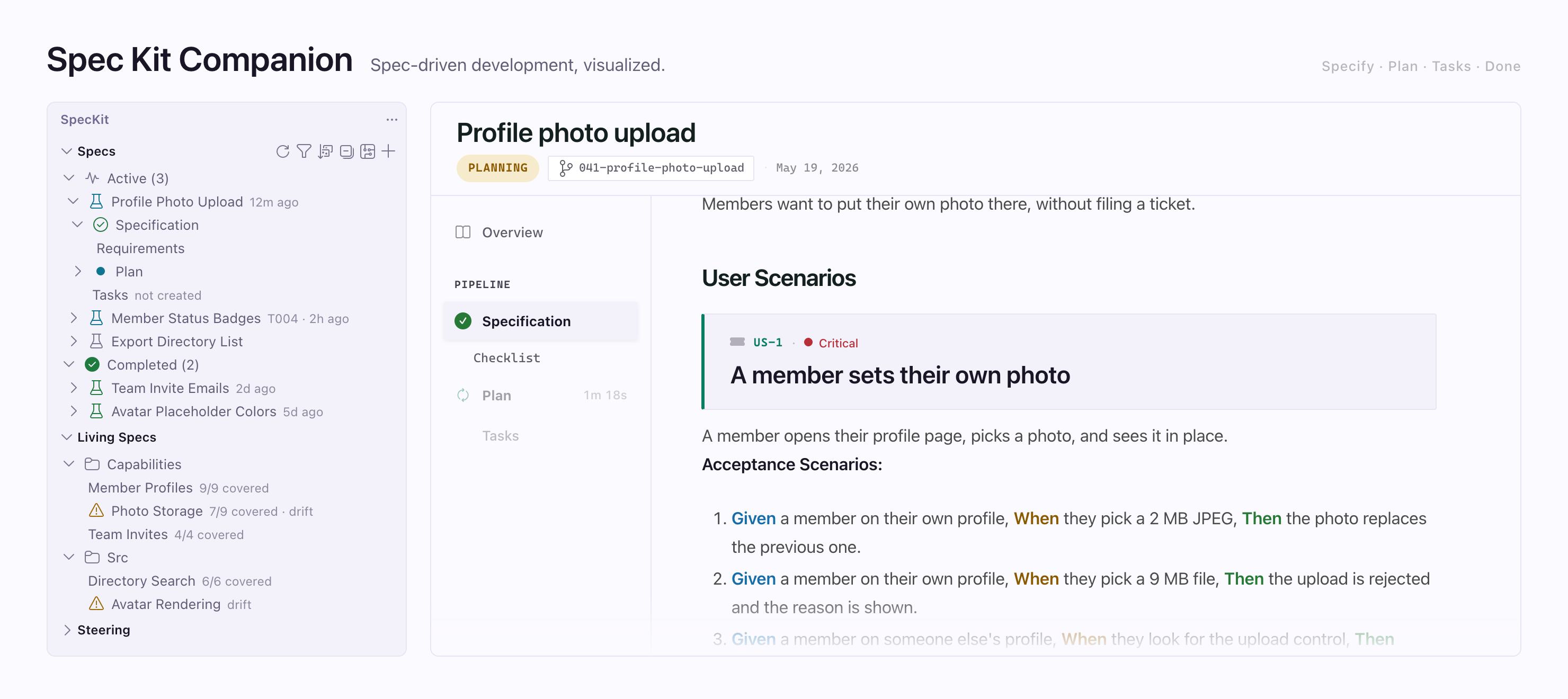
SpecKit Companion lets you read, review and track your specs in VS Code. A spec is a markdown file that describes what to build before your AI assistant builds it. Spec Kit, the open source tool behind the specify command, has your assistant write those files. Spec-driven development explains the method.
What you get in VS Code
Section titled “What you get in VS Code”| Part | What it does | Read more |
|---|---|---|
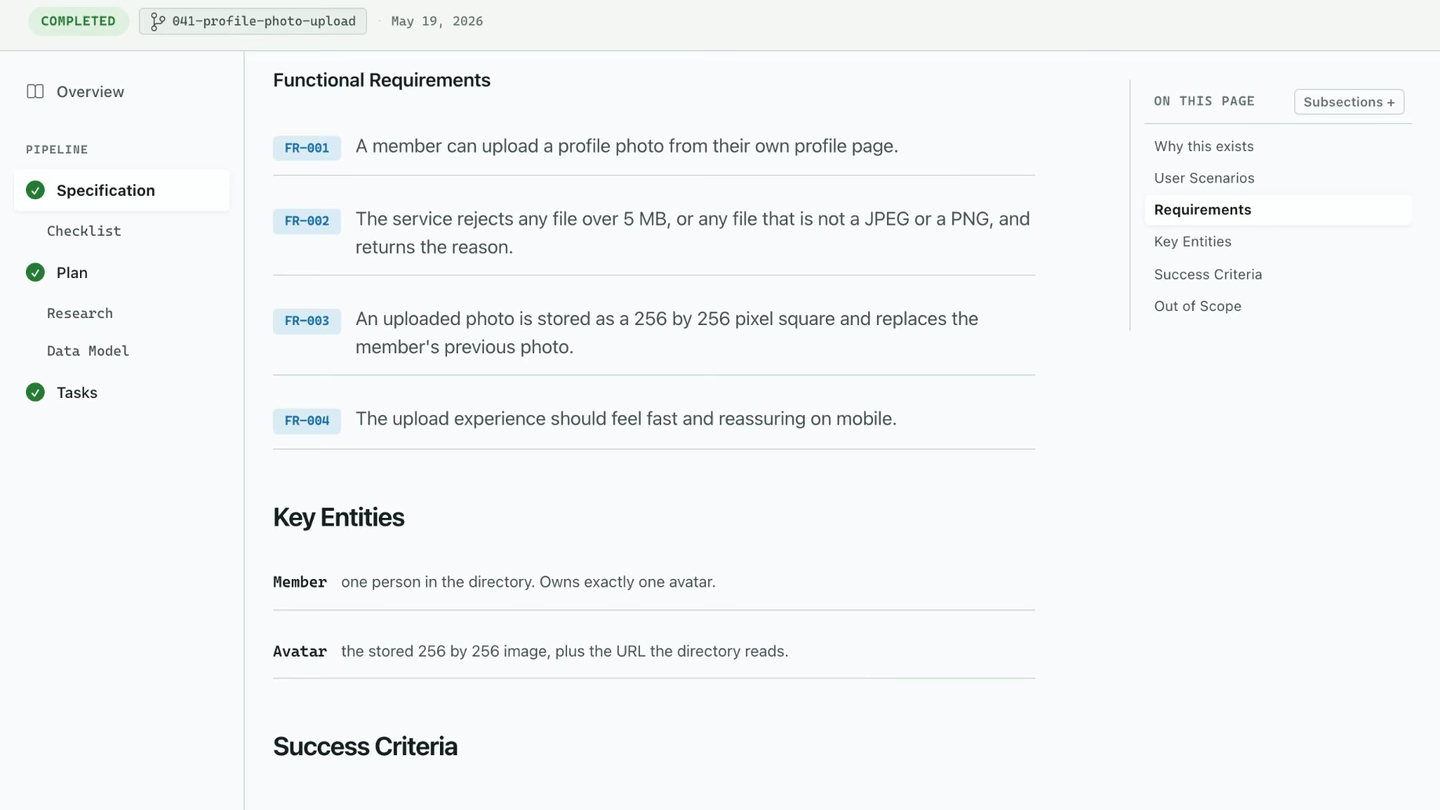
| Spec viewer | Opens the spec, plan.md and tasks.md as a page, with a rail for each document |
Inside the viewer |
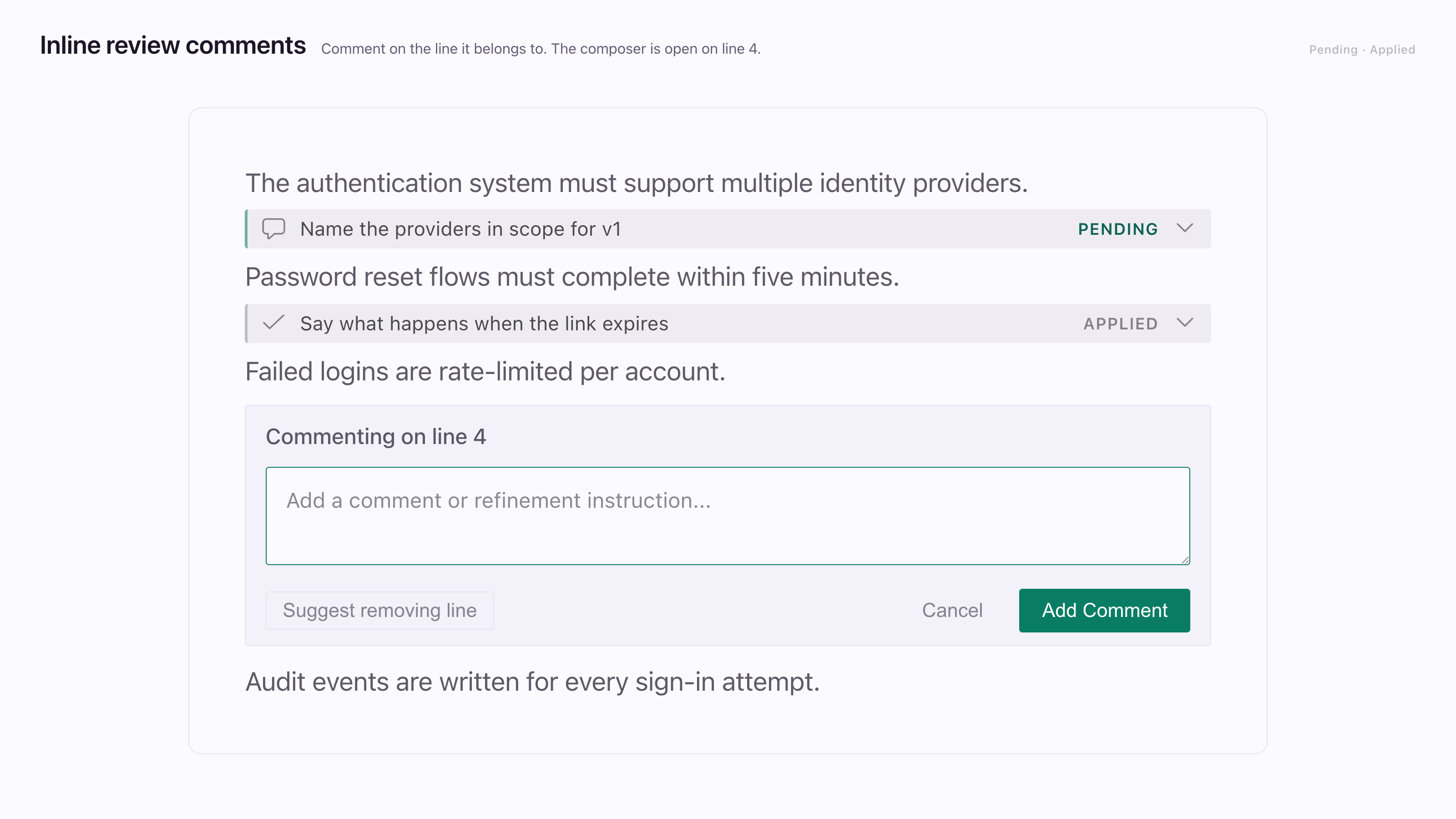
| Inline review | Lets you comment on any line and send the comments to your assistant | Review with comments |
| Specs sidebar | Lists every spec, grouped by where it stands | The sidebar |
| Steering view | Lists the standing instruction files your assistant already reads | Steering |
What the Companion Spec Kit extension adds
Section titled “What the Companion Spec Kit extension adds”This is a second piece that you install separately with the specify command. It records what each step did, how long it took, what it decided and what it checked, in a run record next to each spec. The Overview in the viewer shows that record.
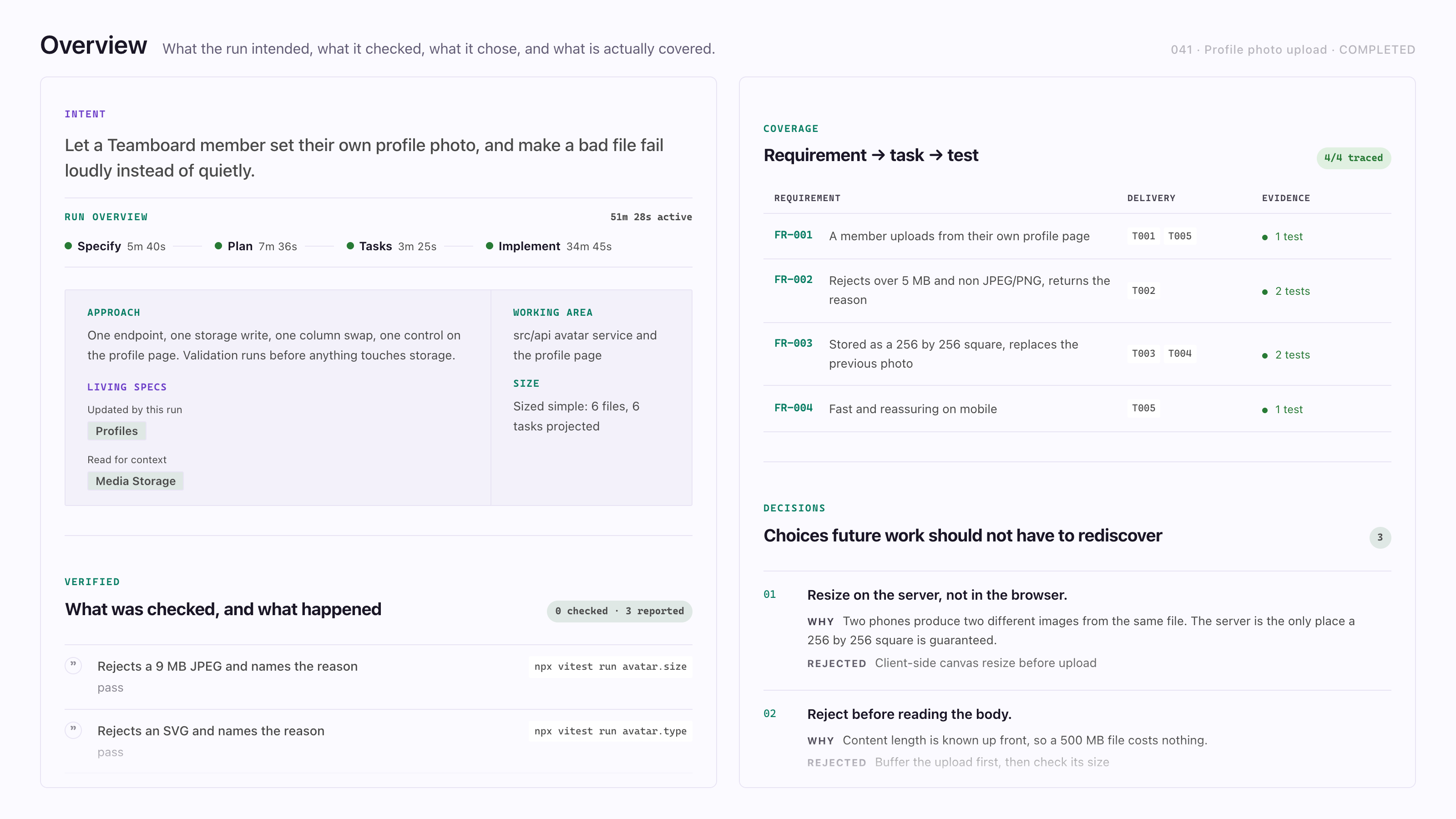
It also brings the /speckit.companion.* commands, a Resume button, a closing mark-complete step and Living specs. A living spec is a spec for behavior that outlives any one change.
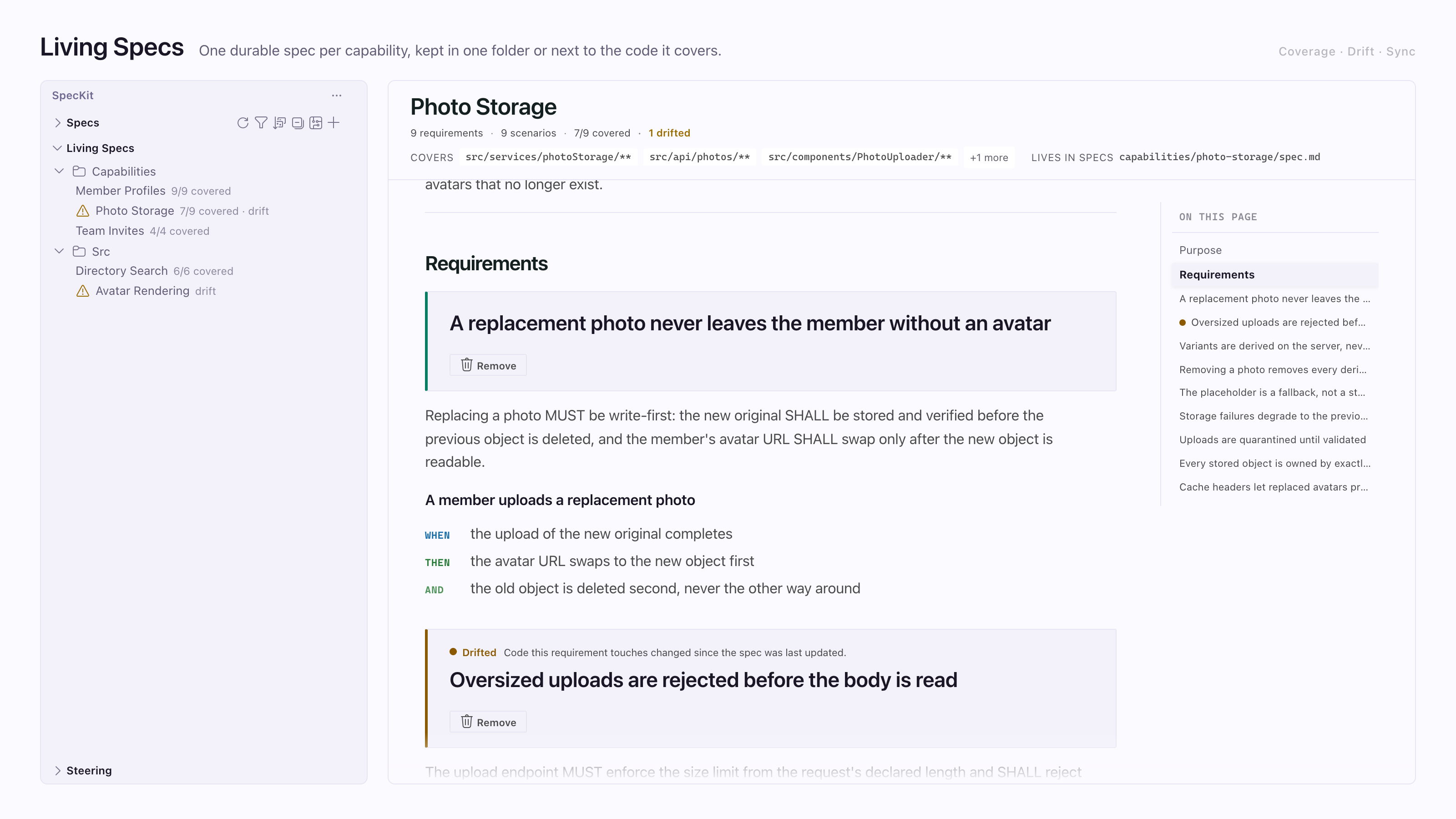
Either half works alone. With only the VS Code extension you get the viewer, comments and sidebar. A spec made without the second half just has less recorded on it.
One run, start to finish
Section titled “One run, start to finish”A Companion run turns a feature request into a spec, a plan, a task list and code. Where a step has several independent pieces, it can hand them to workers. When living specs are on, they are read before the work starts and updated when it ends.
Living specs, when the project turns them on
Going in
Load only what applies
Specify loads only the requirements for the files the change touches and records which capabilities they came from. Plan reuses that list. Each implement worker gets the requirements for its own files.
In the repo
One lasting spec per capability
Requirements and scenarios that outlive any one change.
Coming out
Fold the changes back
The feature spec says what the change added, modified, removed or renamed. At completion the fold writes that into each capability's spec. A malformed change is refused for its own capability only. Folding twice changes nothing.
01
Specify
The spec and its requirements checklist. Sizes the change.
Several code areas: up to four readers, extra areas share one.
02
Plan
The plan, with research, data model and contracts as the size warrants.
Several areas or documents: readers per area, then a writer per design document.
03
Tasks
The task list, laid out in waves. Every file has one owning phase.
No workers. One pass.
04
Implement
The code and its tests. Ticks each task and runs the project's own checks.
Workers for groundwork and for each large story, below.
Inside implement
First
Shared groundwork, in waves
The work every story depends on. A wave of four or more tasks goes to up to four workers, a smaller one is built in place, and the next wave waits for every worker.
Then
One worker per large story
- P1 story: worker
- P2 story: worker
- Small story: no worker
A story that owns five or more files gets a worker and the requirements for its files. Stories never share a file.
Join
Check, then merge
Each worker appends its own finishes and reports what it built, never file contents. The run checks each claim is on disk, then merges the finishes and ticks the tasks one at a time.
Then
Completed
Once every task is checked and the checks pass, implement marks the spec completed. Mark-complete is the same path, for recovery.
Folds the living-spec changes back.
Optional, outside the run
Spec Kit's converge
On a spec not yet completed, usually one a stock Spec Kit run leaves at implemented, converge checks the code against the spec, plan and tasks, then adds a phase of tasks or reports converged. It never changes the status, and completion does not wait for it.
- Time. A step counts only when its start and finish were both recorded by a writer the run trusts, and it ends at its own first finish. A wait between steps counts toward nothing.
- A small change. Specify writes a short plan and task list itself, and the run goes straight to implement.
- One piece of work, or no way to start workers? The step does it itself and writes the same files.
What it does not do
Section titled “What it does not do”SpecKit Companion hands your assistant the text of a command, then reads whatever lands on disk. It never reads the chat back, and it gets no signal when your assistant finishes.
Where to go
Section titled “Where to go”| You want to | Go to |
|---|---|
| Set it up | Install where you work, then Your first spec |
| Know what a step does and leaves behind | Each step, starting with Specify |
| Understand what a run recorded | The Overview and Track progress |
| Work outside VS Code | In the Copilot app or In Claude Code |
| Change what a step does | Workflow Builder |
| Look up a command or a setting | Commands and Configuration |