

Watch it run, keep the record
Phases and timing while the agent works, written to one file you can commit.
Track progressOPEN SOURCE · RUNS IN YOUR EDITOR
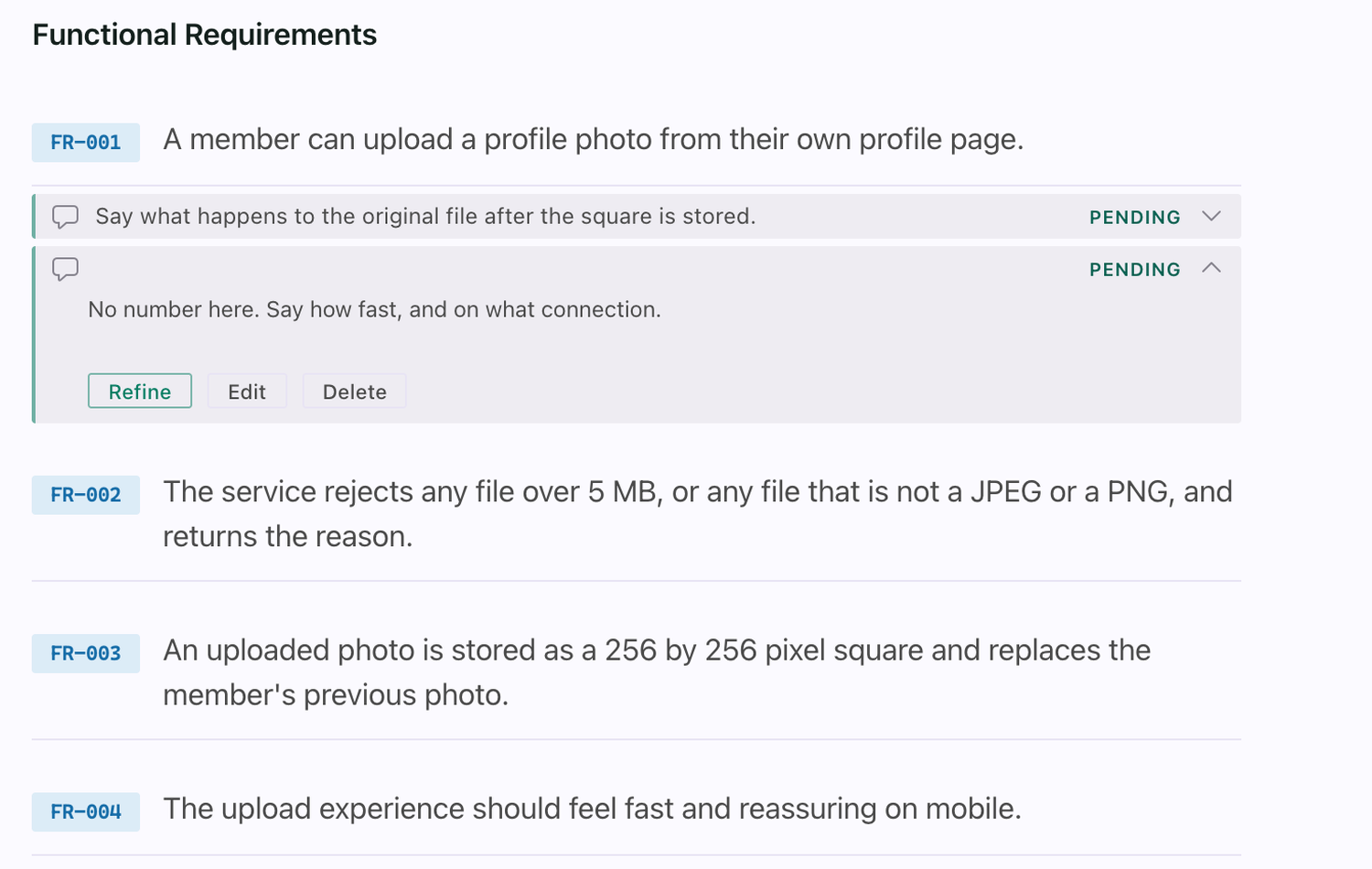
Read a run instead of a folder. Keep what you learned instead of archiving it. Send your review notes back to your agent by writing in the margin, not by re-prompting from scratch.
Your specs. Your pipeline. Your record. Your repo.
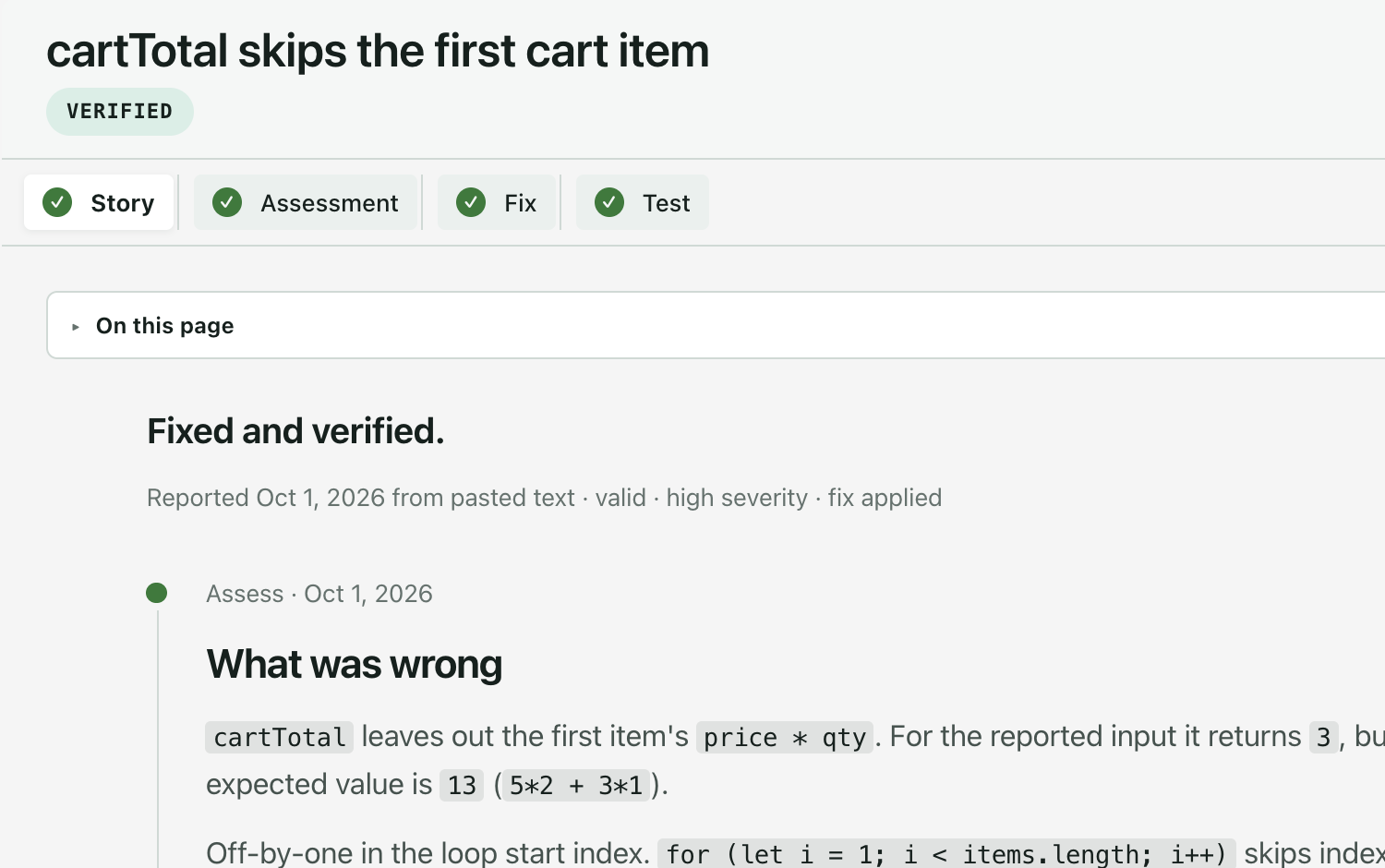
The whole run on one page: what it was for, what it decided, and what traced to a test.
Want to learn spec-driven development, start to finish? soon
A course with Spec Kit: take a vague idea to a spec, a plan, tasks and shipped code.See the outline
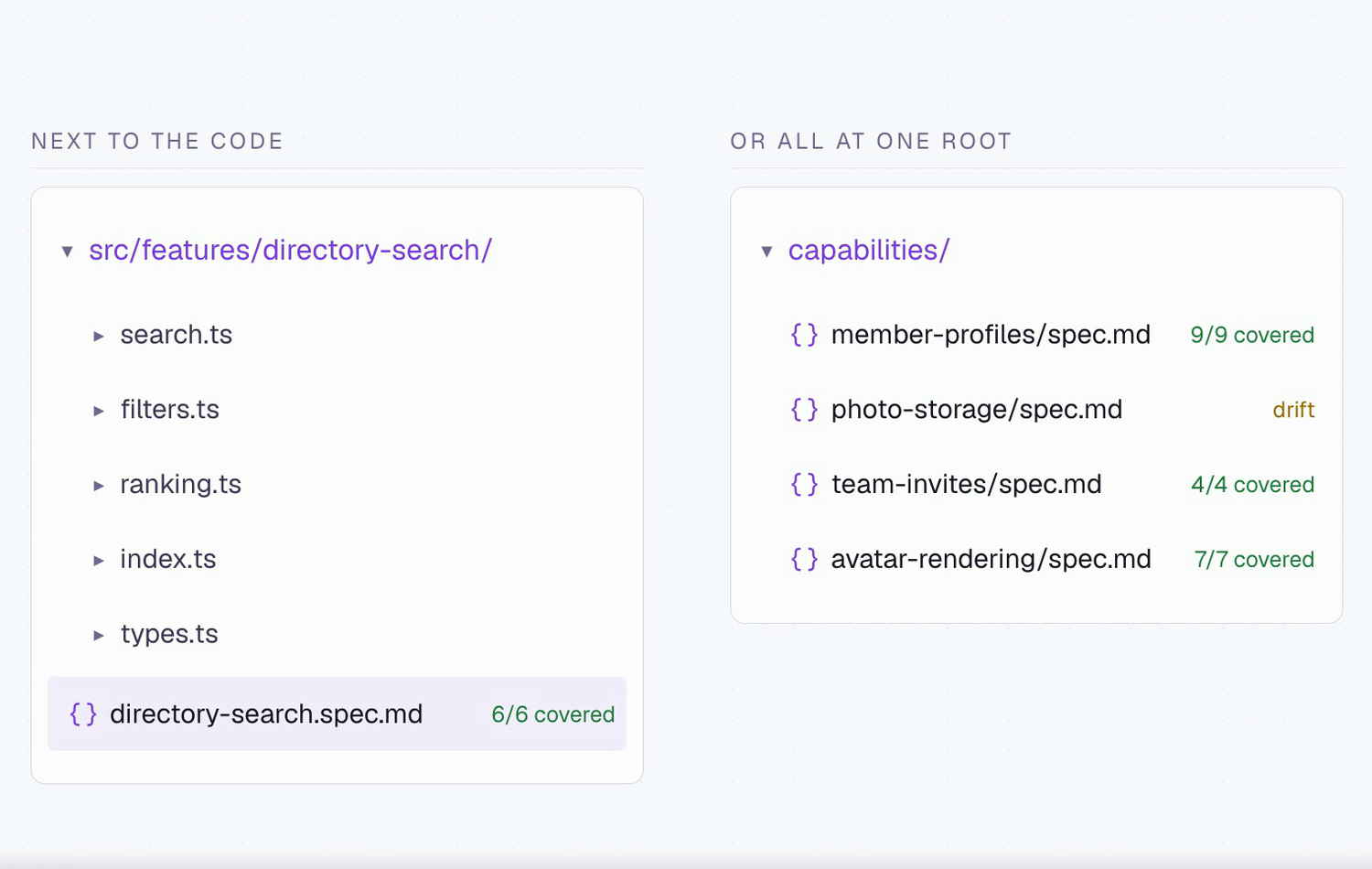
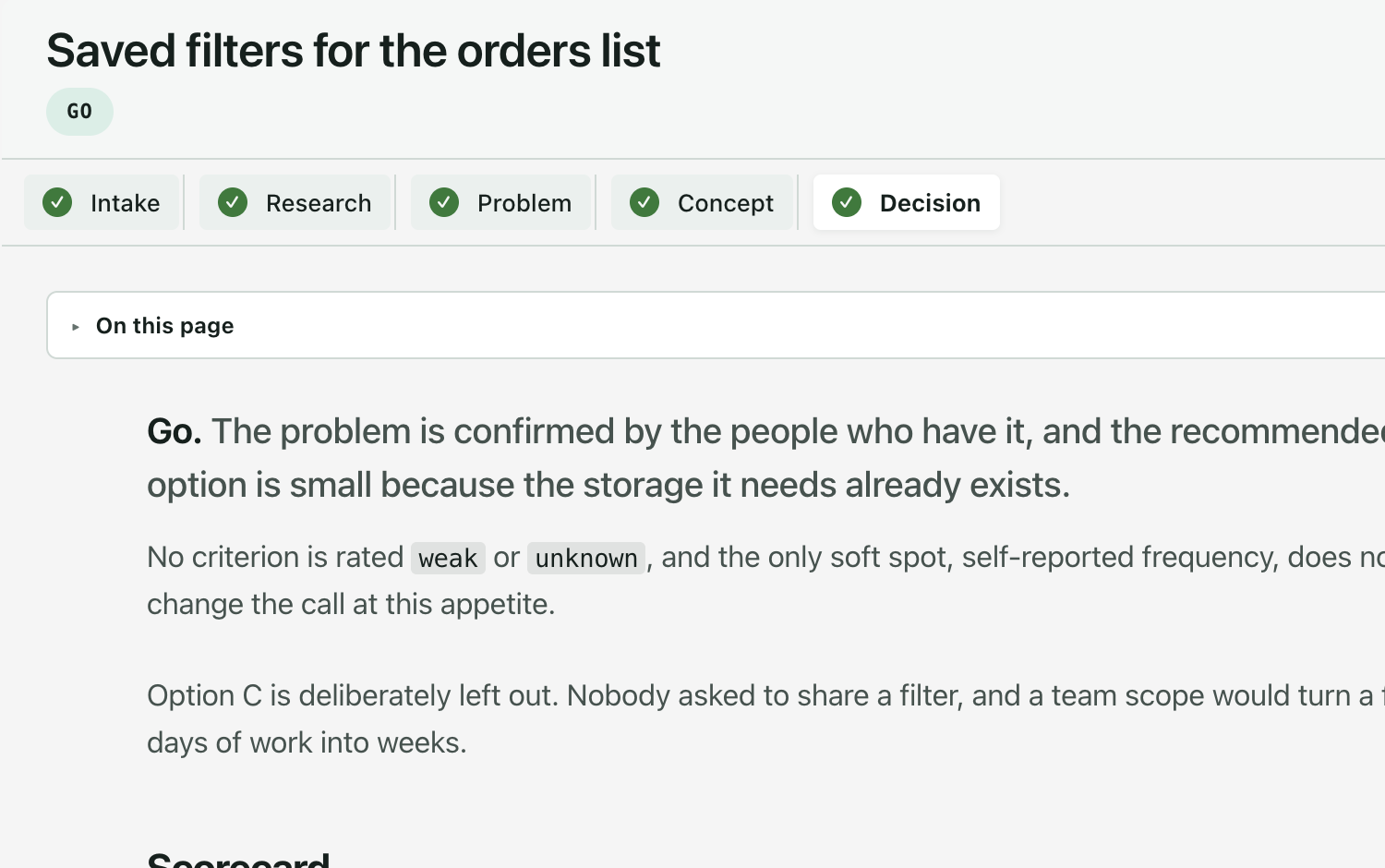
A finished run becomes one page: what it was for, how it was approached, where in the codebase it landed, and what it decided against — with a coverage table that puts untraced requirements first.
Read the Overview guide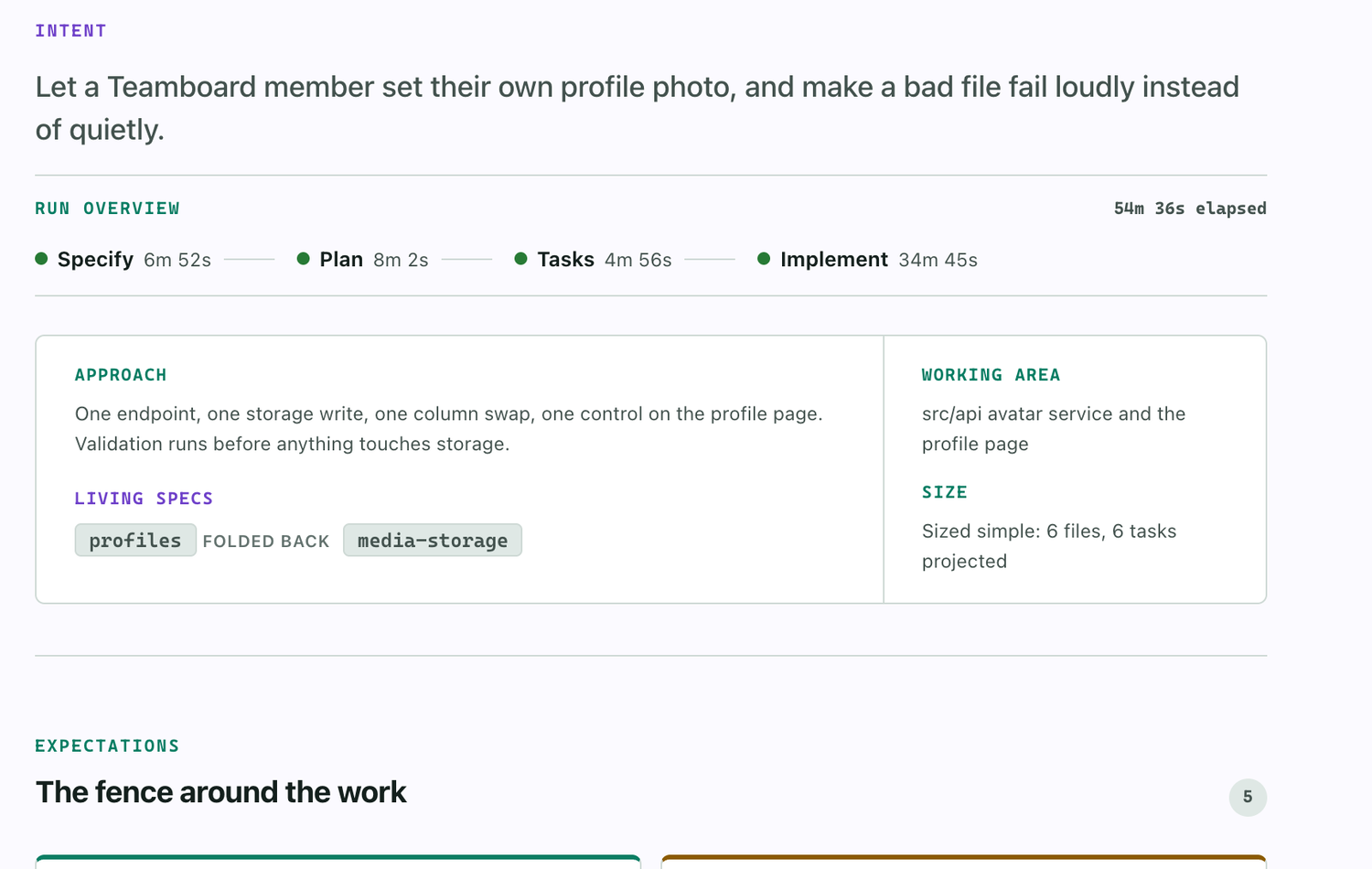
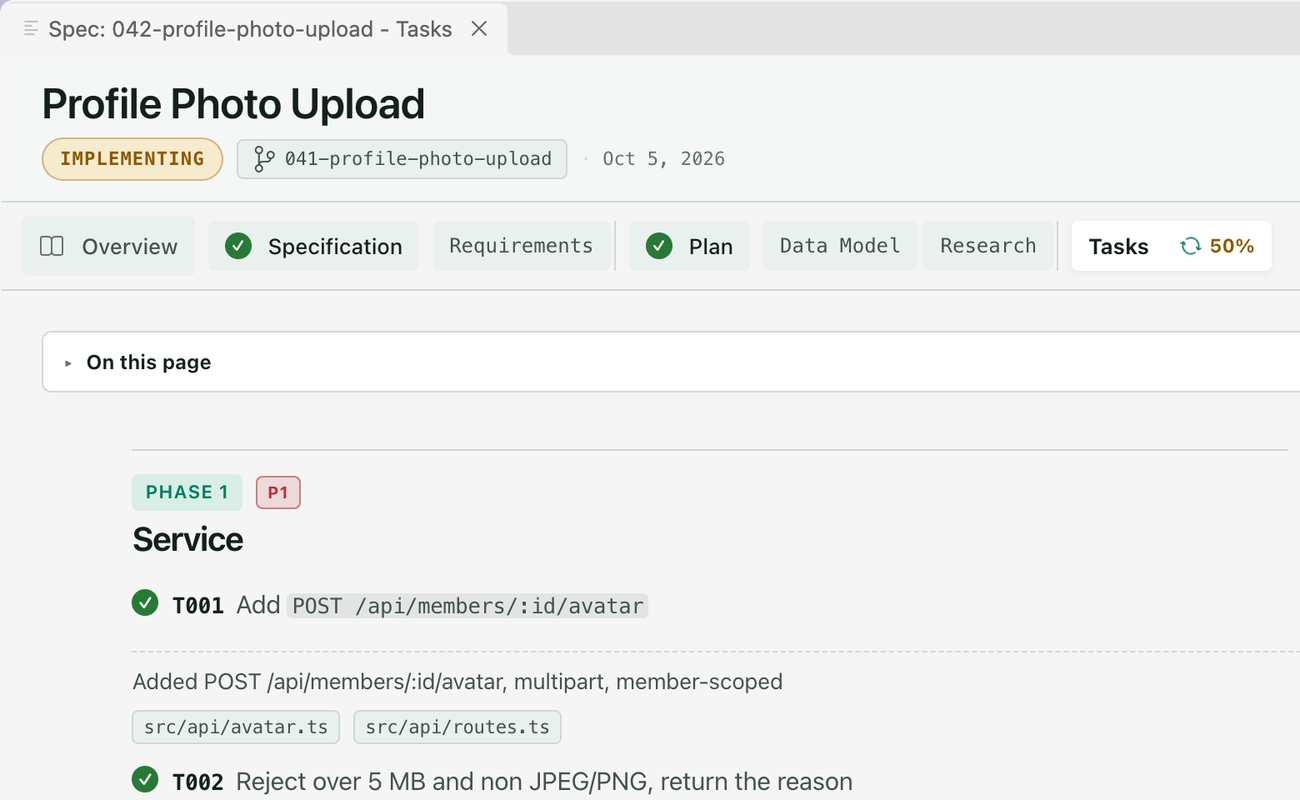
Every picture is the extension itself. The first four are short clips.
Three steps wherever you are. They all read the same spec files, so you can use more than one.
Get Spec Kit
GitHub’s toolkit for spec-driven development. The stock PyPI `specify-cli` has no `extension` command, so use this build.
uv tool install specify-cli --from git+https://github.com/github/spec-kit.git --forceAdd the Companion extension for Spec Kitoptional
Recommended. It records each run and adds the Companion pipeline. The same command updates it later.
specify extension add companion --from https://github.com/alfredoperez/speckit-companion/releases/download/companion-latest/companion.zip --forceInstall the VS Code extension
The workspace: viewer, review, live runs, overview. Then choose your assistant in the picker it shows.
Get Spec Kit
GitHub’s toolkit for spec-driven development. The stock PyPI `specify-cli` has no `extension` command, so use this build. Then set the project up for Copilot, from its root.
uv tool install specify-cli --from git+https://github.com/github/spec-kit.git --forcespecify init --here --integration copilotAdd the Companion extension for Spec Kitoptional
Recommended. It records each run and adds the Companion pipeline. The same command updates it later.
specify extension add companion --from https://github.com/alfredoperez/speckit-companion/releases/download/companion-latest/companion.zip --forceAdd the board
From a checkout of the SpecKit Companion repository. Swap <project> for your project, then commit to your default branch.
cp -R apps/copilot-canvas/com.github.copilot/extensions/speckit-companion <project>/.github/extensions/speckit-companionAccept the repository content and start a new session
Choose Review repository content, then Accept for new sessions. Only a new session gets the board. Then ask for it.
Open the SpecKit Companion canvas.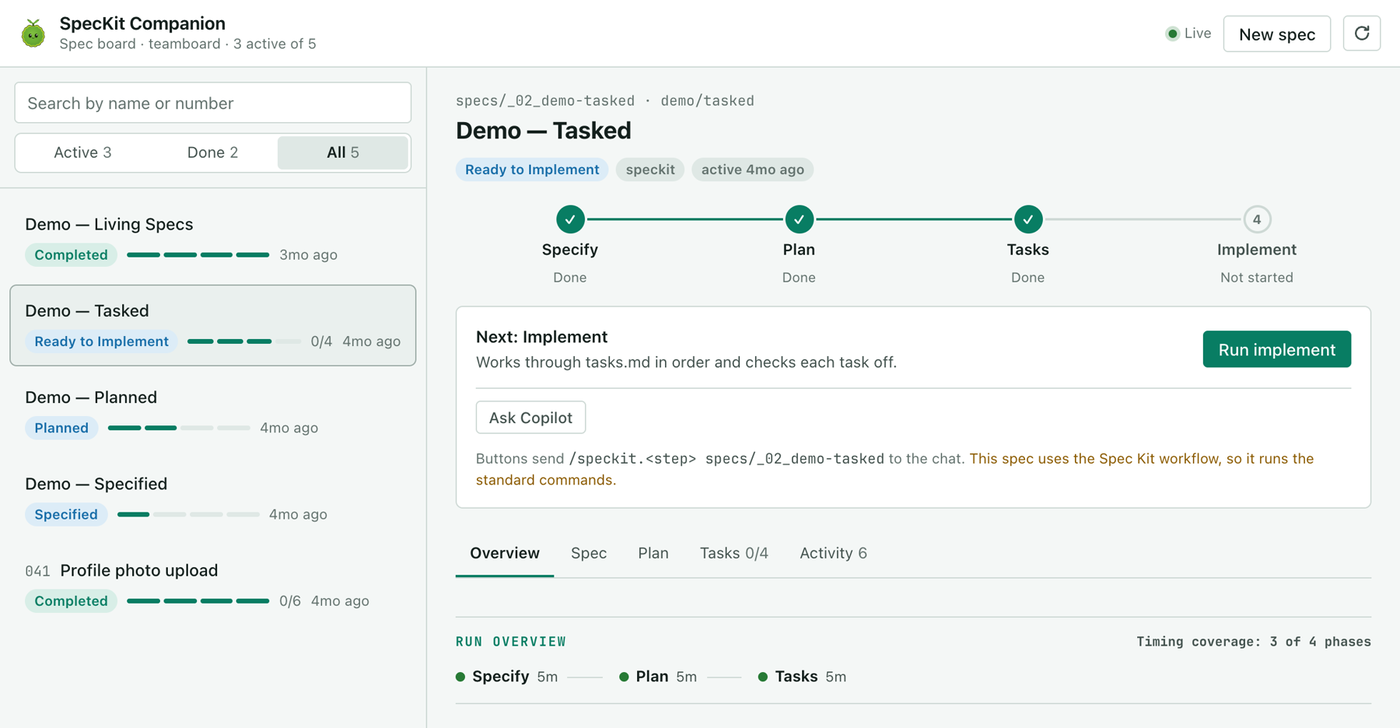
Get Spec Kit
GitHub’s toolkit for spec-driven development. The stock PyPI `specify-cli` has no `extension` command, so use this build. Then set the project up for Claude Code, from its root.
uv tool install specify-cli --from git+https://github.com/github/spec-kit.git --forcespecify init --here --integration claudeAdd the Companion extension for Spec Kitoptional
Recommended. It records each run and adds the Companion pipeline. The same command updates it later.
specify extension add companion --from https://github.com/alfredoperez/speckit-companion/releases/download/companion-latest/companion.zip --forceAdd the mod
Needs Claude Code 2.1.287 or later. In a session that is already open, run /reload-plugins, then /speckit-tracker.
claude plugin marketplace add https://speckit-companion.dev/plugins/marketplace.jsonclaude plugin install speckit-companion@speckit-companion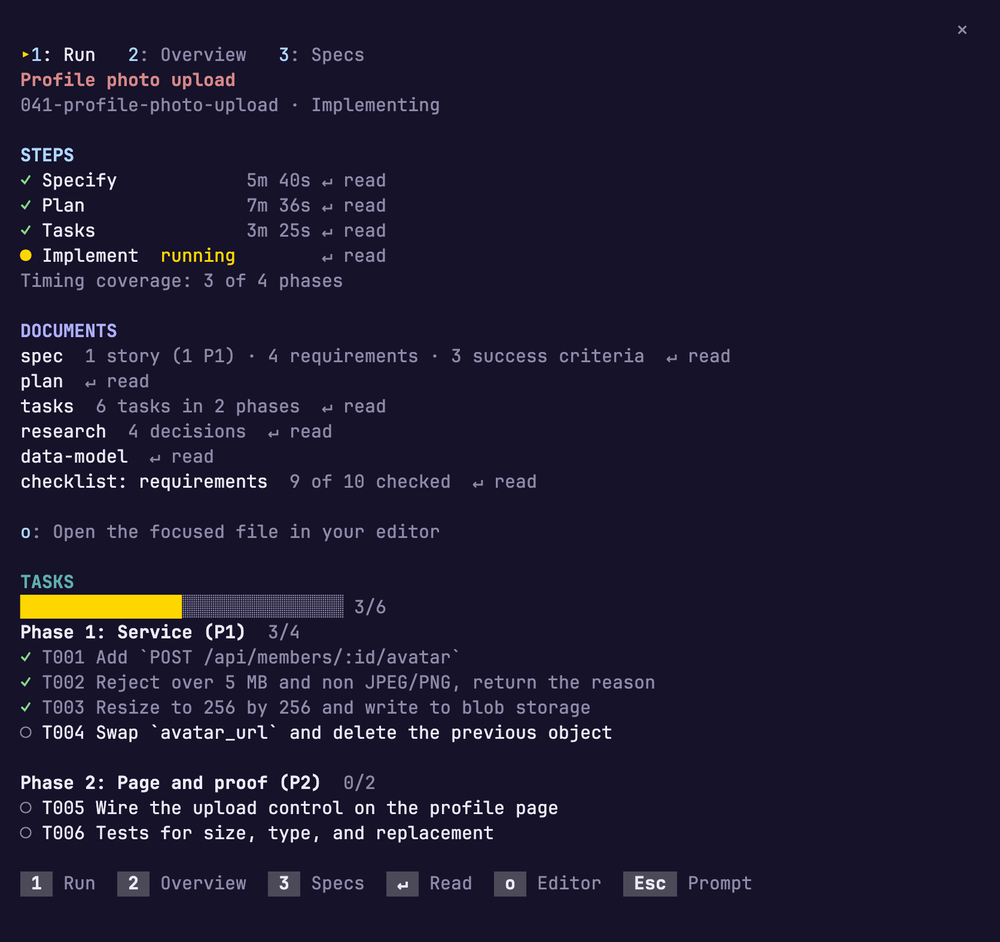
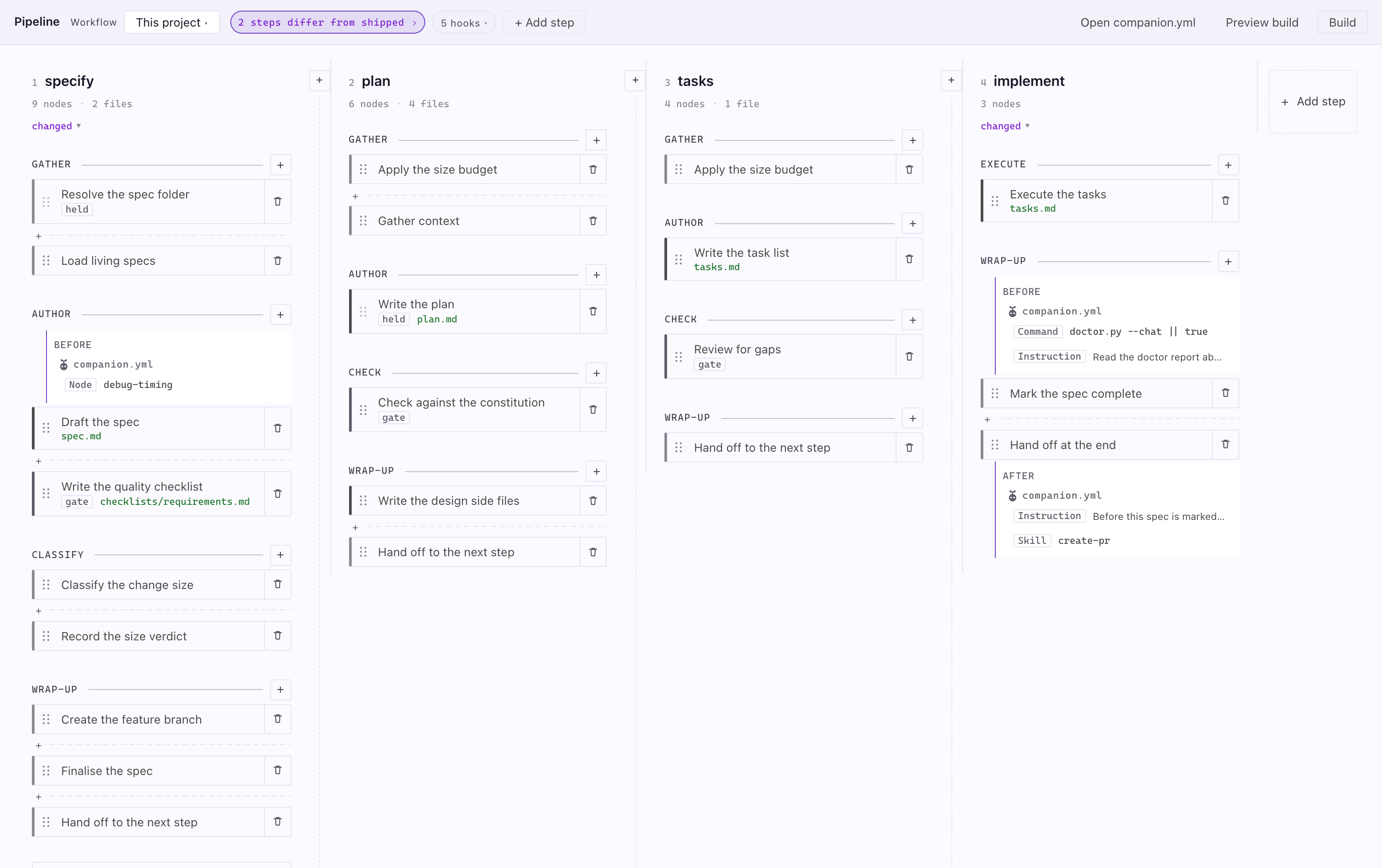
The Workflow Builder shows what your assistant does at each Companion step. Change it on the board, then build. It ships in the VS Code extension today, in beta, and it is still changing.
See the run before you start one
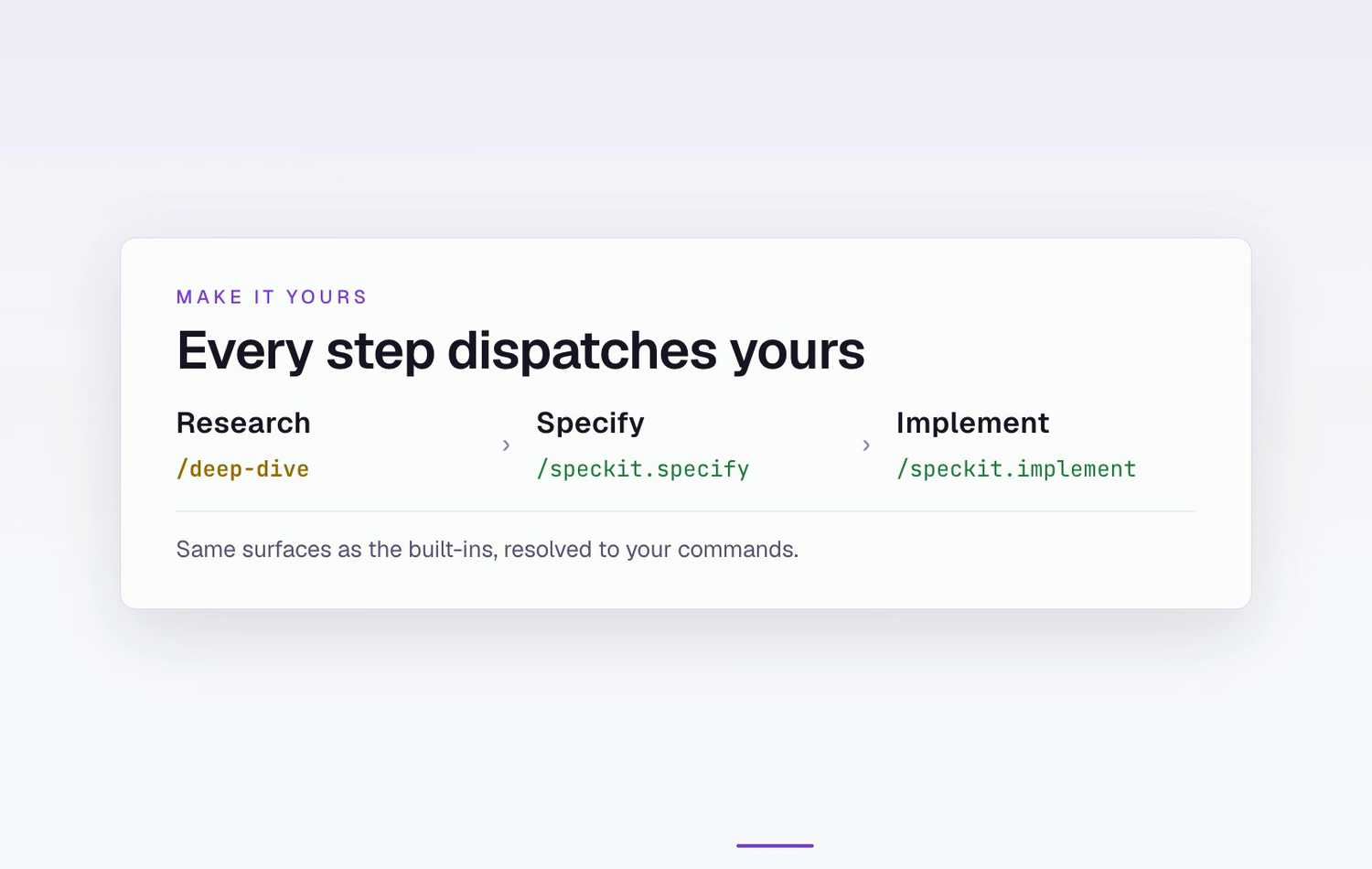
Each step is a column. Inside it are its phases, the nodes your assistant reads, and the files a run writes.
Spot what is yours
Anything your project changed carries one color. A chip in the header says how many steps differ from shipped.
Edit, move or replace a node
Rewrite a node, drag it to reorder, or swap it for an alternative. Your version is saved in your repo and the shipped one is untouched.
Attach your own work
Add a skill, an instruction, a shell command or a node of your own before or after any node. Your assistant reads it at that point.
Build when you are ready
Add a step, or start a workflow from a preset. Nothing takes effect until you press Build, and a failed build changes nothing.
It opens from the circuit icon at the top of the Specs view, and needs the Companion extension for Spec Kit.Read the Workflow Builder guide
The smaller things you get with the VS Code extension.
Phases and timing while the agent works, written to one file you can commit.
Track progressTerminal CLIs, IDE chat, the Claude Code panel. Not every provider supports every piece.
Compare providersThe standing instruction files your assistant already reads, listed in one view.
SteeringOn a finished spec, one button sends Spec Kit’s converge command.
ConvergeTurn the task list into GitHub issues from the Tasks tab. It asks first.
The tasks stepA report marks what it still needs to know. Answer on the page.
Fix a bug60–68% leaner specs
Ceremony sized to the change, not to the template. The Companion pipeline skips the sections a typical change never needs.
Read the methodologyjumps to quick start · pick VS Code, the Copilot app or Claude Code