Copilot app
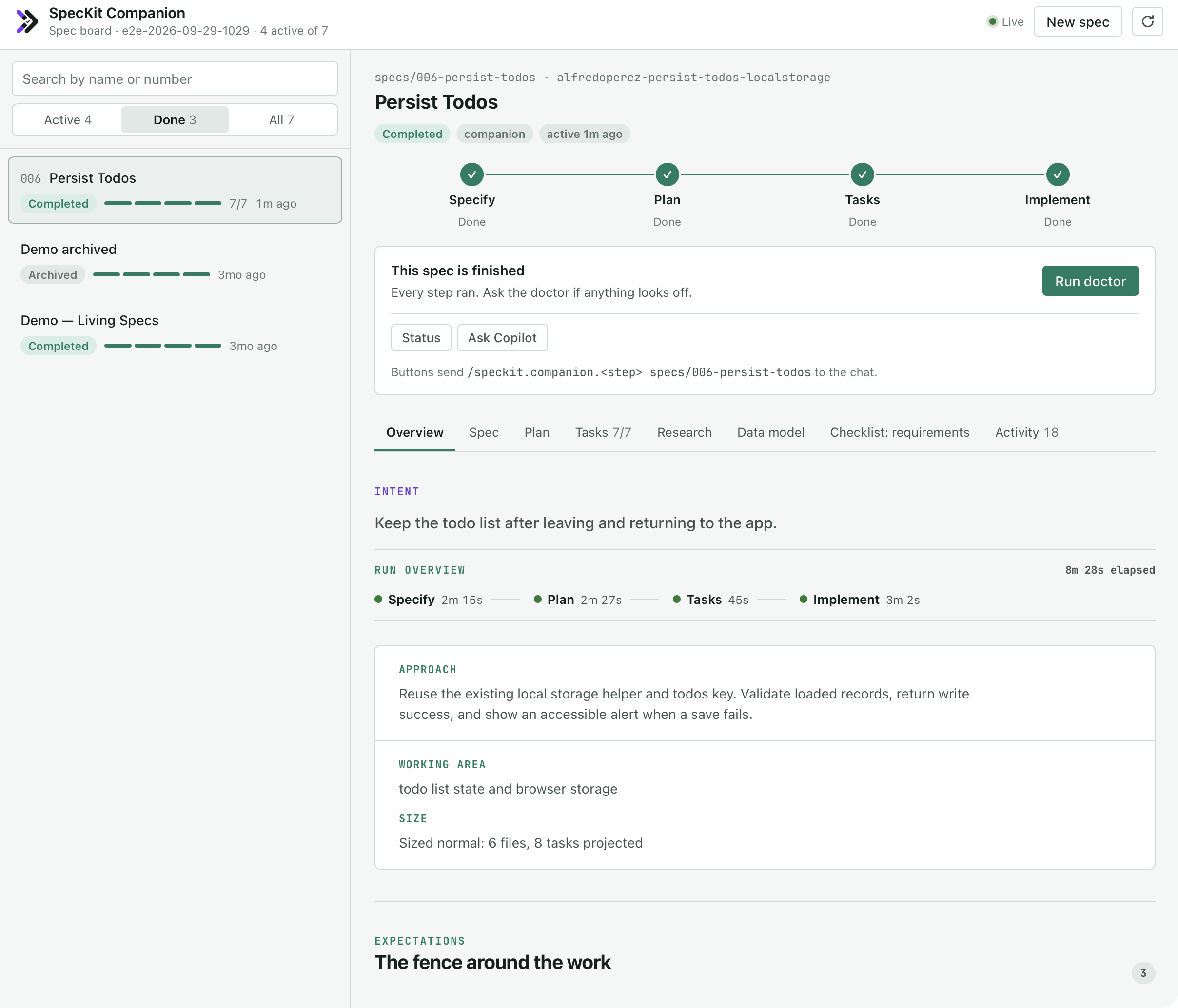
The board sits next to the chat in the GitHub Copilot app. It lists every spec in the project, opens the one you select, and runs the next step from a button. Install puts it there.
What the board shows
Section titled “What the board shows”| Part | What you see |
|---|---|
| Spec list | Each spec’s status, a four-step bar (specify, plan, tasks, implement) and its task count, most recently active first. Filter by Active, Done or All, or search by name or number. |
| Pipeline | The four steps of the open spec, each marked Not started, Running or Done |
| Next-step card | The step that comes next and the button that runs it, with the command it sends on the line below |
| Document tabs | The spec, plan, tasks, research, data model and checklists, rendered as they are in the VS Code viewer |
| Overview tab | The same record as the Overview in VS Code |
| Activity tab | The run history, newest first |
What you see
When the agent creates a spec, writes plan.md or ticks a task, the board updates without a refresh. That includes the first spec of a project that had none.
You can also drive the board from the chat. Ask “which specs are still open?” or “show me the export spec” and the board follows.
What each button sends
Section titled “What each button sends”A button sends one command into the chat, and your agent runs the step from there. The board never edits a spec document itself.
| Button | Where | What it sends |
|---|---|---|
| New spec | The header | Specify with your description, in the workflow you choose: Companion, Spec Kit, or Auto, which runs every step without pausing |
| Run plan, Run tasks, Run implement | The next-step card | The next step for the open spec |
| Mark complete | The card, once every step is done | Mark complete |
| Resume | The card while a step is running, or the row under it | Picks a stopped run back up |
| Doctor | The row under the card | A health check of the run |
| Ask Copilot | The row under the card | A read-only question about where the spec stands |
With the Companion Spec Kit extension in the project, the buttons send /speckit.companion.*. Without it they send the stock Spec Kit commands, and Mark complete, Resume, Doctor, and the Companion and Auto choices on New spec aren’t offered. A spec keeps the workflow it was started with, so one that was started on Spec Kit gets the stock commands even where Companion is installed.
The board spells each command the way your project registers it: /speckit-plan when the commands are skills, /speckit.plan when they’re prompt files.
After a send, a note at the foot of the board names the command. Show prompt opens the whole message and Copy copies it, which is what you need when a session has no chat to send to.
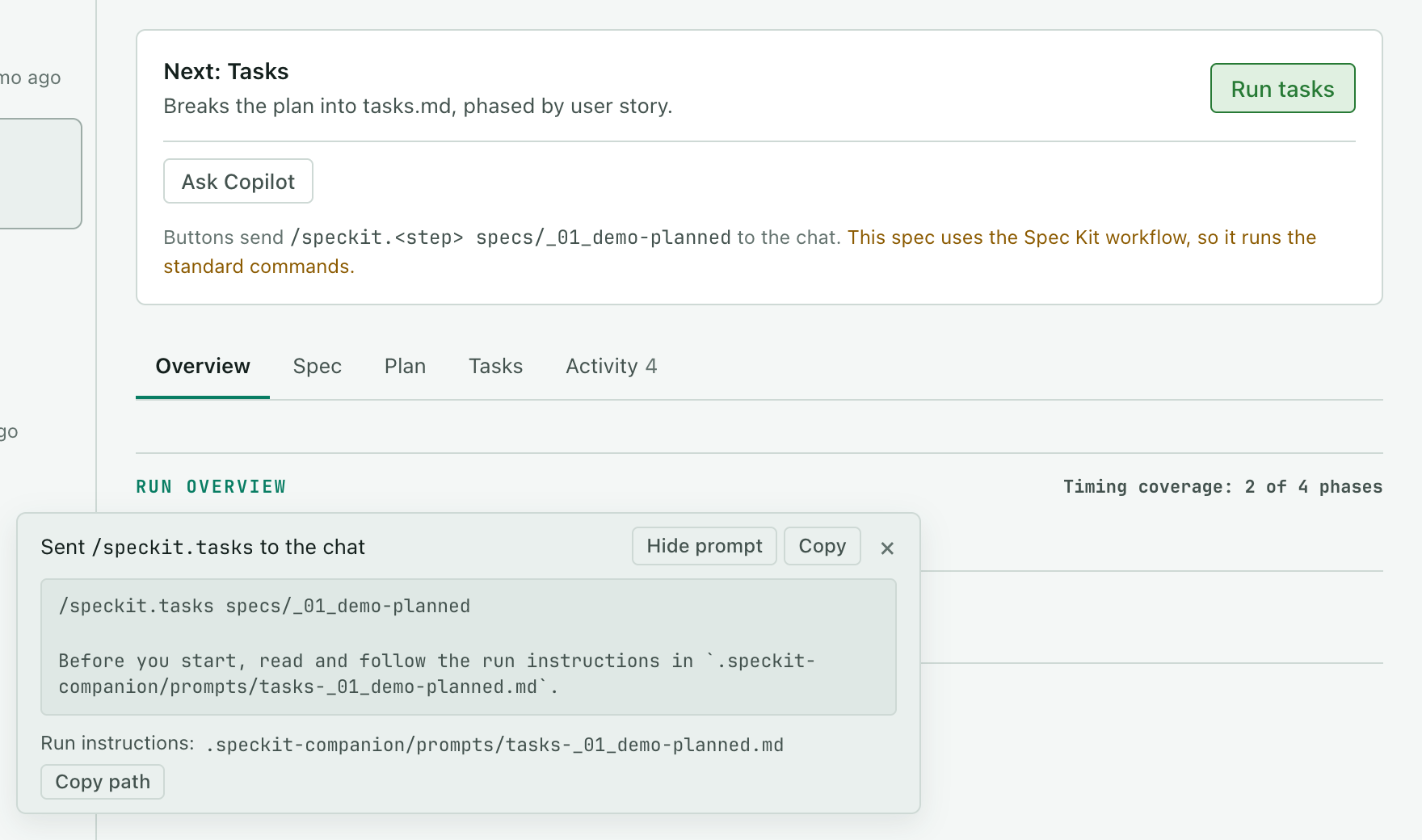
In a project without Companion, the card and the New spec form say so in one line. Install it shows the install command with a Copy button, and Ask Copilot to install it asks the agent to run it. Dismiss the line and it stays hidden for the session.
A run on the board
Section titled “A run on the board”You press one button per step and the board moves on when the agent finishes. This clip follows one spec, a profile photo upload, from New spec to done.
-
Press New spec, choose Companion, describe what you want and submit. When the agent finishes, the spec is in the list as Specified and the card offers Run plan.
-
Press Run plan. Plan turns to Done, and the plan, the research and the data model get a tab each.
-
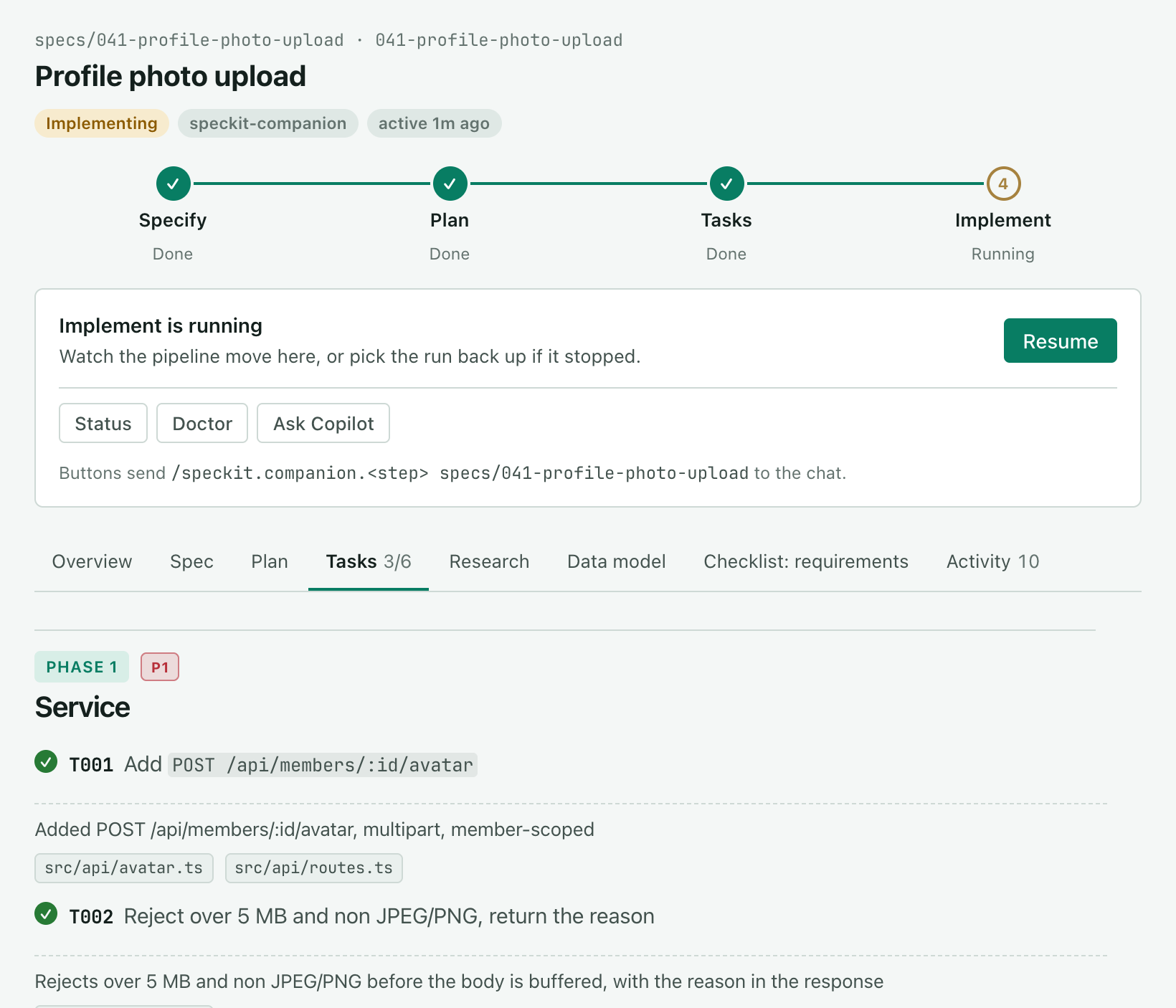
Press Run tasks. The Tasks tab lists every task by phase and counts
0/6. -
Press Run implement. Implement reads Running until the chat turn ends, and each task is ticked as the agent finishes it, with the files it touched. If the run stops, press Resume.
What each step writes is on The steps.
Step times without Companion
Section titled “Step times without Companion”Companion records every step, so the Overview has a time for each one. In a stock Spec Kit project the board reads progress from the files instead: a written spec, plan.md or tasks.md marks its step done, and ticked tasks show how far Implement is. There the Overview times only the steps you sent from the board, because a step you typed into the chat yourself has no start the board could note.
Known limits
Section titled “Known limits”- The board is clipped after you narrow the panel. Dragging the divider between the chat and the board leaves the board at its old width, cut off on the left, because the Copilot app doesn’t resize the panel’s page. Close the board and open it again after resizing.
- Each session runs in a fresh worktree. The app cuts it from your committed default branch, so it has no
node_modules, and an implement step that runs tests installs the project’s dependencies first. For the same reason, Companion’s commands only resolve when they’re committed as real files. - Opening the board starts nothing. If your agent goes looking for work after opening it, ask “Only open it, then wait for me.”