Plan blocks
| Block | What it shows | Written when | Budget |
|---|---|---|---|
calls |
The functions a change reaches, marked new, changed or removed | The change crosses functions or files | 3 blocks of 12 lines |
code |
A few lines of code with a note pinned under one | One line needs a note to be understood | 12 lines a sketch, 3 pins |
states |
A lifecycle you click through | The change adds or alters a lifecycle | 2 blocks of 8 states and 10 arrows |
screen |
A rough sketch of a screen | The change alters what a person sees | 2 screens of 14 parts and 5 dots |
Each block is a fenced code block in plan.md, so it reads as plain code on GitHub or in a terminal, and the spec viewer draws it as a card. A block the viewer can’t parse stays a code block.
The Companion plan step picks the blocks a change needs after it writes the plan, records the pick, then runs a check on every block. A change sized simple gets none. If it skips a block you wanted, ask for it and run plan again, or write the block yourself.
The stock Spec Kit workflow doesn’t write blocks. To add one there, attach its node after the plan document is written, with call-paths, code-pins, states or screens as the ref. Workflow Builder and hooks covers how hooks attach.
commands: plan: hooks: after: plan-doc: - { type: node, ref: call-paths }```calls Offline favorite FavoriteArticleBriefButton() @ src/features/article/favorite-article/favorite-article.ui.tsx:6~ useFavoriteArticleMutation() @ src/features/article/favorite-article/favorite-article.mutation.ts:9+ isNetworkError() **new** @ src/shared/api/network-error.lib.ts+ enqueue() **new** @ src/entities/favorite-queue/favorite-queue.model.ts```note: the unfavorite mutation changes the same way.+ is new, ~ is changed, - is removed, and no mark means the function is on the path and stays as it is. Indent shows who calls whom. The check opens every cited file and reports a missing file or a line past its end.
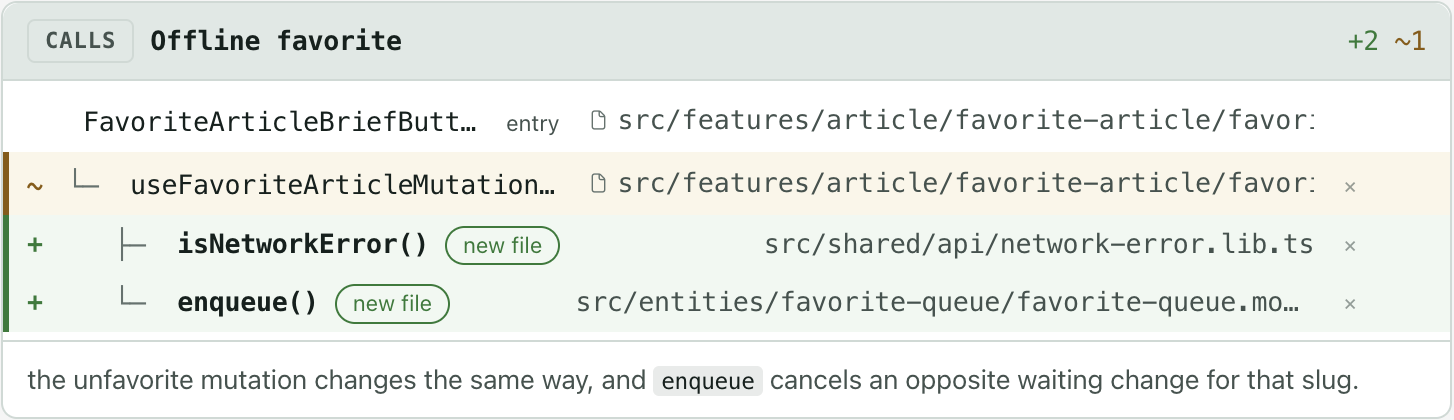
You can comment on a row or strike it, the same way you review any line.
```ts src/entities/article/article.api.ts:44-44 hl=44 placeholderData: keepPreviousData,```pin 44: this line keeps the old key's articles on screen under the new key, so it is the one to delete.A path with a line range cites real code. The card numbers it from that line, and the check opens the file to confirm the range exists. For code that doesn’t exist yet, write sketch before the path and leave the range off, as in ts sketch src/cart/total.ts hl=2.

States
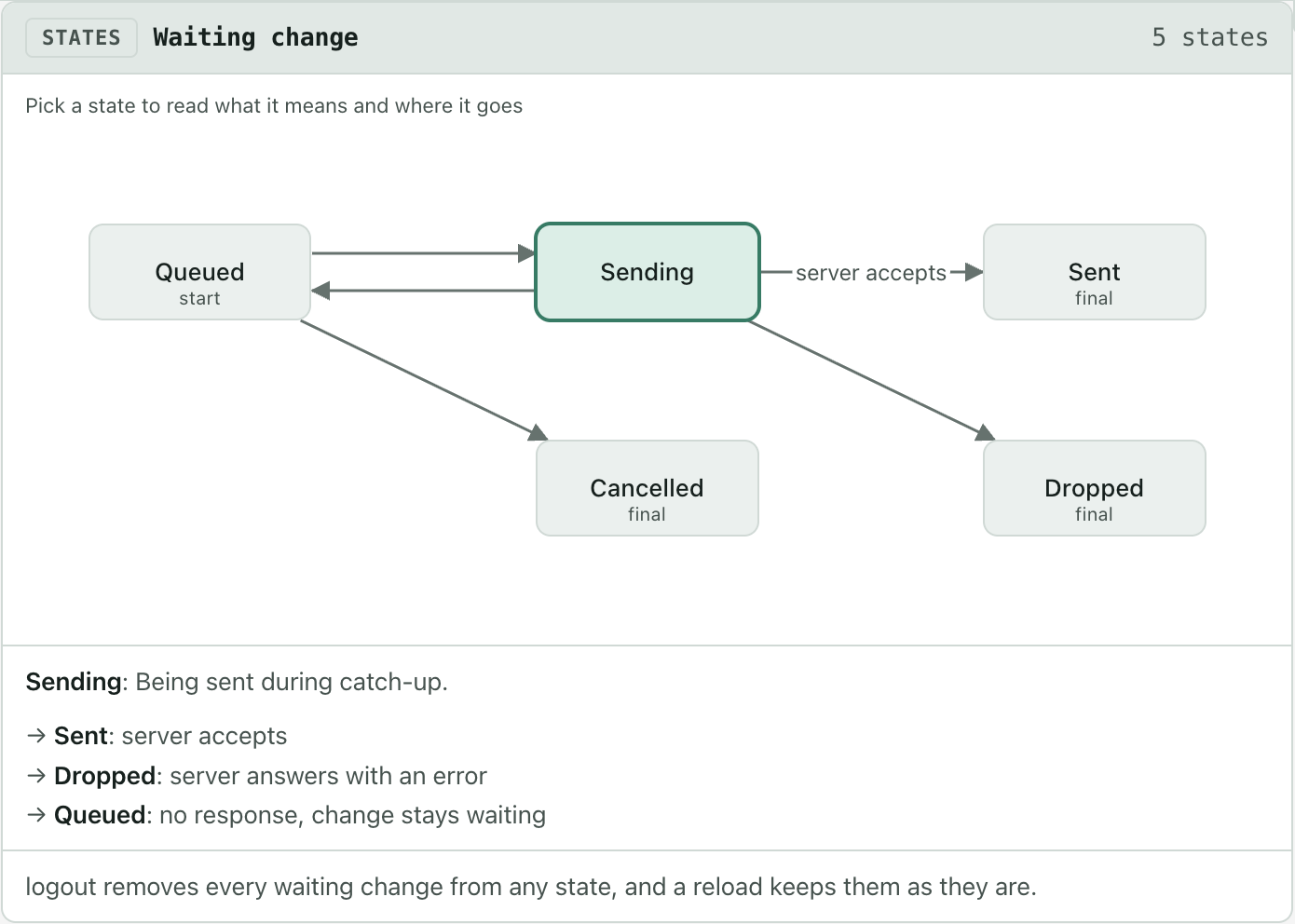
Section titled “States”```states Waiting changeQueued: Stored offline, waiting to be sent. (start)Sending: Being sent during catch-up.Sent: Server accepted it, removed from the list. (final)Dropped: Server rejected it, removed from the list. (final)Cancelled: Opposite change made, removed from the list. (final)Queued -> Sending: online report or launchQueued -> Cancelled: opposite change on the same articleSending -> Sent: server acceptsSending -> Dropped: server answers with an errorSending -> Queued: no response, change stays waitinggrid:Queued | Sending | Sent. | Cancelled | Dropped```The grid: rows place the states, up to 4 columns by 3 rows, and a . leaves a gap. A state can name a screen with shows <name>, and picking that state draws the screen under it. The check stops on a state nothing reaches and on a dead end that isn’t marked (final).
Screens
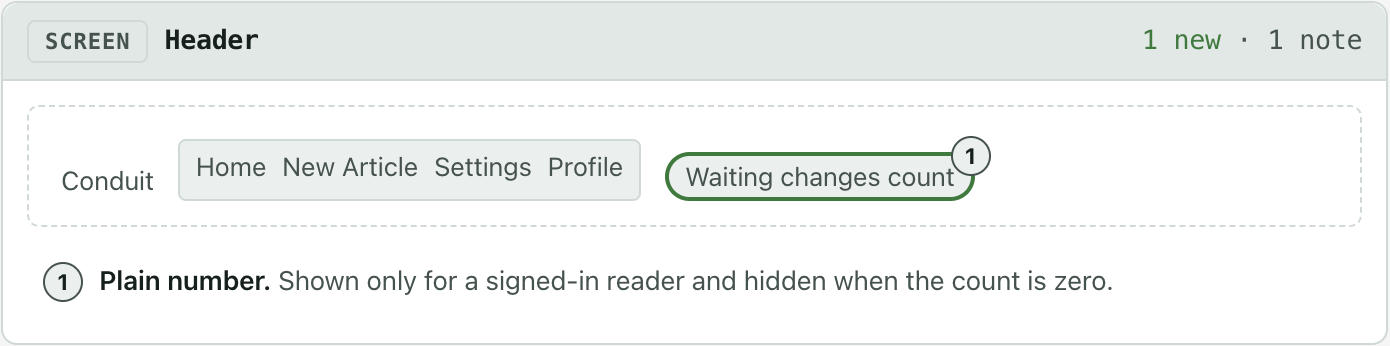
Section titled “Screens”```screen header Headerrow: text: Conduit list: Home | New Article | Settings | Profile chip: Waiting changes count (new) (1)```1: **Plain number.** Shown only for a signed-in reader and hidden when the count is zero.A screen is built from title, row, text, chip, button, field and list, one part per line, indented two spaces to sit inside a row:. Mark a part (new) or (changed), and add a numbered dot such as (1) to give it a note below the block.
Full grammar
Section titled “Full grammar”Every rule the check applies, and how to make it a gate: calls, code, states, screens.