Claude Code
The mod adds a band and a pane to Claude Code. Both follow one spec at a time and update while the agent works. The mod only reads: you still type every /speckit-* command yourself. Install adds it.
The band
Section titled “The band”One line above the prompt names the spec you’re following, a bar of ticked tasks, and where the run stands.

A finished spec reads Completed · Tasks 12/12 · 38m active.
The pane
Section titled “The pane”The pane sits beside the transcript and has three tabs.
| Tab | What it shows |
|---|---|
| Run | The four steps with the time each one took, the spec’s documents, and the task list by phase with a bar of ticked tasks |
| Overview | What the run recorded about the change: the intent, the approach, the decisions and why, what was verified, and any concerns |
| Specs | The recent specs, to pick the one to follow |
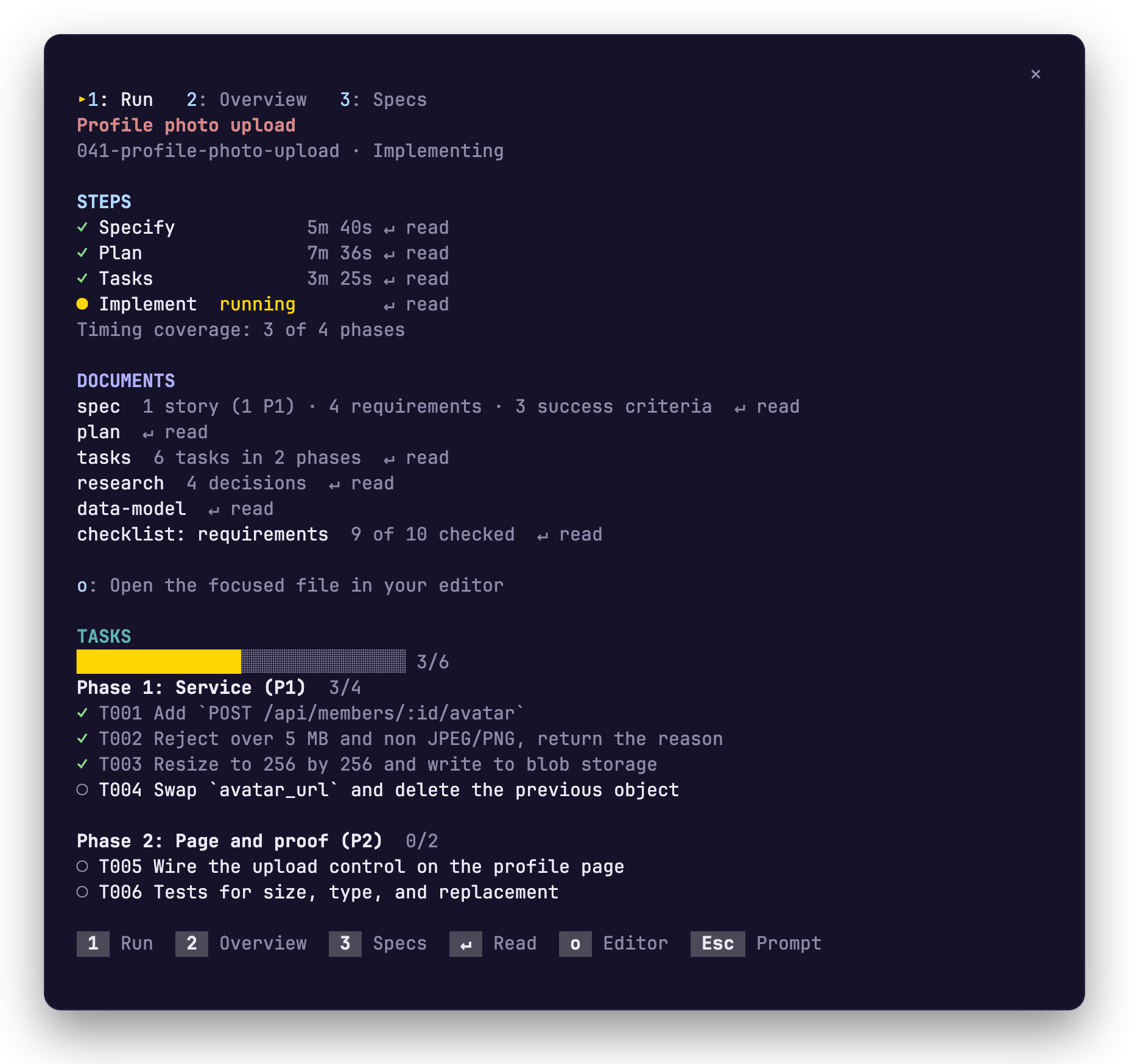
The pane opens by itself in a terminal at least 144 columns wide, once per session. In a narrower one, or after you close it, run /speckit-tracker. The colours come from your Claude Code theme.
In a stock Spec Kit project there’s no run record, so each step says when its document was last written instead of how long it took, and the Overview is built from the spec.
The foot of the pane lists them.
| Key | What it does |
|---|---|
1 2 3 |
Switch to Run, Overview or Specs |
| Tab or the arrow keys | Move between steps and documents |
↵ |
Read the step or document you are on, inside the pane |
o |
Open that file in your editor |
b |
Go back from a document |
Esc |
Give the keyboard back to the prompt |
On the Run tab, every step and document that has a file ends in ↵ read. Specify opens the spec, Plan opens the plan, and Tasks and Implement open the task list. A step whose file doesn’t exist yet says not written yet.
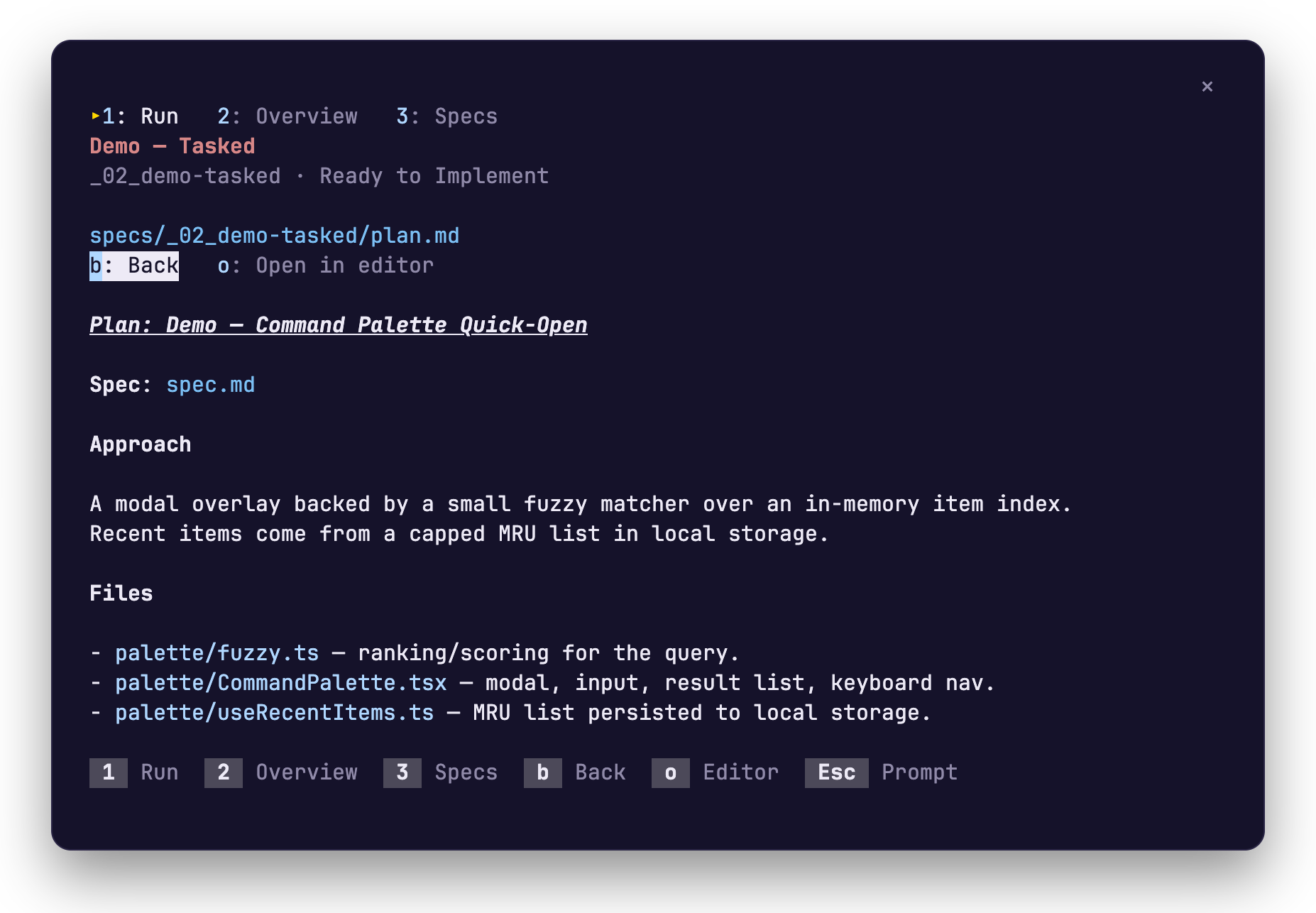
o opens the file in $VISUAL or $EDITOR when that editor has a window of its own, else in Cursor or VS Code, else in your system’s default app. If none starts, the path is copied to your clipboard.
Pick the spec to follow
Section titled “Pick the spec to follow”The mod follows the most recently active spec until you pick another with /speckit-tracker.
| You type | What happens |
|---|---|
/speckit-tracker |
The pane opens on its Specs tab. Move to a row and press Enter to follow it. |
/speckit-tracker 42 or /speckit-tracker export-csv |
The band and the pane follow that spec |
/speckit-tracker auto |
They go back to following the most recently active spec |
Your pick is remembered for the project. /spec is a shorter name for the same command.
A run in the pane
Section titled “A run in the pane”-
Type
/speckit-companion-specifyand what you want to build. When the turn ends, Specify is ticked with its time, the spec is among the documents, and the last line of the pane names the next command. -
Type
/speckit-companion-plan. Plan is ticked, and the plan, the research and the data model join the documents. -
Type
/speckit-companion-tasks. Tasks is ticked, and the task list appears by phase with an empty bar. -
Type
/speckit-companion-implement. Implement readsrunning, the bar fills, and each task is ticked as the agent finishes it. The band counts along.
On stock Spec Kit the commands are /speckit-specify, /speckit-plan, /speckit-tasks and /speckit-implement. What each one writes is on The steps.
Where it draws
Section titled “Where it draws”The Claude Code terminal and the Code tab of the Claude Desktop app draw the band and the pane. The VS Code extension’s chat panel and claude -p draw nothing, so there /speckit-tracker answers with text.