Living specs
A feature spec describes one change, and a year later current behavior is the sum of thirty of them minus what later ones undid. A living spec describes a capability, a piece of behavior your code keeps having, and the runs that change that code keep it current. Living specs come with the Companion Spec Kit extension and stay off until you set them up.
Start with one area
Section titled “Start with one area”Open the Living Specs view in the sidebar and click Set up living specs. It asks one question, whether to keep the specs together in one folder or beside the code they describe, and writes living-specs.yml at the repo root.
Then pick the area you explain most often and run /speckit.companion.living-adopt on it. Your assistant reads the code’s surface and drafts a spec marked [DRAFT]. Reading that draft is the fastest way to learn whether you drew the boundary in the right place.
What you see
Section titled “What you see”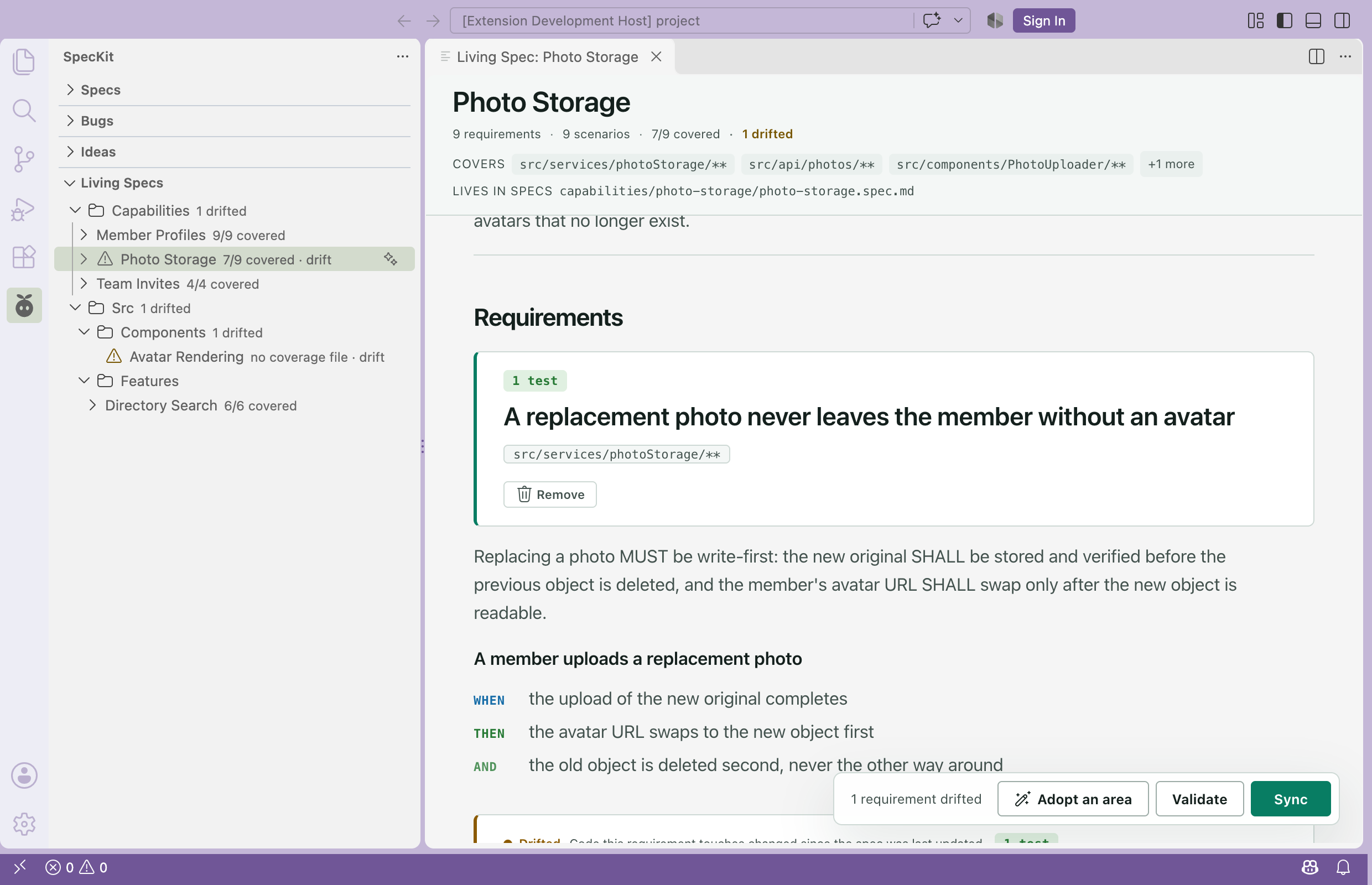
| On a row | Meaning |
|---|---|
7/9 covered |
Requirements with a test mapped in the coverage file. No file means no number, which isn’t the same as zero. |
Warning icon, drift |
Source files changed after the spec was last committed |
A living spec opens in the same viewer with its own header: the code it covers and the coverage count, where a feature spec shows a branch and a status. Requirements drafted from existing code carry an adopted badge until you approve them, and a drifted spec gets an Update button.
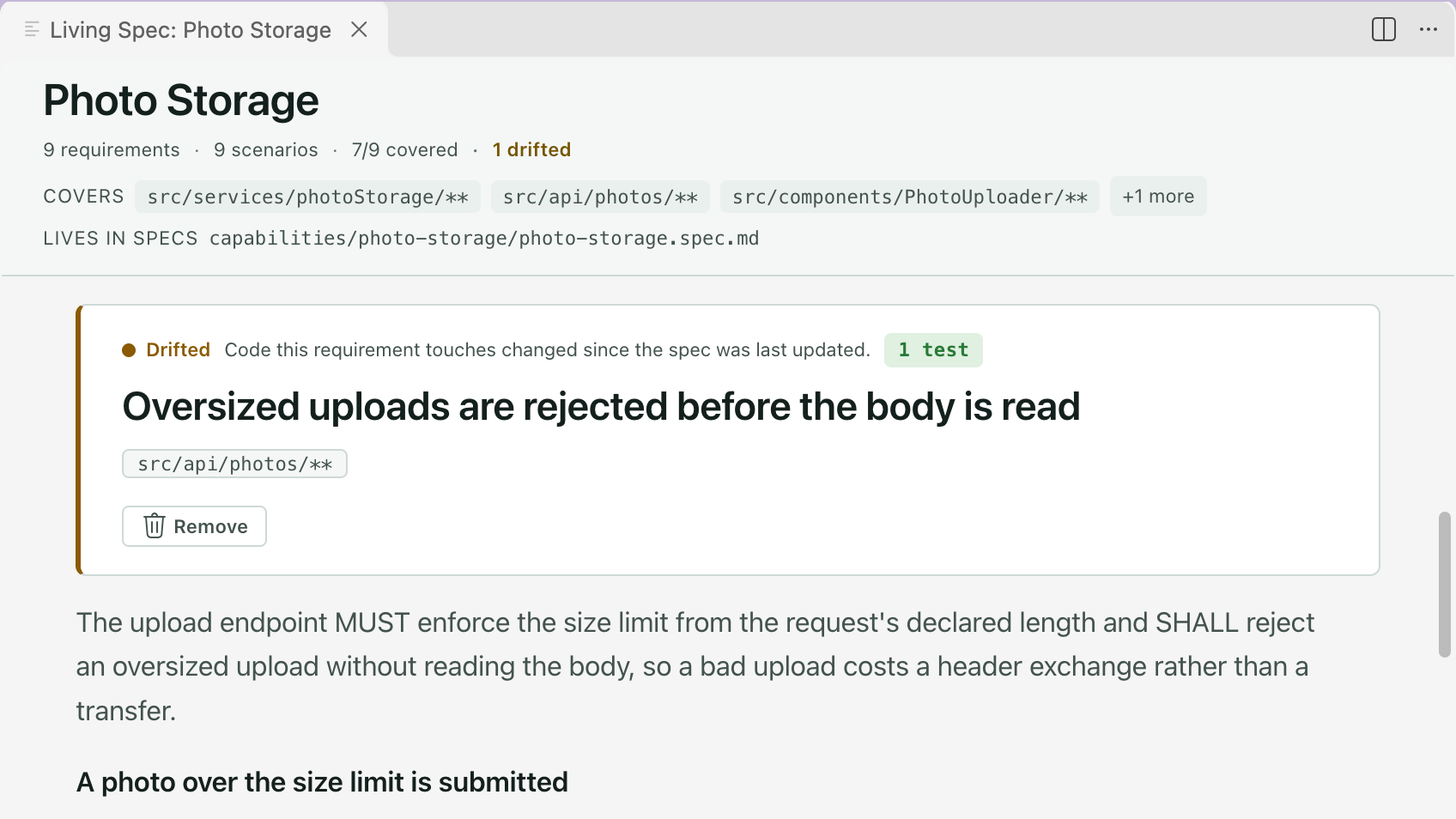
In any source file a capability claims, the status bar reads 2 living specs. Click it to see which ones.
How a spec stays current
Section titled “How a spec stays current”A Companion run adds a block to its own feature spec for each capability it changed:
## ADDED Requirements<!-- capability: spec-viewer -->
- The viewer re-anchors a stored comment onto the freshly rendered page when its tab reopens.
The other headings are ## MODIFIED Requirements, ## REMOVED Requirements and ## RENAMED Requirements. A block without a capability comment goes to whichever capability the changed files matched. At mark-complete a script folds each block into its capability spec, so you review the result in the feature’s diff. Folding twice changes nothing.
A run with plain Spec Kit doesn’t do this, and neither does code you write by hand. Run /speckit.companion.living-sync afterwards. Commands lists all seven living-specs commands.
living-specs.yml
Section titled “living-specs.yml”enabled: truelayout: centralexempt: ["*.config.*", "*.test.*", "**/migrations/**"]capabilities: - name: spec-viewer match: ["src/features/spec-viewer/**"] spec: src/features/spec-viewer/spec-viewer.spec.md - name: workflows match: ["src/features/workflows/**"]rules: spec: - "Write every scenario as WHEN/THEN with exactly one observable outcome"| Key | What it does |
|---|---|
enabled |
The opt-in. Unset, or with no file, every living-specs command acts as if the feature were absent. |
layout |
central or colocated: where adoption puts a spec you don’t place yourself. Defaults to central. |
exempt |
Globs that never count as drift. The default is the list above. |
name |
The capability id, and its folder name under capabilities/ |
match, exclude |
Globs for the files that belong to the capability, and the ones subtracted from it |
spec |
Puts the spec beside the code, as <something>.spec.md. Omit it and the spec goes to capabilities/<name>/<name>.spec.md. |
rules.spec, rules.plan |
Sentences handed to the specify step and the plan step on every run |
You can mix both layouts, and /speckit.companion.living-move switches a capability later. A file that matches several capabilities goes to the one with the longest literal path prefix. A spec file no capability claims shows under Orphans. <stem>.coverage.md beside a spec maps requirements to tests, and you write it.
The Living specs chip in the Workflow Builder edits enabled and layout. It shows capabilities, exempt and rules read-only, because adoption and the capability commands write them. An older livingSpecs: block in .specify/companion.yml is still read, and living-specs.yml wins when both exist.
What stays manual
Section titled “What stays manual”- Nothing updates a spec on its own. It’s current only if a run folded its changes in or someone ran
living-sync. - Drift and coverage never block anything. They always exit zero, so a CI job that should fail has to read their output. A run that loaded a capability and wrote no block for it gets a printed receipt, not a stop.
- Drift reads committed history. A capability whose spec isn’t committed yet is skipped, and so is one in a CI checkout with too little history. The report names each one and why.