A run, step by step
You press one button per step. The board sends the command to the chat, your agent runs it, and the board moves on by itself. The pictures follow one spec, a profile photo upload.
-
Specify
Press New spec, choose Companion, describe what you want and submit. When the agent finishes, the spec is on the board as Specified, and the card offers Run plan.
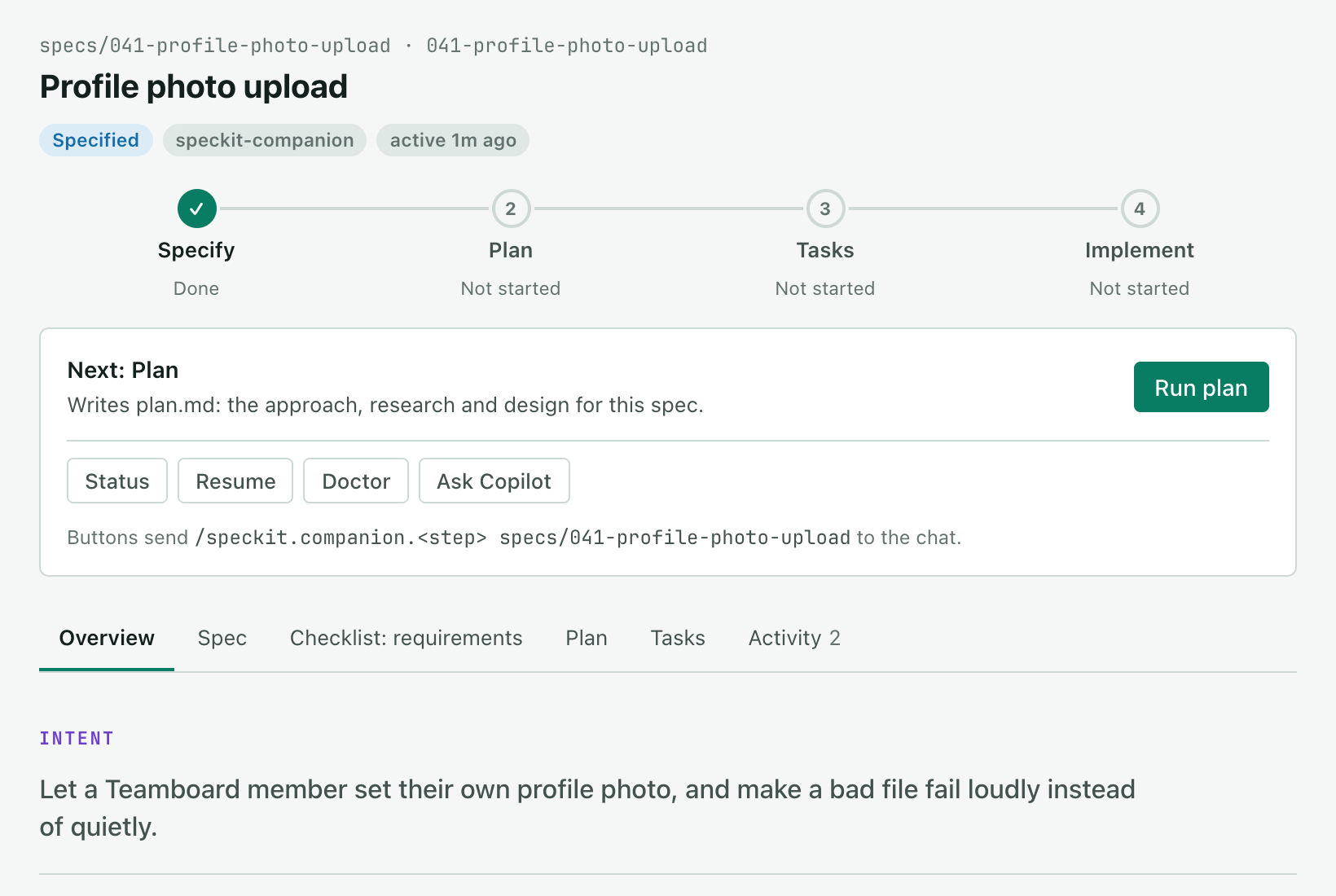
After specify: one step done, and Run plan on the card. -
Plan
Press Run plan. Plan turns done, and the plan, the research and the data model get a tab each.
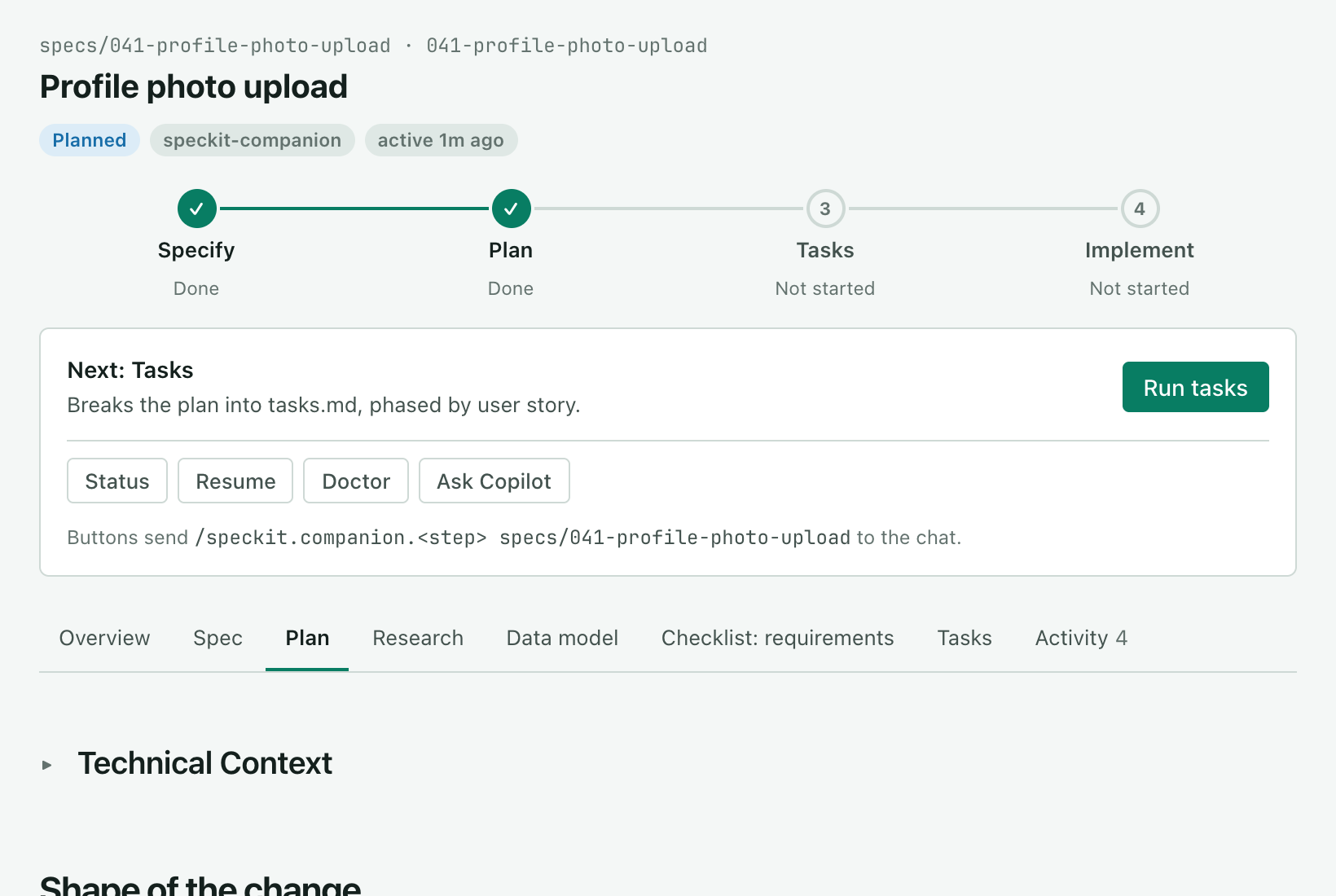
After plan: the plan on its own tab, and Run tasks on the card. -
Tasks
Press Run tasks. The Tasks tab lists every task by phase and counts
0/6.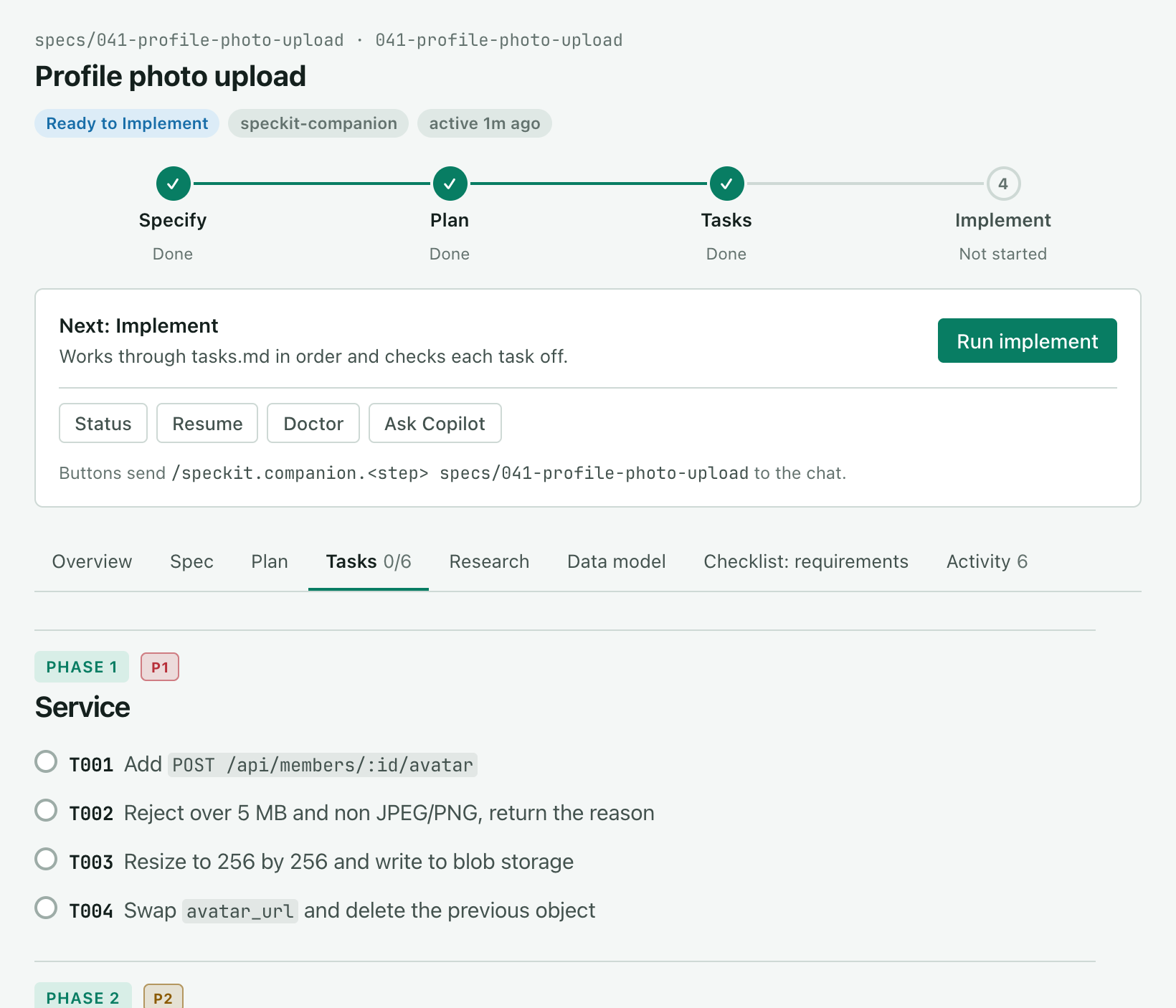
After tasks: the task list by phase, and Run implement on the card. -
Implement
Press Run implement. Implement reads Running, and each task is ticked as the agent finishes it, with what it did and the files it touched. If the run stops, press Resume.
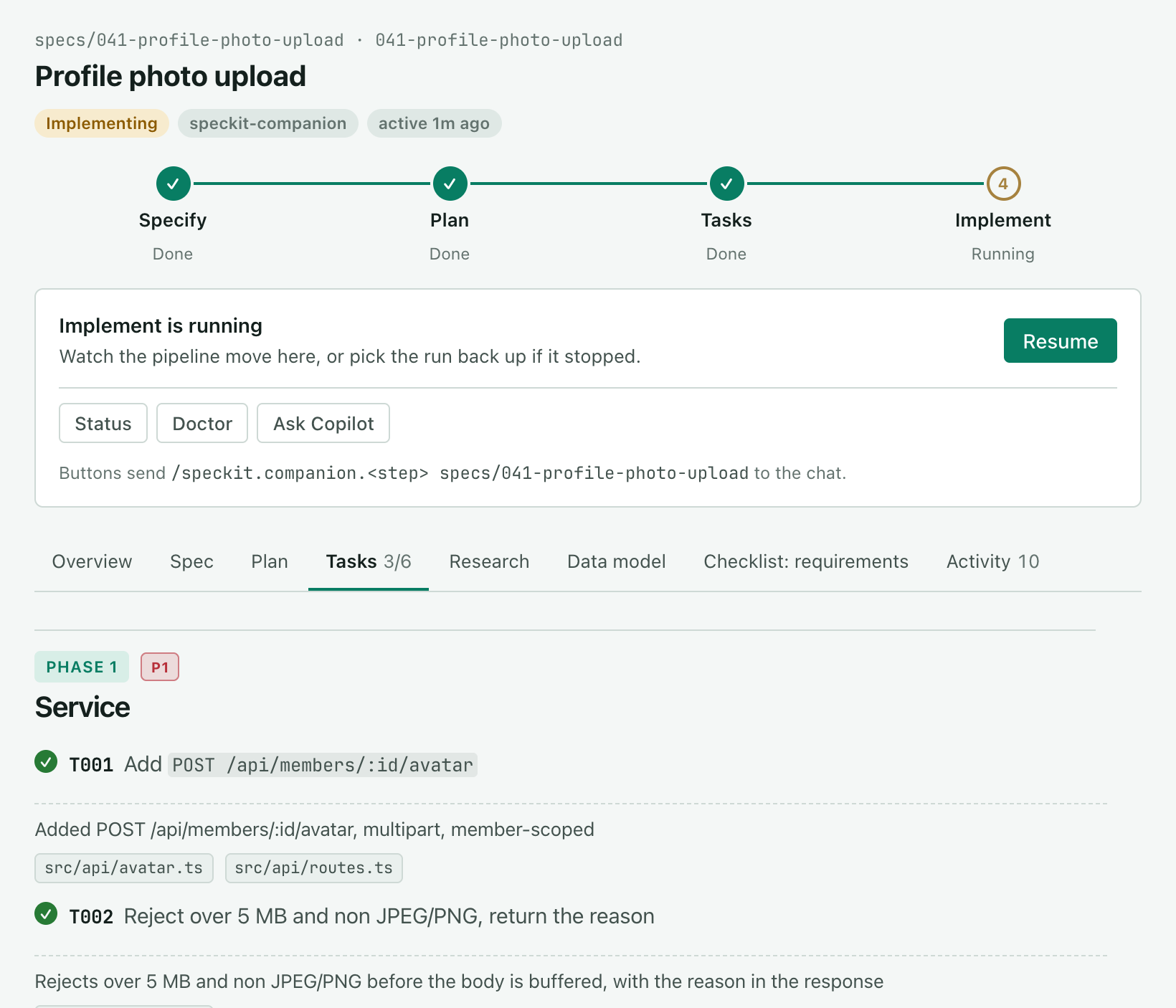
During implement: three of six tasks ticked, and Resume on the card.
Related
Section titled “Related”- Run the steps covers which commands the buttons send.
- Navigate the board covers what each part of the board shows.