Assess an idea
specify extension add assessThis adds Spec Kit’s assess extension to the project. Where your Spec Kit has bundles, specify bundle install assess adds the extension and a guided workflow together.
Assessment answers “is this worth building?” before the spec steps answer “how do we build it?”. It is Spec Kit’s own process, separate from specify, plan and tasks. You enter it on purpose, and it never changes source code. The input is just an idea: pasted text, a URL, a ticket, or a pointer at code that already exists.
The five stages
Section titled “The five stages”You run each one in your assistant, in order, usually once.
| Command | What it does | Writes |
|---|---|---|
/speckit.assess.intake |
Captures the raw idea | intake.md |
/speckit.assess.research |
Gathers evidence about users, the market and prior art, including evidence against the idea | research.md |
/speckit.assess.define |
Defines the problem: users, goals, non-goals, success metrics and the cost of doing nothing | problem.md |
/speckit.assess.shape |
Shapes two or three options with their size and trade-offs, and recommends one or none | concept.md |
/speckit.assess.decide |
Scores the idea and gives the verdict | decision.md |
Name the idea once and reuse the name, for example /speckit.assess.intake "Let users work offline" slug=offline-mode, then /speckit.assess.research slug=offline-mode.
The order is not rigid. Define can run straight from your input, without intake or research. Shape and decide both need problem.md.
What it writes
Section titled “What it writes”Each idea gets its own folder, .specify/assessments/<slug>/, with one markdown file per stage. The commands write only there.
The verdict
Section titled “The verdict”| Verdict | What it means | What you do next |
|---|---|---|
| go | The problem is valid, the evidence is adequate and a concept is shaped | Hand the summary in decision.md to /speckit.specify yourself. See Specify. |
| needs-clarification | Something is missing. A go without a shaped concept is downgraded to this. | Fill the gap in the file that has it, by editing it or asking your assistant, then have the decision revised. You do not rerun the stage. |
| kill | Not worth building | Nothing. The reason is on record, which is a good outcome. |
Most ideas should be killed or parked before shape.
In SpecKit Companion
Section titled “In SpecKit Companion”What you see
An Ideas pane under Specs. Assessing lists the ideas still in progress with the stage they reached, and Decided lists the rest with the verdict. Expand an idea for its five stage documents and click one to read it in the viewer. A stage not written yet reads not created.
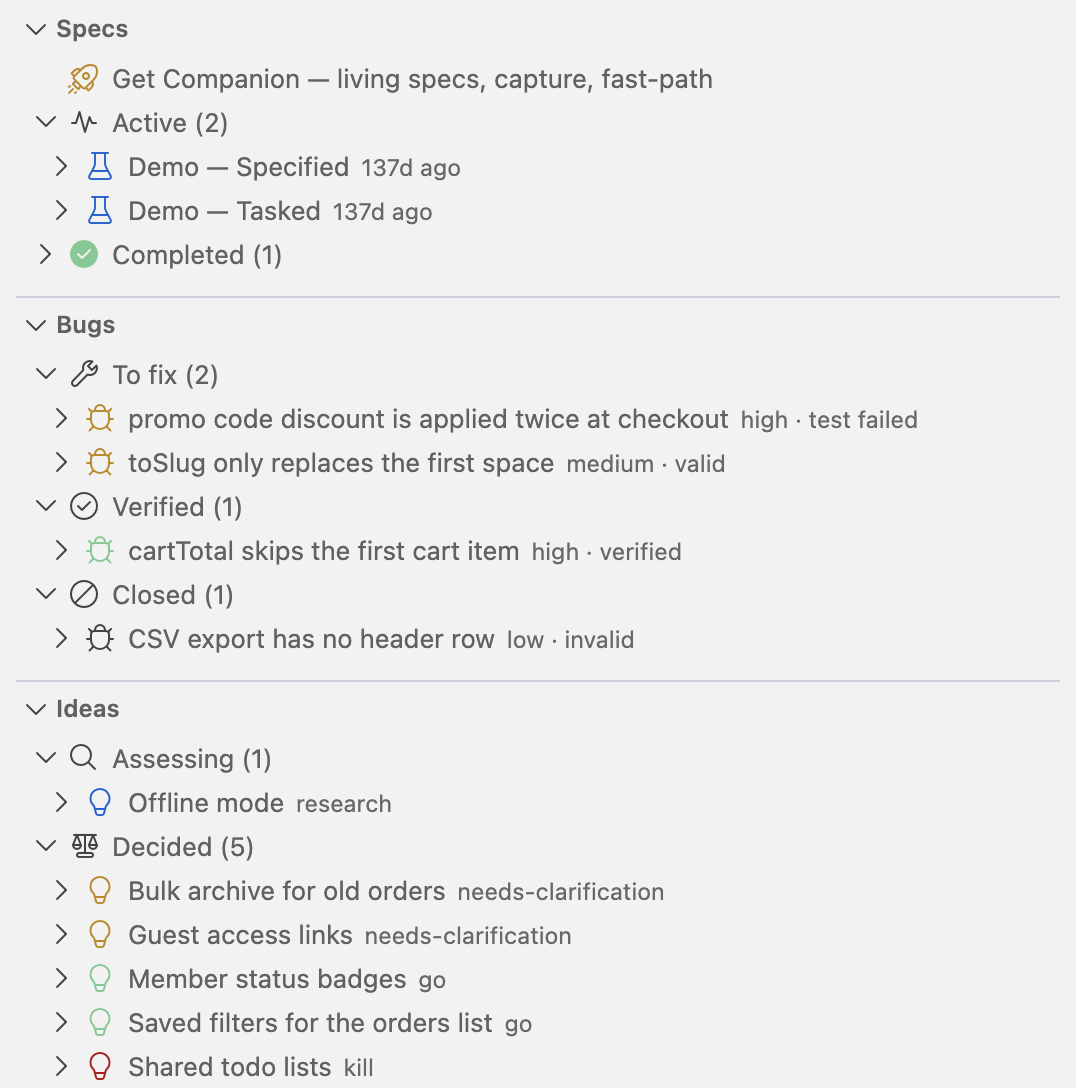
To start an idea from Companion:
- Choose + on the Ideas pane.
- In New Idea, write the idea in a sentence or two, say who it is for, and check the name for its folder.
- Press Assess idea. It sends the intake command to your assistant.
Open an idea and the rail lists its five stages: Intake, Research, Problem, Concept and Decision. A stage not written yet is disabled. An idea still being assessed opens on the latest stage it reached.
An open question in a stage document shows Needs an answer and an Answer button on the Intake, Research, Problem and Concept tabs. Click Answer, type your reply and send it. Your answer is saved in the project’s .speckit-companion/ folder, which git ignores, and the command that wrote that stage is sent to your assistant with it, so the stage is rewritten with the question settled.
A decided idea’s Decision reads as a decision page. It opens with the verdict and the first sentence of the rationale, then the rest of the rationale, then a Scorecard with each criterion, its rating and why. The last section depends on the verdict.
| Verdict | The page closes with |
|---|---|
| go | Handoff |
| needs-clarification | What is blocking |
| kill | Revisit trigger |
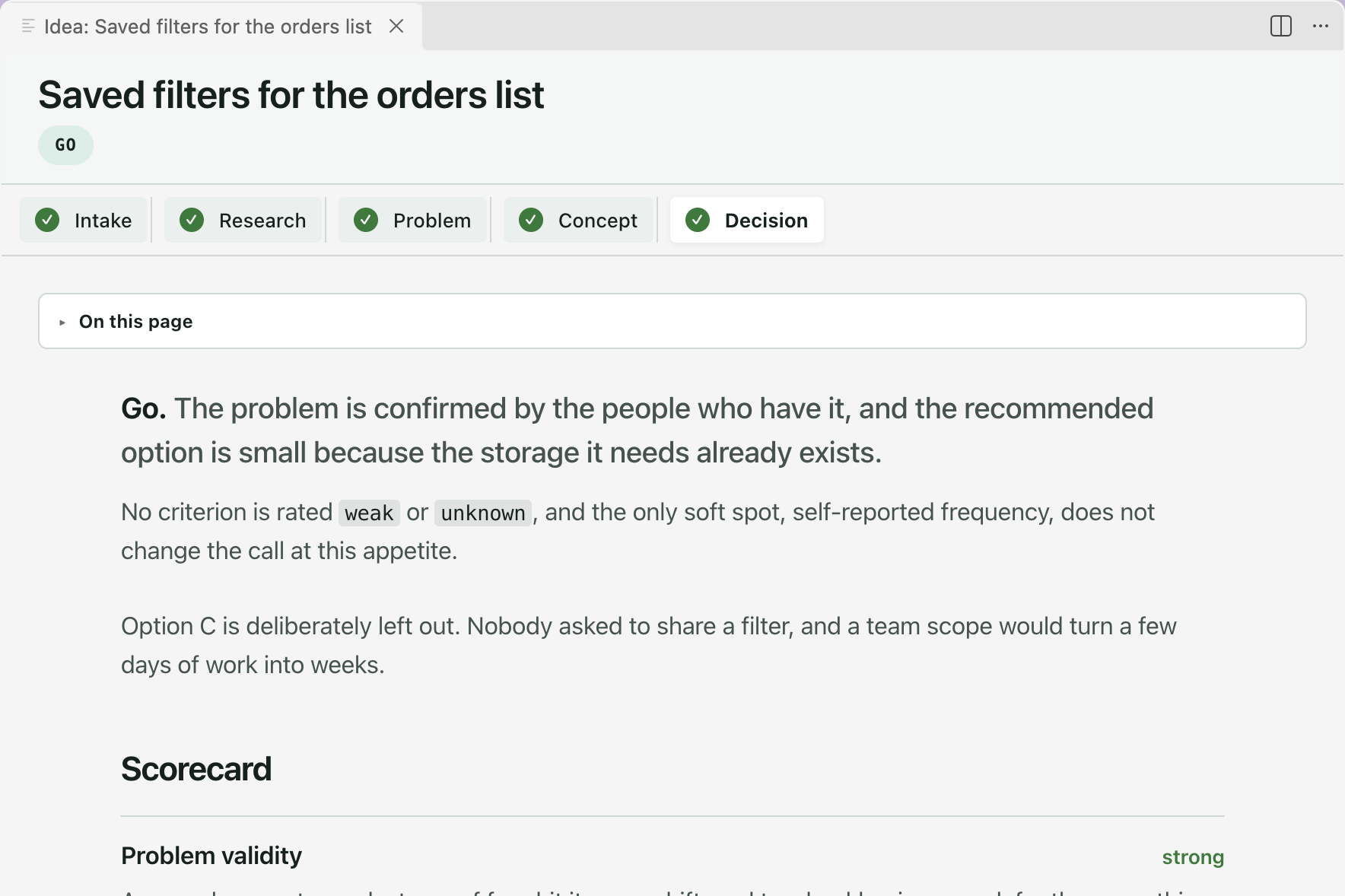
The page is for reading, and it updates when the decision changes on disk.
The footer offers the idea’s next stage: Research, Define the problem, Shape a concept, then Decide. Once decided, the button depends on the verdict.
| Verdict | The footer offers |
|---|---|
| go | Create spec from this idea, which opens Create Spec with the idea’s title and rationale filled in for you to edit and send |
| needs-clarification | Continue assessment |
| kill | Reopen from intake |
Before the assess extension is installed the pane holds one row that installs it. A spec made from a go shows up in the Specs view like any other.
Related
Section titled “Related”- Spec-driven development covers the steps a go verdict leads into.
- Fix a bug is Spec Kit’s other process outside the spec steps.