Hooks
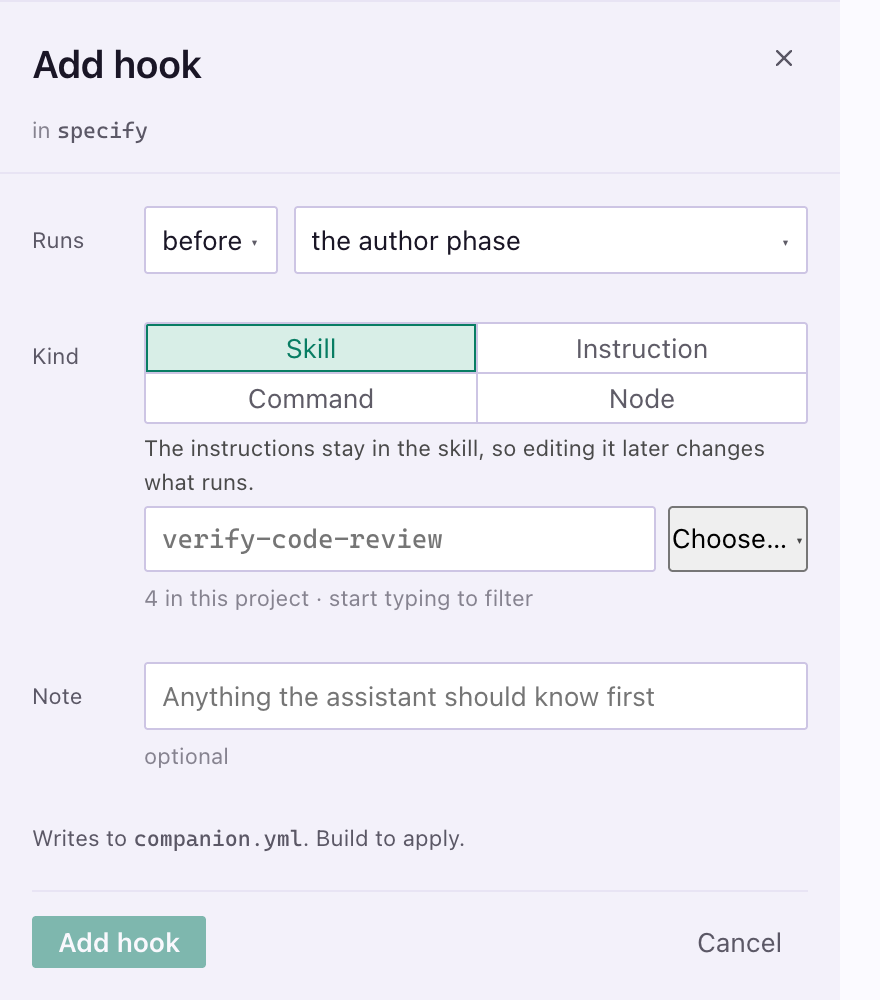
A hook is your own work that runs before or after a node, a phase or a whole step of the Companion workflow. You attach it without forking the command. A node is one section inside a Companion command, and it is what a hook anchors to.
Hooks need the Companion Spec Kit extension and live in .specify/companion.yml in your repo.
The four kinds
Section titled “The four kinds”| In the Workflow Builder | In companion.yml |
What it is |
|---|---|---|
| Skill | { type: skill, ref: <name> } |
Asks the assistant to use a skill you already have. Try this first. |
| Instruction | { type: prompt, text: "..." } |
One instruction, kept in the file and dropped in at that point |
| Command | { type: command, run: "..." } |
A shell line. Your assistant needs a terminal. |
| Node | { type: node, ref: <id> } |
Your own file at .specify/companion/nodes/<id>.md, reusable in more than one place |
Attach one from the Workflow Builder
Section titled “Attach one from the Workflow Builder”Use Add hook from a phase’s + menu, a node’s panel, or the dotted slot between nodes. Pick where it runs, then the kind.
Your hooks show under the Companion mascot. Hooks from an installed extension show as via <extension>. Nothing takes effect until you Build. See Workflow Builder.
Move one
Section titled “Move one”| You do | Result |
|---|---|
| Drop it on the top or bottom half of a node | It runs before or after that node |
| Drop it on a dotted slot or a block of hooks | It is added last there |
| Drop it between two hooks | Their order changes |
| Open the hook and use Move up or Move down on its Order row | The same, from the keyboard |
Hooks at one place run top to bottom. Each move is one change to companion.yml and keeps the rest of the file as you wrote it.
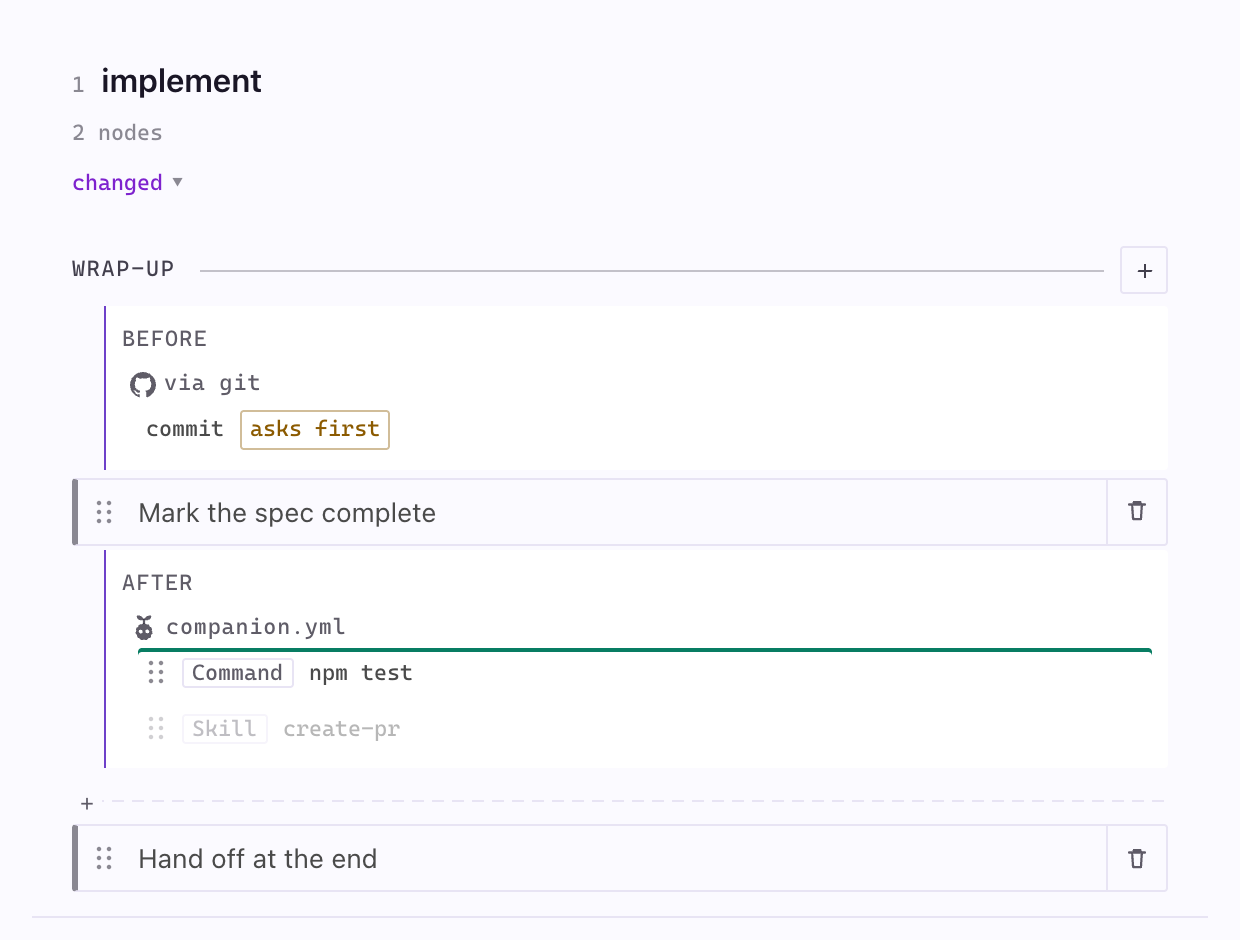
A hook moves within its own step. Hooks from an installed extension, and hooks parked while the pipeline runs as it ships, stay where they are, and dragging one says why.
Write one by hand
Section titled “Write one by hand”The file holds changes only.
commands: implement: hooks: before: handoff: - { type: command, run: "npm test" } - { type: prompt, text: "Confirm the CHANGELOG is updated." } after: implement-exec: - { type: node, ref: review }implement is the step, before and after are the side, and handoff and implement-exec are the nodes the hooks anchor to. A phase name works as an anchor too.
Add background: true to start a hook without waiting for it. Use it for independent work like tests or notifications, never for anything that writes the run record.
Example: call paths in the plan
Section titled “Example: call paths in the plan”The extension ships a node you can attach to the plan step. It adds a short tree of the functions a change reaches, each with its file and line, so you see how far the change spreads before any code is written.
commands: plan: hooks: after: plan-doc: - { type: node, ref: call-paths }Build from the Pipeline Builder and the node is in your plan command. Without a build, copy the node file from the reference below to .specify/companion/nodes/call-paths.md, where your assistant looks for it. The plan gains a block like this one, which reads as plain code everywhere:
```calls A stock run's finished step lands in the record session.idle @ apps/copilot-canvas/extension.mjs:153~ settle() @ apps/copilot-canvas/server.mjs:187+ writeRecord() @ apps/copilot-canvas/server.mjs:160+ recordStep() **new** @ apps/copilot-canvas/run-record.mjs```+ is new, ~ is changed, - is removed, and no mark means the function is on the path and stays as it is. The node then runs a check that opens every cited file. A missing file or a line past the end of one is an error, and your assistant fixes what the check reports once.
It is short on purpose: at most 3 blocks of 12 lines, names and locations only, and nothing at all for a change sized simple. The call paths reference has the full grammar, the check’s rules and how to make it a gate.
What actually runs
Section titled “What actually runs”Nothing executes companion.yml. Your assistant reads it at run time, because instructions for doing so are appended to each command. A hook is a strong convention, not an enforced step. If something must never be skipped, put it in CI.
| Situation | What happens |
|---|---|
No companion.yml |
Shipped defaults, no warning |
| The file cannot be parsed | Shipped defaults and one warning. Nothing partial is applied. |
| A hook anchored to a missing node | A warning, and that anchor is skipped |
A type: node hook with a missing file |
An error |
A hook from an installed extension marked asks first |
It does not run unless you ask |
| The run is unattended, under Auto | A hook that would stop and ask a person records the checkpoint and carries on |
Hooks are not Spec Kit’s lifecycle hooks
Section titled “Hooks are not Spec Kit’s lifecycle hooks”Spec Kit has its own hooks that fire after each stock command, such as after_specify. The Companion Spec Kit extension uses those to write the run record. They are listed in Commands and you do not edit them.
Related
Section titled “Related”- Workflow Builder covers the board the hooks sit on.
- Your own workflow covers the other keys in
companion.yml.