Navigate the board
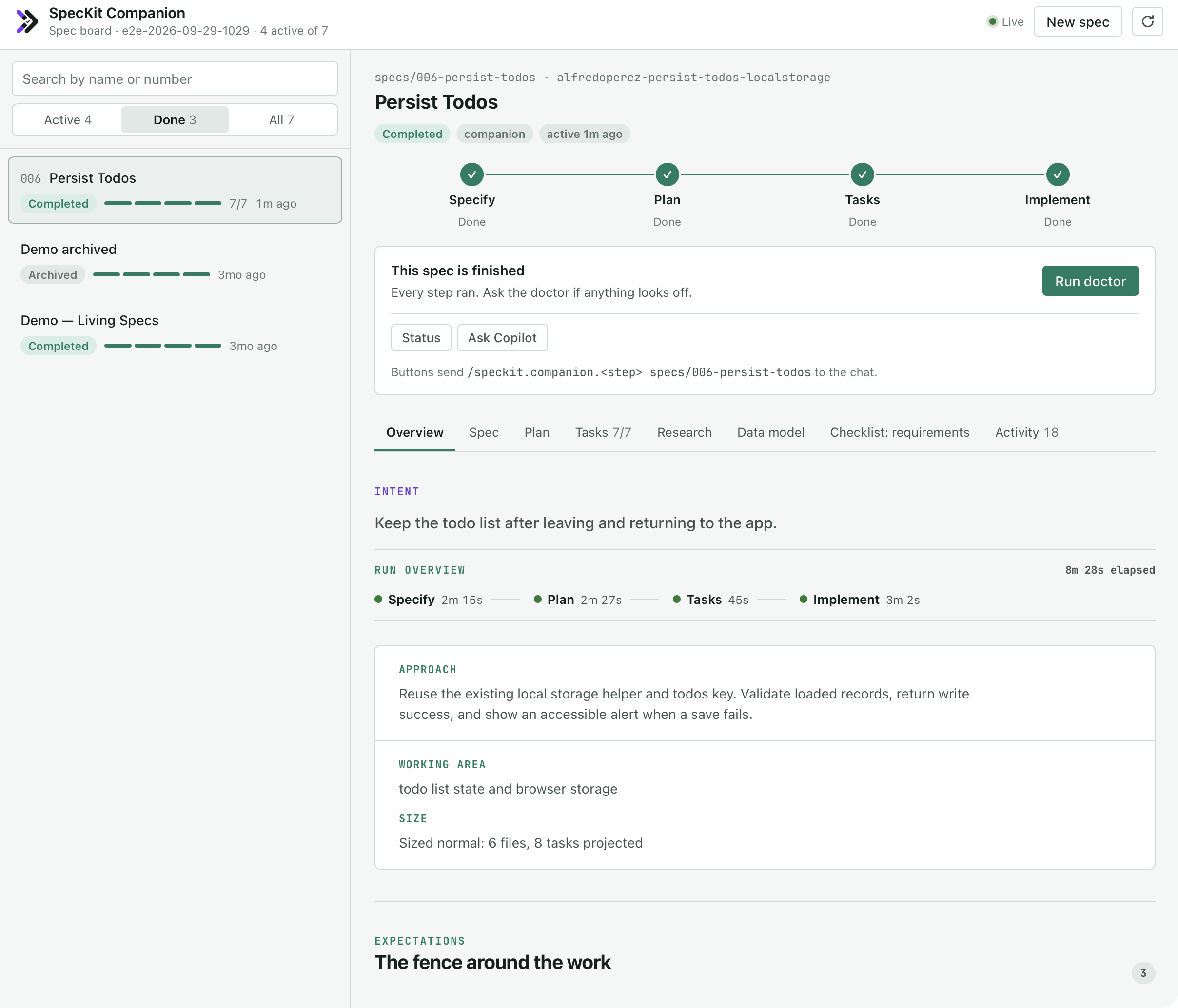
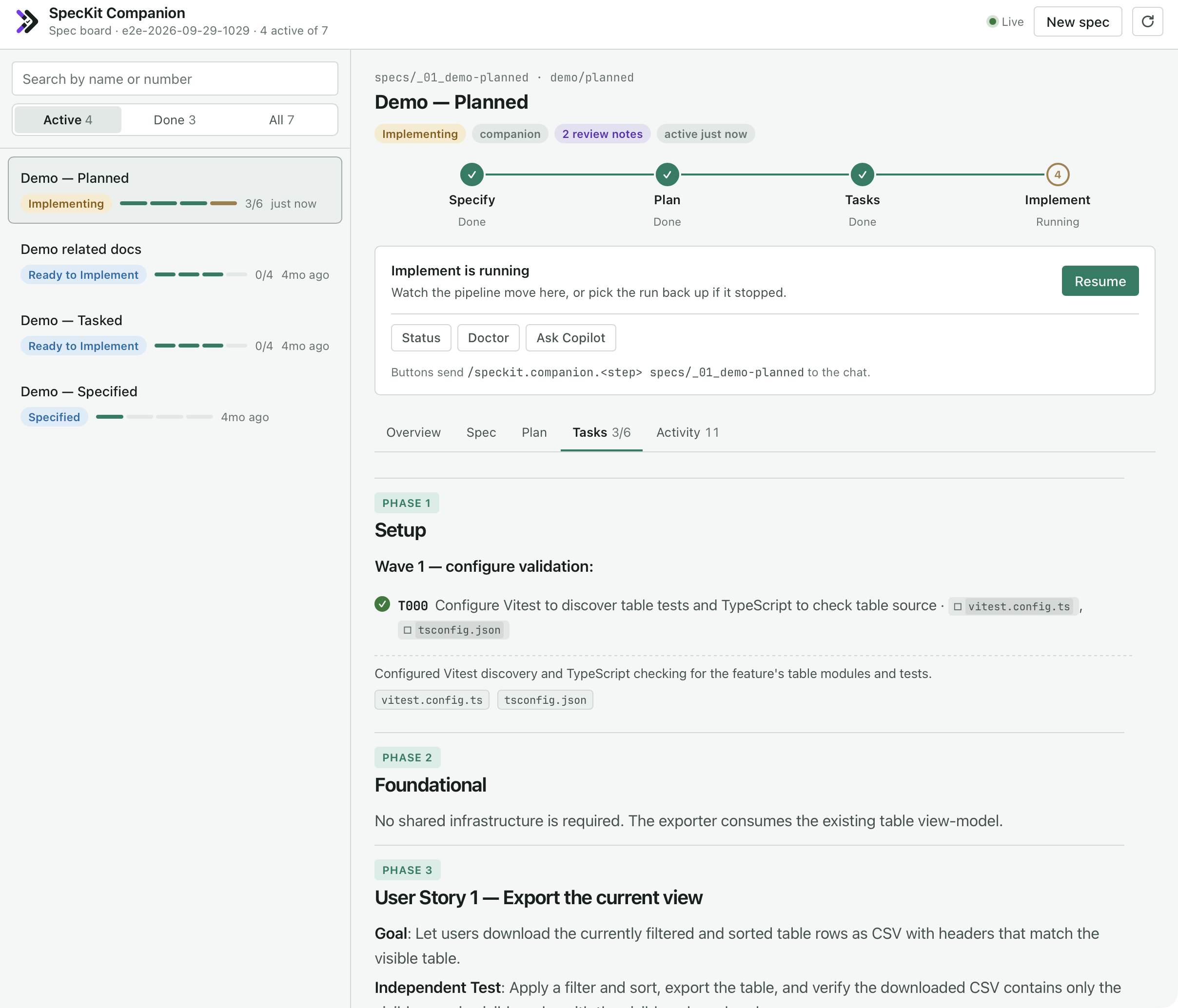
The board lists every spec on the left and opens the one you select on the right.
What the board shows
Section titled “What the board shows”| Part | Detail |
|---|---|
| The spec list | Status, a four-step bar (specify, plan, tasks, implement) and task progress, most recently active first. Filter by Active, Done or All, or search by name or number. |
| The Overview | The same record as the VS Code viewer: intent, time per phase, decisions and coverage |
| The documents | The spec, plan, tasks, research and checklists |
| The next-step button | Sends the same line the VS Code sidebar does, such as /speckit.companion.plan specs/042-export-csv, into the chat |
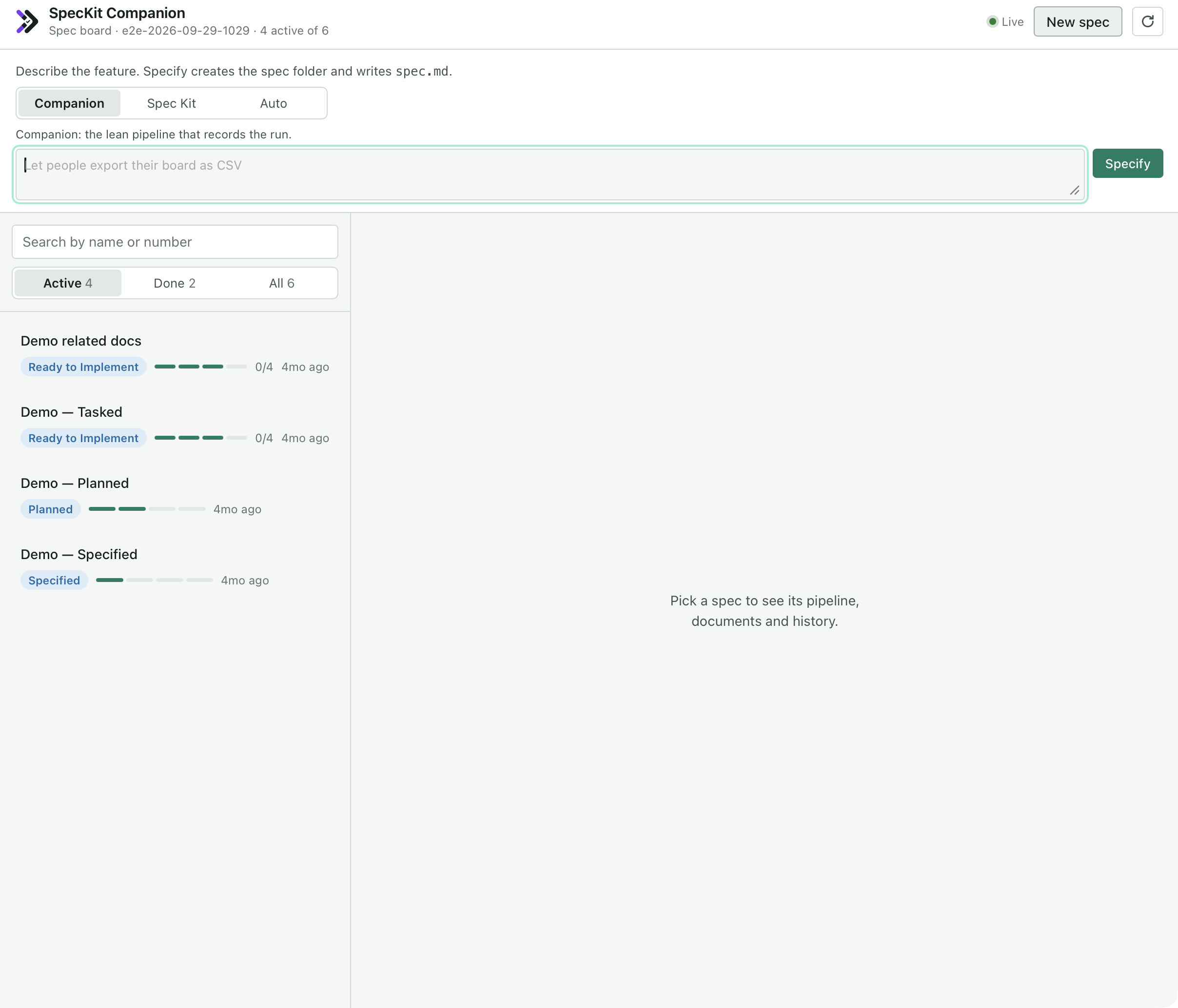
| New spec | Companion, Spec Kit or Auto, as in VS Code. Companion and Auto are greyed out, with the reason, in a project without the Companion Spec Kit extension. |
What you see
When the agent creates a spec, writes plan.md or ticks a task, the board updates without a refresh. That includes the first spec of a project that had none.
Related
Section titled “Related”- A run, step by step follows one spec from specify to implement.
- Install puts the board in the Copilot app.
- Run the steps covers which commands the buttons send.