Implement
/speckit.companion.implementOr press Implement in the viewer footer. The stock Spec Kit workflow sends /speckit.implement.

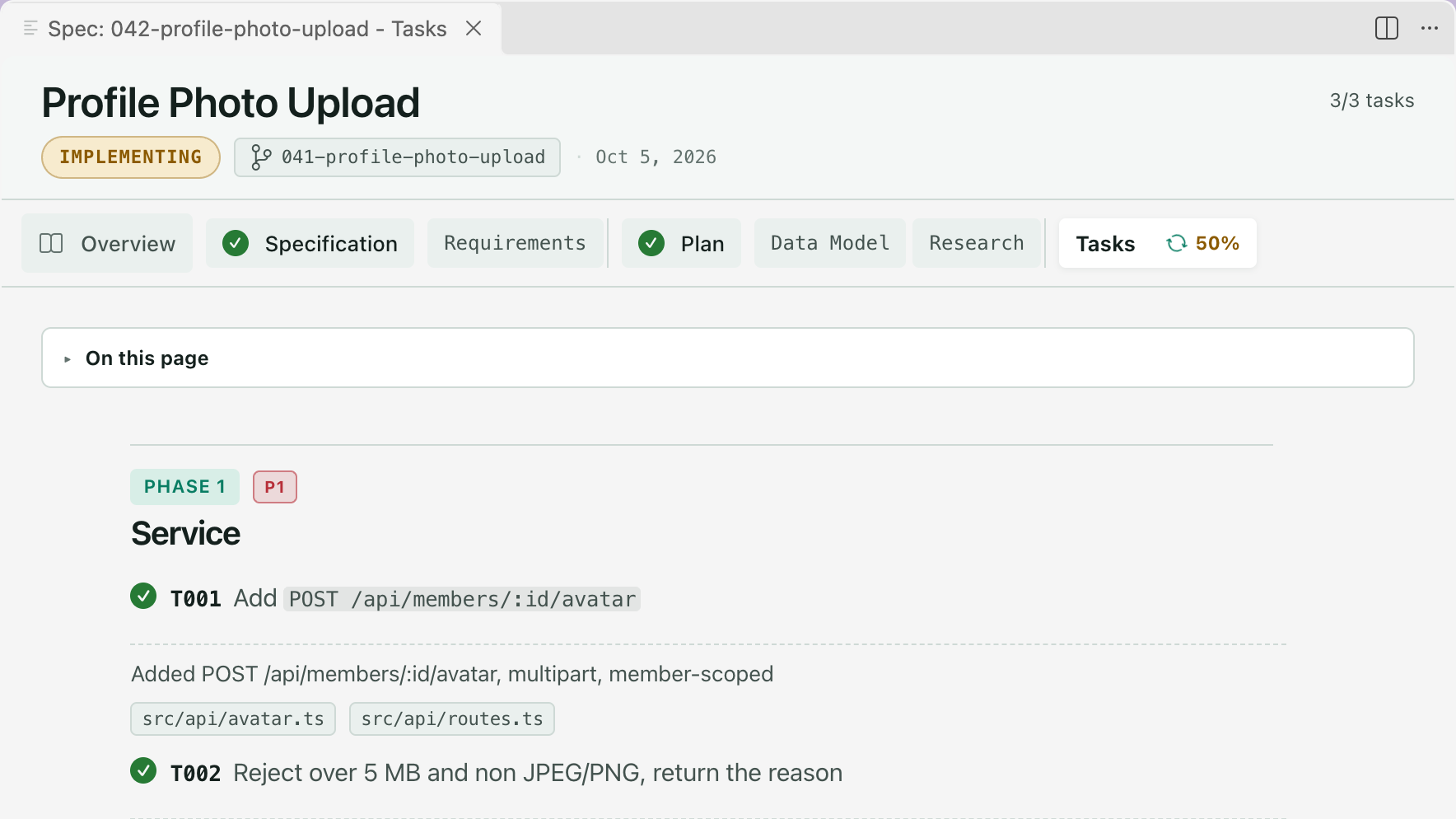
Implement works through tasks.md in order and writes the code. It writes no document of its own, so it has no tab in the rail. Its progress shows on the Tasks tab.
While it runs
Section titled “While it runs”What you see
The Tasks tab shows a live percentage, counted from the checked boxes in tasks.md. Boxes tick as tasks finish. In the sidebar, the spec’s row shows the last finished task and how long ago, like T004 · 2h ago.
The footer has no next step while the run is going. It reads Step running, actions unlock when it settles.

When a step or a phase of tasks completes, a notification offers Open spec. Turn it off with speckit.notifications.stepComplete.
How the Companion workflow runs it
Section titled “How the Companion workflow runs it”The Companion command records each task the moment it finishes, with one line on what it did and the files it touched. A run that stops halfway picks up at the next unchecked task. Where your assistant can run work in parallel, large user stories are built side by side.
How it ends
Section titled “How it ends”| Workflow | When the last task is checked |
|---|---|
| SpecKit Companion | The run marks the spec complete itself. It moves to Completed in the sidebar. |
| Spec Kit | The spec stays at Implemented, with a yellow beaker in the sidebar, until you press Mark Completed in the footer. |
After implement you can run Converge to check the code against the spec.
If it stops halfway
Section titled “If it stops halfway”| You want to | Do this |
|---|---|
| Carry on where it stopped | Hover the spec in the sidebar and click Resume, or run /speckit.companion.resume |
| Know where it is | Run /speckit.companion.status |
| Check that the run did what it says | Run /speckit.companion.doctor |
Track progress covers all three.
Related
Section titled “Related”- The Overview shows what the run recorded, including which checks it ran.
- Converge is the step after.