Run the steps from the board
Each button on the board sends one command into the chat, and your agent runs the step from there.
Which commands the buttons send
Section titled “Which commands the buttons send”| The project and the spec | The buttons send |
|---|---|
| The Companion Spec Kit extension is installed | /speckit.companion.* |
| It is not installed | The stock plan, tasks and implement commands |
| The spec was started with the Spec Kit workflow | The stock commands, even where Companion is installed |
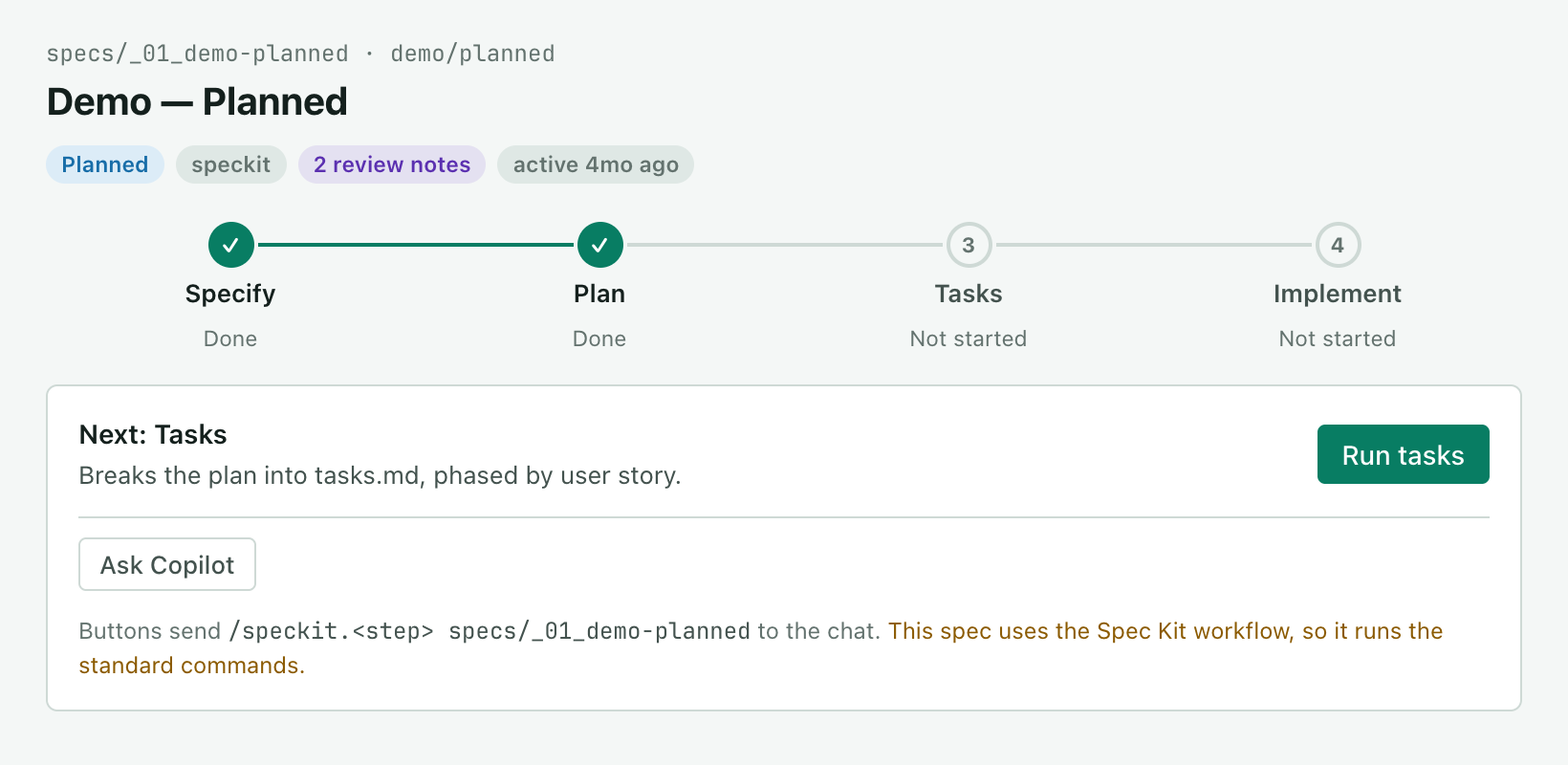
A spec keeps the workflow it was started with, so a run never switches halfway. The board says which commands it is using under the next-step button.
The board spells each command the way your project registers it. A project whose commands are skills (.github/skills/speckit-plan/) gets /speckit-plan, and one whose commands are prompt files (.github/prompts/speckit.plan.prompt.md) gets /speckit.plan. The line under the button and Show prompt both show the spelling that was sent.
What lands in the chat
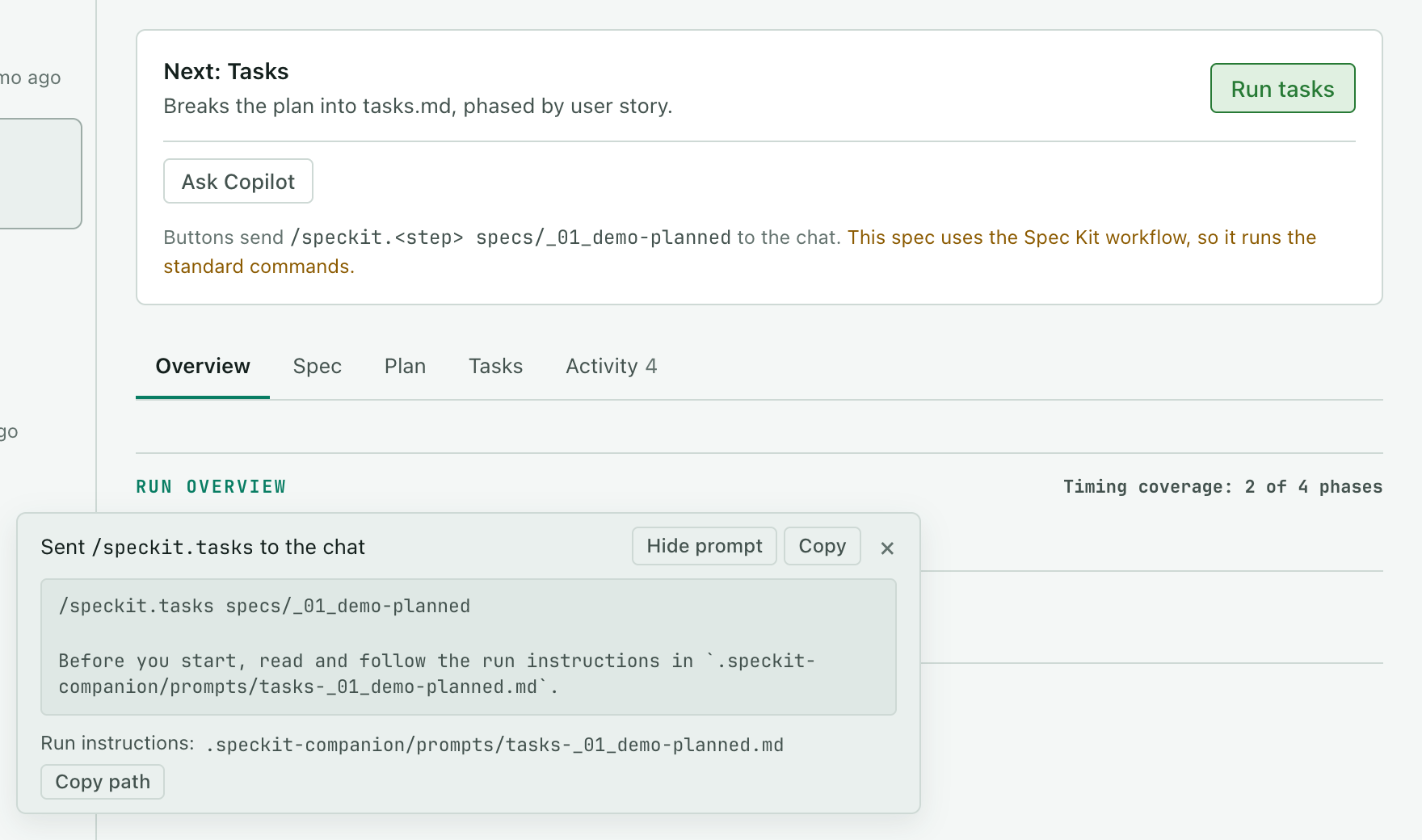
Section titled “What lands in the chat”Where Companion is installed, a button sends two things: the command, and one sentence telling the agent to read its run instructions from a file. The instructions themselves, which tell the agent how to record the run, are written to .speckit-companion/prompts/ in the project, so the chat stays short. That folder is ignored by git.
In a stock Spec Kit project a button sends the command and nothing else. There are no run instructions, because the script they rely on comes with Companion.
After a send, a note at the bottom of the board shows the message that was sent, with Show prompt, Copy and the path of the instructions file when there is one.
How the board knows where a spec stands
Section titled “How the board knows where a spec stands”While the agent works on a step the board sent, that step shows as Running. It stays that way until the chat turn ends.
In a stock project the board reads each step from the files: a written spec file means Specify is done, a written plan.md means Plan is done, a written tasks.md means Tasks is done, and ticked tasks show how far Implement is. An empty file, or the template Spec Kit copies in when a step starts, does not count. The next step’s button is there as soon as the previous step’s document is written. The board reads the files the same way when a run record has fallen behind them.
Where Companion is installed its run record leads, so a step that is still running is never shown as done because a file appeared early. The agent closes each step in the record as it finishes. If it writes the document for a Specify, Plan or Tasks step you sent from the board and ends its turn without closing the step, the board closes it in the record, so the next step’s button is there.
For a step you send from the board in a stock project, the board notes when it sent the step and when that chat turn ended, if the step’s document was written during it. The Overview shows a time for those steps only, and says so. A step you type into the chat yourself has no time, and neither does a second run of a step the spec is already past.
When Companion is not installed
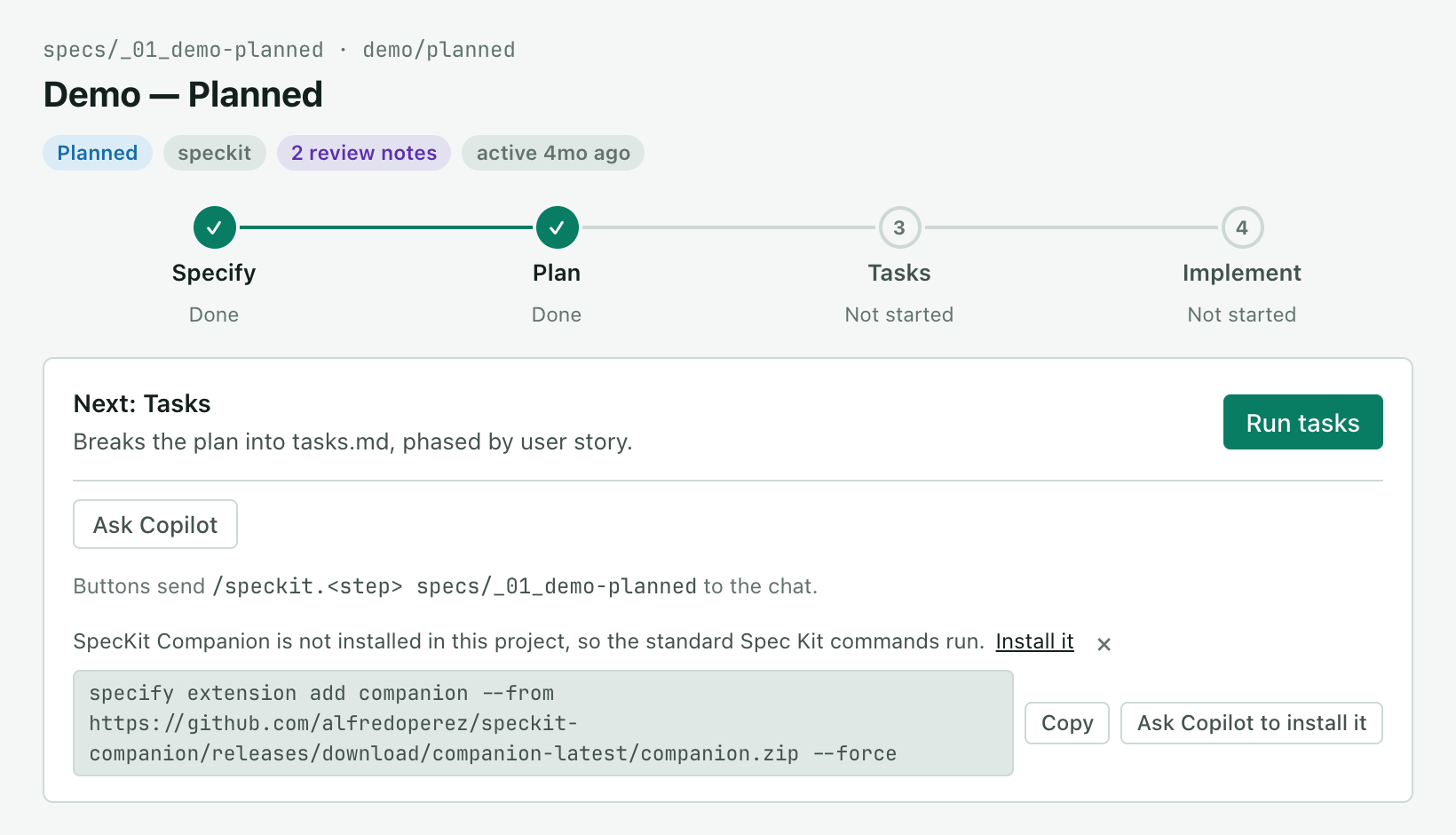
Section titled “When Companion is not installed”The board still works with stock Spec Kit, and it says so in one line on the New spec form and on the next-step card. Install it shows the install command with a Copy button, and Ask Copilot to install it asks the agent to run it for you. Dismiss the line and it stays hidden for the session.
Good to know
Section titled “Good to know”- The board never edits a spec document. The commands it sends write the spec, the plan and the tasks. The board writes its own run instructions under
.speckit-companion/prompts/, and in a stock project the start and finish of each step it sent, in the spec’s.spec-context.json. - You can ask the agent. “Which specs are still open?” or “show me the export spec”, and the board follows.
Related
Section titled “Related”- A run, step by step follows one spec from specify to implement.
- Navigate the board covers what each part of the board shows.
- Spec-driven development explains the two workflows a spec can be started with.